Create Needed by Create: Easy Builds createeasybuilds-forge-1.20.1-0.1.0.jar
requiredMatching file found Matched file: Create 6.0.8 for mc1.20.1

CurseForge · Minecraft mod
Place ready-made Create blueprints as holograms and build them step by step, with every block and rotation checked as you go.
Quick answer
Create: Easy Builds createeasybuilds-forge-1.20.1-0.1.0.jar targets 1.20.1 with Forge. The project page does not say whether this file belongs on the client, dedicated server, or both. All 1 required mods have matching files.
Where it goes
The project page does not say whether this file belongs on the client, dedicated server, or both.
The source does not explicitly classify this release as client-only or server-only.
createeasybuilds-forge-1.20.1-0.1.0.jar on Forge. Every mod below is checked against that same setup.
Install Create first. We found matching files for this game-version and loader setup.
We only count dependency files that match this setup. A file for another loader does not fill the gap.
Before you install it
Built for Create: Easy Builds createeasybuilds-forge-1.20.1-0.1.0.jar on Forge. Pick another file and the loader, install side or required mods may change.
Use createeasybuilds-forge-1.20.1-0.1.0.jar. It targets 1.20.1 with Forge; another release may have different loader, side or dependency requirements.
Install Create first. We found matching files for this game-version and loader setup.
The project page does not say whether this file belongs on the client, dedicated server, or both.
Use the “Get this file” button beside createeasybuilds-forge-1.20.1-0.1.0.jar. It opens that exact file at the source.
About this project
Proven Create builds, ready to place. Create: Easy Builds adds the Create Build Guide: a book of compact, working blueprints that you place in your world as holograms and build block by block. Every block and every rotation is checked as you go. It’s lightweight, needs nothing but Create, and fits right into any Create modpack.
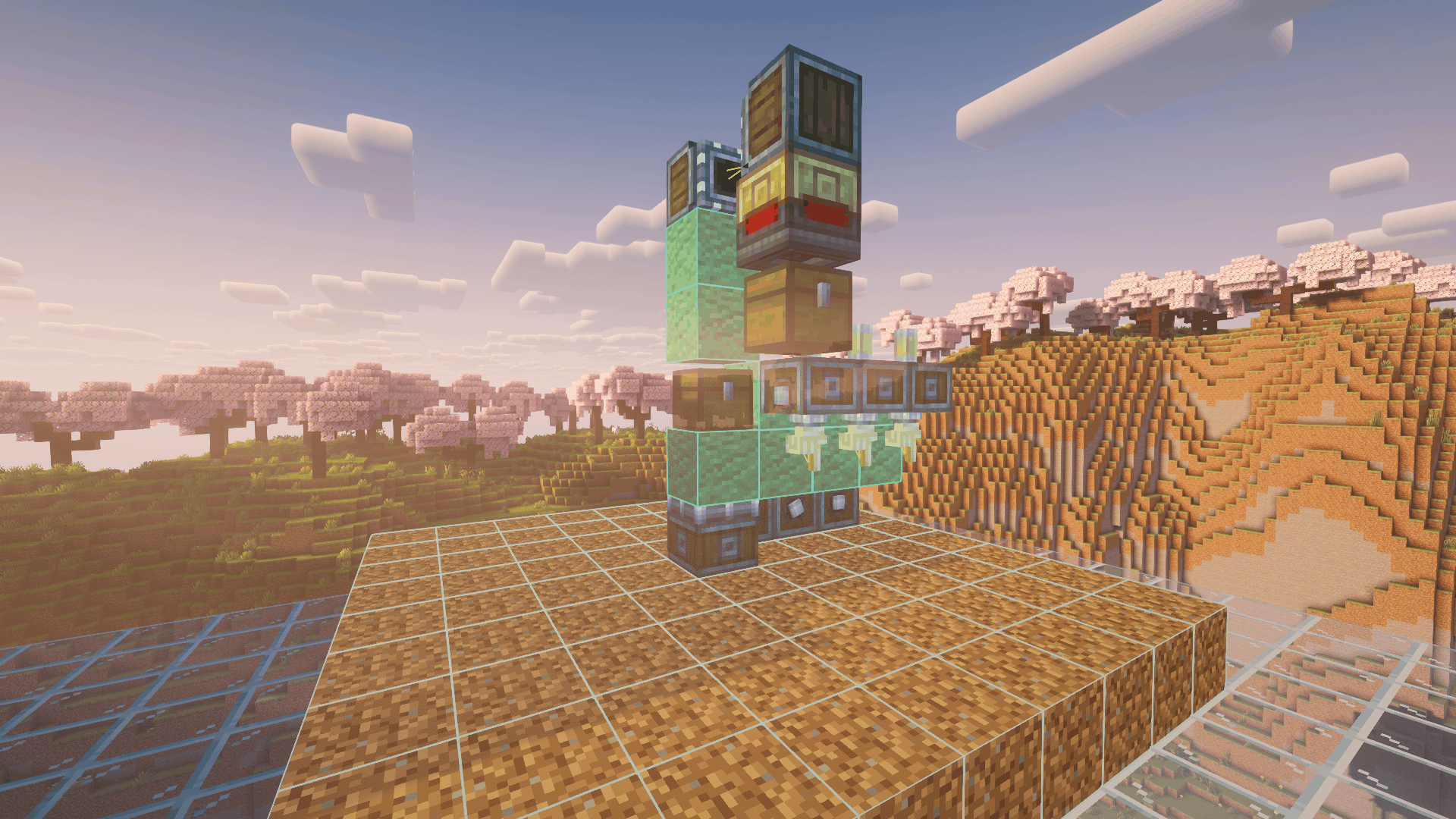
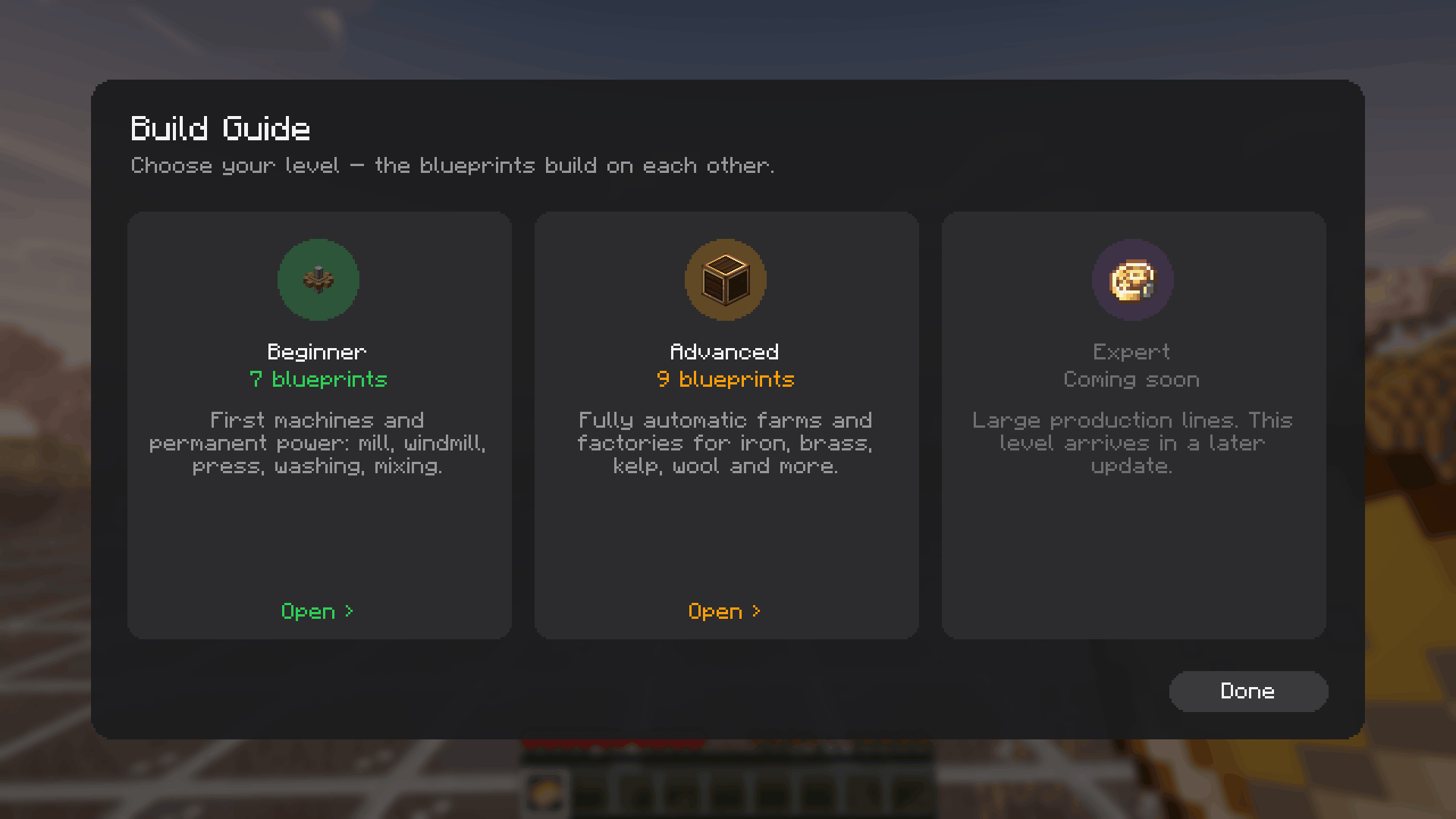
Whether you know Create inside out and just want a reliable layout without planning it yourself, or you’re simply looking for a clean build to copy, the book has you covered. The blueprints are sorted into Beginner, Advanced and Expert and follow a natural progression: from your first mill and windmill to a fully automated iron farm, brass factory or tree farm. That makes the book a ready-made Create progression guide for any modpack.
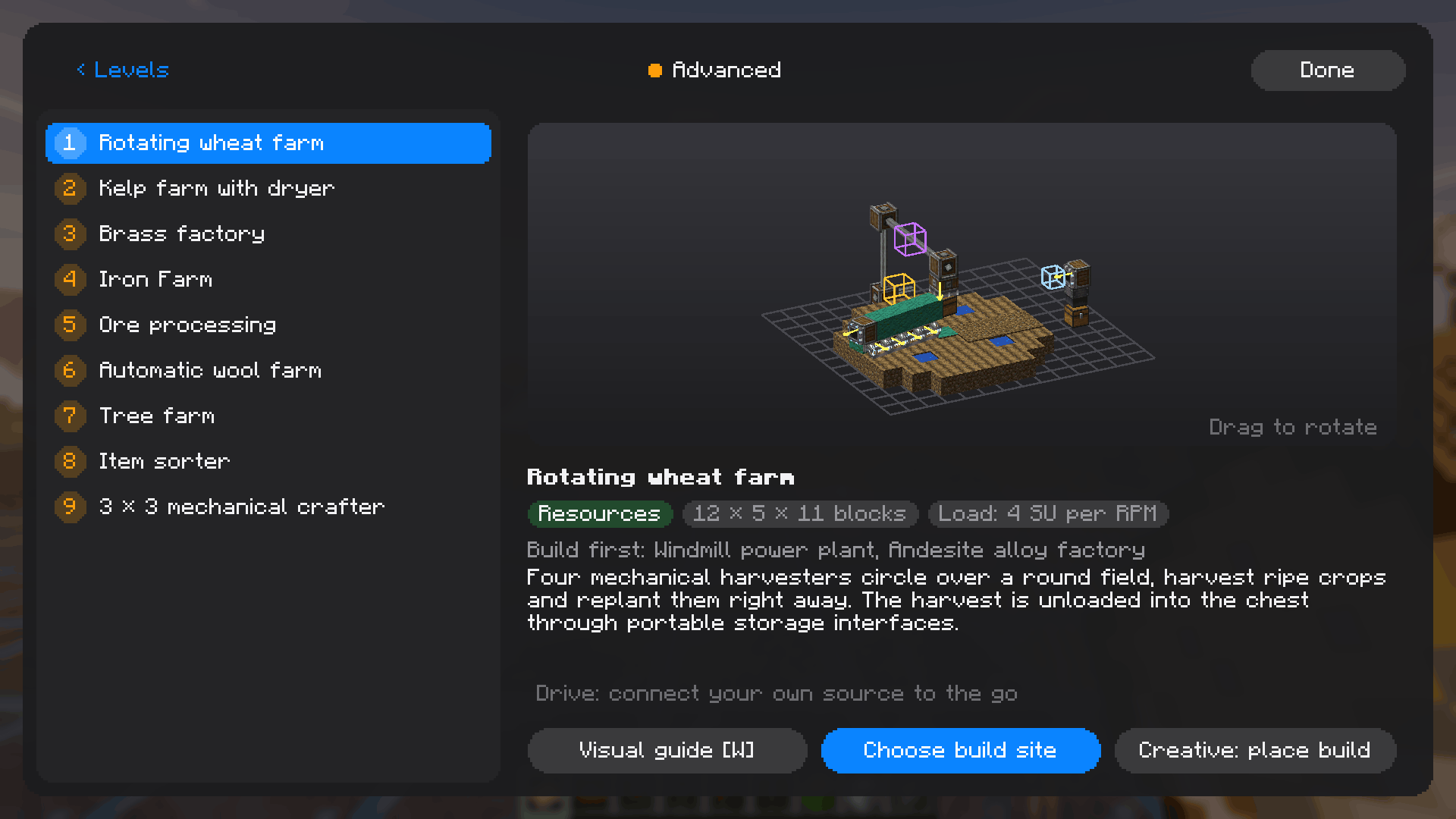
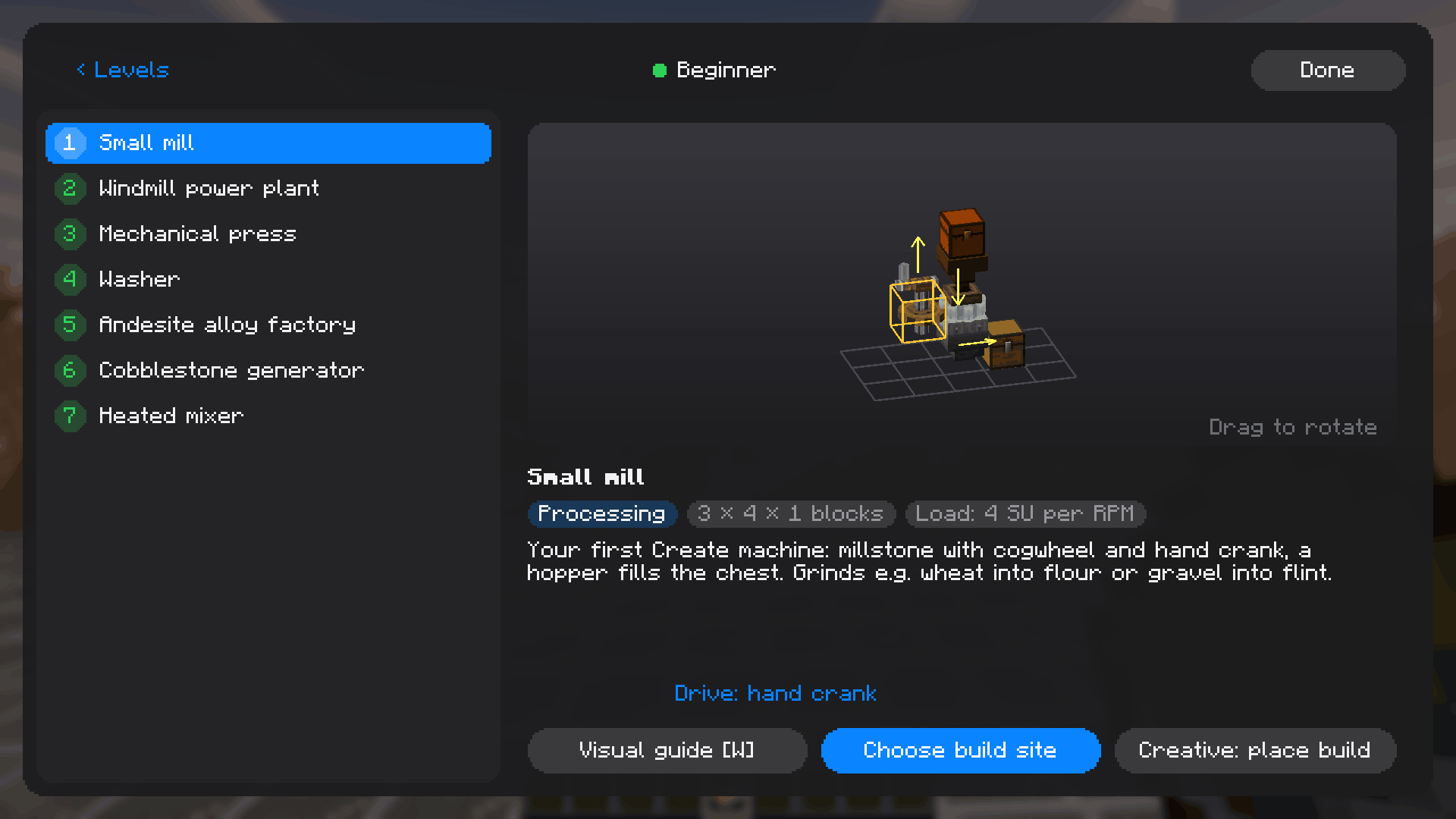
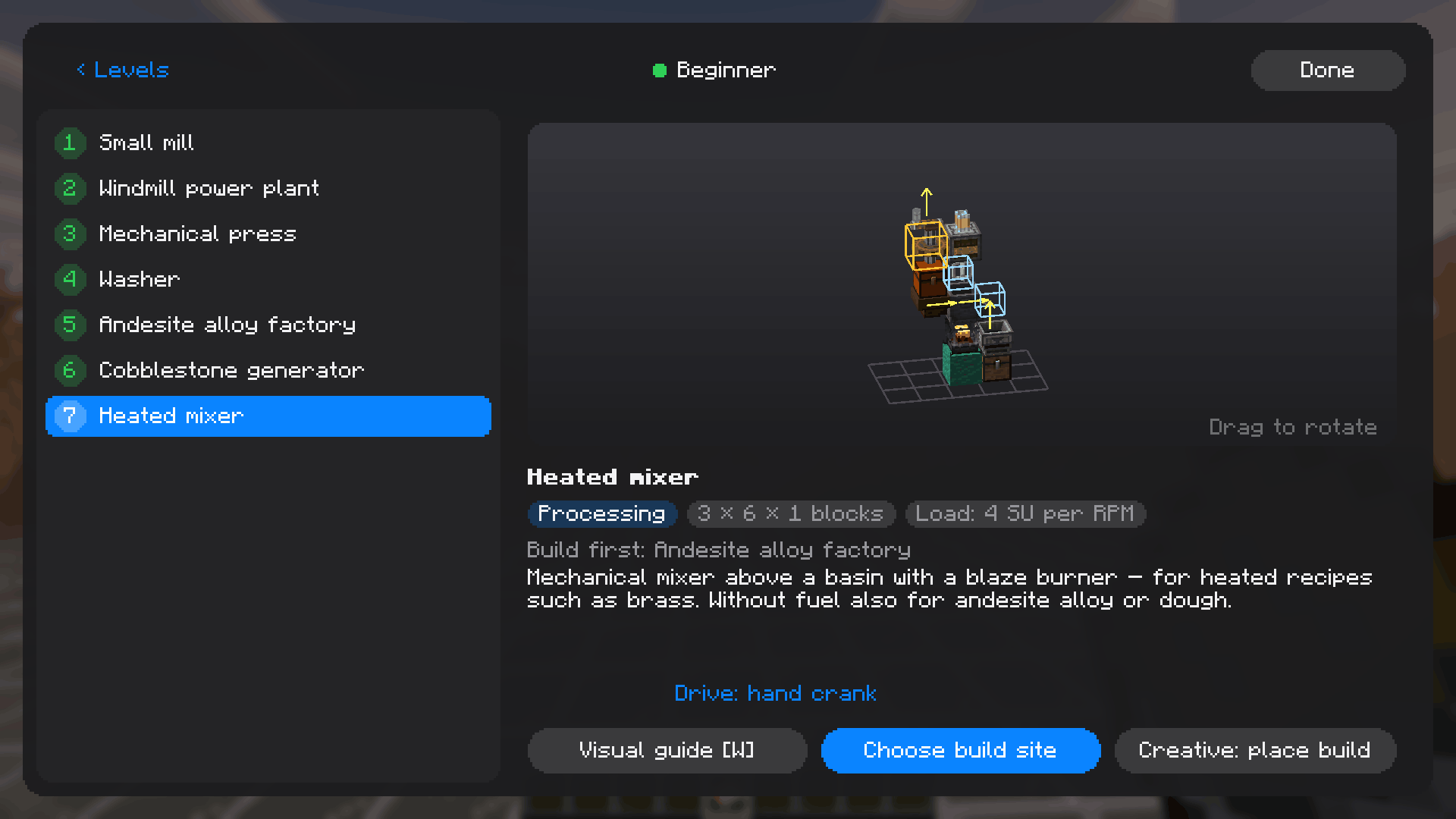
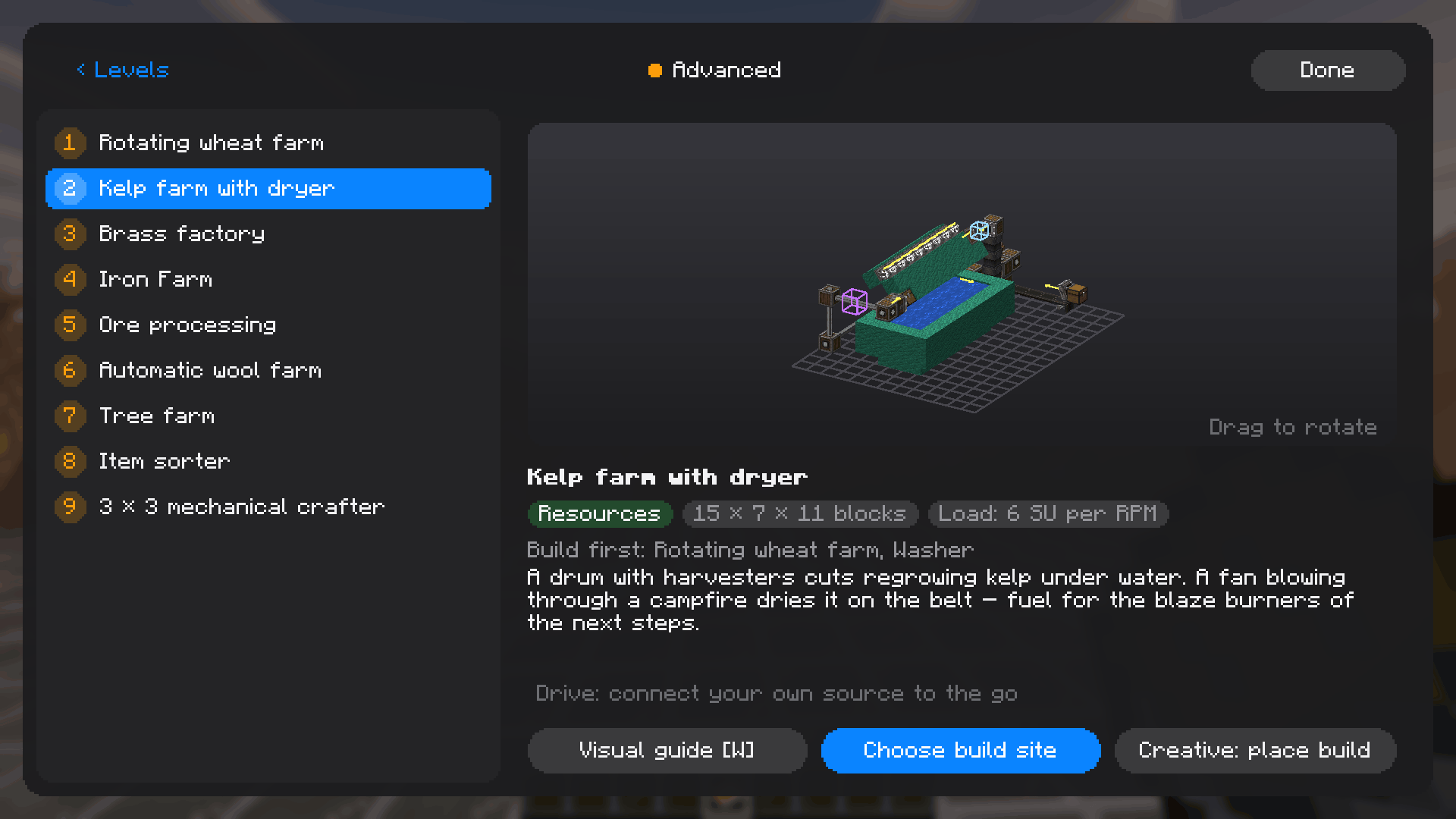
Every blueprint spins as a 3D preview that you can turn with the mouse. Short step-by-step pages show what goes where. Spots that need super glue are marked, and rotors are shown moving in an animation.
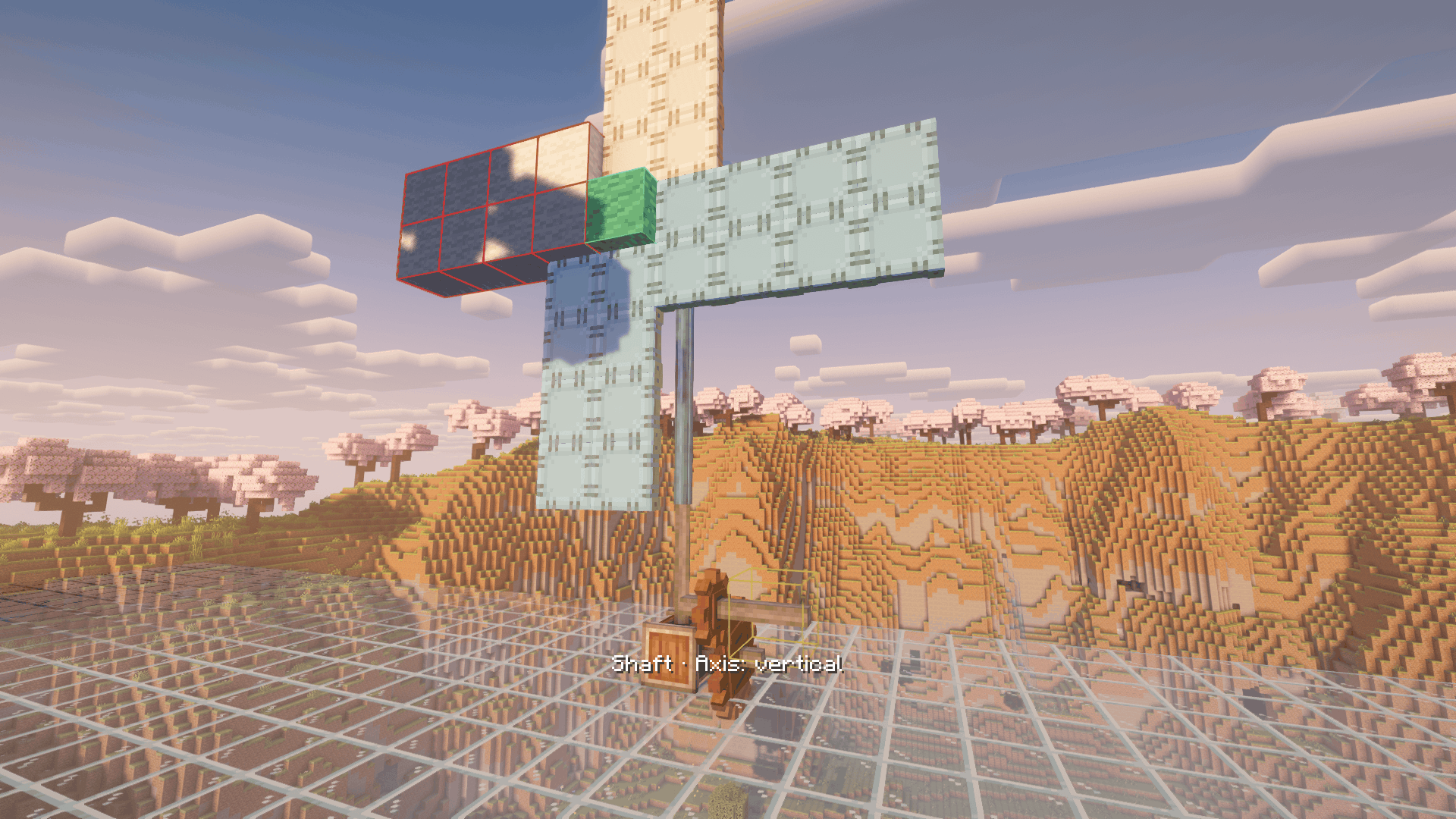
Rotate the hologram with the arrow keys, place it and build. Wrong blocks, wrong orientations and missing parts show up instantly. After placing, you step through the build layer by layer. The gold marker shows where your power goes in, the purple marker shows where to flip the rotation.
Placing showcase builds, testing a pack or decorating a spawn? In creative mode the whole blueprint is placed in one click. Belts, super glue, filters, mechanical arms and lit blaze burners are already set up. Anything left to do by hand is listed in the chat.
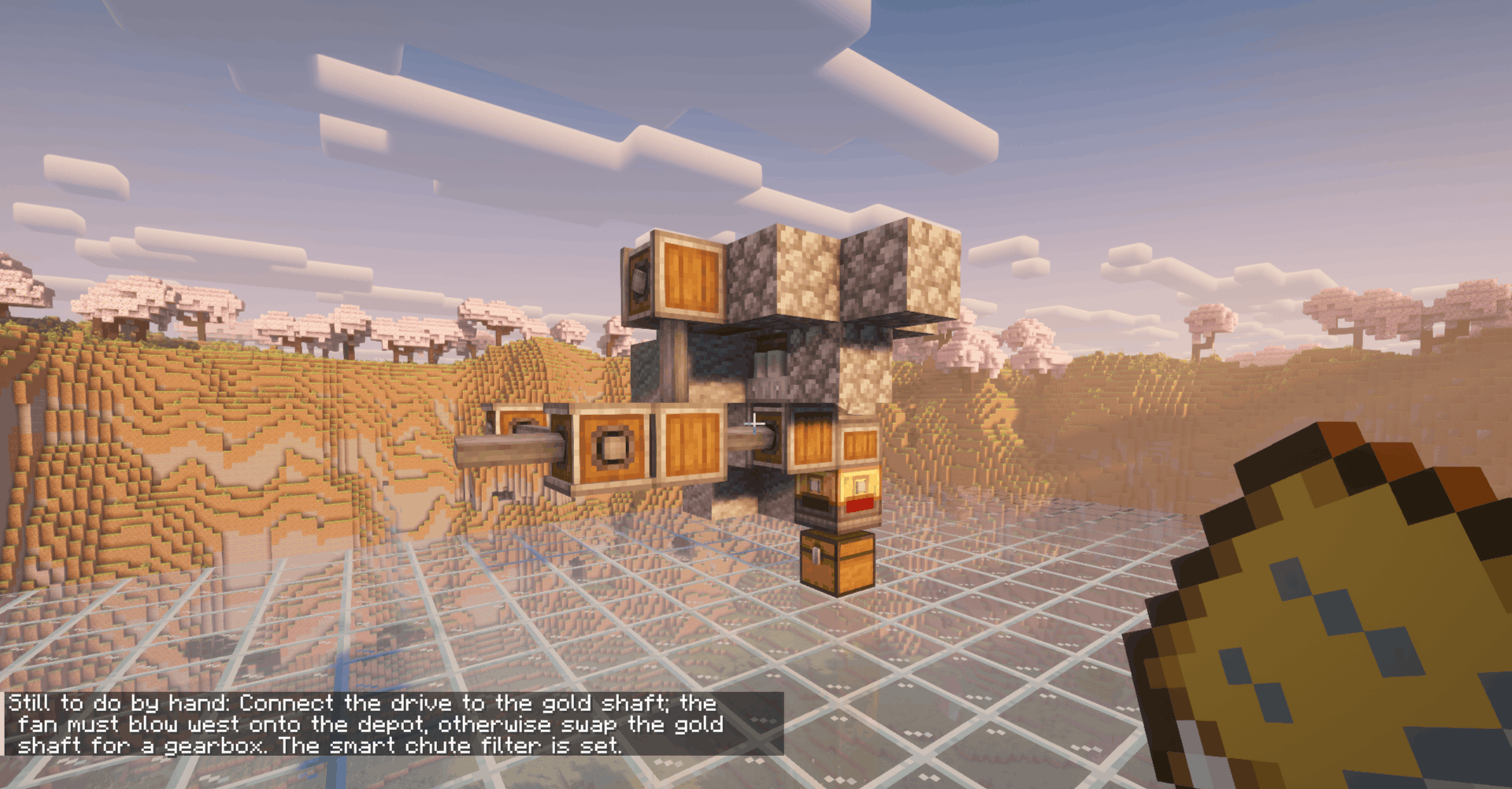
Beginner: Mill, Windmill, Press, Washer, Andesite Alloy Factory, Cobblestone Generator, Mixer
Advanced: Wheat Farm, Kelp Farm with Dryer, Brass Factory, Iron Farm, Ore Processing, Wool Farm, Tree Farm, Item Sorter, 3×3 Mechanical Crafter
Expert: coming in a later update
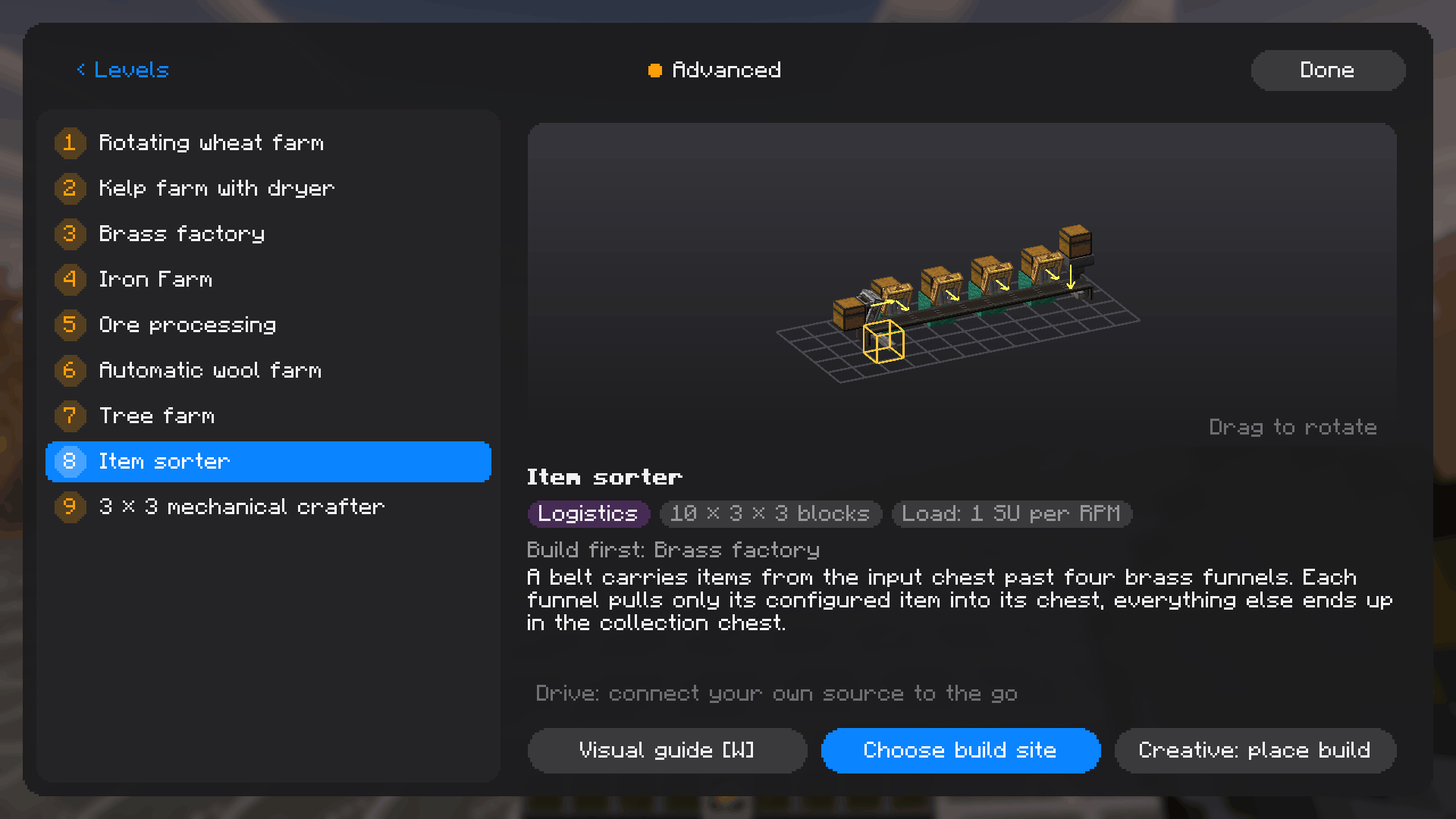
You are free to include this mod in your modpacks.
Project description from CurseForge.
Pick your setup
Choose the version and loader you play, then open the matching release.
Check the dependencies, then try the file in a copied instance before changing a world you care about.
Recent files
11 Nov 2026
Looking for an older file? The official CurseForge project page is in Resources.
 mod
[Alpha] ONE PUNCH MINE adds One Punch Man characters to Minecraft! Choose to be a Hero or Monster, defeat enemies, and boost your stats. Note: This is an Alpha version, so most features are WIP. Stay tuned!
 mod
Lets you block with a shield (or use any offhand item) while holding a two-handed weapon such as a greatsword, whenever Epic Fight is in vanilla mode.
 mod
BSP (Build Secure Protect) core modpack that adds custom items, blocks, machines, functions and behaviours to the official BSP server.