Minecraft version
Back to mods 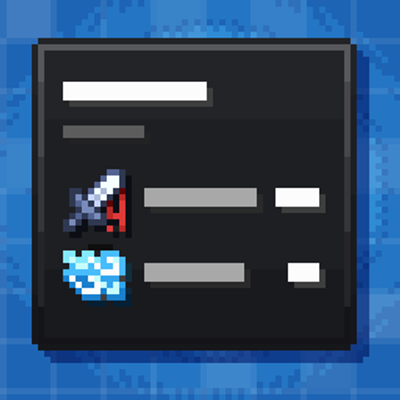
CurseForge · Minecraft mod
Awesome Tooltips
This mod turns boring tooltips into awesome RPG ones, with automatic support for other mods.
Choose a version Pick your version below, then grab the matching file.
Quick answer
Which Awesome Tooltips release should I use?
Latest stable file awesome-tooltips-1.0.2.jar
Game version 1.20.1
Loader Forge
Awesome Tooltips awesome-tooltips-1.0.2.jar targets 1.20.1 with Forge. The project page does not say whether this file belongs on the client, dedicated server, or both. No extra mods listed for this file.
Where it goes
Is Awesome Tooltips required on the client, server, or both?
The project page does not say whether this file belongs on the client, dedicated server, or both.
Client Source doesn’t say
Dedicated server Source doesn’t say
Loader for this release Forge
Required install it here Optional supported, not mandatory Not supported do not install here Source doesn’t say do not assume
The source does not explicitly classify this release as client-only or server-only.
What else does Awesome Tooltips awesome-tooltips-1.0.2.jar need?
awesome-tooltips-1.0.2.jar. Change the file and its required mods may change too.
This file does not list any required mods. Do not add a library just because a different file uses it.
This file does not list any required or optional mods.
Before you install it
Add Awesome Tooltips without breaking your instance.
Built for Awesome Tooltips awesome-tooltips-1.0.2.jar. Pick another file and the loader, install side or required mods may change.
- 01
Stick to this file
Use awesome-tooltips-1.0.2.jar. It targets 1.20.1 with Forge; another release may have different loader, side or dependency requirements.
- 02
Bring the mods it needs
This file does not list any required mods. Do not add a library just because a different file uses it.
- 03
Put it on the correct side
The project page does not say whether this file belongs on the client, dedicated server, or both.
- 04
Pick the file you checked
Use the “Get this file” button beside awesome-tooltips-1.0.2.jar. It opens that exact file at the source.
About this project
What does Awesome Tooltips add?

🗡️ Awesome Tooltips
Every item. Every mod. One beautiful tooltip.
Vanilla tooltips are a wall of gray text. Awesome Tooltips rebuilds them from scratch into a sleek, RPG-style panel: a clean frame, a rarity tag, clear item classification and crisp stats with their own icons.
Hover any item and see what it is, how strong it is and how it fights, at a glance.
🔌 Built for Modpacks: It Just Works
This is the heart of the mod. No patches, no add-ons, no config files to write.
- Automatic mod support. Awesome Tooltips reads the attributes that items from other mods add, then parses and displays them in the same clean layout.
- Huge compatibility. Works with weapons, armor and gear from a very large number of mods, as long as their items use standard attributes.
- One consistent look. Vanilla items and modded items share the same style, so your whole modpack feels like one game.
✨ Key Features
- 🎨 Unique Attribute Icons: many attributes have their own custom icon (armor, toughness, knockback resistance, attack damage, range, speed and more).
- 📊 Structured Stats: clear sections like *Combat Stats* and *Defensive Stats* instead of a messy list.
- 🛡️ Durability Tracking: precise numbers with a clean visual indicator.
- ⚡ Lightweight: built to stay out of your way, even in big modpacks.
🎒 For Modpack Creators
Drop it in and go. Feel free to use Awesome Tooltips in your modpacks!
💬 Feedback
Found a mod whose items don't display correctly? Report it in the comments or on the issue tracker, and it will be looked at.
Project description from CurseForge.
Pick your setup
Awesome Tooltips by Minecraft version and loader
Choose the version and loader you play, then open the matching release.
Check the dependencies, then try the file in a copied instance before changing a world you care about.
Recent files
Awesome Tooltips versions and loaders
awesome-tooltips-1.0.2.jar
11 Nov 2026
Client Source doesn’t say Server Source doesn’t say Dependencies No extras listed Listed on Release listing
Check the 1.20.1 · Forge setup 1.20.1Forge release
awesome-tooltips-1.0.0.jar
10 Nov 2026
Client Source doesn’t say Server Source doesn’t say Dependencies No extras listed Listed on Release listing
Check the 1.20.1 · Forge setup 1.20.1Forge release
Looking for an older file? The official CurseForge project page is in Resources.
 mod
CurseForge + Modrinth · Minecraft
Wunderreich
🤑 Influence trades - 🧱sand/dirt/glass Slabs - 🎁linked chest inventory- 🛠️place random block
 mod
CurseForge · Minecraft
Myriad: Futures Unwritten
Myriad: Futures Unwritten is a Fantasy RPG mod which primarily focuses on its vast skill tree system, hundreds of abilities and extensive customizability which allows each user to mix and match their own path as they wish.
 mod
CurseForge · Minecraft
Scarlet Recipes
QOL changes, rebalance, new companion, new tier ore, united meat type, village protectors, new items and blocks and more.