Fabric API Needed by ruarua-fabric-1.20.1-1.0.0.jar
requiredMatching file found Matched file: [1.20.1] Fabric API 0.92.12+1.20.1
CurseForge · Minecraft mod
Pick up, pet, throw and catch your companions.
Quick answer
ruarua-fabric-1.20.1-1.0.0.jar targets 1.20.1 with Fabric. The project page does not say whether this file belongs on the client, dedicated server, or both. All 1 required mods have matching files.
Where it goes
The project page does not say whether this file belongs on the client, dedicated server, or both.
The source does not explicitly classify this release as client-only or server-only.
ruarua-fabric-1.20.1-1.0.0.jar. Change the file and its required mods may change too.
Install Fabric API first. We found matching files for this game-version and loader setup.
We only count dependency files that match this setup. A file for another loader does not fill the gap.
Before you install it
Built for ruarua-fabric-1.20.1-1.0.0.jar. Pick another file and the loader, install side or required mods may change.
Use ruarua-fabric-1.20.1-1.0.0.jar. It targets 1.20.1 with Fabric; another release may have different loader, side or dependency requirements.
Install Fabric API first. We found matching files for this game-version and loader setup.
The project page does not say whether this file belongs on the client, dedicated server, or both.
Use the “Get this file” button beside ruarua-fabric-1.20.1-1.0.0.jar. It opens that exact file at the source.
About this project
AI was used extensively during the development of this mod. Issues may still occur with different mod combinations and environments. If you do not trust AI-assisted projects, please think carefully before downloading and using it.
Pick up, pet, throw and catch your companions.
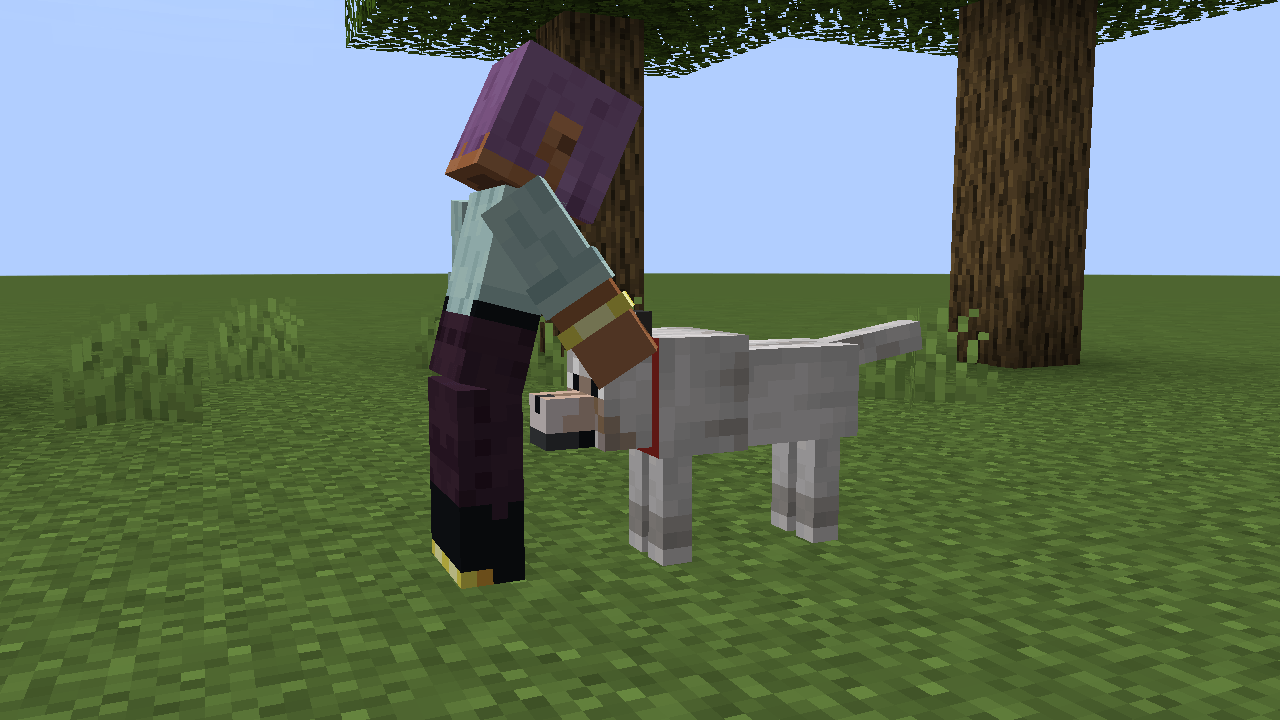
Petting a wolf in third person, Minecraft 1.20.1.
Thrown companions do not take fall damage. Impacts with other creatures cause visual and sound effects without dealing damage.
Install the matching loader build on both client and server.
| Minecraft | Loader | Dependency | Java |
|---|---|---|---|
| 1.20.1 | Fabric | Fabric API | 17 |
| 1.20.1 | Forge | No additional required mod | 17 |
| 1.21.1 | NeoForge | No additional required mod | 21 |
Files in the world folder: serverconfig/ruarua-server.json (Fabric) or serverconfig/ruarua-server.toml (Forge / NeoForge). Forge and NeoForge settings are under [interaction]. Reopen the world or restart the server after editing.
reach: pickup and catch distance.chargeTicks: time needed to fully charge a throw, in ticks.throwSpeed: maximum throw speed.tumbleTicks: landing recovery animation duration, in ticks.playerInteractions: allow interactions with other players.heldDistanceReference: reference size used to calculate carrying distance.heldDistanceFactors: carrying-distance multipliers for specific entity IDs.excludedEntities: entity IDs excluded from interaction.Interact with your own pets, unowned creatures and players when player interactions are enabled. Other players' owned pets cannot be borrowed. Leashed entities, passengers and entities carrying passengers cannot be picked up. AI is paused during interaction and restored afterward.
Some modded models and custom pet-ownership systems may require separate compatibility support.
Project code is MIT licensed. Artwork has separate terms in LICENSE-ASSETS.md; source notices are in SOURCES.md. Source and issue reports: GitHub.
If you encounter any issues, please leave a comment or join our QQ group. Include your Minecraft version, mod version, mod loader, and logs whenever possible to help us investigate.
Suggestions are also welcome! Your feedback will help guide improvements in future updates.
QQ group: 1095622706 · Support the author: Afdian
Project description from CurseForge.
Pick your setup
Choose the version and loader you play, then open the matching release.
Check the dependencies, then try the file in a copied instance before changing a world you care about.
Recent files
11 Nov 2026
11 Nov 2026
10 Nov 2026
Looking for an older file? The official CurseForge project page is in Resources.
 mod
Walkie-Talkie for NeoForge 1.21.1: immersive radio communication with battery/FE charging, configurable channels, and built-in internet stream broadcasting via Simple Voice Chat.
 mod
Audio sharing, minigames, trading, parties, and warps.
 mod
villagers speak arabic now with 7k+ new sounds