Minecraft version
Back to mods 
CurseForge · Minecraft mod
Lathe
Add slabs, vertical slabs, stairs, vertical stairs and corners for the blocks you choose from any mod into your game. A builder's dream; palette expanding mod.
Choose a version Pick your version below, then grab the matching file.
Quick answer
Which Lathe release should I use?
Latest stable file lathe-0.3.0.jar
Game version 1.20.1
Loader Forge
lathe-0.3.0.jar targets 1.20.1 with Forge. The project page does not say whether this file belongs on the client, dedicated server, or both. No extra mods listed for this file.
Where it goes
Is Lathe required on the client, server, or both?
The project page does not say whether this file belongs on the client, dedicated server, or both.
Client Source doesn’t say
Dedicated server Source doesn’t say
Loader for this release Forge
Required install it here Optional supported, not mandatory Not supported do not install here Source doesn’t say do not assume
The source does not explicitly classify this release as client-only or server-only.
What else does lathe-0.3.0.jar need?
lathe-0.3.0.jar. Change the file and its required mods may change too.
This file does not list any required mods. Do not add a library just because a different file uses it.
This file does not list any required or optional mods.
Before you install it
Add Lathe without breaking your instance.
Built for lathe-0.3.0.jar. Pick another file and the loader, install side or required mods may change.
- 01
Stick to this file
Use lathe-0.3.0.jar. It targets 1.20.1 with Forge; another release may have different loader, side or dependency requirements.
- 02
Bring the mods it needs
This file does not list any required mods. Do not add a library just because a different file uses it.
- 03
Put it on the correct side
The project page does not say whether this file belongs on the client, dedicated server, or both.
- 04
Pick the file you checked
Use the “Get this file” button beside lathe-0.3.0.jar. It opens that exact file at the source.
About this project
What does Lathe add?
Lathe
Lathe makes slabs, vertical slabs, stairs, vertical stairs, corners, quarters and eighths for the blocks you choose, from any mod. List the blocks in a small rules file and each one gets real shaped blocks that look, sound and mine like the original, with recipes, drops and tags. It's for modpacks whose builders and city palettes need shapes that the block's own mod never added.
Requirements
| What | Version |
|---|---|
| Forge | 47.4.10 or later |
| Sides | Client and server, with the same rules files |
Choosing Blocks
One line per block in config/lathe/, the shapes first:
# Shapes vanilla doesn't have
slab stairs vslab vstairs corners quarters eighths minecraft:calcite
slab vslab minecraft:*_concrete
slab vstairs minecraft:glass nocombine
- Globs:
minecraft:*_concretecovers a whole family. - nocombine: two slabs of that block never merge into a double slab.
- Mistakes are warnings: an unknown block or a block that isn't a full cube is skipped with a line in the log, not a crash.
NOTE: removing a rule removes its blocks from worlds that have them. Treat rule changes like adding or removing a mod.
Placing And Breaking
- Slabs go where you aim: the middle of a floor makes a bottom slab and its edge a vertical slab against that edge; on a wall, the middle makes a vertical slab against the wall and the top or bottom edge a top or bottom slab.
- One slab item places both kinds, when a block has both.
- Vertical stairs fill the corner where two vertical slabs meet and stack into matching columns; otherwise they open toward you, on the side you aim at.
- Corners fill the gap where stairs and vertical stairs meet: the piece that fits where they overlap, or, sneaking, the piece that covers both. With nothing to fit, the corner goes where you aim.
- Quarters fit too: the upright pole where two vertical slabs meet, or the next length of a beam or pole. With nothing to fit, or sneaking, a corner of a floor gives a pole and an edge a beam.
- Eighths fill the spot where three slabs meet, or go in the quarter of the face you aim at.
- Double slabs break one half at a time, and the outline shows which half.
- An outline previews the piece you're about to place.
Screenshots
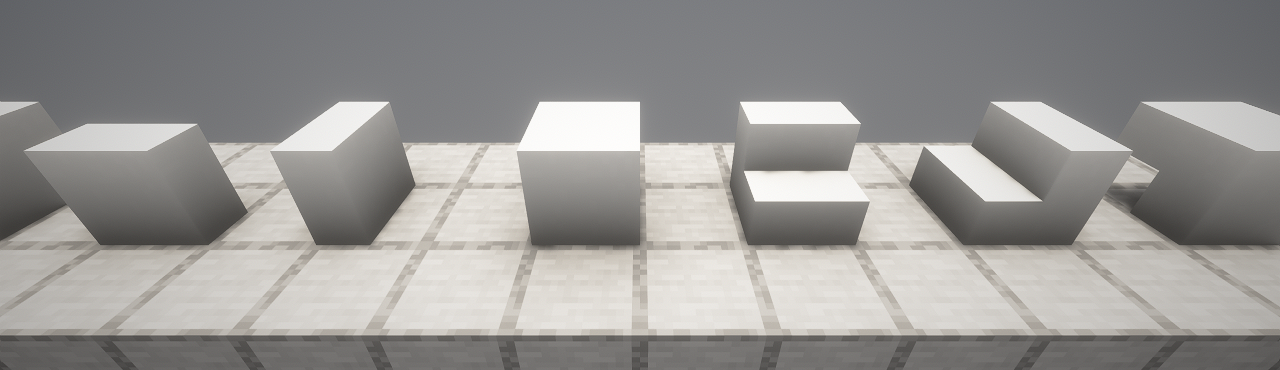 |
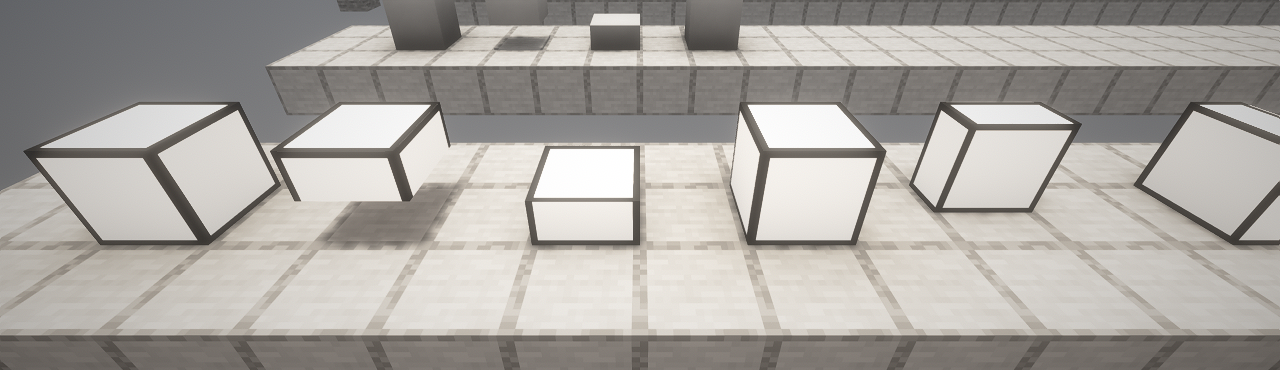 |
|---|---|
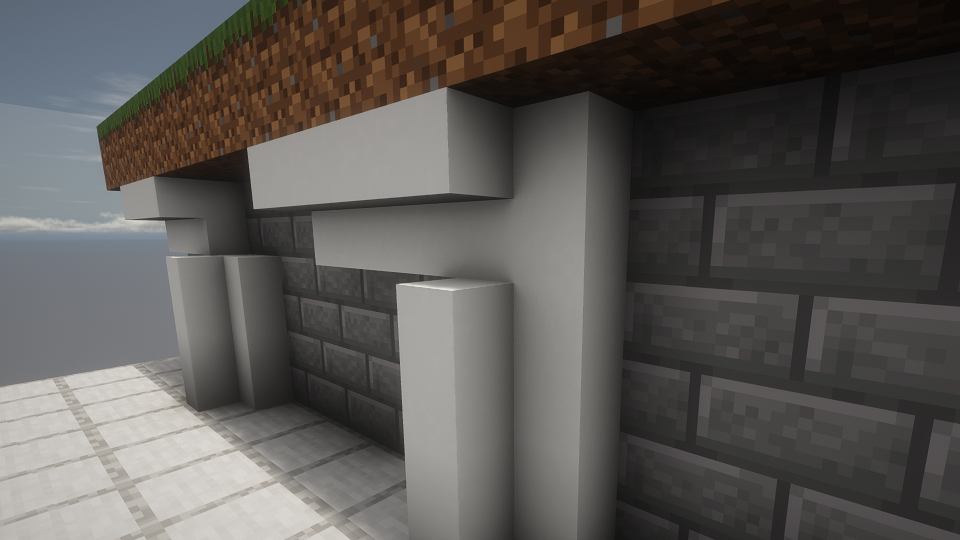
| Vertical Slabs And Stairs BetterBlockZ's Lab Link Base |
Glowing Blocks Stay Bright BetterBlockZ's Cyber Light |
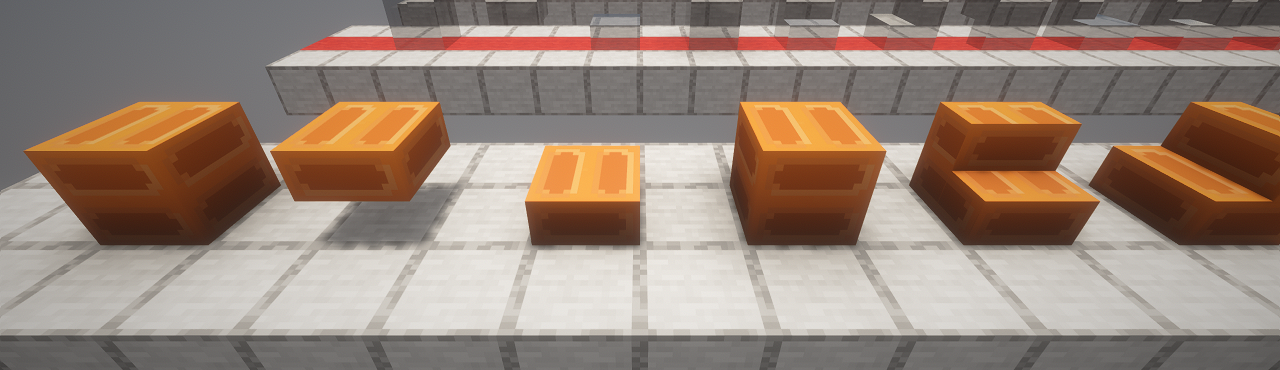 |
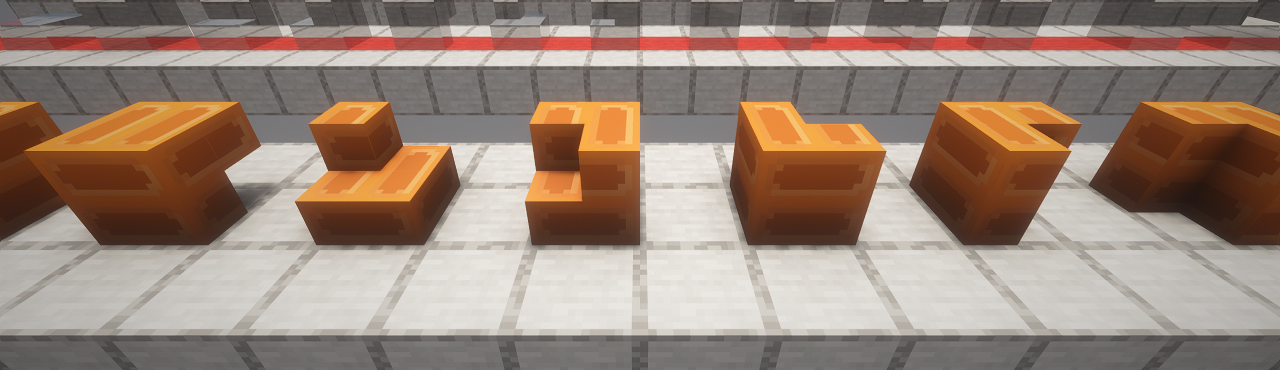 |
| Slabs And Stairs A BetterBlockZ pillar block, original on the left |
Stair Corners And Vertical Stairs The same block, turned every way |
 |
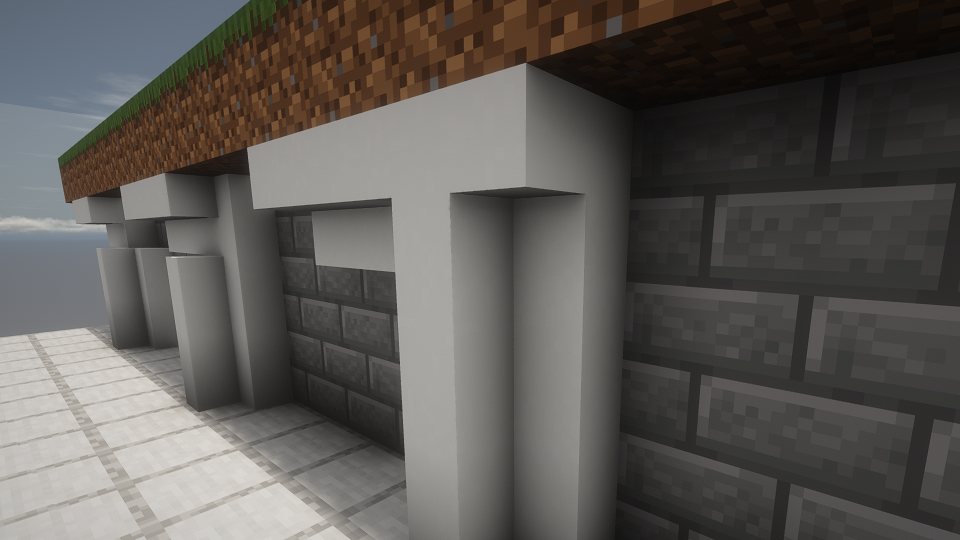 |
| Outer Corner Upside-down stairs meeting vertical stairs |
Inner Corner The same gap, placed while sneaking |
 |
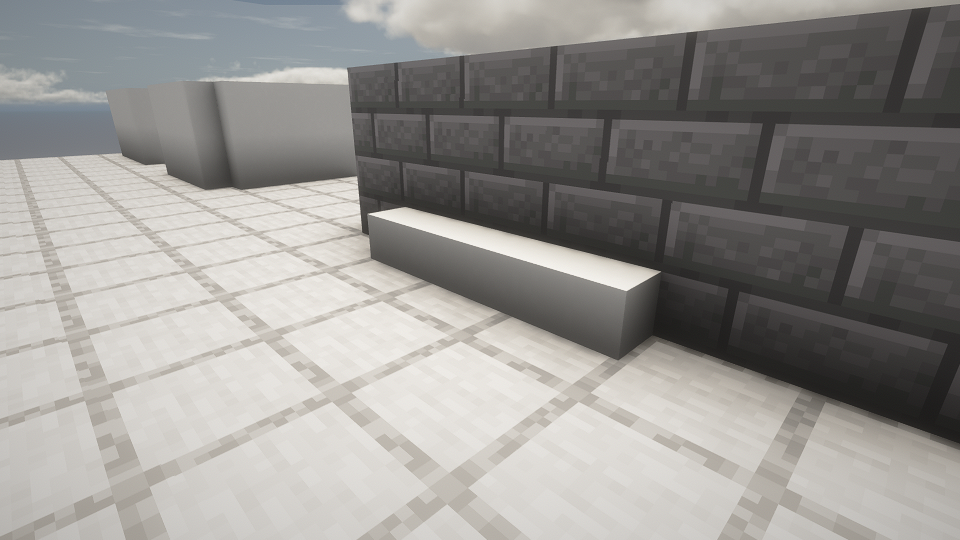 |
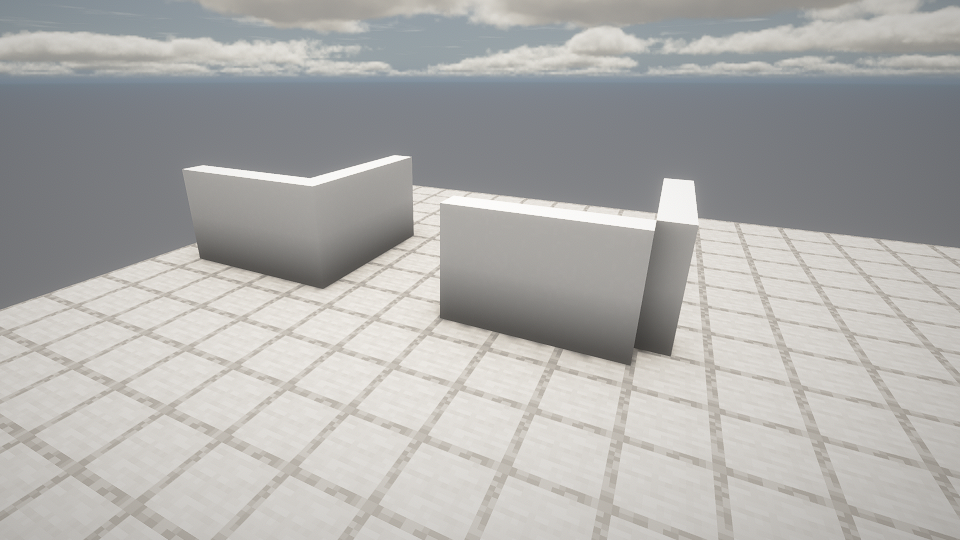
| Poles Closing the corner of two vertical slab walls, empty on the right |
Beams Along the edge of a floor and a wall |
Shown with Embeddium, Oculus and a shader pack.
Lost Cities
Every shape has an id that never changes, like lathe:minecraft__calcite_stairs, so Lost Cities palettes can use them with a state ([facing=north,half=bottom]). Stairs, vertical slabs, vertical stairs, corners, quarters and eighths turn with the parts Lost Cities rotates. Corners, quarters and eighths never change shape when their neighbours change, so they stay as the palette says.
Inspiration
Placing by aim follows AutoSlabs by Andrew6rant, and breaking one half of a double slab follows KleeSlabs by BlayTheNinth.
Project description from CurseForge.
Pick your setup
Lathe by Minecraft version and loader
Choose the version and loader you play, then open the matching release.
Check the dependencies, then try the file in a copied instance before changing a world you care about.
Recent files
Lathe versions and loaders
lathe-0.3.0.jar
14 Nov 2026
Client Source doesn’t say Server Source doesn’t say Dependencies No extras listed Listed on Release listing
Check the 1.20.1 · Forge setup 1.20.1Forge release
lathe-0.2.0.jar
11 Nov 2026
Client Source doesn’t say Server Source doesn’t say Dependencies No extras listed Listed on Release listing
Check the 1.20.1 · Forge setup 1.20.1Forge release
Looking for an older file? The official CurseForge project page is in Resources.
 mod
CurseForge + Modrinth · Minecraft
Wietse's Create Additions
Brass Redstone Links and more!
 mod
CurseForge · Minecraft
Create: Crushing Recipe Fix / Balancer
Fixes overlapping Create Crushing Wheel recipes by removing exact duplicates and giving each unique recipe an equal chance to run.
 mod
CurseForge · Minecraft
SlashBladeTetra
Allows the use of Tetra to modify SlashBlades.