Fabric API Needed by Tiny Trains tinytrains-1.1.0-beta-c6c32ea.jar
requiredMatching file found Matched file: [26.3] Fabric API 0.166.2+26.3
CurseForge · Minecraft mod
Small, charming, coupled passenger trains for vanilla rails.
Quick answer
Tiny Trains tinytrains-1.1.0-beta-c6c32ea.jar targets 26.3 with Fabric. The project page does not say whether this file belongs on the client, dedicated server, or both. All 1 required mods have matching files.
Where it goes
The project page does not say whether this file belongs on the client, dedicated server, or both.
The source does not explicitly classify this release as client-only or server-only.
tinytrains-1.1.0-beta-c6c32ea.jar on 26.3. Every mod below is checked against that same setup.
Install Fabric API first. We found matching files for this game-version and loader setup.
We only count dependency files that match this setup. A file for another loader does not fill the gap.
Before you install it
Built for Tiny Trains tinytrains-1.1.0-beta-c6c32ea.jar on 26.3. Pick another file and the loader, install side or required mods may change.
Use tinytrains-1.1.0-beta-c6c32ea.jar. It targets 26.3 with Fabric; another release may have different loader, side or dependency requirements.
Install Fabric API first. We found matching files for this game-version and loader setup.
The project page does not say whether this file belongs on the client, dedicated server, or both.
Use the “Get this file” button beside tinytrains-1.1.0-beta-c6c32ea.jar. It opens that exact file at the source.
About this project
Small, charming, coupled passenger trains for vanilla rails.



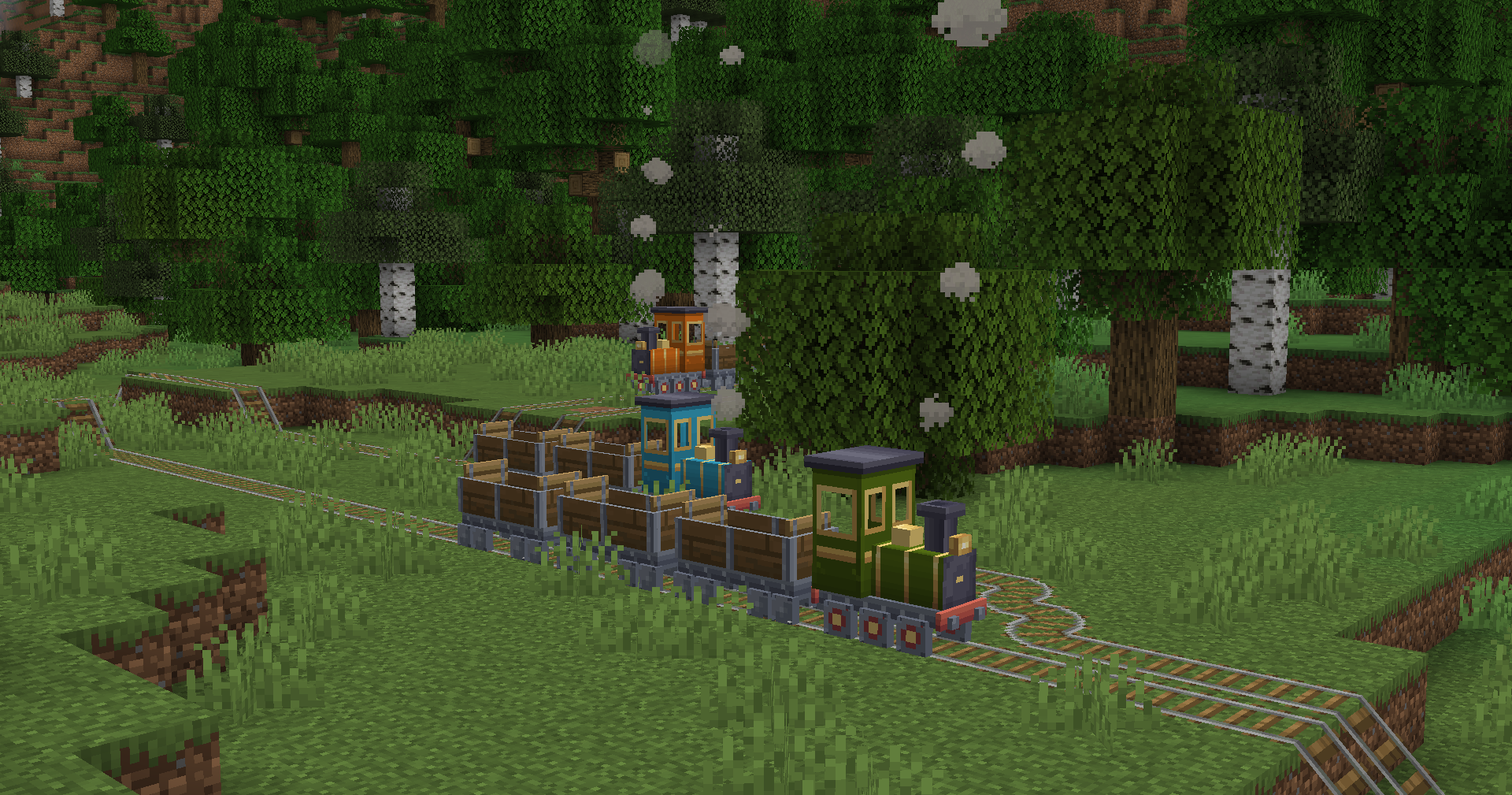
Tiny Trains adds a little steam locomotive and open passenger coaches that run on the vanilla rails you already build. Couple coaches on with a chain and drive the train yourself. Or switch it to automatic, and it runs a timetable between your stations, finds its way through junctions and keeps running on the far side of the map.
It is passenger only by design: no freight, no inventories, no logistics. Just trains, people, and places to go.
📦 Want more? Check out Tiny Trains: Expansion.
📖 The full guide is on the Tiny Trains wiki: every control, screen, track layout and message, plus troubleshooting.
| 🚂 Coupled trains | One locomotive pulls up to 8 coaches with exact spacing on straights, curves and slopes. |
| 🪑 Real seats | A driver's seat in the cab and two facing benches per coach. Up to 17 riders on a full train. |
| 🎮 Manual driving | Throttle notches on W / S, Space to stop. Speed and throttle show above the hotbar. |
| 🤖 Automatic mode | Trains stop at stations, wait, leave with a whistle, reverse at the end of the line and announce the next stop. |
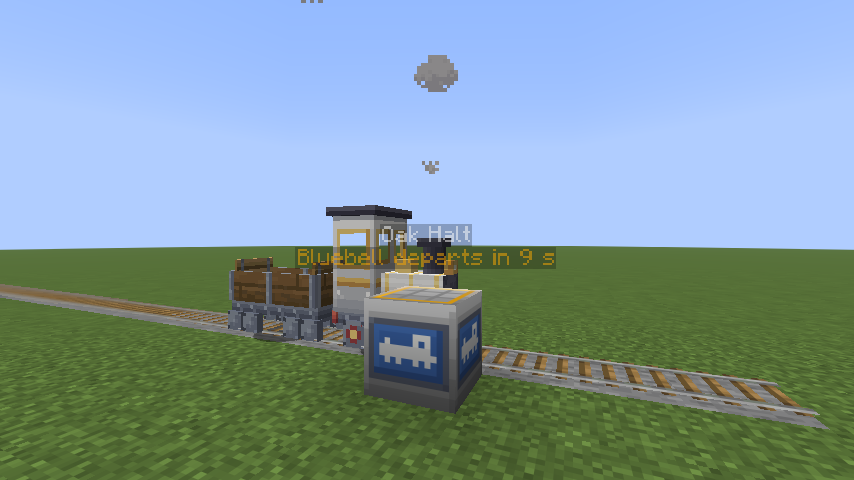
| 🚉 Stations | Named station blocks with a floating sign and a live countdown to the next train. |
| 🗺️ Timetables | Up to 24 stops per train, looping forever. It runs straight through every other station. |
| 🔀 Junctions | Automatic trains pick their route and flip plain-rail switches themselves. |
| 🚦 Signals | An unpowered powered rail is a red signal. Trains press detector rails like minecarts. |
| 🛡️ Collision safety | Trains never hit each other: they follow at a safe distance and book single track, so they meet at passing loops. |
| 🌙 Runs unattended | Moving trains load their own chunks and carry on after a restart. Chunk loading can be switched off per train, or for the whole server. |
| 🎨 Paint jobs | Craft a locomotive with any of the 16 dyes. |
| 🛠️ Operator tools | /tinytrains list, tp and stop to find and stop any train (permission level 2). |
| 💡 Dynamic lights | A built-in resource pack, off by default, lights up trains with LambDynamicLights. |
| 🗺️ Maps | Stations and moving trains appear on squaremap and Pl3xMap web maps, and nearby trains on Diorama's minimap and map. |
| 🧩 Add-on API | Add-ons can bring their own cars and hold trains at stations. |
There are two editions. On the Files tab, pick the file that matches your loader and Minecraft version.
| Fabric | NeoForge | |
|---|---|---|
| Minecraft | 26.3 | 1.21.1 |
| Loader | Fabric Loader 0.19.5 or newer | NeoForge 21.1 |
| Required mods | Fabric API for 26.3 | None |
| Java | 25 | 21 |
| Release | 1.1.0 beta | 1.1.0 beta |
| Optional web map (server only) | squaremap 1.4.3+ or Pl3xMap 26.3-557+ | squaremap 1.3.2+ |
| Optional minimap (client only) | Diorama 0.11.0+ | Diorama 0.11.0+ |
| Optional dynamic lights (client only) | LambDynamicLights for 26.3 | LambDynamicLights for NeoForge 1.21.1 |
| Chains for coupling | Iron or copper | Iron |
| Empty dedicated server | Pauses after 60 s by default. Set pause-when-empty-seconds=0 to keep trains running. |
Keeps ticking, so trains run with nobody online. |
Both editions play the same apart from the rows above. The official launcher already ships the right Java version.
⚠️ Install on both the client and the server. The mod adds new entities and a new block, which a client without it can't show. On a server, give every player the same Tiny Trains file.
⚠️ Back up your world before removing the mod. Without it, trains and station blocks are deleted from the world.
| Action | How |
|---|---|
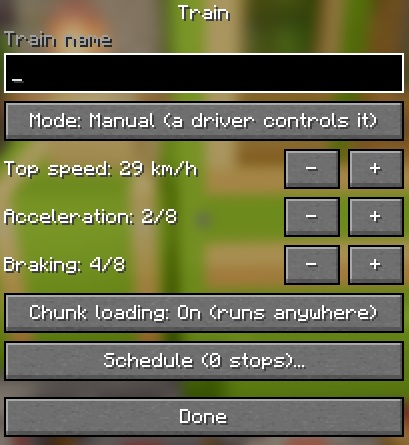
| Train settings (name, mode, speed, schedule, chunk loading) | Sneak + right-click the locomotive with an empty hand |
| Station settings (name, waiting time) | Right-click the station block |
| Uncouple | Right-click a car with shears |
| Remove a car | Hit it like a minecart |
💡 The train keeps its throttle when you get off, so it carries on without you. To stop an automatic train, switch it back to Manual in its train screen.
| Item | Recipe |
|---|---|
| Locomotive | Furnace in the middle, Minecart below it, Iron Ingots on both sides and in the top-right corner (shaped) |
| Passenger Coach | Glass Pane in the top middle, Minecart below it, Planks on both sides (shaped) |
| Station | Any Sign + Stone Bricks + Rail (shapeless) |
| Painted Locomotive | Locomotive + any dye (shapeless) |
The full recipe grids are on the Items and Crafting page, and every item has a tooltip that explains how to use it.
train_chunk_loading=false in config/tinytrains.properties.More in Known Limitations and the FAQ.
Open an issue on the issue tracker. Include your loader (Fabric or NeoForge), your Minecraft, loader and Tiny Trains versions, and your other mods. If the game crashed, add logs/latest.log.
Can I use Tiny Trains in my mod pack?\ Yes.
Can you port Tiny Trains to another loader or Minecraft version?\ Probably. Open an issue with the loader and version you'd like.
Does it need to be on the server, the client, or both?\ Both. Every player needs the same Tiny Trains file as the server.
Can trains carry items, animals or other mobs?\ Not by themselves: Tiny Trains is passenger only. Add-ons can bring their own cars through the add-on API.
Do trains keep running when nobody is nearby?\ Yes. Moving trains load their own chunks, and they carry on after a restart.
More answers are on the wiki's FAQ page.
Tiny Trains by pvvlvz. All models and textures are original, and the sounds reuse vanilla sound files. All Rights Reserved © pvvlvz. Not an official Minecraft product. Not approved by or associated with Mojang or Microsoft.
Project description from CurseForge.
Pick your setup
Choose the version and loader you play, then open the matching release.
Check the dependencies, then try the file in a copied instance before changing a world you care about.
Recent files
20 Nov 2026
16 Nov 2026
11 Nov 2026
Looking for an older file? The official CurseForge project page is in Resources.
 mod
Per Biome ore generation
 mod
A co-op survival overhaul for Fabric: jobs, a connected storage network with autocrafting, backpacks, a minimap, homes and teleports, and dozens of quality-of-life tools.
 mod
THX Helicopter Remastered — rotor damage, rockets, missiles, and cargo storage — bringing the classic THX Helicopter mod back to life!
