This page is having a moment, so a few details may be a little behind.
Quick answer
Which Quiet Please release matches Fabric?
beta file Quiet Please 1.2.0 (Fabric 1.18.2)
Game version 1.18.2
Loader Fabric, Quilt
Quiet Please 1.2.0 (Fabric 1.18.2) targets 1.18.2 with Fabric, Quilt. The project page does not say whether this file belongs on the client, dedicated server, or both. All 1 required mods have matching files.
Where it goes
Is Quiet Please required on the client, server, or both?
The project page does not say whether this file belongs on the client, dedicated server, or both.
Client Source doesn’t say
Dedicated server Source doesn’t say
Loader for this release Fabric, Quilt
Required install it here Optional supported, not mandatory Not supported do not install here Source doesn’t say do not assume
The source does not explicitly classify this release as client-only or server-only.
What else does Quiet Please 1.2.0 (Fabric 1.18.2) need?
Quiet Please 1.2.0 (Fabric 1.18.2) on Fabric. Every mod below is checked against that same setup.
Install Fabric API first. We found matching files for this game-version and loader setup.
Fabric API Needed by Quiet Please 1.2.0 (Fabric 1.18.2) requiredMatching file found Matched file: [1.18.2] Fabric API 0.77.0+1.18.2
We only count dependency files that match this setup. A file for another loader does not fill the gap.
Before you install it
Add Quiet Please without breaking your instance.
Built for Quiet Please 1.2.0 (Fabric 1.18.2) on Fabric. Pick another file and the loader, install side or required mods may change.
- 01
Stick to this file
Use Quiet Please 1.2.0 (Fabric 1.18.2). It targets 1.18.2 with Fabric, Quilt; another release may have different loader, side or dependency requirements.
- 02
Bring the mods it needs
Install Fabric API first. We found matching files for this game-version and loader setup.
- 03
Put it on the correct side
The project page does not say whether this file belongs on the client, dedicated server, or both.
- 04
Pick the file you checked
Use the “Get this file” button beside Quiet Please 1.2.0 (Fabric 1.18.2). It opens that exact file at the source.
About this project
What does Quiet Please add?
Quiet Please
Big modpacks bring a lot of music – and not all of it fits together. Quiet Please lets you decide, track by track, what you actually want to hear.
Features
- Every music track in one list, grouped by the mod it comes from
- Turn off any track – the game simply picks another one instead
- Per-track volume from 0 to 100 %
- Disable all music of a mod with one click
- Preview any track inside the panel (background music pauses while you listen)
- See what is playing right now – in the panel and right under the button in the ESC menu, so you can find a song even if you don't know its name
- Background playlist – pick the songs and their order, like a music player: queue with progress bar, move up/down, shuffle, repeat. Boss, dragon and credits music still interrupt it
- Skip the current background song (button,
/quietplease skip or a key you choose)
- Key bindings (unbound by default) to open the panel and skip a song
- Music gap – shorten (or remove) the long silence between background songs
- Settings screen – hide the menu buttons or the now-playing text
- Presets –
/quietplease export <name> / import <name> to share a setup
- Search, mod filter, and an optional "ambient" view for long ambience loops
- Works for vanilla music, music discs and modded boss/biome music
- English and Turkish
Supported versions
- Minecraft 1.18.2 – Fabric, Forge
- Minecraft 1.19.2 – Fabric, Forge
- Minecraft 1.20.1 – Fabric, Forge
- Minecraft 1.21.1 – Fabric, Forge, NeoForge
- Minecraft 26.1.2 – Fabric, Forge, NeoForge
- Minecraft 26.2 – Fabric, Forge, NeoForge
- Minecraft 26.3 – Fabric, Forge, NeoForge
- The Fabric versions need Fabric API and also run on Quilt (with Fabric API)
How to open it
Esc → ♪ Quiet Please (top-right corner), Options → ♪ Quiet Please, or Options → Music & Sounds → ♪ Quiet Please, or Mods → Quiet Please → Config. Power users can also use /quietplease in chat.
Good to know
- Client-side only. Install it on your own game; servers don't need it, and you can join any server.
- Settings are stored in
config/quietplease.json, so modpack makers can ship a pre-tuned file.
- Picks up modded music too – for example the boss themes of L_Ender's Cataclysm and Mowzie's Mobs.
AI disclosure
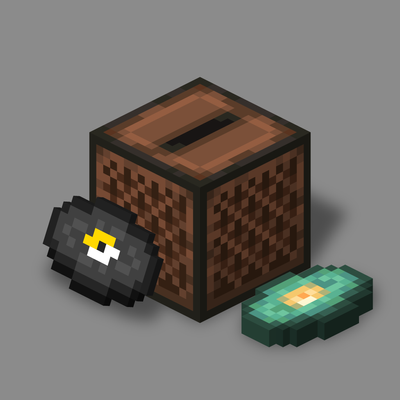
The code of this mod was written with the help of an AI assistant (Claude), and the project icon is rendered from Minecraft's own jukebox and music disc textures. The gallery screenshots are real in-game screenshots.
Project description from CurseForge.
Pick your setup
Quiet Please by Minecraft version and loader
Choose the version and loader you play, then open the matching release.
Minecraft version
26.3
4
loader builds Minecraft version
26.2
4
loader builds Minecraft version
26.1.2
4
loader builds Minecraft version
1.21.1
4
loader builds Minecraft version
1.20.1
3
loader builds Minecraft version
1.19.2
3
loader builds Minecraft version
1.18.2
3
loader builds Check the dependencies, then try the file in a copied instance before changing a world you care about.
Recent files
Quiet Please versions and loaders
quietplease-fabric-1.2.0-1.18.2.jar
13 Nov 2026
Client Source doesn’t say Server Source doesn’t say Dependencies 1 required · matched Listed on Release listing
Check the 1.18.2 · Fabric setup → quietplease-fabric-1.2.0-1.19.2.jar
13 Nov 2026
Client Source doesn’t say Server Source doesn’t say Dependencies 1 required · 1 unchecked Listed on Release listing
Check the 1.19.2 · Fabric setup → quietplease-fabric-1.2.0-1.20.1.jar
13 Nov 2026
Client Source doesn’t say Server Source doesn’t say Dependencies 1 required · 1 unchecked Listed on Release listing
Check the 1.20.1 · Fabric setup → quietplease-fabric-1.2.0-1.21.1.jar
13 Nov 2026
Client Source doesn’t say Server Source doesn’t say Dependencies 1 required · 1 unchecked Listed on Release listing
Check the 1.21.1 · Fabric setup → quietplease-fabric-1.2.0-26.1.2.jar
13 Nov 2026
Client Source doesn’t say Server Source doesn’t say Dependencies 1 required · 1 unchecked Listed on Release listing
Check the 26.1.2 · Fabric setup → quietplease-fabric-1.2.0-26.2.jar
13 Nov 2026
Client Source doesn’t say Server Source doesn’t say Dependencies 1 required · 1 unchecked Listed on Release listing
Check the 26.2 · Fabric setup → quietplease-fabric-1.2.0-26.3.jar
13 Nov 2026
Client Source doesn’t say Server Source doesn’t say Dependencies 1 required · 1 unchecked Listed on Release listing
Check the 26.3 · Fabric setup → quietplease-fabric-1.1.0-1.18.2.jar
13 Nov 2026
Client Source doesn’t say Server Source doesn’t say Dependencies 1 required · 1 unchecked Listed on Release listing
Check the 1.18.2 · Fabric setup → quietplease-fabric-1.1.0-1.19.2.jar
13 Nov 2026
Client Source doesn’t say Server Source doesn’t say Dependencies 1 required · 1 unchecked Listed on Release listing
Check the 1.19.2 · Fabric setup → quietplease-fabric-1.1.0-26.1.2.jar
13 Nov 2026
Client Source doesn’t say Server Source doesn’t say Dependencies 1 required · 1 unchecked Listed on Release listing
Check the 26.1.2 · Fabric setup → quietplease-fabric-1.1.0-26.2.jar
13 Nov 2026
Client Source doesn’t say Server Source doesn’t say Dependencies 1 required · 1 unchecked Listed on Release listing
Check the 26.2 · Fabric setup → quietplease-fabric-1.1.0-26.3.jar
12 Nov 2026
Client Source doesn’t say Server Source doesn’t say Dependencies 1 required · 1 unchecked Listed on Release listing
Check the 26.3 · Fabric setup →