Minecraft version
Back to mods 
CurseForge · Minecraft mod
Smol Blocks
microblocks for your world
Choose a version Pick your version below, then grab the matching file.
Quick answer
Which Smol Blocks release matches 26.2?
Best match for your filters smolblocks-neoforge-26.2-0.1.1.jar
Game version 26.2
Loader NeoForge
Smol Blocks smolblocks-neoforge-26.2-0.1.1.jar targets 26.2 with NeoForge. The project page does not say whether this file belongs on the client, dedicated server, or both. No extra mods listed for this file.
Where it goes
Is Smol Blocks required on the client, server, or both?
The project page does not say whether this file belongs on the client, dedicated server, or both.
Client Source doesn’t say
Dedicated server Source doesn’t say
Loader for this release NeoForge
Required install it here Optional supported, not mandatory Not supported do not install here Source doesn’t say do not assume
The source does not explicitly classify this release as client-only or server-only.
What else does Smol Blocks smolblocks-neoforge-26.2-0.1.1.jar need?
smolblocks-neoforge-26.2-0.1.1.jar on 26.2. Every mod below is checked against that same setup.
This file does not list any required mods. Do not add a library just because a different file uses it.
This file does not list any required or optional mods.
Before you install it
Add Smol Blocks without breaking your instance.
Built for Smol Blocks smolblocks-neoforge-26.2-0.1.1.jar on 26.2. Pick another file and the loader, install side or required mods may change.
- 01
Stick to this file
Use smolblocks-neoforge-26.2-0.1.1.jar. It targets 26.2 with NeoForge; another release may have different loader, side or dependency requirements.
- 02
Bring the mods it needs
This file does not list any required mods. Do not add a library just because a different file uses it.
- 03
Put it on the correct side
The project page does not say whether this file belongs on the client, dedicated server, or both.
- 04
Pick the file you checked
Use the “Get this file” button beside smolblocks-neoforge-26.2-0.1.1.jar. It opens that exact file at the source.
About this project
What does Smol Blocks add?
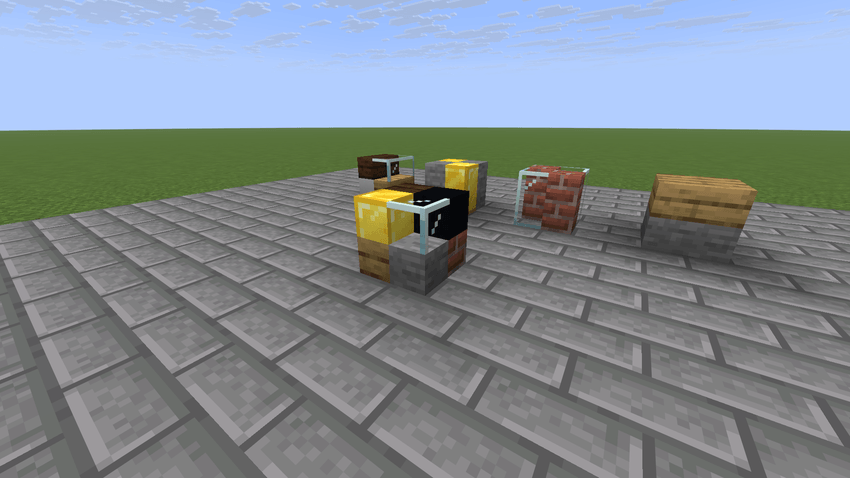
Cut basic solid blocks into slabs, vertical slabs, quarters and eighths with a saw, then place them and mix them together. Each piece keeps the textures of the block it was cut from, including modded blocks.
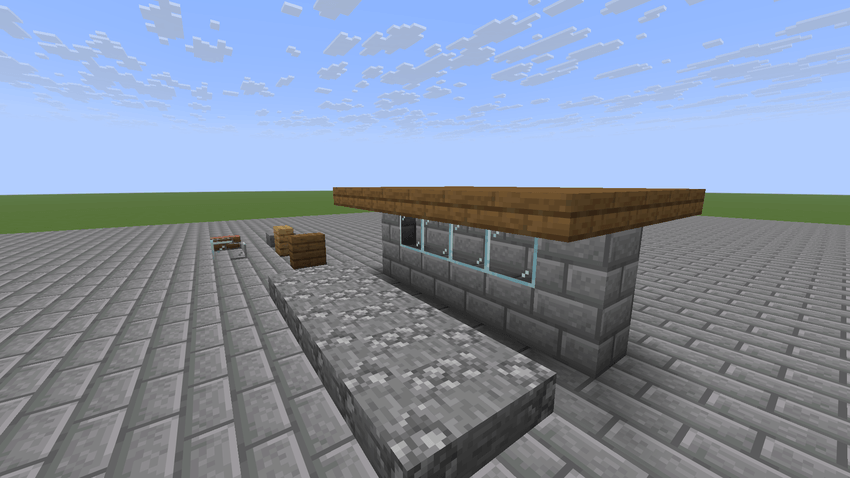
An eighth is 1/8 of a full block: half the width, depth and height. One block space can hold up to 8 eighths, and each one can come from a different block. Use that to build detailed walls, rooftops, fish tanks and decorations without a huge set of extra blocks.
How cutting works
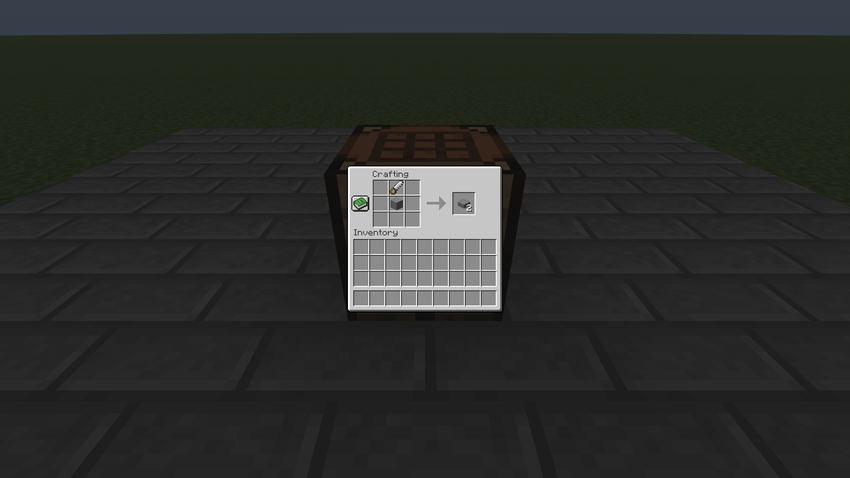
Craft an Iron Saw (a stick, an iron ingot and an iron ingot in a row) or a Diamond Saw (a stick, a diamond and a diamond in a row). Put the saw in the crafting grid with one block, or with a piece you have already cut. Each cut gives 2 pieces. The saw's position sets the cut:
- Saw directly above or below: horizontal cut
- Saw beside or diagonal: vertical cut
What you get:
- Full block: 2 slabs, or 2 vertical slabs
- Slab: 2 quarters
- Vertical slab: 2 quarters, or 2 vertical quarters
- Quarter or vertical quarter: 2 eighths
The Iron Saw lasts 250 cuts. The Diamond Saw lasts 1561 cuts. Obsidian, ancient debris and other blocks that need a diamond tool need the Diamond Saw, and so do pieces cut from them.
Placing and mixing
A piece goes into the half or quarter of the space nearest where you click. Vertical slabs sit flat against the face you click, or face you when placed on a top or bottom face. You can keep adding pieces to a space as long as those cells are free.
Every cell remembers its own source block, so one space can mix stone, glass, wood and anything else that can be cut. Each piece keeps its source's colour (grass, leaves and other tinted blocks follow the biome), light and look. Faces between two opaque pieces are hidden. Glass next to the same glass hides the shared face, including across neighbouring spaces. A grass block cut into lower pieces still shows its green side strip.
Glowing blocks still give off light when cut. Opaque pieces block light on their faces the way the full block would.
You cannot craft pieces back into a full block.
Precision pickaxes
A normal tool breaks the whole space at once and drops every piece you could harvest with the tool in hand, so stone pieces mined by hand drop nothing. A precision pickaxe breaks only the piece you are looking at, and drops it as an eighth.
- Iron Precision Pickaxe: iron ingot, iron ingot, iron nugget across the top row, with 2 sticks down the middle column. 250 uses.
- Diamond Precision Pickaxe: diamond, diamond, iron nugget across the top row, with 2 sticks down the middle column. 1561 uses.
Drops follow the source block's own rules. Glass needs Silk Touch, stone needs a pickaxe, and a diamond-tier block needs the Diamond Precision Pickaxe. Mining speed also comes from that piece's source block. Each piece costs 1 durability. When the last piece goes, the space turns into air, or water if it was waterlogged. On any other block, a precision pickaxe works like the vanilla pickaxe of its tier and can take the same enchantments.
Waterlogging and fish tanks
A space with any empty cell can hold water, like a vanilla slab. Placing a piece into water keeps the water, and buckets work as usual. A face only holds water back when all 4 cells touching it are filled, so a bottom slab keeps water above it, and glass vertical slabs make a fish tank wall. A completely filled space holds no water. Water only shows in the empty cells, never through opaque pieces. Behind glass and other see-through pieces it looks the way it does behind a glass block, whether the glass is in the same space as the water or in the next one.
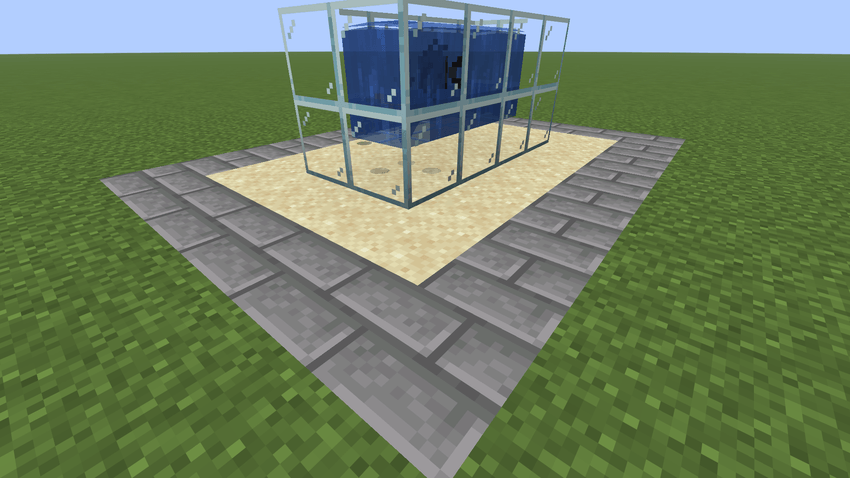
Project description from CurseForge.
Pick your setup
Smol Blocks by Minecraft version and loader
Choose the version and loader you play, then open the matching release.
Minecraft version
26.2
2 loader buildsMinecraft version
26.1.2
2 loader buildsMinecraft version
26.1.1
2 loader buildsMinecraft version
26.1
2 loader buildsMinecraft version
1.21.1
2 loader buildsMinecraft version
1.20.1
2 loader buildsCheck the dependencies, then try the file in a copied instance before changing a world you care about.
Recent files
Smol Blocks versions and loaders
smolblocks-neoforge-26.2-0.1.1.jar
14 Nov 2026
Client Source doesn’t say Server Source doesn’t say Dependencies No extras listed Listed on Release listing
Check the 26.2 · NeoForge setup NeoForge26.2 release
smolblocks-fabric-26.2-0.1.1.jar
14 Nov 2026
Client Source doesn’t say Server Source doesn’t say Dependencies No extras listed Listed on Release listing
Check the 26.2 · Fabric setup Fabric26.2 release
smolblocks-neoforge-26.2-0.1.0-rc.2.jar
12 Nov 2026
Client Source doesn’t say Server Source doesn’t say Dependencies No extras listed Listed on Release listing
Check the 26.2 · NeoForge setup NeoForge26.2 release
smolblocks-fabric-26.2-0.1.0-rc.2.jar
12 Nov 2026
Client Source doesn’t say Server Source doesn’t say Dependencies No extras listed Listed on Release listing
Check the 26.2 · Fabric setup Fabric26.2 release
Looking for an older file? The official CurseForge project page is in Resources.
 mod
CurseForge + Modrinth · Minecraft
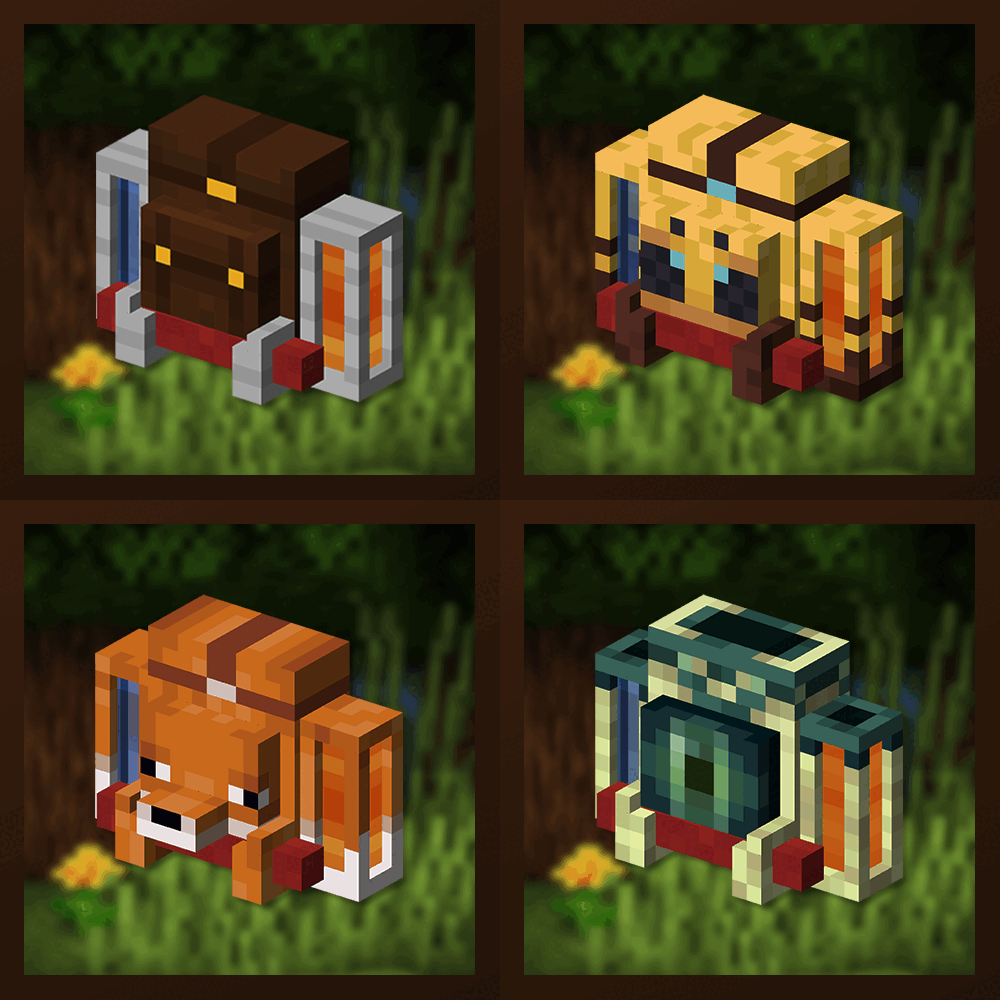
Traveler's Backpack
Unique and upgradeable backpacks with customisation, Curios API/Trinkets integration and more!
 mod
CurseForge · Minecraft
Display Case
Decorative block for beautiful storage of one item
 mod
CurseForge · Minecraft
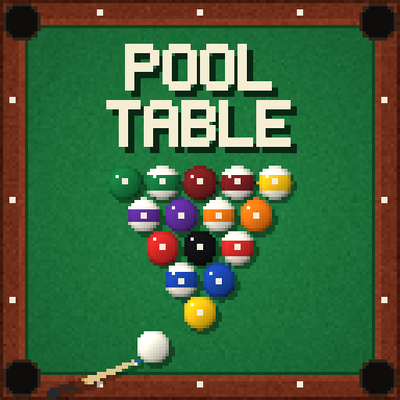
Pool Table 🎱
A full-size 3x5 pool table with real ball physics and pub 8-ball rules. Line up your shot in the ball camera, draw back and shoot, then watch it play out from the table camera. Dyeable cloth, cue racks and a practice mode.