GeckoLib Needed by Dragon Mine Z: Do Anything dmz-doanything-0.7.1.jar
requiredMatching file found Matched file: geckolib-forge-1.20.1-4.8.5.jar
CurseForge · Minecraft mod
Give a new race its own look and progression, rebalance transformations from DragonMine Z and compatible addons
Quick answer
Dragon Mine Z: Do Anything dmz-doanything-0.7.1.jar targets 1.20.1 with Forge. The project page does not say whether this file belongs on the client, dedicated server, or both. All 4 required mods have matching files.
Where it goes
The project page does not say whether this file belongs on the client, dedicated server, or both.
The source does not explicitly classify this release as client-only or server-only.
dmz-doanything-0.7.1.jar. Change the file and its required mods may change too.
Install GeckoLib, DragonMine Z - Dragon Ball in Minecraft!, TerraBlender (Forge), Curios API first. We found matching files for this game-version and loader setup.
We only count dependency files that match this setup. A file for another loader does not fill the gap.
Before you install it
Built for Dragon Mine Z: Do Anything dmz-doanything-0.7.1.jar. Pick another file and the loader, install side or required mods may change.
Use dmz-doanything-0.7.1.jar. It targets 1.20.1 with Forge; another release may have different loader, side or dependency requirements.
Install GeckoLib, DragonMine Z - Dragon Ball in Minecraft!, TerraBlender (Forge), Curios API first. We found matching files for this game-version and loader setup.
The project page does not say whether this file belongs on the client, dedicated server, or both.
Use the “Get this file” button beside dmz-doanything-0.7.1.jar. It opens that exact file at the source.
About this project
Build races, customize transformations, and create your own sagas in-game.
DMZ Do Anything is an unofficial DragonMine Z addon for modpack creators and server administrators. Create and customize races, balance transformations, edit saga quests, and apply reviewed changes in singleplayer or on a dedicated server.
Open the editor as an administrator with /dmzdoanything.
Minecraft 1.20.1 · Forge 47.4.10 or 47.4.28
Requires DragonMine Z 2.2.1 with GeckoLib, TerraBlender, and Curios API. Use matching addon builds on the server and all clients.
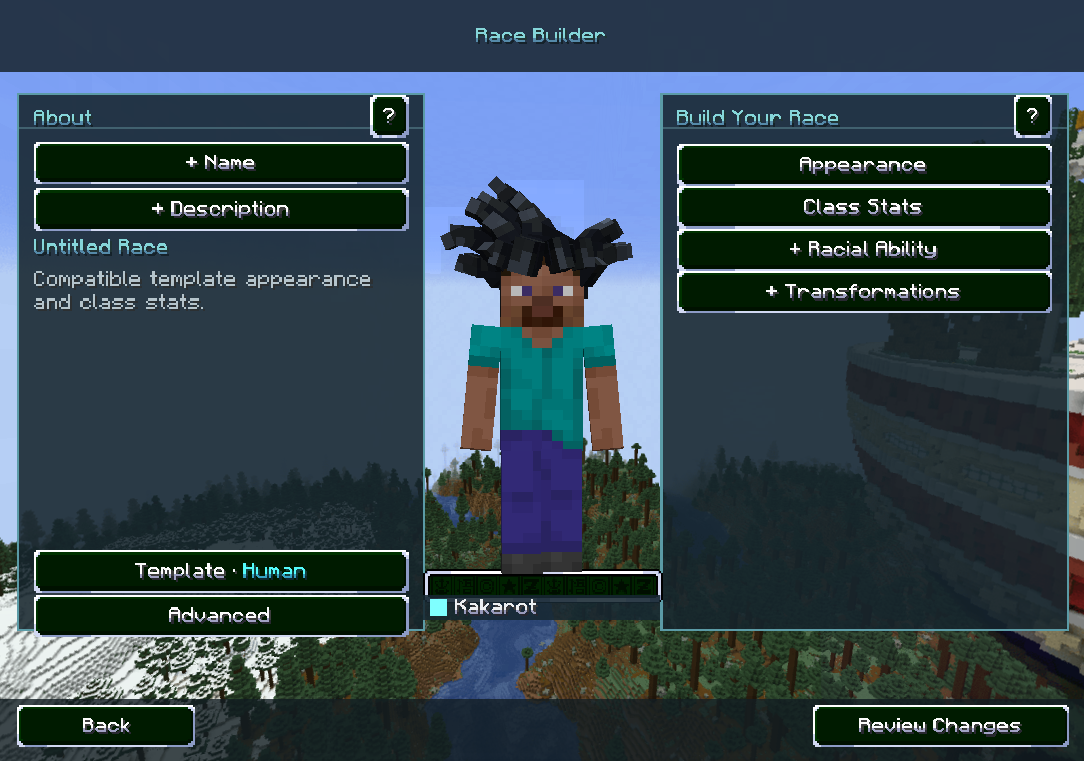
Create a race from a template or clone an installed race. Write its description, choose starting appearance and class stats, and assign a supported racial ability. Customize hair and appearance colors, add forms before publishing, and preview each look on the rotating fighter.
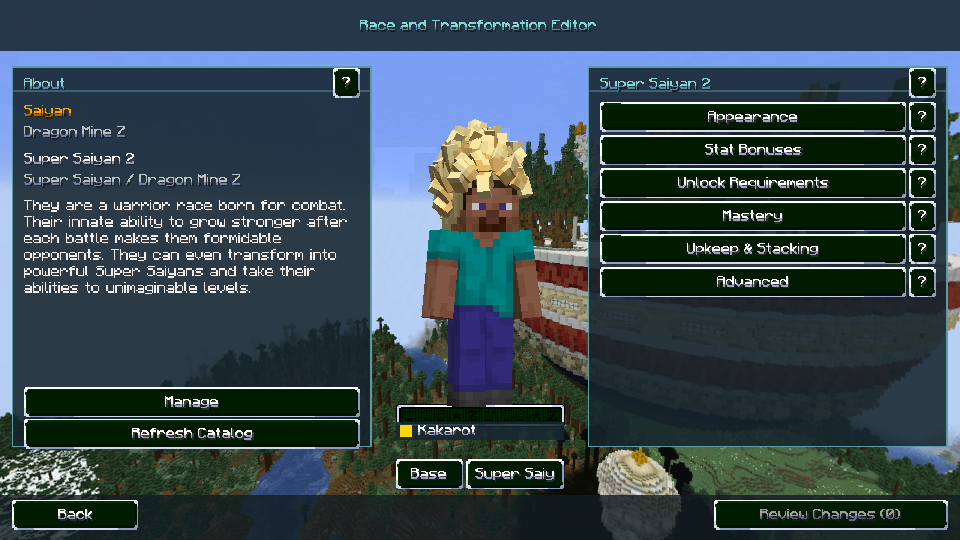
Open Saiyan from the DragonMine Z section and select Super Saiyan 2 to preview the form. Edit supported stat multipliers, Ki upkeep, mastery, unlock requirements, TP prices, and appearance. Choose hair for races and transformations, and use the color wheel to fine-tune hair, eye, aura, and other supported colors. Review and apply Base and transformation changes together.
Make the story your own. Add quests to sagas and edit existing quests directly through the in-game editor, giving world owners more control over their DragonMine Z adventures.
Build out your saga progression by adjusting the quests that make up each storyline. This feature is now available, rather than just planned for a future release.
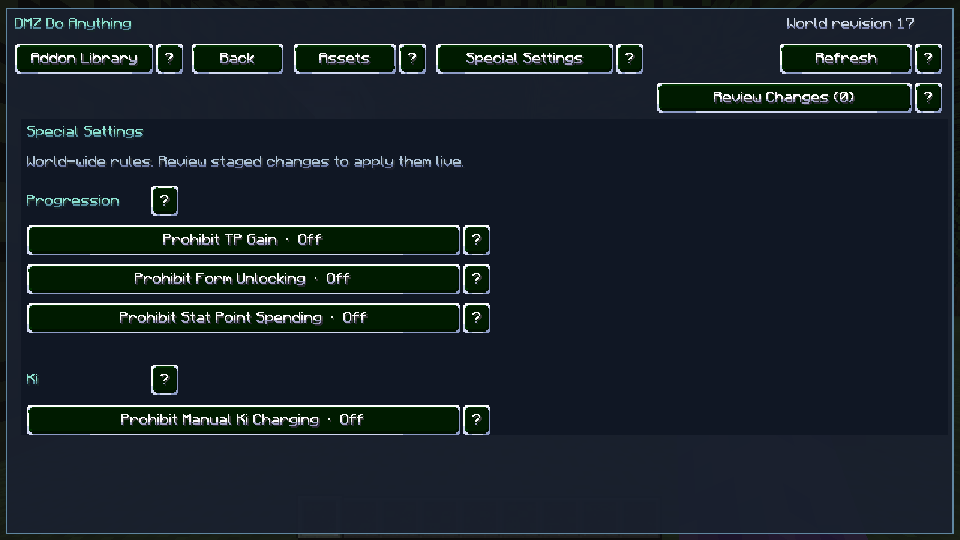
Set progression and Ki rules for your world. Each restriction starts off and can be applied live.
Importing races shared by other players is a work-in-progress feature. The full import/export workflow for races and configurations is still being completed.
Planned support for editing attributes of existing Ki Attacks taught by NPC trainers.
Built for DragonMine Z by the DragonMine Z team. DMZ Do Anything is licensed under GPL-3.0-or-later.
Project description from CurseForge.
Pick your setup
Choose the version and loader you play, then open the matching release.
Check the dependencies, then try the file in a copied instance before changing a world you care about.
Recent files
21 Nov 2026
12 Nov 2026
Looking for an older file? The official CurseForge project page is in Resources.
 mod
A claims and regions guard system made for the official BSP server and Forge.
 mod
BSP (Build Secure Protect) core modpack that adds custom items, blocks, machines, functions and behaviours to the official BSP server.
 mod
The main core for all the Re:Death Authority mods