Minecraft version
Back to mods 
CurseForge · Minecraft mod
Singleplayer Jitter Fix: True Singleplayer
Eliminates all forms of jitter from single player. Makes mobs movement and animation smooth, fixing stutters and discontinuities. True Singleplayer
Choose a version Pick your version below, then grab the matching file.
Quick answer
Which Singleplayer Jitter Fix: True Singleplayer release should I use?
Latest stable file smooth_animations-1.20.1-1.1.0-forge
Game version 1.20.1
Loader Forge
Singleplayer Jitter Fix: True Singleplayer smooth_animations-1.20.1-1.1.0-forge targets 1.20.1 with Forge. The project page does not say whether this file belongs on the client, dedicated server, or both. No extra mods listed for this file.
Where it goes
Is Singleplayer Jitter Fix: True Singleplayer required on the client, server, or both?
The project page does not say whether this file belongs on the client, dedicated server, or both.
Client Source doesn’t say
Dedicated server Source doesn’t say
Loader for this release Forge
Required install it here Optional supported, not mandatory Not supported do not install here Source doesn’t say do not assume
The source does not explicitly classify this release as client-only or server-only.
What else does Singleplayer Jitter Fix: True Singleplayer smooth_animations-1.20.1-1.1.0-forge need?
smooth_animations-1.20.1-1.1.0-forge. Change the file and its required mods may change too.
This file does not list any required mods. Do not add a library just because a different file uses it.
This file does not list any required or optional mods.
Before you install it
Add Singleplayer Jitter Fix: True Singleplayer without breaking your instance.
Built for Singleplayer Jitter Fix: True Singleplayer smooth_animations-1.20.1-1.1.0-forge. Pick another file and the loader, install side or required mods may change.
- 01
Stick to this file
Use smooth_animations-1.20.1-1.1.0-forge. It targets 1.20.1 with Forge; another release may have different loader, side or dependency requirements.
- 02
Bring the mods it needs
This file does not list any required mods. Do not add a library just because a different file uses it.
- 03
Put it on the correct side
The project page does not say whether this file belongs on the client, dedicated server, or both.
- 04
Pick the file you checked
Use the “Get this file” button beside smooth_animations-1.20.1-1.1.0-forge. It opens that exact file at the source.
About this project
What does Singleplayer Jitter Fix: True Singleplayer add?
Singleplayer Jitter Fix: Smooth Entity Animations
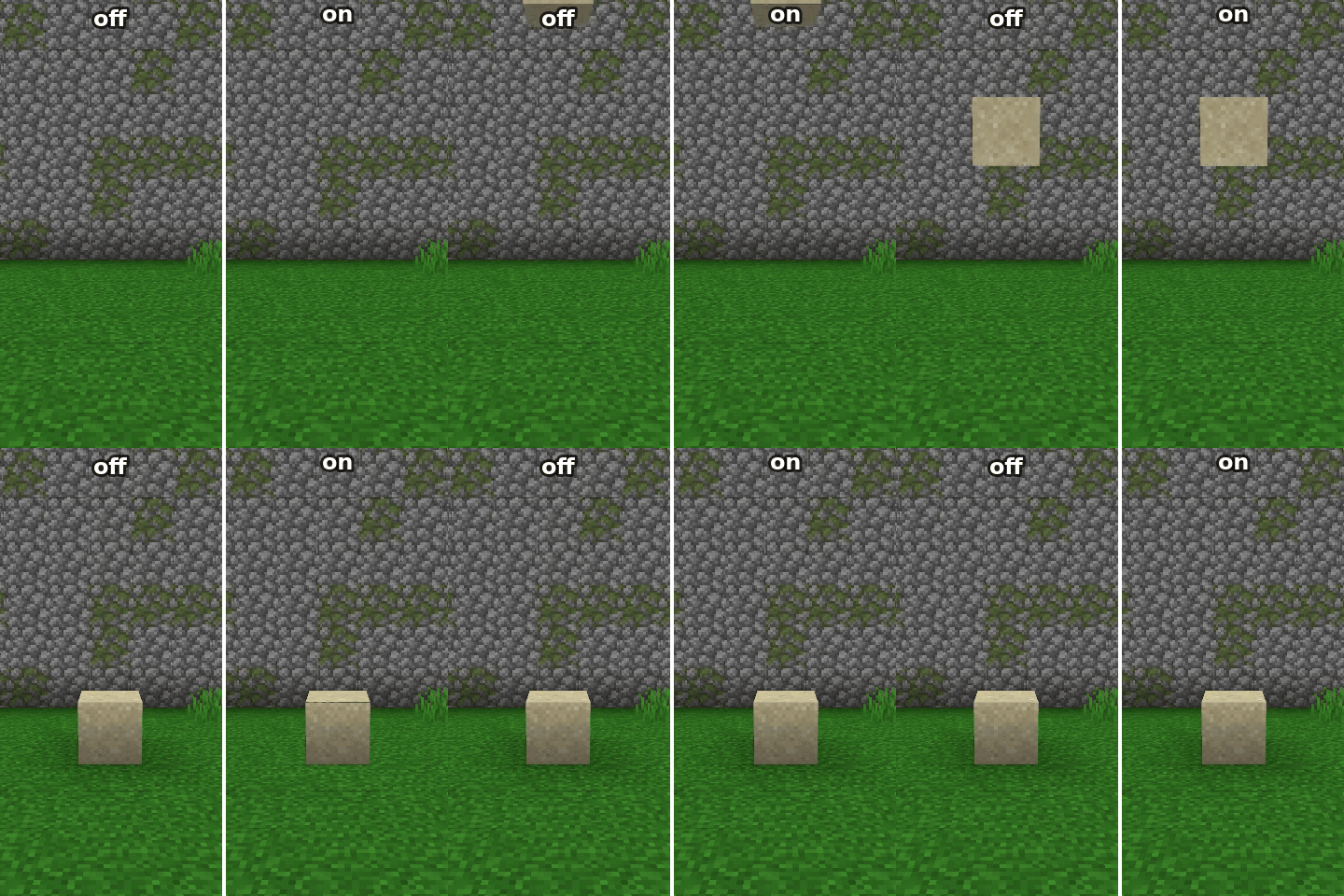
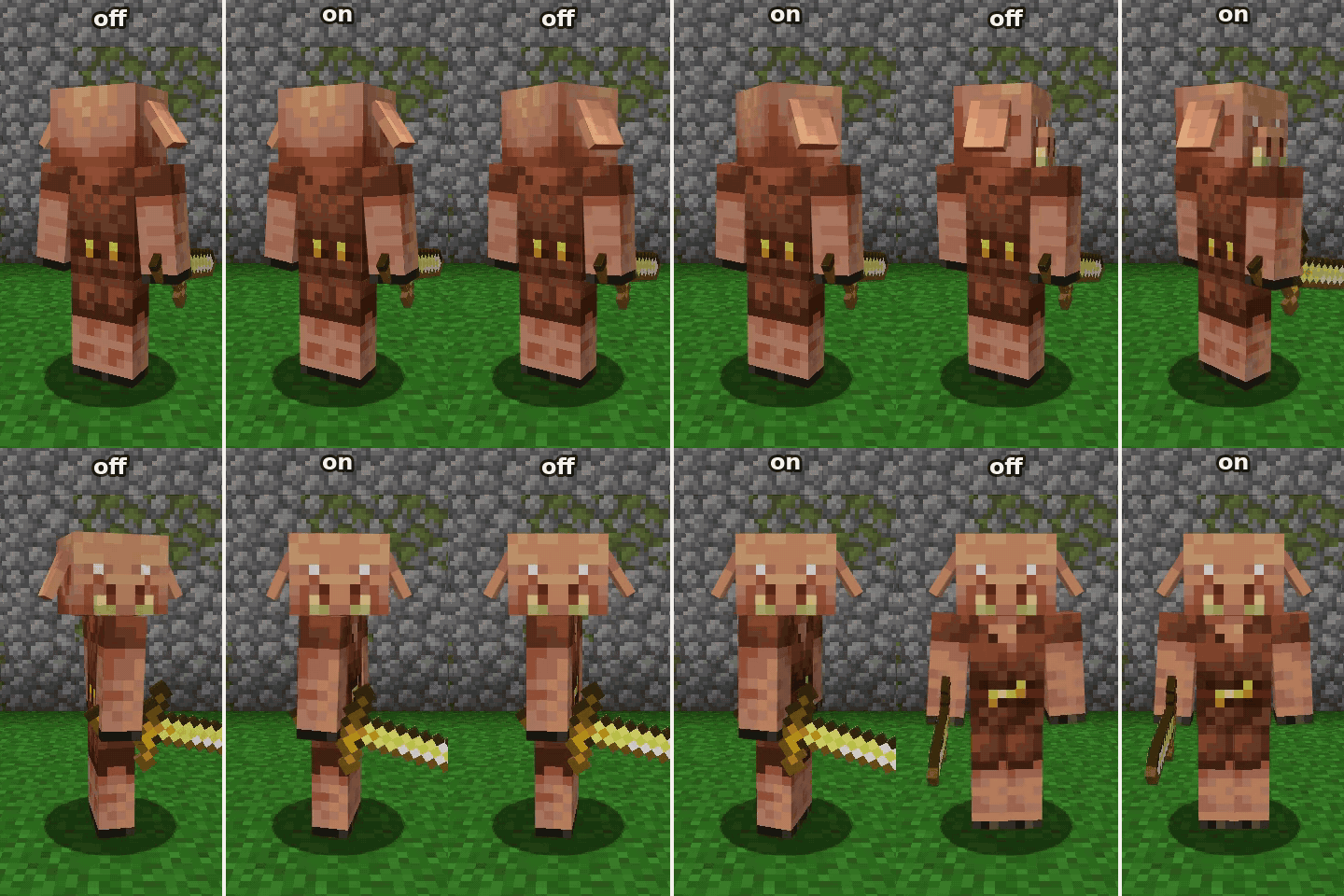
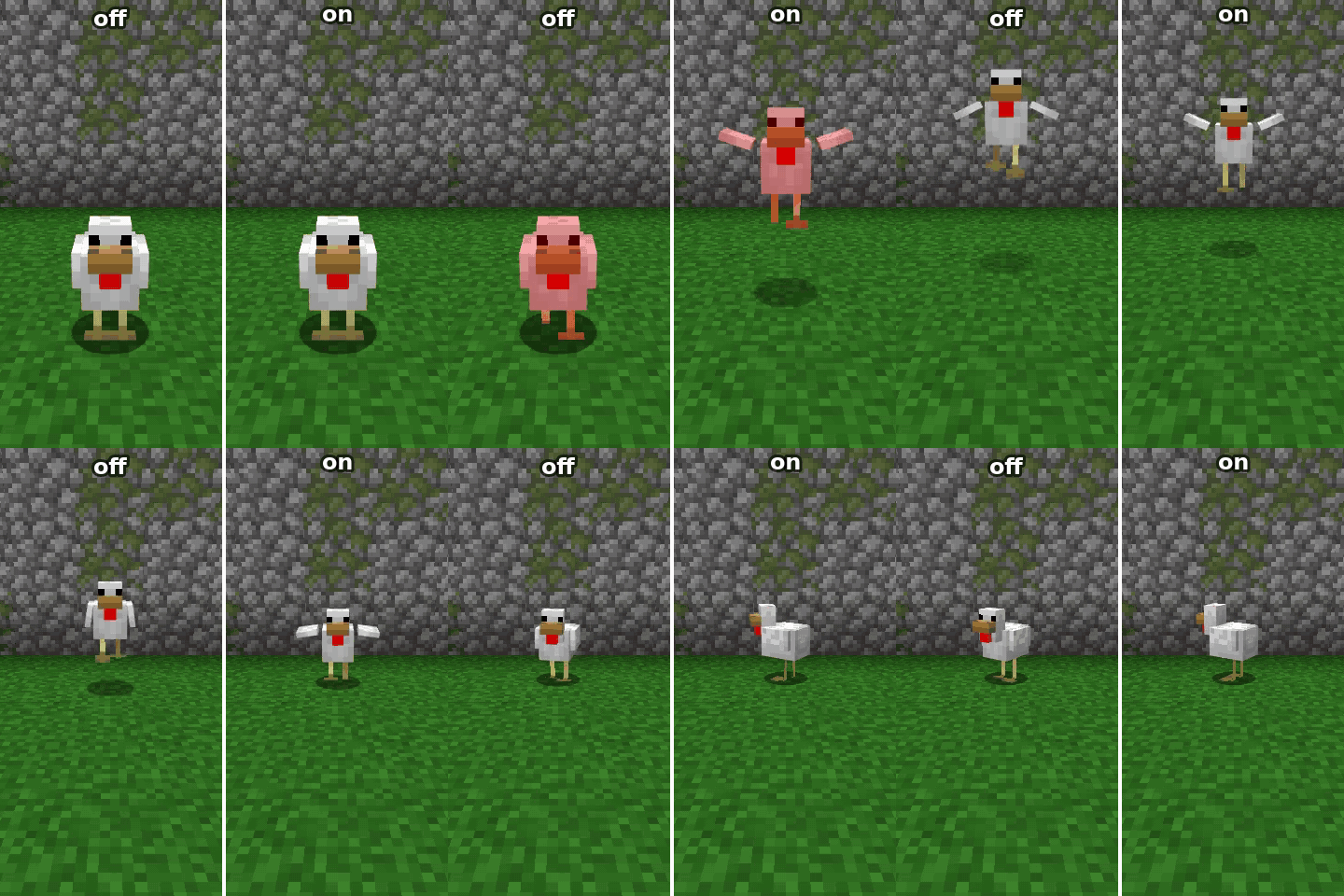
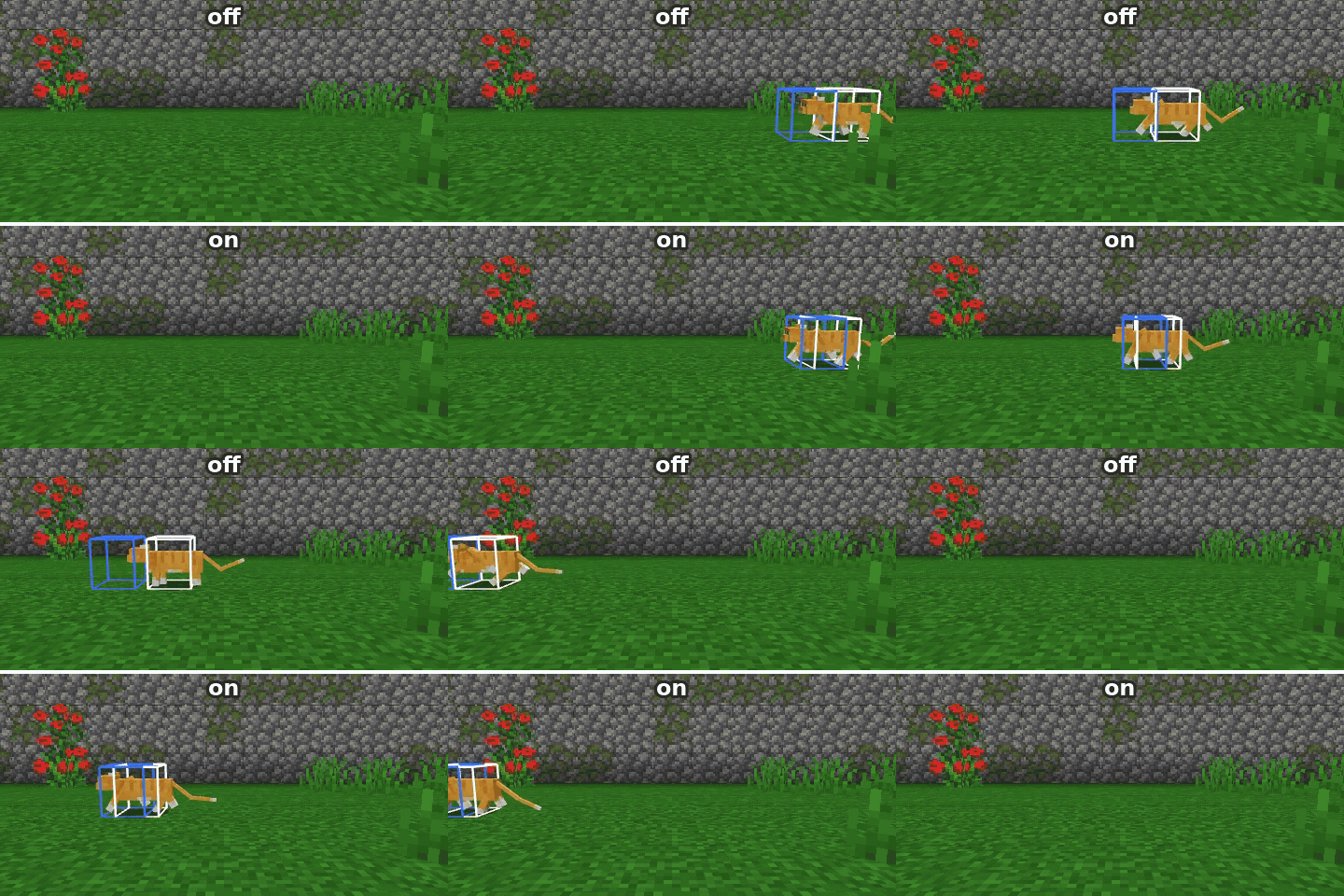
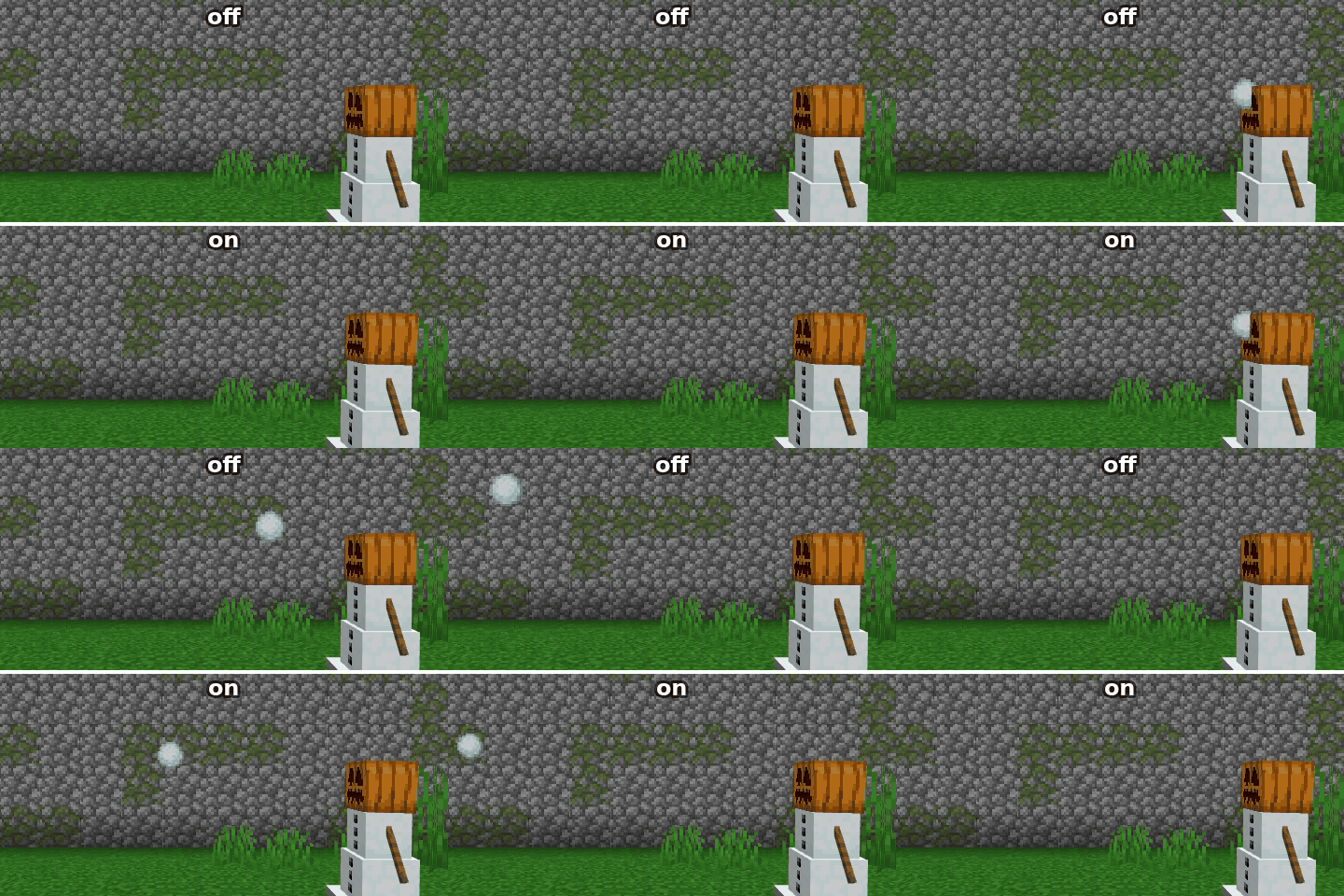
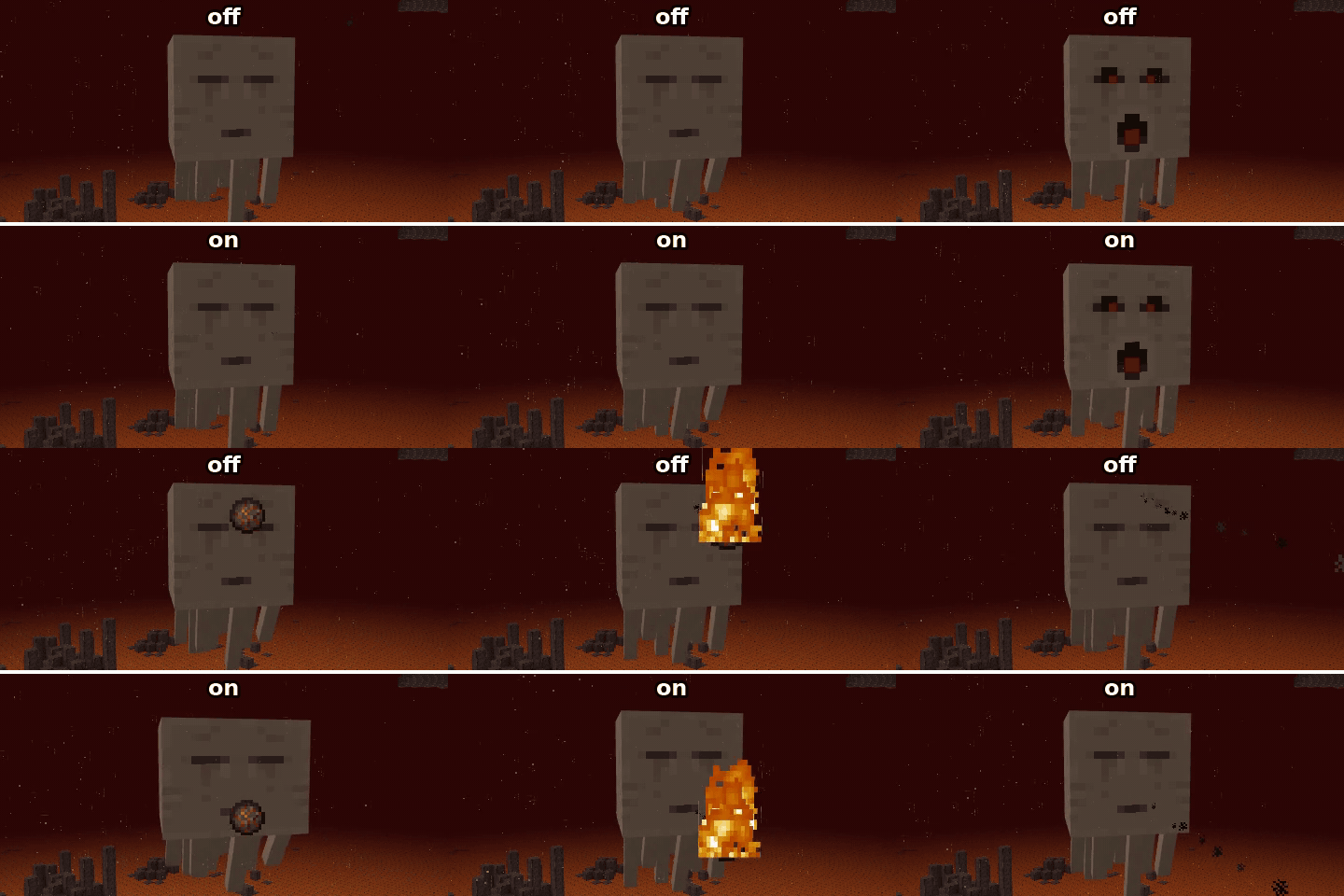
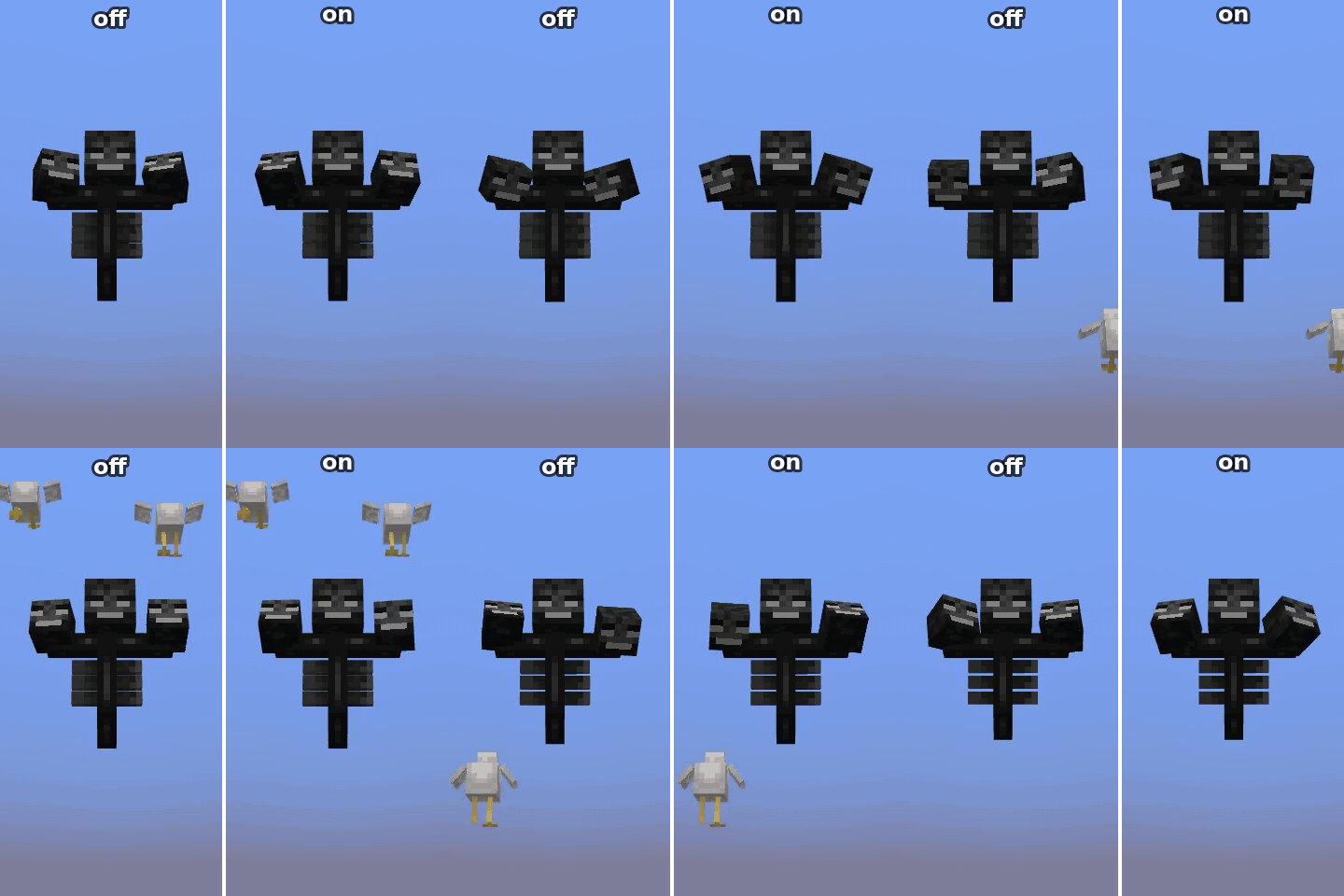
Ever since beta 1.3 the game has been PLAGUED by this very controlversion change: The client- serveer split.
If you dont know even on singleplayer your client runs a internal SERVER!
This causes a slew of desyncs and jittery behavior that is completley avoidable in single player.
This mod is simple in scope and simply addresses this issue with a series of targeted chanfes that fix all known smoothness issues.
Changes:
- Server and Client now tick in alternating mode. one tick one, one the other
- All entities "send" their position every tick. this means they are always 1 tick behind as opposed to several in vanilla
- Fixes entities spawned in wrong phase staritng on client with a wrong position causing entity snapback when server updates them
- Fixes falling blocks disappearing as soon as the block is placed. Now they disappear when the chunk mesh has hpdated instead, perfectluy smooth.
- Mob bodies follow the head every tick with an eased catch up instead of snapping every 15 degrees. Heads slow down near their look target
- Partial tick gets recomputed after the client tick runs so frames that run a tick aren't drawn in the past
- Brings back & improves the ghast swelling up before shooting, gone since beta 1.3 (MC-165038)
- Fixes withers shaking left and right when chasing a far target (MC-272049)
- Fixes many issues with wither model like offcentered head, tail, heads not aiming from the right side or being interpolated
What also works in Multiplayer
| feature | works in multiplayer |
|---|---|
| client/server tick lockstep | no |
| fresh positions every tick | no |
| projectiles fired from AI | yes, needs mod on server |
| falling block landing | yes |
| mob bodies | yes |
| mob heads | yes, needs mod on server |
| partial tick catch up | yes |
| ghast swell | yes |
| wither yaw fix | yes, needs mod on server |
| wither model fixes | yes |
Project description from CurseForge.
Pick your setup
Singleplayer Jitter Fix: True Singleplayer by Minecraft version and loader
Choose the version and loader you play, then open the matching release.
Minecraft version
1.20.1
2 loader buildsCheck the dependencies, then try the file in a copied instance before changing a world you care about.
Recent files
Singleplayer Jitter Fix: True Singleplayer versions and loaders
smooth_animations-1.20.1-1.1.0-forge
smooth_animations-1.20.1-1.1.0-forge.jar
15 Nov 2026
Client Source doesn’t say Server Source doesn’t say Dependencies No extras listed Listed on Release listing
Check the 1.20.1 · Forge setup 1.20.1Forge release
smooth_animations-1.20.1-1.1.0-fabric
smooth_animations-1.20.1-1.1.0-fabric.jar
15 Nov 2026
Client Source doesn’t say Server Source doesn’t say Dependencies No extras listed Listed on Release listing
Check the 1.20.1 · Fabric setup Fabric1.20.1 release
smooth_animations-1.21.1-1.1.0-neoforge
smooth_animations-1.21.1-1.1.0-neoforge.jar
15 Nov 2026
Client Source doesn’t say Server Source doesn’t say Dependencies No extras listed Listed on Release listing
Check the 1.21.1 · NeoForge setup 1.21.1NeoForge release
smooth_animations-1.21.1-1.1.0-fabric
smooth_animations-1.21.1-1.1.0-fabric.jar
15 Nov 2026
Client Source doesn’t say Server Source doesn’t say Dependencies No extras listed Listed on Release listing
Check the 1.21.1 · Fabric setup Fabric1.21.1 release
smooth_animations-1.21.1-1.0.2-fabric
smooth_animations-1.21.1-1.0.2-fabric.jar
13 Nov 2026
Client Source doesn’t say Server Source doesn’t say Dependencies No extras listed Listed on Release listing
Check the 1.21.1 · Fabric setup Fabric1.21.1 release
smooth_animations-1.21.1-1.0.2-neoforge
smooth_animations-1.21.1-1.0.2-neoforge.jar
13 Nov 2026
Client Source doesn’t say Server Source doesn’t say Dependencies No extras listed Listed on Release listing
Check the 1.21.1 · NeoForge setup 1.21.1NeoForge release
smooth_animations-1.21.1-1.0.2-neoforge
smooth_animations-1.21.1-1.0.2-neoforge.jar
13 Nov 2026
Client Source doesn’t say Server Source doesn’t say Dependencies No extras listed Listed on Release listing
Check the 1.21.1 · NeoForge setup 1.21.1NeoForge release
smooth_animations-1.21.1-1.0.2-fabric
smooth_animations-1.21.1-1.0.2-fabric.jar
13 Nov 2026
Client Source doesn’t say Server Source doesn’t say Dependencies No extras listed Listed on Release listing
Check the 1.21.1 · Fabric setup Fabric1.21.1 release
smooth_animations-1.21.1-1.0.0-neoforge.jar
12 Nov 2026
Client Source doesn’t say Server Source doesn’t say Dependencies No extras listed Listed on Release listing
Check the 1.21.1 · NeoForge setup 1.21.1NeoForge beta
Looking for an older file? The official CurseForge project page is in Resources.
 mod
CurseForge + Modrinth · Minecraft
Terracart Reloaded
Terraria Cart in Minecraft, Right click track and have fun!
 mod
CurseForge + Modrinth · Minecraft
Polydium
Well-rounded client-side optimization mod. Extremely compatible Vulkan backend for 1.21.11-26.1.2. By Polyfrost, best with OneClient.
 mod
Modrinth · Minecraft
Singleplayer Jitter Fix
Fixes all forms of jitter on single player due to server desync. Makes mobs movement and animation smooth, fixing stutters and discontinuities