Fabric API Needed by c0de 0.6.0 for Fabric 26.3
requiredMatching file found Matched file: [26.3] Fabric API 0.166.2+26.3
CurseForge · Minecraft mod
Create programs by placing blocks. c0de is a simple and extensible programming language inspired by BASIC and the early IDE from a Danisch plastic brick manufacturer.
Quick answer
c0de 0.6.0 for Fabric 26.3 targets 26.3 with Fabric. The project page does not say whether this file belongs on the client, dedicated server, or both. All 1 required mods have matching files.
Where it goes
The project page does not say whether this file belongs on the client, dedicated server, or both.
The source does not explicitly classify this release as client-only or server-only.
c0de 0.6.0 for Fabric 26.3 on Fabric. Every mod below is checked against that same setup.
Install Fabric API first. We found matching files for this game-version and loader setup.
We only count dependency files that match this setup. A file for another loader does not fill the gap.
Before you install it
Built for c0de 0.6.0 for Fabric 26.3 on Fabric. Pick another file and the loader, install side or required mods may change.
Use c0de 0.6.0 for Fabric 26.3. It targets 26.3 with Fabric; another release may have different loader, side or dependency requirements.
Install Fabric API first. We found matching files for this game-version and loader setup.
The project page does not say whether this file belongs on the client, dedicated server, or both.
Use the “Get this file” button beside c0de 0.6.0 for Fabric 26.3. It opens that exact file at the source.
About this project
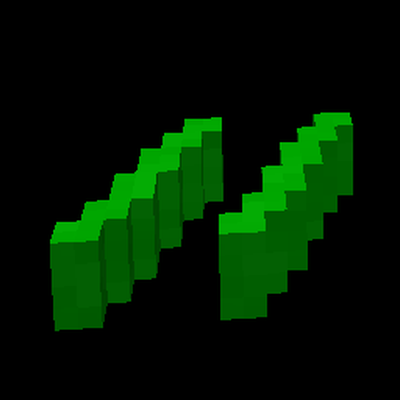
Build programs out of blocks. c0de is a small programming language for Minecraft: you place language blocks on sheets of greenbar paper in their own dimension and run your programs with trigger blocks anywhere in your world.
c0de is inspired by BASIC and the early Lego Mindstorms. You don't need to know how to program. Every statement is a block, every block is crafted from vanilla materials, and the floor tells you right away whether a line is correct.
This is an early version. Expect rough edges, and please report bugs and ideas on GitHub.
c0de folder of your own Minecraft to share them.The player guide explains everything step by step, with example programs:
Project description from CurseForge.
Pick your setup
Choose the version and loader you play, then open the matching release.
Check the dependencies, then try the file in a copied instance before changing a world you care about.
Recent files
c0de-fabric-0.6.0-26.3.jar
15 Nov 2026
c0de-fabric-0.6.0-26.2.jar
15 Nov 2026
c0de-fabric-0.6.0-26.1.2.jar
15 Nov 2026
c0de-fabric-0.6.0-1.21.11.jar
15 Nov 2026
c0de-fabric-0.6.0-1.21.1.jar
15 Nov 2026
c0de-fabric-0.5.0-26.3.jar
12 Nov 2026
c0de-fabric-0.5.0-26.2.jar
12 Nov 2026
c0de-fabric-0.5.0-1.21.1.jar
12 Nov 2026
c0de-fabric-0.5.0-1.21.11.jar
12 Nov 2026
c0de-fabric-0.5.0-26.1.2.jar
12 Nov 2026
c0de-fabric-0.4.0-26.3.jar
12 Nov 2026
c0de-fabric-0.4.0-26.2.jar
12 Nov 2026
Looking for an older file? The official CurseForge project page is in Resources.
 mod
A technology NeoForge/Fabric mod with many machines.
 mod
Mod that lets you place items on any block side
 mod
Cobblemon automation: your Pokemon work for you. They chop, mine, farm, smelt, haul, craft, guard and build your Litematica schematics.