Minecraft version
Back to mods 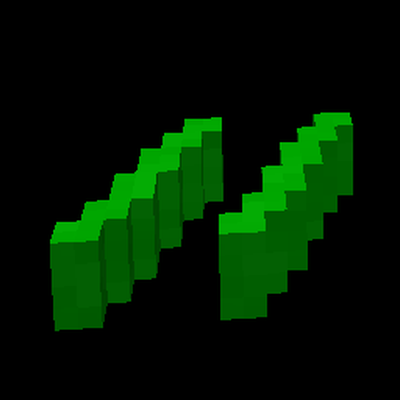
CurseForge · Minecraft mod
c0de
Create programs by placing blocks. c0de is a simple and extensible programming language inspired by BASIC and the early IDE from a Danisch plastic brick manufacturer.
Choose a version Pick your version below, then grab the matching file.
Quick answer
Which c0de release matches 26.3 NeoForge?
beta file c0de 0.6.0 for NeoForge 26.3
Game version 26.3
Loader NeoForge
c0de 0.6.0 for NeoForge 26.3 targets 26.3 with NeoForge. The project page does not say whether this file belongs on the client, dedicated server, or both. No extra mods listed for this file.
Where it goes
Is c0de required on the client, server, or both?
The project page does not say whether this file belongs on the client, dedicated server, or both.
Client Source doesn’t say
Dedicated server Source doesn’t say
Loader for this release NeoForge
Required install it here Optional supported, not mandatory Not supported do not install here Source doesn’t say do not assume
The source does not explicitly classify this release as client-only or server-only.
What else does c0de 0.6.0 for NeoForge 26.3 need?
c0de 0.6.0 for NeoForge 26.3 on 26.3 NeoForge. Every mod below is checked against that same setup.
This file does not list any required mods. Do not add a library just because a different file uses it.
This file does not list any required or optional mods.
Before you install it
Add c0de without breaking your instance.
Built for c0de 0.6.0 for NeoForge 26.3 on 26.3 NeoForge. Pick another file and the loader, install side or required mods may change.
- 01
Stick to this file
Use c0de 0.6.0 for NeoForge 26.3. It targets 26.3 with NeoForge; another release may have different loader, side or dependency requirements.
- 02
Bring the mods it needs
This file does not list any required mods. Do not add a library just because a different file uses it.
- 03
Put it on the correct side
The project page does not say whether this file belongs on the client, dedicated server, or both.
- 04
Pick the file you checked
Use the “Get this file” button beside c0de 0.6.0 for NeoForge 26.3. It opens that exact file at the source.
About this project
What does c0de add?
c0de
Build programs out of blocks. c0de is a small programming language for Minecraft: you place language blocks on sheets of greenbar paper in their own dimension and run your programs with trigger blocks anywhere in your world.
c0de is inspired by BASIC and the early Lego Mindstorms. You don't need to know how to program. Every statement is a block, every block is crafted from vanilla materials, and the floor tells you right away whether a line is correct.
This is an early version. Expect rough edges, and please report bugs and ideas on GitHub.
Features
- The c0de dimension: endless sheets of green-and-white computer paper. One sheet, one program. No mobs, no weather, no night.
- A real language: variables and constants, integers, floats, text, time, arrays, hashes, structs, expressions with many operators, functions with parameters and results, recursion, IF/ELSE, FOR, EACH, WHILE, REPEAT and error handling.
- Live checking: line numbers on the floor turn green, yellow or red while you build, and the debugging tool tells you what is wrong.
- Trigger blocks: start programs with a redstone pulse, a timer, or step by step with a debug trigger. A comparator reads the exit code.
- Data as items: pass values in and out as variable and constant items. Hoppers and pipes can fill and empty trigger blocks, so programs can be chained.
- Input and output: PRINT text on display walls, laptops and tablets, let players type values for INPUT, and WRITE results into I/O blocks. Screen functions like CLS, LOCATE, COLOR and INKEY come from AmigaBASIC.
- Libraries: math, strings (including FORMAT, JSON and YAML), date and time, and a Minecraft library for sounds, chat messages, levers, buttons, doors, inventories, blocks and entities.
- Permissions: world-changing functions are off by default and can be enabled per server. Programs act on behalf of the trigger block's owner.
- Editing tools: a text marker to select lines, a wrench to move and copy them, a hammer to delete or insert lines.
- c0de disk and disk drive: copy programs onto disks, build them on empty sheets, and keep them as YAML files in the
c0defolder of your own Minecraft to share them. - Debugging: a red debug cursor you can pause and step line by line, and you can inspect every block and every cursor.
Getting started
- Craft a trigger block (copper ingots, glass, a gold ingot) and a wrench (iron ingots and red wool), and place the trigger block.
- Right-click the trigger block with the wrench. You are teleported to a free sheet in the c0de dimension.
- Craft NOOP blocks (iron ingots and sticks) and turn them into language blocks. Build a small program, for example a function that assigns 42 to its result.
- Leave the dimension by right-clicking the black floor with an empty hand. Right-click the trigger block, pick your program and function, and put an uninitialized variable item (a data item and light blue dye) into its input.
- Give the trigger block a redstone pulse. The result appears as a variable item in its output inventory.
Documentation
The player guide explains everything step by step, with example programs:
- Player guide
- Getting started
- The language
- Running programs
- Tools and items
- Libraries
- Examples
- Reference: a page for every block, item and function
- Writing libraries: for mod developers who want to add c0de libraries
Requirements
- Minecraft 1.21.1
- Fabric with Fabric API, or NeoForge
- Optional: Patchouli adds an in-game guide book with the player guide. Every player gets it on the first join; more copies are crafted from a book and a PROGRAM block. Six handbooks (Data, Statements, Tools, Triggers, Devices and Functions) describe every block, item and function on a page of its own. On a NeoForge server, install Patchouli on the server too, otherwise clients with Patchouli can't join.
Project description from CurseForge.
Pick your setup
c0de by Minecraft version and loader
Choose the version and loader you play, then open the matching release.
Minecraft version
26.2
2 loader buildsMinecraft version
26.1.2
2 loader buildsMinecraft version
1.21.11
2 loader buildsMinecraft version
1.21.1
2 loader buildsCheck the dependencies, then try the file in a copied instance before changing a world you care about.
Recent files
c0de versions and loaders
c0de 0.6.0 for NeoForge 26.3
c0de-neoforge-0.6.0-26.3.jar
15 Nov 2026
Client Source doesn’t say Server Source doesn’t say Dependencies No extras listed Listed on Release listing
Check the 26.3 · NeoForge setup NeoForge26.3 beta
c0de 0.5.0 for NeoForge 26.3
c0de-neoforge-0.5.0-26.3.jar
12 Nov 2026
Client Source doesn’t say Server Source doesn’t say Dependencies No extras listed Listed on Release listing
Check the 26.3 · NeoForge setup NeoForge26.3 alpha
c0de 0.4.0 for NeoForge 26.3
c0de-neoforge-0.4.0-26.3.jar
12 Nov 2026
Client Source doesn’t say Server Source doesn’t say Dependencies No extras listed Listed on Release listing
Check the 26.3 · NeoForge setup NeoForge26.3 alpha
Looking for an older file? The official CurseForge project page is in Resources.
 mod
CurseForge + Modrinth · Minecraft
Energized Power
A technology NeoForge/Fabric mod with many machines.
 mod
CurseForge · Minecraft
Ipla (item placer 2)
Mod that lets you place items on any block side
 mod
Modrinth · Minecraft
IronTanks Community Edition
Iron Tanks Community Edition expanding Buildcraft Community Edition tanks similarly to the way IronChests expanded vanilla chests.