The Time Vortex (TARDIS) Needed by Time Vortex: ARS Addon timevortex-ars-addon-1.0.0+neoforge-26.3.jar
requiredMatching file found Matched file: The Time Vortex 1.3.10-beta | 26.3
CurseForge · Minecraft mod
Add your own interiors to the Time Vortex ARS menu with datapacks, and export any interior as a shareable JSON file.
Quick answer
Time Vortex: ARS Addon timevortex-ars-addon-1.0.0+neoforge-26.3.jar targets 26.3 with NeoForge. The project page does not say whether this file belongs on the client, dedicated server, or both. All 1 required mods have matching files.
Where it goes
The project page does not say whether this file belongs on the client, dedicated server, or both.
The source does not explicitly classify this release as client-only or server-only.
timevortex-ars-addon-1.0.0+neoforge-26.3.jar on 26.3 NeoForge. Every mod below is checked against that same setup.
Install The Time Vortex (TARDIS) first. We found matching files for this game-version and loader setup. 5 come through another mod in the chain.
5 extra mods were pulled in by other dependencies. Indented rows show who needs each one. We only count dependency files that match this setup. A file for another loader does not fill the gap.
Before you install it
Built for Time Vortex: ARS Addon timevortex-ars-addon-1.0.0+neoforge-26.3.jar on 26.3 NeoForge. Pick another file and the loader, install side or required mods may change.
Use timevortex-ars-addon-1.0.0+neoforge-26.3.jar. It targets 26.3 with NeoForge; another release may have different loader, side or dependency requirements.
Install The Time Vortex (TARDIS) first. We found matching files for this game-version and loader setup. 5 come through another mod in the chain.
The project page does not say whether this file belongs on the client, dedicated server, or both.
Use the “Get this file” button beside timevortex-ars-addon-1.0.0+neoforge-26.3.jar. It opens that exact file at the source.
About this project
Time Vortex: ARS Addon lets the Architectural Reconfiguration System (ARS) in The Time Vortex load as many premade interiors as you want, not just the built-in Coral console room.
Load interiors from datapacks. Export any interior to share. Players on your server need nothing installed.
Join the discord server! Share your interiors, ask questions, and suggest features!


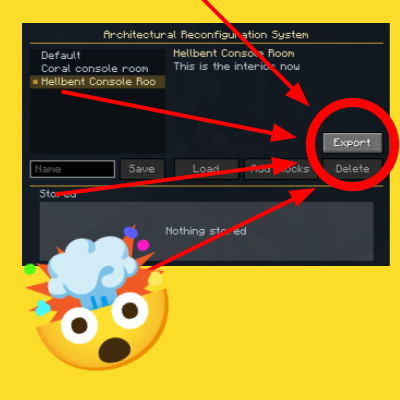
.json in data/<namespace>/ars/ becomes its own ARS menu entry, below the default Coral Interior.json in ars_exports/ in your game folder. Type a name in the name box first to use it as the file and menu name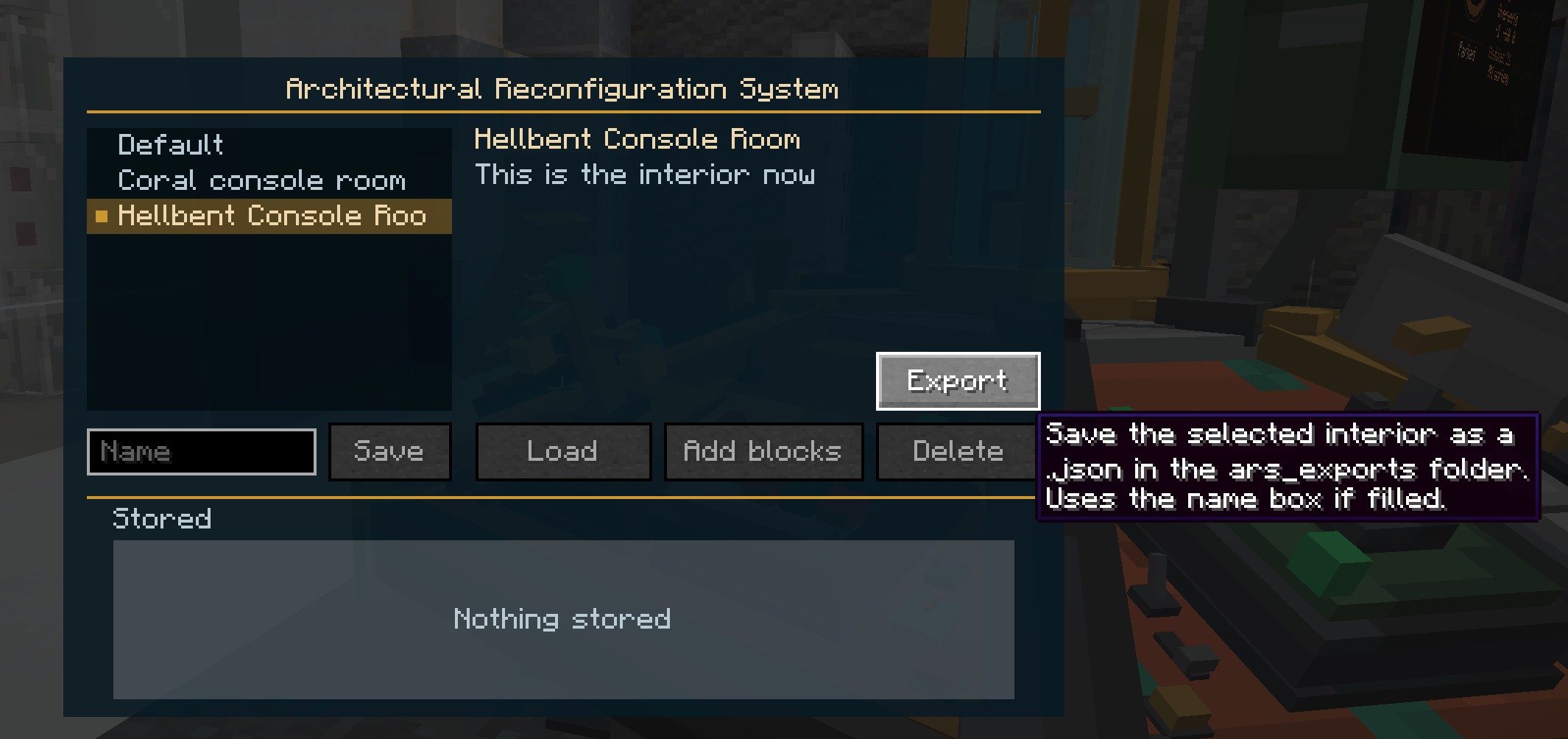
ars_exports/ to data/<your_namespace>/ars/<name>.json in a datapackpack.mcmeta, drop the datapack in your world's datapacks/ folder, run /reloadExample pack.mcmeta (1.20.1 and newer):
{
  "pack": {
    "pack_format": 15,
    "supported_formats": [15, 999],
    "min_format": 15,
    "max_format": 999,
    "description": "Pugmeowlas Uber Super Cool Datapack"
  }
}
Same format as Time Vortex's own coral.json, plus an optional name:
{
  "name": "Hellbent Interior",
  "console": [0, 4, -1],
  "door": [0, 4, 6],
  "palette": ["minecraft:quartz_block", "minecraft:quartz_pillar[axis=y]"],
  "blocks": [0, 4, 2, 0,   1, 4, 2, 1]
}
| Field | Meaning |
|---|---|
name |
Optional. Without it, the menu name comes from the file name (hell_bent.json → "Hell Bent") |
palette |
Block states, written like in /setblock |
blocks |
Four numbers per block: x, y, z, palette index. x and z are from the room centre. y is the height in the TARDIS dimension |
Project description from CurseForge.
Pick your setup
Choose the version and loader you play, then open the matching release.
Check the dependencies, then try the file in a copied instance before changing a world you care about.
Recent files
timevortex-ars-addon-1.0.0-neoforge-26.3.jar
13 Nov 2026
Looking for an older file? The official CurseForge project page is in Resources.
 mod
Makes long tooltips readable, wraps lines that are too long, lets you scroll tooltips that run off the screen, and more!
 mod
Inventory sorting on a key you choose plus a small button: merges stacks and tidies your inventory or the open chest.
 mod
A minimap, a full-screen world map that remembers what you explored, and waypoints with beams in the world. Client side only.