Mod Menu Optional for chunktally-0.2.0+26.3.jar
optionalMatching file found Matched file: v21.0.1 for 26.3
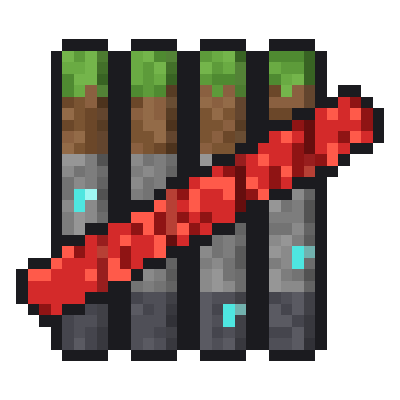
CurseForge · Minecraft mod
Counts chosen blocks and entities in the chunk you stand in, with an optional max for each.
Quick answer
chunktally-0.2.0+26.3.jar targets 26.3 with Fabric. The project page does not say whether this file belongs on the client, dedicated server, or both. All 1 required mods have matching files.
Where it goes
The project page does not say whether this file belongs on the client, dedicated server, or both.
The source does not explicitly classify this release as client-only or server-only.
chunktally-0.2.0+26.3.jar. Change the file and its required mods may change too.
Install Fabric API first. We found matching files for this game-version and loader setup. 1 comes through another mod in the chain.
1 extra mod was pulled in by another dependency. Indented rows show who needs each one. We only count dependency files that match this setup. A file for another loader does not fill the gap.
Before you install it
Built for chunktally-0.2.0+26.3.jar. Pick another file and the loader, install side or required mods may change.
Use chunktally-0.2.0+26.3.jar. It targets 26.3 with Fabric; another release may have different loader, side or dependency requirements.
Install Fabric API first. We found matching files for this game-version and loader setup. 1 comes through another mod in the chain.
The project page does not say whether this file belongs on the client, dedicated server, or both.
Use the “Get this file” button beside chunktally-0.2.0+26.3.jar. It opens that exact file at the source.
About this project
ChunkTally counts chosen blocks and entities in the chunk you are standing in and shows the counts in a small panel on the HUD. Give an entry a max and its row turns amber as the chunk gets close and red when it reaches the max, so you can stay inside a server's per-chunk limits without counting by hand.
It runs on the client only. Nothing needs to be installed on the server, so it works in single player and on servers alike.
Out of the box it counts redstone components: dust, repeaters, comparators, pistons, sticky pistons, observers, hoppers, droppers, dispensers, lamps, levers and more, each in its own row. Storage blocks, block entities and common entities such as minecarts, item frames, armor stands, boats, villagers and dropped items are ready to switch on. You can add your own entries for any block, block tag or entity type, picked from suggestions as you type.
Three key bindings, all unbound until you set them under Options, Controls, Key Binds: toggle the HUD, open the options, and move the HUD. With Mod Menu installed the options also open from the mods list.
Fabric Loader and Fabric API. Mod Menu is optional. Minecraft 26.1.2, 26.2 and 26.3.
The counts reflect what the server has sent to your client. Anti-xray plugins that disguise blocks, and entities outside your client's tracking range, can make them differ from the server's own count.
Project description from CurseForge.
Pick your setup
Choose the version and loader you play, then open the matching release.
Check the dependencies, then try the file in a copied instance before changing a world you care about.
Recent files
chunktally-0.2.0-26.3.jar
13 Nov 2026
chunktally-0.2.0-26.2.jar
13 Nov 2026
chunktally-0.2.0-26.1.2.jar
13 Nov 2026
Looking for an older file? The official CurseForge project page is in Resources.
 mod
In-game Minecraft performance profiler with world visualisation, automatic lag detection, player-accessible reports, profiling history, comparisons and Discord integration.
 mod
Barrels for all wood types.
 mod
Mute music track by track: turn any song in your modpack down or off, build your own playlist, skip songs and keep favorites.