Minecraft version
Back to mods 
CurseForge · Minecraft mod
Char's Toolbox
One file with fifteen handy tools, each with its own on/off switch
Choose a version Pick your version below, then grab the matching file.
Quick answer
Which Char's Toolbox release matches Forge?
Best match for your filters Char's Toolbox 1.3
Game version 1.20.1
Loader Forge
Char's Toolbox 1.3 targets 1.20.1 with Forge. The project page does not say whether this file belongs on the client, dedicated server, or both. No extra mods listed for this file.
Where it goes
Is Char's Toolbox required on the client, server, or both?
The project page does not say whether this file belongs on the client, dedicated server, or both.
Client Source doesn’t say
Dedicated server Source doesn’t say
Loader for this release Forge
Required install it here Optional supported, not mandatory Not supported do not install here Source doesn’t say do not assume
The source does not explicitly classify this release as client-only or server-only.
What else does Char's Toolbox 1.3 need?
Char's Toolbox 1.3 on Forge. Every mod below is checked against that same setup.
This file does not list any required mods. Do not add a library just because a different file uses it.
This file does not list any required or optional mods.
Before you install it
Add Char's Toolbox without breaking your instance.
Built for Char's Toolbox 1.3 on Forge. Pick another file and the loader, install side or required mods may change.
- 01
Stick to this file
Use Char's Toolbox 1.3. It targets 1.20.1 with Forge; another release may have different loader, side or dependency requirements.
- 02
Bring the mods it needs
This file does not list any required mods. Do not add a library just because a different file uses it.
- 03
Put it on the correct side
The project page does not say whether this file belongs on the client, dedicated server, or both.
- 04
Pick the file you checked
Use the “Get this file” button beside Char's Toolbox 1.3. It opens that exact file at the source.
About this project
What does Char's Toolbox add?
Discord: get pinged when a mod updates, and report bugs in a private ticket: https://discord.gg/eShVgkD8ZJ
One file with fifteen handy tools. Each has its own on/off switch, so you keep only what you want, and switches work right away.
- Y, /toolbox, the Mods list or the small cat on the pause screen opens the switch screen
- Map: a minimap and a world map with waypoints
- Far View: see land far past your render distance
- Main Menu: a cherry blossom title screen
- Teams, Config Helper, Game Logger and Fortress Boxes
- Bring my settings: your keys, options, server list and switches follow you into a new profile
- Key clash fixer: finds keys that do two things and moves one, with undo
- Zoom (hold H), Little HUD, Pickup list, Gear watch and Memory watch
- Cat corner: a sleepy black cat on your screen, plus Fullbright, Auto Rejoin and Auto Eat, which stay off until you switch them on
Works on any server: everything runs on your own PC. Teams, Config Helper and Fortress Boxes have a server half too, which joins in when the server has them. Some parts are also separate mods; if a separate copy is in your mods folder, that copy runs and its row says so.
Early version: if something goes wrong, please say so in the comments.
Project description from CurseForge.
Pick your setup
Char's Toolbox by Minecraft version and loader
Choose the version and loader you play, then open the matching release.
Check the dependencies, then try the file in a copied instance before changing a world you care about.
Recent files
Char's Toolbox versions and loaders
Char's Toolbox 1.3
chartoolbox-1.3.jar
14 Nov 2026
Client Source doesn’t say Server Source doesn’t say Dependencies No extras listed Listed on Release listing
Check the 1.20.1 · Forge setup 1.20.1Forge release
Looking for an older file? The official CurseForge project page is in Resources.
 mod
CurseForge · Minecraft
Typing Animation
Smooth typing, shareable presets, custom keyboard sounds and a personal cursor for chat, signs and text fields. Simple or detailed settings. Client-side only.
 mod
CurseForge · Minecraft
CrazyPhone
A held-item smartphone : contacts, group texting, photos and optional Simple Voice Chat calls and voice messages.
 mod
CurseForge · Minecraft
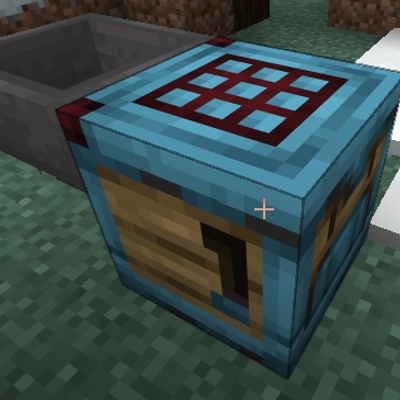
Smart_Crafter_MCdestined
Smart Crafter is a lightweight, vanilla-friendly automation mod that upgrades the vanilla Crafter into a true set-and-forget auto-crafter—no redstone clocks required, and no more accidentally emptying your crafting template!