Minecraft version
Back to mods 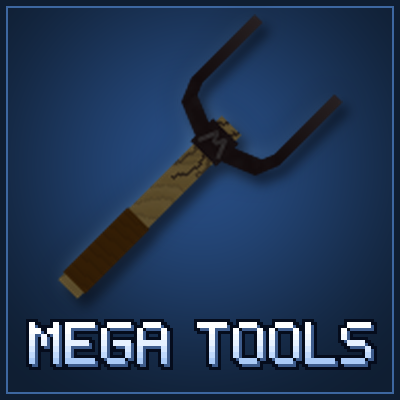
CurseForge · Minecraft mod
Mega Tools (MT)
A tool that breaks every block with a single click, has an internal storage and auto-swap feature for wrenches, hot swappable enchants and more!
Choose a version Pick your version below, then grab the matching file.
Quick answer
Which Mega Tools (MT) release matches 26.1.2 NeoForge?
Best match for your filters megatools-26.1.2-v1.2.jar
Game version 26.1.2
Loader NeoForge
Mega Tools (MT) megatools-26.1.2-v1.2.jar targets 26.1.2 with NeoForge. The project page does not say whether this file belongs on the client, dedicated server, or both. No extra mods listed for this file.
Where it goes
Is Mega Tools (MT) required on the client, server, or both?
The project page does not say whether this file belongs on the client, dedicated server, or both.
Client Source doesn’t say
Dedicated server Source doesn’t say
Loader for this release NeoForge
Required install it here Optional supported, not mandatory Not supported do not install here Source doesn’t say do not assume
The source does not explicitly classify this release as client-only or server-only.
What else does Mega Tools (MT) megatools-26.1.2-v1.2.jar need?
megatools-26.1.2-v1.2.jar on 26.1.2 NeoForge. Every mod below is checked against that same setup.
This file does not list any required mods. Do not add a library just because a different file uses it.
This file does not list any required or optional mods.
Before you install it
Add Mega Tools (MT) without breaking your instance.
Built for Mega Tools (MT) megatools-26.1.2-v1.2.jar on 26.1.2 NeoForge. Pick another file and the loader, install side or required mods may change.
- 01
Stick to this file
Use megatools-26.1.2-v1.2.jar. It targets 26.1.2 with NeoForge; another release may have different loader, side or dependency requirements.
- 02
Bring the mods it needs
This file does not list any required mods. Do not add a library just because a different file uses it.
- 03
Put it on the correct side
The project page does not say whether this file belongs on the client, dedicated server, or both.
- 04
Pick the file you checked
Use the “Get this file” button beside megatools-26.1.2-v1.2.jar. It opens that exact file at the source.
About this project
What does Mega Tools (MT) add?

Paxels and the Mega Tool: a pickaxe, axe, shovel, hoe and sword in one item, with built-in storage for your other tools, swappable enchantments and a torch slot that lights your way.


- Paxels: pickaxe, axe, shovel, hoe and sword in one item.
- Mega Tool: breaks any block instantly and never wears out.
- Every tool has a menu with ability toggles, a torch slot, two Enchantment Plates and, from iron up, storage for your other tools.
Hold a tool and press Ctrl + R to open its menu. With GuideME installed, Mega Tools also has an in-game guide: open it with the ? button in a tool menu, or craft it from a book and an iron ingot.
Paxels
- Mines everything a pickaxe, axe, shovel and hoe can, 20% faster than a pickaxe of the same material. Blocks that need a better tier still drop nothing, just like with vanilla tools.
- Cuts cobwebs and fights like a sword, with sweeping attacks.
- Stone Paxel: 10 attack damage, 1.6 attack speed, 655 durability.
- Iron Paxel: 14 attack damage, 2.0 attack speed, 1,616 durability, 9 slots of tool storage.
- Diamond Paxel: 18 attack damage, 2.5 attack speed, 8,171 durability, 18 slots of tool storage.
Right-click abilities
Each one is switched on or off in the tool menu.
- Place Torch: places a torch from the torch slot. Off by default. When on, it comes before Strip, Path and Till.
- Strip: strips logs and wood, scrapes and removes wax from copper.
- Path: turns grass and dirt into paths, puts out campfires.
- Till: turns grass and dirt into farmland. Sneak to till instead of making a path.
- Shear, Brush and Ignite: need a Support Tool.
Break and Attack
Two more buttons in the menu, both on by default:
- Break off: the tool breaks no blocks.
- Attack off: the tool doesn't hurt mobs or players.
Abilities, tool storage and auto-swap keep working either way, so a tool can be made safe to carry around a base.
Crafting
The heads and the Stone Paxel are shapeless recipes.


The Mega Tool
- Breaks every block in one hit and is the right tool for every block, so everything drops. Unbreakable blocks such as bedrock stay unbreakable.
- Delayed Break: a short pause between blocks while you hold left click, so you don't dig further than you meant to. A new click always breaks at once. Switch it off in the tool menu.
- Never wears out and doesn't burn in fire or lava.
- 22 attack damage, 3.0 attack speed, 27 slots of tool storage.
- Has every paxel ability.

The tool menu
Hold a tool and press Ctrl + R. There are two menu styles that do the same: Classic (left) and Compact (right). You pick one the first time you open a menu, and can change it later in the settings.

- Name: click to rename the tool.
- Ability buttons: green = on, red = off.
- Support Tool slot: unlocks Shear, Brush and Ignite.
- Torch slot. The button below it switches the light on or off.
- Enchantment Plates: primary and secondary. A gold frame marks the loaded plate.
- Tool storage: hover a stored tool and press R to swap straight to it.
- Custom Rule: choose which blocks pre-select which stored tool.
Support Tool

Put it in a tool's Support Tool slot to unlock:
- Shear: shear mobs, collect leaves and vines, trim growing plants.
- Brush: brush suspicious sand and gravel.
- Ignite: light fires, portals, campfires, candles and TNT.

Enchantment Plates

The tools can't be enchanted directly. Enchant a plate instead and load it into the tool.
- Enchant plates in an enchanting table, or combine them with enchanted books in an anvil.
- Every tool holds two plates. Press Alt + R to switch between them, for example between Silk Touch and Fortune.

Torches and light
Put torches or soul torches in the torch slot (up to 256).
- Light: the area around you is lit while you hold the tool.
- Place Torch: right-click a block to place a torch from the slot.
By default the light is an invisible light block that follows you. It is real light, so every player sees it and mobs don't spawn near you. With a shader pack that supports handheld light, or a dynamic lights mod (Sodium Dynamic Lights, LambDynamicLights, RyoamicLights), that mod lights the tool instead: smoother, but only drawn on your screen, and it doesn't stop mob spawning.
Tool storage and auto-swap
The Iron Paxel, Diamond Paxel and Mega Tool store 9, 18 and 27 other tools, such as wrenches, shears and configurators. Only tools are accepted, so the storage can't be used as a backpack. If a recipe ever uses up a tool, everything stored in it is given back to you.

- Look at a block from another mod: its stored tools are shown next to your hotbar.
- Press R to swap to that tool, and again to swap back.
- Press Shift + R to swap to the last tool you used.
- Shift + scroll picks between several matching tools.
Custom rules
Click Custom Rule in the tool menu to choose which blocks pre-select a stored tool, also for vanilla blocks.

- Select a stored tool, then put blocks in its filter slots. You can also drag blocks in from JEI or EMI.
- Left-click a filter to match this block, a block tag or the whole mod. Right-click to remove it.
- Whitelist / Blacklist switches lists. Blacklist filters (red) stop the tool being pre-selected for those blocks.
- Copy and Paste move all rules to another tool.
Durability and repair
Paxels never break. At 1 durability they stop working until repaired, and nothing stored is lost. 8 resources of the tier fully repair a paxel, and a paxel that isn't fully broken uses fewer. Repairing in an anvil and Mending from a plate work too.


Controls and settings
- Ctrl + R: open the tool menu
- Alt + R: switch the Enchantment Plate
- R: swap to the pre-selected tool, and back
- Shift + R: swap to the last tool
- Shift + mouse wheel: pick between pre-selected tools
All keys can be changed under Options > Controls > Key Binds > Mega Tools. Settings are under Mods > Mega Tools > Config.
3D models or flat textures
By default, the tools and heads use 3D models. To use flat 2D textures instead, enable Mega Tools Flat Textures under Options > Resource Packs. The Mega Tool then uses the vanilla tool animations.

Differences between game versions
Mega Tools works the same on every version, except:
- 1.20.1 (Forge): the torch slot holds up to 64 torches instead of 256. There is no in-game config screen: edit the files in the config folder instead. For shader light, use Oculus.
- 26.1.2 (NeoForge): no EMI support yet, because EMI has no release for 26.1.2. JEI works, including dragging blocks into Custom Rules.
For modpack developers
Everything works with config files, datapacks and recipes. No code needed.
- Config files: tool stats (megatools-startup.toml, ship the same file to clients and the server), hold delay, menu style and held light (megatools-common.toml), extra items allowed in tool storage (megatools-storage-whitelist.json), auto-swap across mods (megatools-tool-aliases.json) and default custom rules (megatools-default-rules.json).
- Tags: megatools:storable_item (items allowed in tool storage), megatools:torches (items allowed in the torch slot), megatools:mineable/paxel (blocks paxels mine at tool speed) and megatools:not_mineable (blocks the Mega Tool is not the right tool for).
- Recipes: all recipes can be replaced with datapacks. The recipe types megatools:crafting_shaped_carry_over and megatools:crafting_shapeless_carry_over keep everything stored in a tool when it is used to craft another, for example to upgrade a paxel.
- Large servers: set heldLight = false in the server's megatools-common.toml to switch off the light blocks.
The README on GitHub has a full example for every file.
Project description from CurseForge.
Pick your setup
Mega Tools (MT) by Minecraft version and loader
Choose the version and loader you play, then open the matching release.
Minecraft version
1.21.1
1 loader buildMinecraft version
1.20.1
1 loader buildCheck the dependencies, then try the file in a copied instance before changing a world you care about.
Recent files
Mega Tools (MT) versions and loaders
megatools-26.1.2-v1.2.jar
18 Nov 2026
Client Source doesn’t say Server Source doesn’t say Dependencies No extras listed Listed on Release listing
Check the 26.1.2 · NeoForge setup NeoForge26.1.2 release
megatools-26.1.2-v1.1.jar
17 Nov 2026
Client Source doesn’t say Server Source doesn’t say Dependencies No extras listed Listed on Release listing
Check the 26.1.2 · NeoForge setup NeoForge26.1.2 release
Looking for an older file? The official CurseForge project page is in Resources.
 mod
CurseForge · Minecraft
Belt Slot
Adds a dedicated belt utility slot for torches, totems, compasses, potions, spyglasses, and other supported items, with HUD, inventory, player rendering.
 mod
CurseForge · Minecraft
Forged Blades: Build Your Weapon
Forge your own swords part by part: 63 blades, 72 hilts, 26 materials, gems, legendaries and a Shogun boss. A remake of Custom Sword.
 mod
CurseForge · Minecraft
Simply Magnets
A QoL mod that adds 3 different tier of a magnet item that attracs objects.