Minecraft version
Back to mods 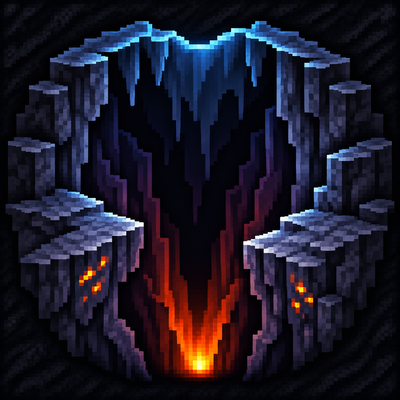
CurseForge · Minecraft mod
into-the-abyss
Into the Abyss extends the Overworld to Y −512 with deeper caves, new ore deposits, and mobs that grow stronger as you descend.
Choose a version Pick your version below, then grab the matching file.
Quick answer
Which into-the-abyss release should I use?
Latest stable file into-the-abyss-1.1.3.jar
Game version 1.20.1
Loader Forge
into-the-abyss-1.1.3.jar targets 1.20.1 with Forge. The project page does not say whether this file belongs on the client, dedicated server, or both. No extra mods listed for this file.
Where it goes
Is into-the-abyss required on the client, server, or both?
The project page does not say whether this file belongs on the client, dedicated server, or both.
Client Source doesn’t say
Dedicated server Source doesn’t say
Loader for this release Forge
Required install it here Optional supported, not mandatory Not supported do not install here Source doesn’t say do not assume
The source does not explicitly classify this release as client-only or server-only.
What else does into-the-abyss-1.1.3.jar need?
into-the-abyss-1.1.3.jar. Change the file and its required mods may change too.
This file does not list any required mods. Do not add a library just because a different file uses it.
This file does not list any required or optional mods.
Before you install it
Add into-the-abyss without breaking your instance.
Built for into-the-abyss-1.1.3.jar. Pick another file and the loader, install side or required mods may change.
- 01
Stick to this file
Use into-the-abyss-1.1.3.jar. It targets 1.20.1 with Forge; another release may have different loader, side or dependency requirements.
- 02
Bring the mods it needs
This file does not list any required mods. Do not add a library just because a different file uses it.
- 03
Put it on the correct side
The project page does not say whether this file belongs on the client, dedicated server, or both.
- 04
Pick the file you checked
Use the “Get this file” button beside into-the-abyss-1.1.3.jar. It opens that exact file at the source.
About this project
What does into-the-abyss add?
How far Into the Abyss are you willing to go?
Into the Abyss extends the Overworld down to Y −512. Explore deep deepslate caves, find new ore deposits, and descend into a netherrack layer where Nether biomes and mobs appear beneath the Overworld.
Y −50: Hostile mobs start gaining health and attack damage. Both bonuses rise with depth, up to 50%.
Y −100: Some mobs spawn with Speed I, Strength I, or Regeneration I. The chance increases from 10% to 25% as you descend.
Y −150: Zombies gain knockback resistance.
Y −200: Hostile mobs start gaining armor, and spiders move 10% faster.
- Y −350: Crushing pressure starts dealing damage unless you have at least 20 armor points.
- Y −450: Extreme heat sets you on fire and can evaporate water around you. Bring Fire Resistance or gear with at least 32 combined armor and armor toughness.
- Y −500: The pressure kills you instantly if you have less than 32 combined armor and armor toughness. A full netherite set gives 20 armor + 12 toughness, enough to reach bedrock.
These hazards are enabled by default and can be adjusted in the config.
Optional integrations
- Sanity: Descent Into Madness adds sanity drain that gets stronger as you descend. Light slows the drain.
- Skarrier Mobs adds rare deep Tunnel Gore lairs through the integration. The deeper the lair, the less time you have between warnings.
If Into the Abyss is loaded onto a pregenerated word an experimental terrain backfill can replace that bedrock and generate caves underneath, but it’s off by default. Test it on a copy of your save first.
Backfill can be enabled through the Config
Inspired by ThatHitmann’s Depth Penalties.
Project description from CurseForge.
Pick your setup
into-the-abyss by Minecraft version and loader
Choose the version and loader you play, then open the matching release.
Check the dependencies, then try the file in a copied instance before changing a world you care about.
Recent files
into-the-abyss versions and loaders
into-the-abyss-1.1.3.jar
19 Nov 2026
Client Source doesn’t say Server Source doesn’t say Dependencies No extras listed Listed on Release listing
Check the 1.20.1 · Forge setup 1.20.1Forge release
into-the-abyss-1.1.2.jar
14 Nov 2026
Client Source doesn’t say Server Source doesn’t say Dependencies No extras listed Listed on Release listing
Check the 1.20.1 · Forge setup 1.20.1Forge release
Looking for an older file? The official CurseForge project page is in Resources.
 mod
CurseForge · Minecraft
Lorenzo's Biome Bundle
Four new End biomes with unique terrain, tinted grass, ambient particles and plants, scattered across the outer End islands.
 mod
CurseForge + Modrinth · Minecraft
Enlivened End
brings me life to the end with new blocks, biomes, items, and mobs, all in a vanilla-style way
 mod
CurseForge · Minecraft
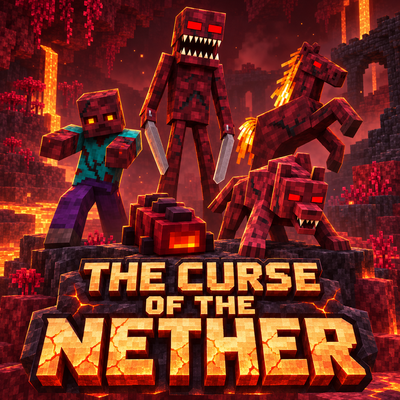
The Curse of the Nether
Survive a spreading Nether infection with five escalating phases, corrupted creatures, growing Hives, new weapons and armor, and a powerful Hive Mother to defeat.