Minecraft version
Back to mods 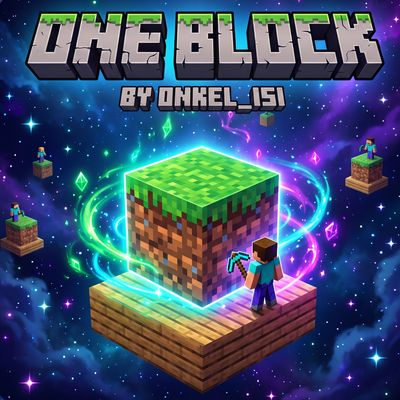
CurseForge · Minecraft mod
OneBlock By Isi
A multiplayer OneBlock mod featuring a built-in Void world preset, automatic island claiming, 18 prestige-looping stages, Lucky Events, and custom recipes.
Choose a version Pick your version below, then grab the matching file.
Quick answer
Which OneBlock By Isi release should I use?
Latest stable file oneblock-2.2.0.jar
Game version 26.1, 26.1.1, 26.1.2
Loader NeoForge
OneBlock By Isi oneblock-2.2.0.jar targets 26.1, 26.1.1, 26.1.2 with NeoForge. The project page does not say whether this file belongs on the client, dedicated server, or both. No extra mods listed for this file.
Where it goes
Is OneBlock By Isi required on the client, server, or both?
The project page does not say whether this file belongs on the client, dedicated server, or both.
Client Source doesn’t say
Dedicated server Source doesn’t say
Loader for this release NeoForge
Required install it here Optional supported, not mandatory Not supported do not install here Source doesn’t say do not assume
The source does not explicitly classify this release as client-only or server-only.
What else does OneBlock By Isi oneblock-2.2.0.jar need?
oneblock-2.2.0.jar. Change the file and its required mods may change too.
This file does not list any required mods. Do not add a library just because a different file uses it.
This file does not list any required or optional mods.
Before you install it
Add OneBlock By Isi without breaking your instance.
Built for OneBlock By Isi oneblock-2.2.0.jar. Pick another file and the loader, install side or required mods may change.
- 01
Stick to this file
Use oneblock-2.2.0.jar. It targets 26.1, 26.1.1, 26.1.2 with NeoForge; another release may have different loader, side or dependency requirements.
- 02
Bring the mods it needs
This file does not list any required mods. Do not add a library just because a different file uses it.
- 03
Put it on the correct side
The project page does not say whether this file belongs on the client, dedicated server, or both.
- 04
Pick the file you checked
Use the “Get this file” button beside oneblock-2.2.0.jar. It opens that exact file at the source.
About this project
What does OneBlock By Isi add?
OneBlock (NeoForge 26.1.1)
OneBlock by Onkel_isi is a multiplayer-ready OneBlock mod built for Minecraft Java 26.1.1 (NeoForge). Designed from the ground up for both solo play and multiplayer servers, it combines a built-in Void world preset, automatic island claiming, 18 themed progression stages with endless Prestige loops, Lucky Events, custom loot chests, and 18 balanced survival recipes.
Key Features
Void World Preset & Multi-Island Layout
- Built-In Void World Preset (
oneblock:void): Select OneBlock Void World directly under More World Options → World Type in singleplayer, or setlevel-type=oneblock:voidinserver.propertiesfor an empty Void Overworld with normal Nether and End dimensions. - Configurable Multi-OneBlock Grid or Line: Generates 10 OneBlocks spaced 30 blocks apart by default (
LINEorGRIDlayout). Server owners can adjust island count (1–250), spacing (8–1000), and coordinates inoneblock-server.tomland apply changes on restart or via/oneblock reloadwithout wiping existing island progress. - 10-Block Proximity Glow: Each OneBlock renders a subtle, stage-colored pulsing outline and particle effect exclusively when a player is within 10 blocks (configurable).
Seamless Multiplayer Onboarding & Protection
- Automatic First-Join Assignment: New players joining the server for the first time are automatically assigned the next available OneBlock, claim ownership of it, receive a 3×3 oak safety platform underneath, and spawn directly on top.
- Safe Respawning: Players without a custom bed automatically respawn safely on their claimed OneBlock.
- Grief Protection & Friend Sharing: Claimed OneBlocks can only be mined by their owner and trusted friends (
/oneblock trust).
Real-Time Progress Tracking
- Instant ActionBar & BossBar Feedback: Punching (
Left-Click) or mining a OneBlock immediately displays a 20-segment progress bar in the ActionBar alongside an optional proximity BossBar showing the current stage, Prestige loop count, and remaining blocks.
18 Unique Stages & Endless Prestige Loops
Progress through 18 distinct stages, each with weighted block pools, stage-themed mobs (with chat warnings before hostile spawns), and tiered custom loot chests:
- Plains — Grass, Dirt, Oak Logs, Clay, Pumpkins, Moss & farm animals
- Underground — Cobblestone, Stone, Coal Ore, Andesite, Diorite, Granite
- Birch & Forest — Birch & Oak Logs, Podzol, Moss, Mushroom Blocks, Beehives
- Winter & Permafrost — Snow, Spruce Logs, Ice, Packed Ice, Blue Ice, Powder Snow
- Ocean & Corals — Sand, Prismarine, Sea Lanterns, Coral Blocks, Sponges
- Deep Underground — Deepslate, Iron, Copper, Gold Ores, Amethyst Blocks
- Jungle — Jungle Logs, Melons, Mossy Cobblestone, Bamboo Blocks
- Swamp & Mangroves — Mud, Mangrove Logs, Mud Bricks, Slime Blocks, Froglights
- Desert & Badlands — Red Sand, Sandstone, Terracotta variants, Gold Ore
- Nether Wastes — Netherrack, Nether Quartz & Gold Ore, Soul Sand, Magma, Glowstone
- Crimson & Warped Forest — Crimson & Warped Stems, Nylium, Shroomlights, Nether Wart Blocks
- Nether Fortress & Bastion — Nether Bricks, Blackstone, Gilded Blackstone, Crying Obsidian, Ancient Debris
- Lush Caves — Moss, Rooted Dirt, Dripstone, Azalea Leaves, Clay
- Deep Dark — Sculk, Deepslate Diamond/Lapis/Redstone Ores, Sculk Catalysts & Sensors
- Village & Crafting — Hay Bales, Bookshelves, Barrels, Emerald Ores, Crafting Tables
- Woodland Mansion — Dark Oak, Red Wool, Redstone & Lapis Blocks, Diamond Ore
- The End — End Stone, End Stone Bricks, Purpur Blocks, Obsidian
- Cosmic Finale — Diamond, Emerald & Gold Blocks, Ancient Debris, Netherite Blocks, Beacons
- Endless Prestige Loop: Completing Stage 18 loops the OneBlock back to Stage 1, increments its Prestige Loop counter (
Loop #1,Loop #2, ...), permanently increases OneBlock Essence drop rates on that island, and awards guaranteed bonus Essence.
Custom Loot, Lucky Events & 18 Recipes
- OneBlock Essence (
oneblock:oneblock_essence): Drops while mining OneBlocks and inside custom loot chests; used as a core ingredient for endgame recipes. - Custom Loot Chests: Periodically spawn on the OneBlock with 4 progression-tiered loot tables (
early,mid,late,endgame). - 3 Random Lucky Events:
- Block Fever: The next 8 mined blocks drop double resources.
- Essence & XP Shower: Drops bonus experience orbs and 2× OneBlock Essence.
- Wandering Trader: Spawns a Wandering Trader on your island.
- 18 Custom Recipes & 6 Advancements:
- Anti-Softlock Recipes: Cobblestone → Gravel → Sand, Dirt + Water Bucket → Clay, Cobblestone + Coal Block + Bucket → Lava Bucket, Wool → 4× String, Smelting Rotten Flesh → Leather, Diorite + Sand → Quartz, Wet Sponge, Budding Amethyst, Bell, Mycelium, Crying Obsidian, Cobweb.
- Endgame Recipes: Craftable Elytra, Trident, Heart of the Sea, Nautilus Shell, and End Portal Frame.
Commands
| Command | Description | Permission |
|---|---|---|
/oneblock home |
Teleport back to your own (or trusted) OneBlock | All Players |
/oneblock list |
List all OneBlocks, coordinates, stages, loops, and owners | All Players |
/oneblock info |
View detailed stats of the nearest OneBlock | All Players |
/oneblock tp <id> |
Teleport to a specific OneBlock (creates a 3×3 safety platform if needed) | All Players |
/oneblock claim <id> / unclaim <id> |
Claim an unowned OneBlock or release your claim | All Players |
/oneblock trust <id> <player> / untrust |
Allow or remove friends on your protected OneBlock | Owner / OP |
/oneblock setstage <id> <1-18> |
Directly set the stage of a OneBlock | Admin (OP 2) |
/oneblock reset <id> |
Reset a OneBlock back to Stage 1 | Admin (OP 2) |
/oneblock reload |
Reload server config changes live and sync all clients | Admin (OP 2) |
Project description from CurseForge.
Pick your setup
OneBlock By Isi by Minecraft version and loader
Choose the version and loader you play, then open the matching release.
Minecraft version
26.2
1 loader buildMinecraft version
26.1.2
1 loader buildMinecraft version
26.1.1
1 loader buildMinecraft version
26.1
1 loader buildCheck the dependencies, then try the file in a copied instance before changing a world you care about.
Recent files
OneBlock By Isi versions and loaders
oneblock-2.2.0.jar
15 Nov 2026
Client Source doesn’t say Server Source doesn’t say Dependencies No extras listed Listed on Release listing
Check the 26.3 · NeoForge setup NeoForge26.126.1.126.1.2 release
oneblock-2.1.0.jar
14 Nov 2026
Client Source doesn’t say Server Source doesn’t say Dependencies No extras listed Listed on Release listing
Check the 26.1.1 · NeoForge setup NeoForge26.1.1 release
Looking for an older file? The official CurseForge project page is in Resources.
 mod
CurseForge · Minecraft
The shattered shadows
its a horror thing full of shadows
 mod
CurseForge · Minecraft
MMD OreSpawn
Minecraft library mod that provides customizable spawning of ores in Minecraft.
 mod
CurseForge · Minecraft
Surving's Equipment Additions (SEA)
Vanilla-inspired hammers, clubs, scythes, wooden armor and practical storage accessories built on SEEF.