Minecraft version
Back to mods 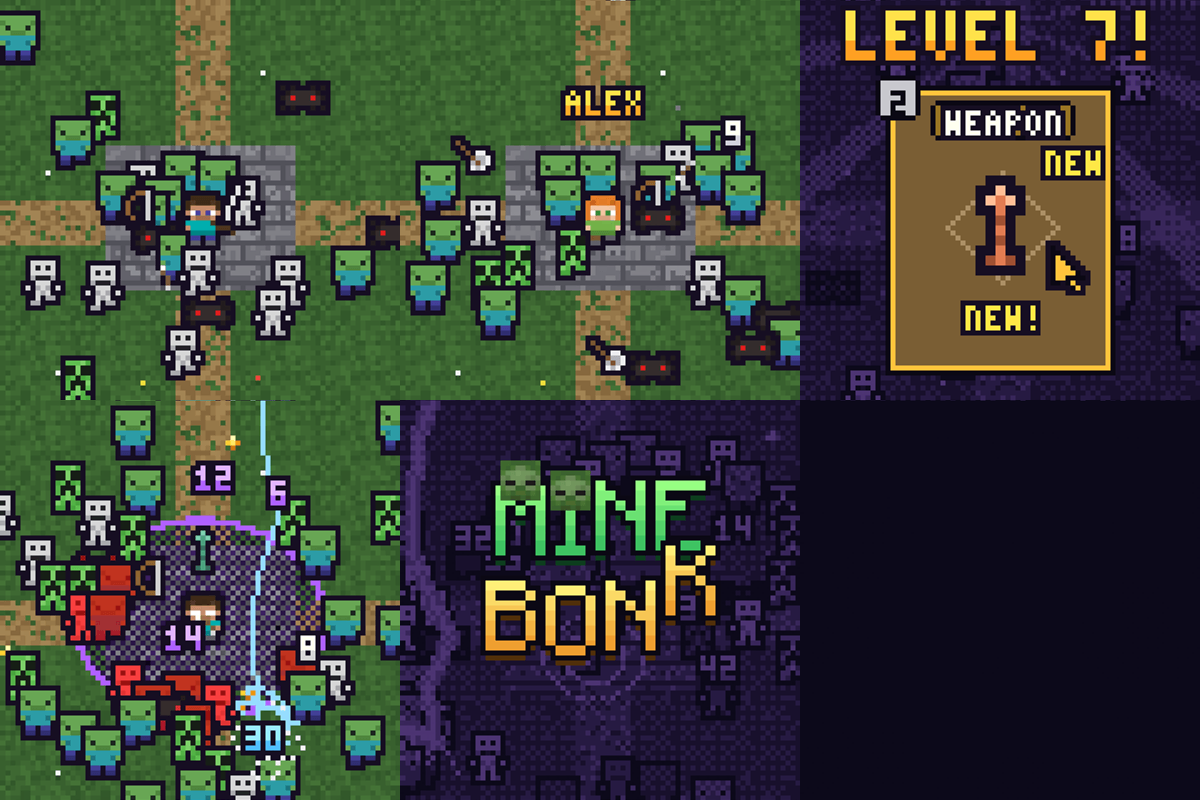
CurseForge · Minecraft mod
Minebonk
Megabonk in Minecraft ? what for ?
Choose a version Pick your version below, then grab the matching file.
Quick answer
Which Minebonk release should I use?
beta file minebonk-0.2.0.jar
Game version 26.3
Loader Fabric
minebonk-0.2.0.jar targets 26.3 with Fabric. The project page does not say whether this file belongs on the client, dedicated server, or both. No extra mods listed for this file.
Where it goes
Is Minebonk required on the client, server, or both?
The project page does not say whether this file belongs on the client, dedicated server, or both.
Client Source doesn’t say
Dedicated server Source doesn’t say
Loader for this release Fabric
Required install it here Optional supported, not mandatory Not supported do not install here Source doesn’t say do not assume
The source does not explicitly classify this release as client-only or server-only.
What else does minebonk-0.2.0.jar need?
minebonk-0.2.0.jar. Change the file and its required mods may change too.
This file does not list any required mods. Do not add a library just because a different file uses it.
This file does not list any required or optional mods.
Before you install it
Add Minebonk without breaking your instance.
Built for minebonk-0.2.0.jar. Pick another file and the loader, install side or required mods may change.
- 01
Stick to this file
Use minebonk-0.2.0.jar. It targets 26.3 with Fabric; another release may have different loader, side or dependency requirements.
- 02
Bring the mods it needs
This file does not list any required mods. Do not add a library just because a different file uses it.
- 03
Put it on the correct side
The project page does not say whether this file belongs on the client, dedicated server, or both.
- 04
Pick the file you checked
Use the “Get this file” button beside minebonk-0.2.0.jar. It opens that exact file at the source.
About this project
What does Minebonk add?
[ ]
MineBonk — survive the horde, get absurdly strong
MineBonk turns Minecraft into a roguelite "survivors" game, inspired by Megabonk. Your weapons attack on their own, the horde keeps growing, and you have until the timer runs out to level up, build a ridiculous combo and beat the boss.
- Automatic combat: you move and dodge, your weapons do the rest.
- Dozens of weapons, tomes and items to combine, plus playable characters to unlock.
- Several stages, difficulty levels and challenges, with permanent progression between runs.
- World leaderboard (optional): compare your best solo runs with everyone, and click any entry to see that run's build and damage. Co-op has its own records in game.
- Gamepad support, 3 save slots, 6 languages.
⚠️ Early beta: expect bugs and balance changes. Back up your instance before updating.
💬 Join the MineBonk Discord — help, bug reports, suggestions and news.
Install
- Install Fabric Loader for Minecraft 26.3 (Java 25).
- Put the MineBonk
.jarin yourmodsfolder. Fabric API is already bundled inside. - Launch the game: MineBonk replaces the title screen. Pick a profile, a character, and hit PLAY.
Play without other mods
MineBonk is a total conversion: use a dedicated instance and do not add other mods, they are very likely to break it. The only exception is Sodium (0.9.x), which is supported — support still in beta.
Co-op (experimental)
Two players, each on their own PC, no server or port forwarding needed:
- The host clicks Play co-op → Invite a friend and sends the 6-digit code shown on screen.
- The friend clicks Play co-op → Join a friend and types the code.
- Both click PLAY!, pick a different character and get ready: the run starts.
Your friend keeps the rewards they earn in their own profile. Co-op is experimental for now: please report any problem on the Discord. It uses the bundled e4mc relay, which connects to the internet (e4mc.link) when you use co-op. If the short code doesn't work, the longer code shown below it always does. Dedicated servers are not supported.
Online leaderboard
The world leaderboard is optional: the game asks you once. If you say yes, your finished solo runs are sent with your Minecraft name, only so it can show up in the leaderboard. You can change your mind anytime in the high scores screen.
Legal
- Unofficial fan project inspired by Megabonk, not affiliated with or endorsed by its developers or publishers.
- Some character skins are tributes to Minecraft content creators, who are not affiliated with MineBonk.
- Bundles Fabric API (Apache 2.0) and e4mc (MIT), each under its own license.
Project description from CurseForge.
Pick your setup
Minebonk by Minecraft version and loader
Choose the version and loader you play, then open the matching release.
Check the dependencies, then try the file in a copied instance before changing a world you care about.
Recent files
Minebonk versions and loaders
minebonk-0.2.0.jar
18 Nov 2026
Client Source doesn’t say Server Source doesn’t say Dependencies No extras listed Listed on Release listing
Check the 26.3 · Fabric setup Fabric26.3 beta
minebonk-0.1.2.jar
16 Nov 2026
Client Source doesn’t say Server Source doesn’t say Dependencies No extras listed Listed on Release listing
Check the 26.3 · Fabric setup Fabric26.3 beta
minebonk-0.1.1.jar
14 Nov 2026
Client Source doesn’t say Server Source doesn’t say Dependencies No extras listed Listed on Release listing
Check the 26.3 · Fabric setup Fabric26.3 beta
Looking for an older file? The official CurseForge project page is in Resources.
 mod
CurseForge · Minecraft
OG'S Backpacks
Backpack mod on all versions
 mod
CurseForge · Minecraft
Fresh Action
I recreated the Minecraft animations for better vanilla experience
 mod
CurseForge · Minecraft
Monthly Wrapped
Spotify Wrapped for your Minecraft server: monthly stats, a recap show, player types and awards. Server-side.