Minecraft version
Back to mods 
CurseForge · Minecraft mod
Dovetail
Update the modpack, keep your settings. Puts your config changes back after a modpack update. No setup.
Choose a version Pick your version below, then grab the matching file.
Quick answer
Which Dovetail release matches 26.1.2?
Best match for your filters Dovetail 1.1.0 (NeoForge 26.1.2)
Game version 26.1.2
Loader NeoForge
Dovetail 1.1.0 (NeoForge 26.1.2) targets 26.1.2 with NeoForge. The project page does not say whether this file belongs on the client, dedicated server, or both. No extra mods listed for this file.
Where it goes
Is Dovetail required on the client, server, or both?
The project page does not say whether this file belongs on the client, dedicated server, or both.
Client Source doesn’t say
Dedicated server Source doesn’t say
Loader for this release NeoForge
Required install it here Optional supported, not mandatory Not supported do not install here Source doesn’t say do not assume
The source does not explicitly classify this release as client-only or server-only.
What else does Dovetail 1.1.0 (NeoForge 26.1.2) need?
Dovetail 1.1.0 (NeoForge 26.1.2) on 26.1.2. Every mod below is checked against that same setup.
This file does not list any required mods. Do not add a library just because a different file uses it.
This file does not list any required or optional mods.
Before you install it
Add Dovetail without breaking your instance.
Built for Dovetail 1.1.0 (NeoForge 26.1.2) on 26.1.2. Pick another file and the loader, install side or required mods may change.
- 01
Stick to this file
Use Dovetail 1.1.0 (NeoForge 26.1.2). It targets 26.1.2 with NeoForge; another release may have different loader, side or dependency requirements.
- 02
Bring the mods it needs
This file does not list any required mods. Do not add a library just because a different file uses it.
- 03
Put it on the correct side
The project page does not say whether this file belongs on the client, dedicated server, or both.
- 04
Pick the file you checked
Use the “Get this file” button beside Dovetail 1.1.0 (NeoForge 26.1.2). It opens that exact file at the source.
About this project
What does Dovetail add?
Dovetail
Update the modpack. Keep your settings.
You spend an evening setting up your minimap, your tooltips, your HUD, your keybinds. Then the modpack updates, and it's all back to default. Dovetail fixes that: after an update it puts your changes back, and the modpack's own fixes still arrive.
It works setting by setting. If you changed one, yours stays. If the modpack changed one, theirs arrives. If you both changed the same one, yours stays and the report tells you.
There's nothing to set up. After an update, a small popup tells you how many of your settings were kept, and /dovetail report shows every file and setting it touched.
Changed your mind? /dovetail undo switches to the modpack's settings, and /dovetail redo puts yours back. A backup is saved before every change.
If it can't merge something safely, it leaves that file exactly as the modpack shipped it and keeps your copy in the backups.
- Needs: NeoForge 1.21.1, Forge 1.20.1 or NeoForge 26.1.2. Works on your own game or on a server, each on its own.
- Covers: TOML, JSON, JSON5 and .properties config files, plus options.txt (video, sound, controls and keybinds).
- Starts working: from the first launch after you add it. The update that installs it can't be merged.
- Good to know: some files are read before any mod loads, like options.txt. Those come back the next launch, after you close the game normally. On Forge 1.20.1 that goes for most files.
- Keybinds: if an update puts one of your keybinds on a key the modpack now uses too, the report tells you which key.
- One case it can't tell apart: with no launcher tracking the modpack version (often on servers), setting a single value back to the modpack's default by hand while the game is closed can look like an update, and your old value comes back. The report says so and gives the exact /dovetail undo command.
- Launch time: under 1 second with about 1,000 config files, about 5 seconds with 15,000. The launch right after an update takes longer once: about 3 seconds with 1,000 files, up to about 20 seconds with 15,000.
- Modpack makers: just add the jar. An optional config/dovetail.toml can switch it off, choose which kinds of files it looks after, make some settings always follow your modpack, or leave files alone. Already using a defaults or config tool? Dovetail leaves the files it manages alone.
Tested with the CurseForge app and Prism Launcher.
All rights reserved. You're welcome to include Dovetail in modpacks.
Something not kept? Leave a comment and attach dovetail/report.txt. Values that look like passwords or keys show as "(hidden)" in it.
Project description from CurseForge.
Pick your setup
Dovetail by Minecraft version and loader
Choose the version and loader you play, then open the matching release.
Minecraft version
1.21.1
1 loader buildMinecraft version
1.20.1
1 loader buildCheck the dependencies, then try the file in a copied instance before changing a world you care about.
Recent files
Dovetail versions and loaders
Dovetail 1.1.0 (NeoForge 26.1.2)
dovetail-neoforge-26.1.2-1.1.0.jar
16 Nov 2026
Client Source doesn’t say Server Source doesn’t say Dependencies No extras listed Listed on Release listing
Check the 26.1.2 · NeoForge setup NeoForge26.1.2 release
Looking for an older file? The official CurseForge project page is in Resources.
 mod
CurseForge + Modrinth · Minecraft
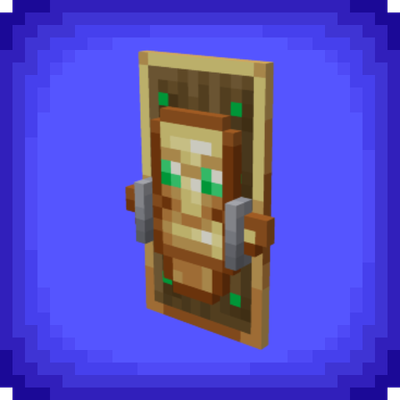
Totem Shield
Combine a shield with a totem of undying to craft a totem shield
 mod
CurseForge · Minecraft
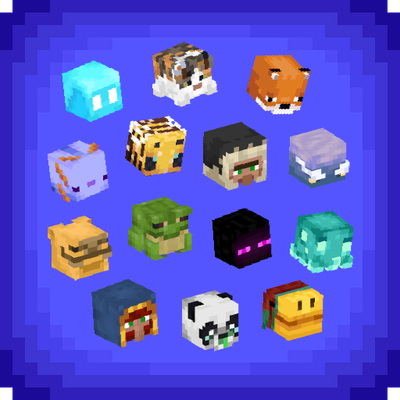
Jodek's Mob Heads
Mobs can drop their head when killed by a player, easy drop rate config, drop messages, advancement collection and more
 mod
CurseForge · Minecraft
Double Doors [Fabric] – Lightweight
Automatically opens and closes double doors together when you interact with one.