Minecraft version
Back to mods 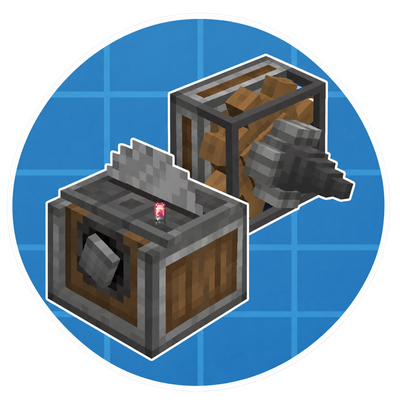
CurseForge · Minecraft mod
Create: Extended
One Smart Saw can cut a whole wall’s worth of block variants on demand. Create: Extended adds package-directed machines, alternate shaft and cog drives, and compact pulley links.
Choose a version Pick your version below, then grab the matching file.
Quick answer
Which Create: Extended release should I use?
Latest stable file create-extended-0.1.10-rc.3.jar
Game version 1.21.1
Loader NeoForge
Create: Extended create-extended-0.1.10-rc.3.jar targets 1.21.1 with NeoForge. The project page does not say whether this file belongs on the client, dedicated server, or both. No extra mods listed for this file.
Where it goes
Is Create: Extended required on the client, server, or both?
The project page does not say whether this file belongs on the client, dedicated server, or both.
Client Source doesn’t say
Dedicated server Source doesn’t say
Loader for this release NeoForge
Required install it here Optional supported, not mandatory Not supported do not install here Source doesn’t say do not assume
The source does not explicitly classify this release as client-only or server-only.
What else does Create: Extended create-extended-0.1.10-rc.3.jar need?
create-extended-0.1.10-rc.3.jar. Change the file and its required mods may change too.
This file does not list any required mods. Do not add a library just because a different file uses it.
This file does not list any required or optional mods.
Before you install it
Add Create: Extended without breaking your instance.
Built for Create: Extended create-extended-0.1.10-rc.3.jar. Pick another file and the loader, install side or required mods may change.
- 01
Stick to this file
Use create-extended-0.1.10-rc.3.jar. It targets 1.21.1 with NeoForge; another release may have different loader, side or dependency requirements.
- 02
Bring the mods it needs
This file does not list any required mods. Do not add a library just because a different file uses it.
- 03
Put it on the correct side
The project page does not say whether this file belongs on the client, dedicated server, or both.
- 04
Pick the file you checked
Use the “Get this file” button beside create-extended-0.1.10-rc.3.jar. It opens that exact file at the source.
About this project
What does Create: Extended add?
About
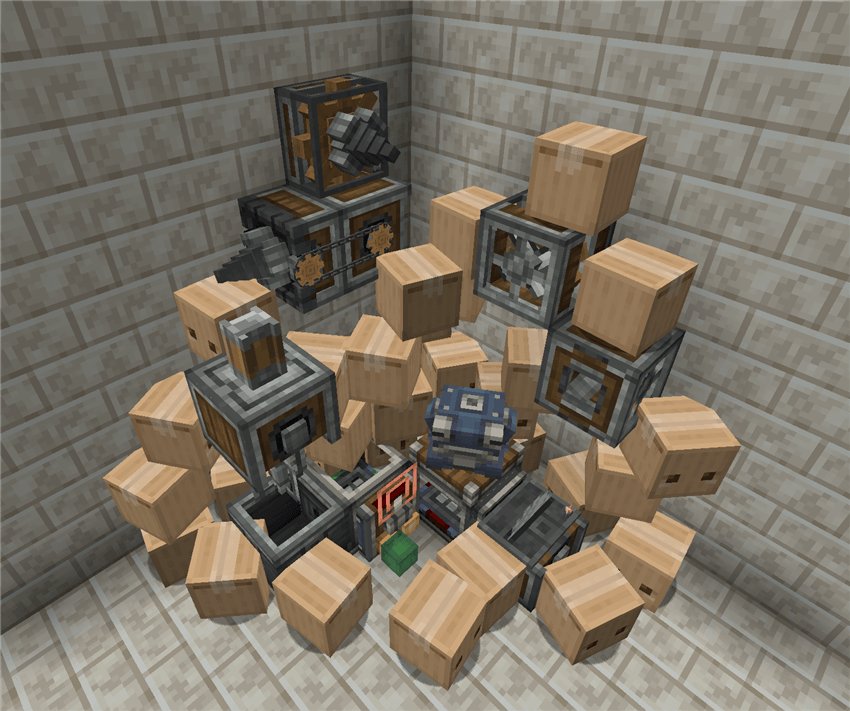
Create: Extended brings some of my favorite Create mechanics to more parts of the factory. It started with a wall of saws, each set to cut a different block variant. With a Smart Saw, one machine can take those orders and switch its filter for each package. The Smart Basin brings the same idea to mixing and pressing.
The mod also adds a Shafted Mixer, side-shaft and cogged versions of fans and drills, and the Pulley Link. Add Create: Encased for the full range of casing styles, including Refined Radiance and Shadow Steel. Both materials are obtainable again through Chromatic Compound.
Smart Processing
Attach a Packager directly to a Smart Saw or Smart Basin to send recipe orders, much like you would with Mechanical Crafters. From the Stock Keeper’s request screen, open the matching JEI recipe and click + to order its ingredients. Send the package to the appropriate station and the machine sets its filter as it unpacks.
The receiving machine needs to be set up for the recipe. A mixing order needs a Mixer above the Smart Basin, and a compacting order needs a Press.
Factory Gauges have a new Smart Processing button. A valid smart recipe can request more than 64 of an ingredient when the batch calls for it. Turn Smart Processing off and any ingredient count above 64 returns to 64.
Machine Variants
- Shafted Mixer — Works like a standard Mechanical Mixer, with a side shaft connection like a Press.
- Side Shaft Fans and Drills — Pass rotation through to the next machine so you can power a whole row from one end.
- Cogged Fans and Drills — Mesh with neighboring cogs and also have a rear shaft. Wrench the back to cover or expose that shaft connection.
- Pulley Link — Connects exposed shaft ends with a chain, so you can carry rotation across a gap and keep the space between machines open.
The fan and drill variants accept rotation in either direction.
Casing Variants
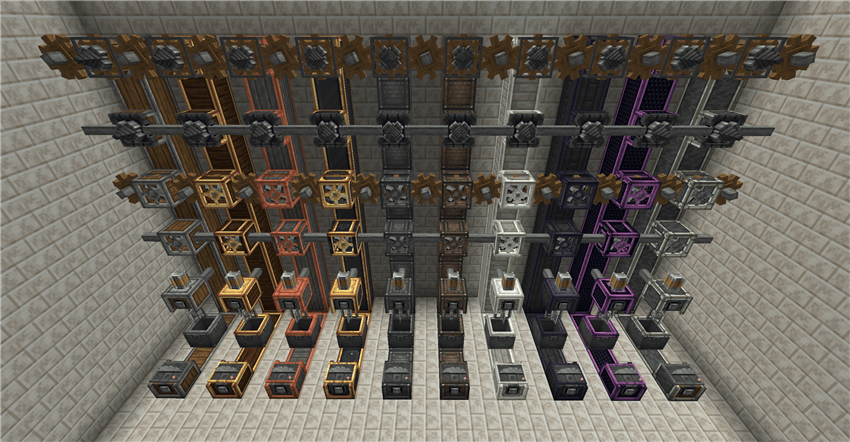
With Create: Encased 1.10.1 installed, Extended machines come in matching casing styles, from Andesite and Brass through Refined Radiance, Shadow Steel, and Zinc. Craft them with the matching casing or use Encased’s Recaser to change the style of a placed machine.
Requires Minecraft 1.21.1, NeoForge, and Create 6.0.10. Create: Encased is optional.
First alpha · November 14, 2026
Project description from CurseForge.
Pick your setup
Create: Extended by Minecraft version and loader
Choose the version and loader you play, then open the matching release.
Check the dependencies, then try the file in a copied instance before changing a world you care about.
Recent files
Create: Extended versions and loaders
create-extended-0.1.10-rc.3.jar
20 Nov 2026
Client Source doesn’t say Server Source doesn’t say Dependencies No extras listed Listed on Release listing
Check the 1.21.1 · NeoForge setup 1.21.1NeoForge release
create-extended-0.1.9-alpha.1.jar
15 Nov 2026
Client Source doesn’t say Server Source doesn’t say Dependencies No extras listed Listed on Release listing
Check the 1.21.1 · NeoForge setup 1.21.1NeoForge beta
Looking for an older file? The official CurseForge project page is in Resources.
 mod
CurseForge · Minecraft
AOSO BETTER VILLAGERS
Villagers with a little more life: each has its own name and trade, greets you by the time of day, the weather and how it feels about you, gives gifts to friends, heals, and carries a lantern at night.
 mod
CurseForge · Minecraft
PhoenixConflux
A gregtech focused 1.21.1 research mod. Focuses on gathering data in normal gt ways.
 mod
CurseForge + Modrinth · Minecraft
Reliable Advancements
In-game advancement editing and improvements to the advancement screen!