Xaero's World Map Needed by Xaero's World Map - Visual Extras [Forge 1.20.1] v1.1.0
requiredMatching file found Matched file: xaeroworldmap-forge-1.20.1-1.47.0.jar

CurseForge · Minecraft mod
Transparent background, color filters, clean edges and sounds for Xaero's World Map!
Quick answer
Xaero's World Map - Visual Extras [Forge 1.20.1] v1.1.0 targets 1.20.1 with Forge. The project page does not say whether this file belongs on the client, dedicated server, or both. All 1 required mods have matching files.
Where it goes
The project page does not say whether this file belongs on the client, dedicated server, or both.
The source does not explicitly classify this release as client-only or server-only.
[Forge 1.20.1] v1.1.0. Change the file and its required mods may change too.
Install Xaero's World Map first. We found matching files for this game-version and loader setup. 1 comes through another mod in the chain.
1 extra mod was pulled in by another dependency. Indented rows show who needs each one. We only count dependency files that match this setup. A file for another loader does not fill the gap.
Before you install it
Built for Xaero's World Map - Visual Extras [Forge 1.20.1] v1.1.0. Pick another file and the loader, install side or required mods may change.
Use [Forge 1.20.1] v1.1.0. It targets 1.20.1 with Forge; another release may have different loader, side or dependency requirements.
Install Xaero's World Map first. We found matching files for this game-version and loader setup. 1 comes through another mod in the chain.
The project page does not say whether this file belongs on the client, dedicated server, or both.
Use the “Get this file” button beside [Forge 1.20.1] v1.1.0. It opens that exact file at the source.
About this project

This mod adds a few visual (and also audio!) options for Xaero's World Map

(All the screns have Transparent Background enabled!)
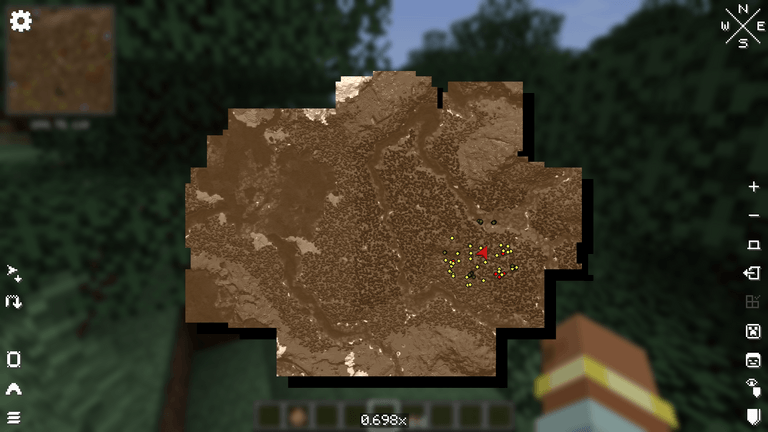
Sepia filter:
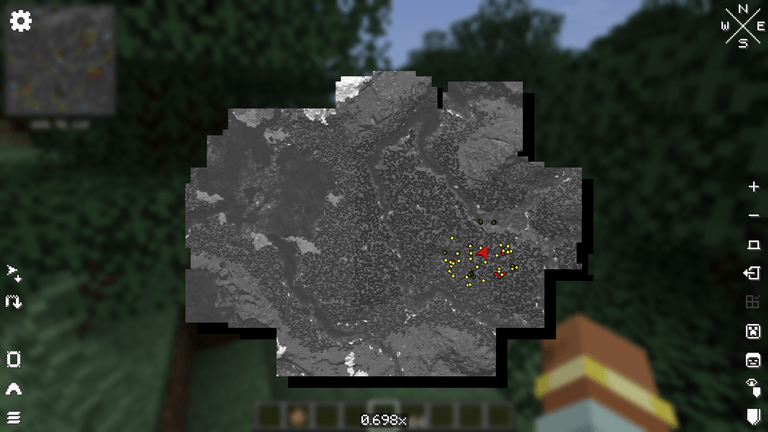
Grayscale filter:
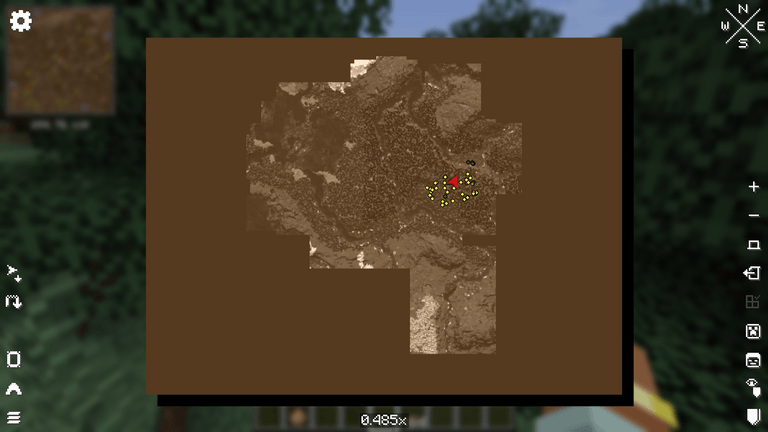
Clean Edges (Rectangle):
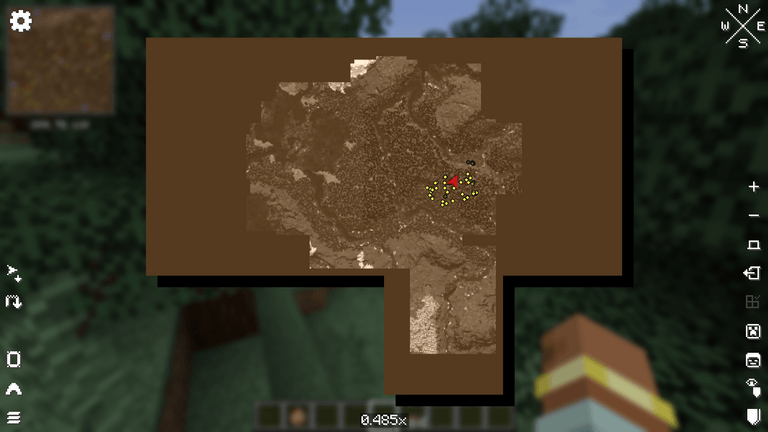
Clean Edges (Regions):
...and if you have Xaero's Minimap:
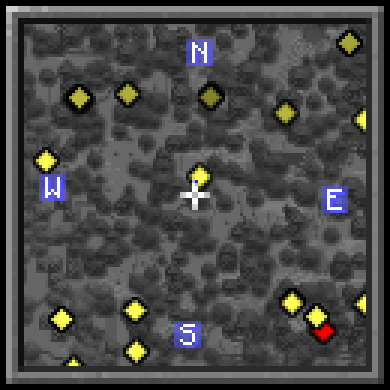
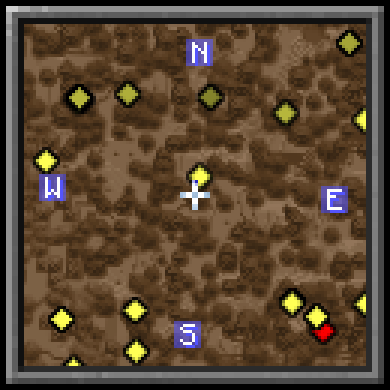

Transparent Background: see the world behind the map
Clean Edges: fills the unexplored parts so the map has clean straight edges (Regions or Rectangle modes)
Filter: Sepia or Grayscale, with a strength slider. Works on Xaero's Minimap too!
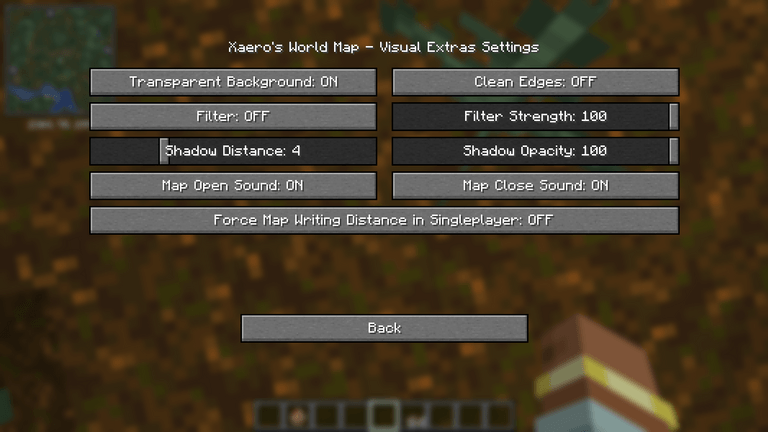
Shadow Distance/Opacity: you can change the shadow under the map distance and opacity
Map Open/Close Sound: play book sounds when you open or close the map
Force Map Writing Distance in Singleplayer: makes Xaero's Map Writing Distance setting work in singleplayer. It uses a separate map named Explored as a workaround..
You can open the settings screen with the Config button in the Mods list, or bind a key to "Open Visual Extras Settings" (unbound by default)

Xaero's World Map 1.47.0+: https://www.curseforge.com/minecraft/mc-mods/xaeros-world-map
Xaero's Minimap (optional): https://www.curseforge.com/minecraft/mc-mods/xaeros-minimap

Translations are available for English yet. Feel free to suggest better one, or directly add translations on github with a pull request!

Special thanks to Nekomaster1000 for the idea of this mod, for all the feedbacks on it, and the logo!! This mod would not have been possible without him=)
Feel free to add the mod in any modpack published on curseforge! This is highly appreciated.
The code is open source: https://github.com/AwesomeHippo/XaeroWorldMapVisualExtras under MIT license
Project description from CurseForge.
Pick your setup
Choose the version and loader you play, then open the matching release.
Check the dependencies, then try the file in a copied instance before changing a world you care about.
Recent files
xaeroworldmapvisualextras-forge-1.20.1-1.1.0.jar
20 Nov 2026
xaeroworldmapvisualextras-neoforge-1.21.1-1.1.0.jar
17 Nov 2026
xaeroworldmapvisualextras-neoforge-1.21.1-1.0.0.jar
16 Nov 2026
Looking for an older file? The official CurseForge project page is in Resources.
 mod
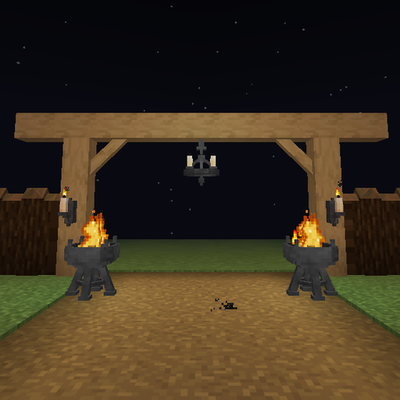
Timber beams, palisades, braces, timber frames and log piles for all 12 wood types, plus braziers, chandeliers, wall sconces and candelabras. Vanilla textures.
 mod
Using Gremlin's Transmogs, change the whole appearance of your Elytra!
 mod
Keep items and fluids in your Applied Energistics 2 ME-System in stock.