Minecraft version
Back to mods 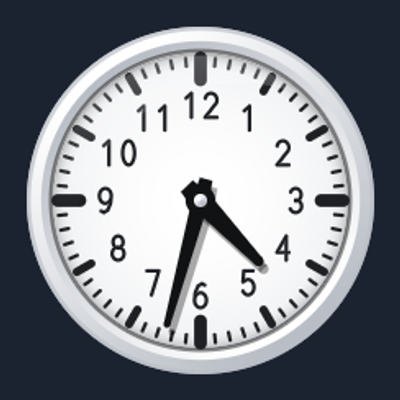
CurseForge · Minecraft mod
CustomClock
CustomClock is a client-side mod that turns Minecraft’s simple pixel clock into a fully customizable, high-resolution clock showing the exact in-game time, day, and moon phase in 12 different styles, works on any server, and is purely visual.
Choose a version Pick your version below, then grab the matching file.
Quick answer
Which CustomClock release matches 26.2 Forge?
Best match for your filters CustomClock 1.0.0 Forge 26.2
Game version 26.2
Loader Forge
CustomClock 1.0.0 Forge 26.2 targets 26.2 with Forge. The project page does not say whether this file belongs on the client, dedicated server, or both. No extra mods listed for this file.
Where it goes
Is CustomClock required on the client, server, or both?
The project page does not say whether this file belongs on the client, dedicated server, or both.
Client Source doesn’t say
Dedicated server Source doesn’t say
Loader for this release Forge
Required install it here Optional supported, not mandatory Not supported do not install here Source doesn’t say do not assume
The source does not explicitly classify this release as client-only or server-only.
What else does CustomClock 1.0.0 Forge 26.2 need?
CustomClock 1.0.0 Forge 26.2 on 26.2 Forge. Every mod below is checked against that same setup.
This file does not list any required mods. Do not add a library just because a different file uses it.
This file does not list any required or optional mods.
Before you install it
Add CustomClock without breaking your instance.
Built for CustomClock 1.0.0 Forge 26.2 on 26.2 Forge. Pick another file and the loader, install side or required mods may change.
- 01
Stick to this file
Use CustomClock 1.0.0 Forge 26.2. It targets 26.2 with Forge; another release may have different loader, side or dependency requirements.
- 02
Bring the mods it needs
This file does not list any required mods. Do not add a library just because a different file uses it.
- 03
Put it on the correct side
The project page does not say whether this file belongs on the client, dedicated server, or both.
- 04
Pick the file you checked
Use the “Get this file” button beside CustomClock 1.0.0 Forge 26.2. It opens that exact file at the source.
About this project
What does CustomClock add?
CustomClock
CustomClock transforms Minecraft’s default pixelated clock into a fully customizable, high-resolution clock that displays the exact in-game time.
Features:
- Accurate time display (e.g. 14:31)
- 12 different clock styles (Analog, Digital, Station Clock, Pocket Watch, Roman Numerals, Minimalist, and more)
- Shows current day and moon phase
- Fully customizable colors, size in item frames, and glow at night
- Optional HUD clock
- Client-side only – works on every server
- No gameplay changes, purely visual
Open the settings menu via Mod Menu or a custom keybind to preview and adjust everything live.
Project description from CurseForge.
Pick your setup
CustomClock by Minecraft version and loader
Choose the version and loader you play, then open the matching release.
Minecraft version
26.2
2 loader buildsMinecraft version
26.1.2
2 loader buildsMinecraft version
26.1.1
2 loader buildsMinecraft version
26.1
2 loader buildsMinecraft version
1.21.11
2 loader buildsMinecraft version
1.21.10
2 loader buildsMinecraft version
1.21.9
2 loader buildsMinecraft version
1.21.8
2 loader buildsMinecraft version
1.21.7
2 loader buildsMinecraft version
1.21.6
2 loader buildsMinecraft version
1.21.5
2 loader buildsShowing the newest 12 of 30 game versions. Older files are in the list below.
Check the dependencies, then try the file in a copied instance before changing a world you care about.
Recent files
CustomClock versions and loaders
CustomClock 1.0.0 Forge 26.2
customclock-1.0.0-forge-26.2.jar
16 Nov 2026
Client Source doesn’t say Server Source doesn’t say Dependencies No extras listed Listed on Release listing
Check the 26.2 · Forge setup Forge26.2 release
Looking for an older file? The official CurseForge project page is in Resources.
 mod
CurseForge + Modrinth · Minecraft
CrankShaft
A port of Flywheel+Vanillin to 26.2
 mod
CurseForge + Modrinth · Minecraft
Easy NPC
Create easily NPCs with dialogs for your world or for your mods.
 mod
CurseForge + Modrinth · Minecraft
Easy NPC: Core
Provides the core functionallity for the Easy NPC mod.