
Minecraft version
Back to mods 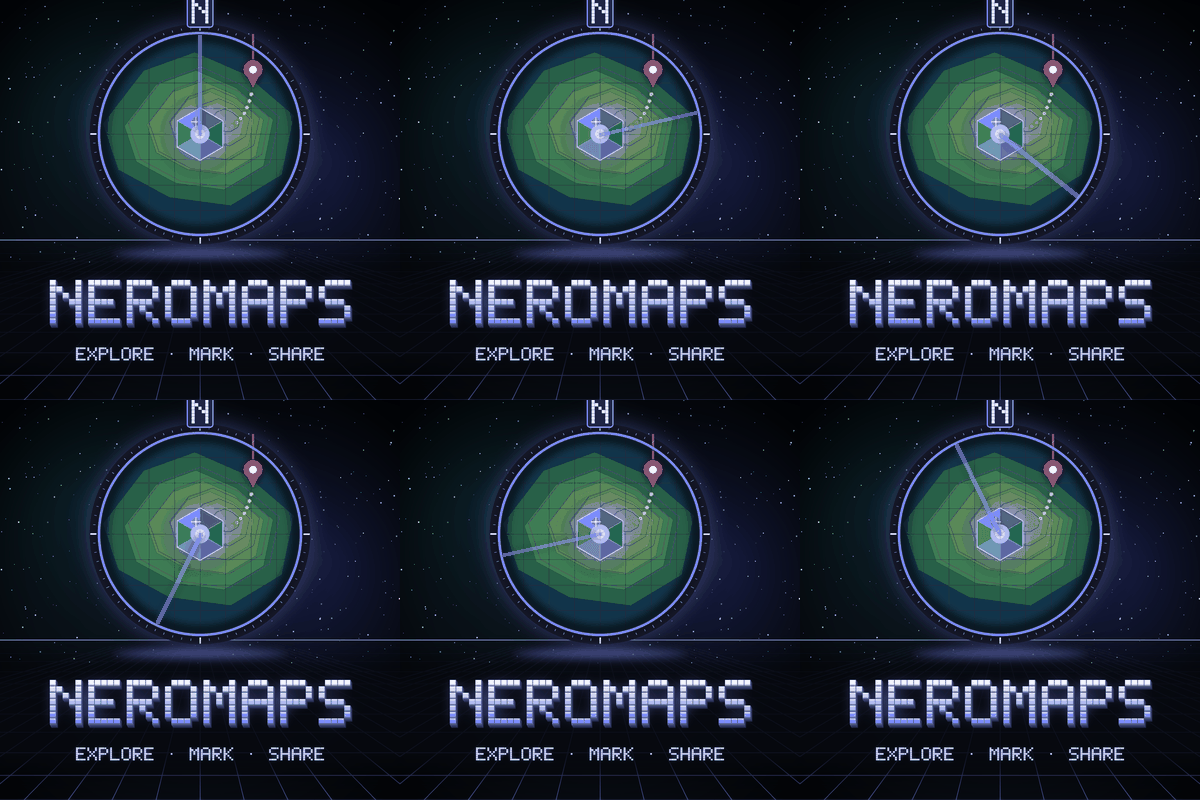
CurseForge · Minecraft mod
NeroMaps
A fast minimap that is on from the first minute, a world map of everywhere you have been, and waypoints you share only with the people you choose.
Choose a version Pick your version below, then grab the matching file.
Quick answer
Which NeroMaps release matches 26.1.2 Forge?
beta file NeroMaps 0.1.0-beta.2 - Forge 26.1.2
Game version 26.1.2
Loader Forge
NeroMaps 0.1.0-beta.2 - Forge 26.1.2 targets 26.1.2 with Forge. The project page does not say whether this file belongs on the client, dedicated server, or both. No extra mods listed for this file.
Where it goes
Is NeroMaps required on the client, server, or both?
The project page does not say whether this file belongs on the client, dedicated server, or both.
Client Source doesn’t say
Dedicated server Source doesn’t say
Loader for this release Forge
Required install it here Optional supported, not mandatory Not supported do not install here Source doesn’t say do not assume
The source does not explicitly classify this release as client-only or server-only.
What else does NeroMaps 0.1.0-beta.2 - Forge 26.1.2 need?
NeroMaps 0.1.0-beta.2 - Forge 26.1.2 on 26.1.2 Forge. Every mod below is checked against that same setup.
This file does not list any required mods. Do not add a library just because a different file uses it.
This file does not list any required or optional mods.
Before you install it
Add NeroMaps without breaking your instance.
Built for NeroMaps 0.1.0-beta.2 - Forge 26.1.2 on 26.1.2 Forge. Pick another file and the loader, install side or required mods may change.
- 01
Stick to this file
Use NeroMaps 0.1.0-beta.2 - Forge 26.1.2. It targets 26.1.2 with Forge; another release may have different loader, side or dependency requirements.
- 02
Bring the mods it needs
This file does not list any required mods. Do not add a library just because a different file uses it.
- 03
Put it on the correct side
The project page does not say whether this file belongs on the client, dedicated server, or both.
- 04
Pick the file you checked
Use the “Get this file” button beside NeroMaps 0.1.0-beta.2 - Forge 26.1.2. It opens that exact file at the source.
About this project
What does NeroMaps add?

📱 NeroLink App — your Neroland world on your phone. Check energy, alerts and machines live, claim quest rewards and search your storage without logging in. Join at nerolandmc.net →
🌌 Explore the Neroland ecosystem. See how NeroMaps fits together with the rest of the Nero mods — every mod, wiki and changelog in one place. View the ecosystem at nerolandmc.net → · NeroMaps on the website
NeroMaps
A fast minimap that is on from the first minute, a world map of everywhere you have been, and waypoints you share only with the people you choose.
NeroMaps is the minimap and world map of the Neroland ecosystem. The minimap and the full-screen map are drawn on your own client from chunks you have already loaded, so they work on any server and cost it no terrain traffic. Waypoints follow you to the NeroLink app, where the same map opens in 2D or as a 3D terrain view you can orbit. Atlases, wall maps and signposts put the map into the world as things you craft, copy and hang up. When other Nero mods are installed, their stations, colonies, ruins and companions appear as map layers.
Built on Neroland Core, the only mod it requires. Every other Nero mod is optional.
(Beta, in development — first release 0.1.0-beta.1.)
What it adds
- Minimap, on by default. Square or round, in any corner or a free position, with adjustable size, zoom, opacity and border, north-locked or rotating. Four map styles (Day / Night, Biome, Height-shaded and Flat) plus a high-contrast style. Readouts for coordinates, facing, biome, dimension, in-game time and light level are each switched on or off separately.
- World map. Pan and zoom across everything you have explored, switch dimension, search your waypoints, click to create or edit one, measure a distance, or let the map follow you. Every dimension has its own map.
- Waypoints. A name, colour, icon and optional in-world beam with a distance label, kept in sets per dimension and stored on the server so they reach the app too. Death waypoints are automatic, keep the last three and can be turned off. Temporary waypoints vanish when you log out. Look through a spyglass and press the waypoint key to mark a distant point, and carry a Waypoint Compass that points at the waypoint or marker you pick.
- Sharing by consent only. Share a waypoint, your explored map or your live position with named players. They must accept, and either side can revoke at any time, effective immediately. Live position has no "everyone" option.
- Fog of war. You see terrain you have explored, terrain shared with you and terrain from an atlas you have merged. Unsurveyed ground stays dark. Fog of war is an access rule, enforced by the server on the app and on shared maps, not a visual effect.
- Atlases and the Cartography Desk. An Atlas is a physical copy of an explored map: using one merges its area into your own. Copy, merge and label atlases at the Cartography Desk, which also prints wall maps and crafts signposts. An atlas carries map coverage only, never who made it.
- Wall Map, Map Table, Signpost and Trail Marker. A Wall Map tiles into larger panels and updates as the terrain changes. A Map Table shows a chosen area on a table top. A Signpost is a public waypoint with a label and icon that anyone nearby sees on their map. A Trail Marker is a small coloured stake for caves and long trips. None of them stores an owner.
- Presets and customisation. A settings screen with a live preview and named presets (Compact, Explorer, Builder, Cinematic and Off), which you can import and export as text. Every layer is toggled separately for the minimap and the world map, with its own icon size and label visibility. Colour-blind-safe marker colours, scalable labels, and nothing shown by colour alone.
Default keys: M world map, Y toggle minimap, = and - zoom, U new waypoint here. All rebindable.
The map in the NeroLink app
- 🗺️ 2D map. Pan, zoom, layers, waypoints, search and follow-me, with waypoint editing and share requests handled from your phone.
- 🏔️ 3D view. Orbit, tilt and pinch-zoom over terrain with height shading, translucent water, markers and waypoint beams.
- 📐 What the 3D view is. The server sends a surface height map and your phone renders it, which costs the server very little. It is a surface model: overhangs, building interiors and caves are not shown in 0.1.0.
- 🔒 Same rules as in game. The app receives only terrain inside your own fog of war, your own waypoints, and the position of players who have a live, mutual share with you.
Layers from other Nero mods
Layers appear only when their mod is installed, and each one shows only what you are entitled to see: your own things, places you belong to, or world features you have discovered. No layer lists another player's base.
- 🌌 Nerospace: your stations and launch pads, landed rockets and terraformed regions near you, and a star chart of worlds you have visited.
- 🏘️ NeroColonies: the border, buildings and outposts of colonies you belong to.
- 🏛️ NeroRuins: ruins you have discovered and your current expedition target.
- 🐾 NeroCompanion / NeroCreatures: your companions, their home Bays and your own creatures.
- 🛡️ NeroSecurity: your installations and field boundaries.
- ⚡ NeroPower: your reactors and beam links, and scorch zones as a hazard overlay.
- 🎪 NeroEvents: live event areas and war zones, with a storm badge beside the dimension name.
- 🚚 NeroLogistics / NeroEconomy / NeroFactions: nearby drone ports and train stations, your own shops, and faction outposts you have come across.
A mod that is not installed leaves no empty entry in the layer panel. Mod authors can add layers through Neroland Core's map API without depending on NeroMaps.
Performance and server control
- ⚙️ Light on the client. Chunk scanning runs off the render thread, and drawing the minimap is one textured quad plus one batched pass for markers. The on-disk map cache has a size cap.
- 🖥️ Light on the server. The server never loads or generates a chunk for the map. Terrain capture for the app and wall maps works only on chunks that are already loaded, inside a small per-tick budget that backs off when the server is behind, and can be switched off.
- 📋 Server policy. Operators set the waypoint limit per player, death waypoints, waypoint teleport (operators only, off by default), fog of war or a public map, and server capture. Policy is synced at login, a client cannot enable what it forbids, and the settings screen says why a control is locked.
Privacy (POPIA / GDPR)
Where you are is personal data, and NeroMaps treats it as the most sensitive thing it touches. Your position is never written to disk: no trails, no position history, no last-seen location. A server stores, under your player UUID, only your waypoints, which chunks you have explored, your sharing lists and your privacy toggles. Map tiles, atlases, wall maps and signposts hold terrain and no identity. Nobody learns where you are, have been or have built without your consent or the server's stated policy; if an operator makes the map public, players are told when they join. Display settings and presets stay on your own computer. Get a copy of your data with /neromaps export; erase everything with Neroland Core's /neroland data eraseme, which also removes you from every other player's sharing lists and clears your NeroMaps data alongside every other Neroland mod.
Telemetry notice: NeroMaps contains opt-out, anonymous crash reporting via Sentry (EU servers) — on by default. A report carries only the stack trace of an error in NeroMaps code, the mod/game/loader/Java versions and the list of loaded mod ids — never IPs, usernames, UUIDs, positions, world data, chat or waypoint names. Opt out any time by setting
telemetryEnabled=falseinconfig/neromaps.properties. Full details: PRIVACY.md.
Why it fits the ecosystem
- 🧩 Built on Neroland Core — one config framework, Core's map API for layers, and Core's shared per-player erasure hook. NeroMaps ships in its own creative tab.
- 📱 NeroLink module — the 2D map and 3D view in the companion app, with optional notifications (off by default) that never contain coordinates or names.
- 🤝 Interoperates, never hard-depends — every sibling layer is optional and reaches the map through Neroland Core. NeroMaps works in full on Core alone.
- 🧱 Cross-loader — NeoForge, Forge and Fabric on Minecraft 1.21.1 to 1.21.11 and 26.1.2, 26.2 and 26.3.
Requirements & compatibility
- Requires Neroland Core 1.19.0 or newer — install it alongside NeroMaps (it loads first).
- Minecraft 1.21.1, 1.21.4, 1.21.5, 1.21.8 (also 1.21.7), 1.21.10 (also 1.21.9), 1.21.11, 26.1.2, 26.2 and 26.3, on NeoForge, Forge and Fabric (Fabric also needs Fabric API).
- Optional: NeroLink for the app, and any other Nero mod for its layers. NeroMaps is complete without them.
- Maps never gate gameplay: nothing in another Nero mod needs NeroMaps to be reachable.
- Modpacks are allowed and encouraged — any platform, no need to ask. Use the official files and credit NeroMaps by Neroland with links to the CurseForge page and the GitHub repository. Full terms: LICENSE.
Links
- 📖 Wiki — getting started, every setting and preset, waypoints, sharing and privacy, server policy, layers, commands and config.
- 💬 Discord — chat, help, and sneak peeks.
- 🐞 Issues — bug reports and feature requests.
- 🗒️ Changelog
Created by Neroland. The project logo was made with the help of AI image tools; in-game art is generated by the project's own tooling and refined by hand.
Project description from CurseForge.
Pick your setup
NeroMaps by Minecraft version and loader
Choose the version and loader you play, then open the matching release.
Minecraft version
26.2
3 loader buildsMinecraft version
26.1.2
3 loader buildsMinecraft version
1.21.11
3 loader buildsMinecraft version
1.21.10
3 loader buildsMinecraft version
1.21.9
3 loader buildsMinecraft version
1.21.8
3 loader buildsMinecraft version
1.21.7
3 loader buildsMinecraft version
1.21.5
3 loader buildsMinecraft version
1.21.4
3 loader buildsMinecraft version
1.21.1
3 loader buildsCheck the dependencies, then try the file in a copied instance before changing a world you care about.
Recent files
NeroMaps versions and loaders
NeroMaps 0.1.0-beta.2 - Forge 26.1.2
neromaps-forge-26.1.2-0.1.0-beta.2-all.jar
17 Nov 2026
Client Source doesn’t say Server Source doesn’t say Dependencies No extras listed Listed on Release listing
Check the 26.1.2 · Forge setup Forge26.1.2 beta
NeroMaps 0.1.0-beta.1 - Forge 26.1.2
neromaps-forge-26.1.2-0.1.0-beta.1-all.jar
17 Nov 2026
Client Source doesn’t say Server Source doesn’t say Dependencies No extras listed Listed on Release listing
Check the 26.1.2 · Forge setup Forge26.1.2 beta
Looking for an older file? The official CurseForge project page is in Resources.
 mod
CurseForge · Minecraft
Lacmus
A small net_graph for Minecraft: frames, client tick, round trip, traffic and the server's tick rate in three compact lines.
 mod
CurseForge · Minecraft
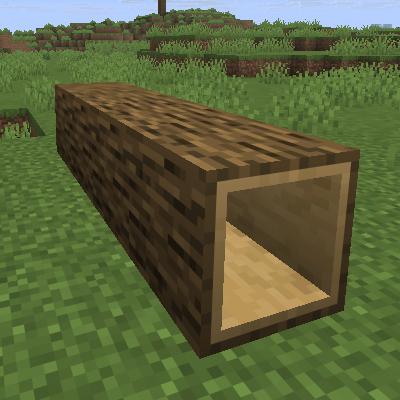
HollowLogs
A lightweight standalone port of the Hollow Logs from Quark, allowing players to crawl through craftable, transparent log variants for all vanilla wood types.
 mod
CurseForge · Minecraft
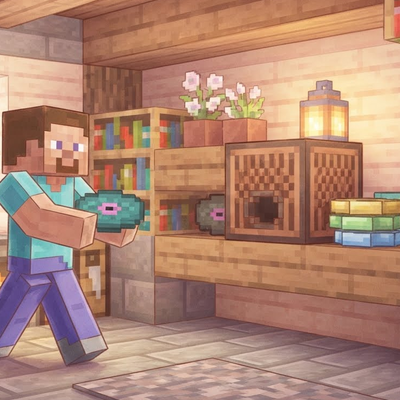
musicaldash
Insert Musical Dash discs into any Jukebox to teleport to live action stages across all Minecraft updates, spawn a Bot with your exact skin that builds, mines, and fights, record your own replay discs, and return anytime via the Skip Block!