Minecraft version
Back to mods 
CurseForge · Minecraft mod
Legacy Item Purger
Removed mods? Replace or remove their leftover items, blocks and structures in your world
Choose a version Pick your version below, then grab the matching file.
Quick answer
Which Legacy Item Purger release should I use?
beta file Legacy Item Purger 1.0.0 (NeoForge 26.3)
Game version 26.3
Loader NeoForge
Legacy Item Purger 1.0.0 (NeoForge 26.3) targets 26.3 with NeoForge. The project page does not say whether this file belongs on the client, dedicated server, or both. No extra mods listed for this file.
Where it goes
Is Legacy Item Purger required on the client, server, or both?
The project page does not say whether this file belongs on the client, dedicated server, or both.
Client Source doesn’t say
Dedicated server Source doesn’t say
Loader for this release NeoForge
Required install it here Optional supported, not mandatory Not supported do not install here Source doesn’t say do not assume
The source does not explicitly classify this release as client-only or server-only.
What else does Legacy Item Purger 1.0.0 (NeoForge 26.3) need?
Legacy Item Purger 1.0.0 (NeoForge 26.3). Change the file and its required mods may change too.
This file does not list any required mods. Do not add a library just because a different file uses it.
This file does not list any required or optional mods.
Before you install it
Add Legacy Item Purger without breaking your instance.
Built for Legacy Item Purger 1.0.0 (NeoForge 26.3). Pick another file and the loader, install side or required mods may change.
- 01
Stick to this file
Use Legacy Item Purger 1.0.0 (NeoForge 26.3). It targets 26.3 with NeoForge; another release may have different loader, side or dependency requirements.
- 02
Bring the mods it needs
This file does not list any required mods. Do not add a library just because a different file uses it.
- 03
Put it on the correct side
The project page does not say whether this file belongs on the client, dedicated server, or both.
- 04
Pick the file you checked
Use the “Get this file” button beside Legacy Item Purger 1.0.0 (NeoForge 26.3). It opens that exact file at the source.
About this project
What does Legacy Item Purger add?
Legacy Item Purger
Clean up a world after you removed mods, and keep your gear instead of losing it.
You removed a few mods from your pack, or moved a world to a pack where some mods no longer exist. Now the log is full of errors about unknown items, chests show holes, and the boss weapons you fought for are gone. Legacy Item Purger repairs the saved data while the world loads, and (if you want) turns missing weapons, armor and other listed items into something you can still use.
Beta. This is the first public release. It changes saved world data. Always back up your world first and try it on a copy.
What it does
- Finds items whose mod is no longer installed, in chests and other containers, nested mod inventories (backpacks, storage mods), player inventories, ender chests and entities, before the game tries to decode them.
- Either replaces them or removes them, depending on the mode you choose.
- Replaces missing blocks in saved chunks with air and removes their leftover block entities and block ticks.
- Removes references to structures that no longer exist.
- Removes unknown entity attributes and migrates simple old fluid data.
- Clears invalid
minecraft:airitem stacks that cause "Item must not be minecraft:air" errors. - Reports everything with dimension, position, slot, item ID and reason.
- Starts in preview mode. Nothing is changed until you set
dryRun = false.
It has no hard-coded rules for specific mods: an item is "missing" when its ID is not in the item registry of your current installation.
The two modes
Set mode in config/legacyitempurger-common.toml, or use /legacyitempurger mode <replace|remove>.
mode = "replace" (default) |
mode = "remove" |
|
|---|---|---|
| Missing weapons and armor | Replaced with a fitting item; name and enchantments are kept | Removed |
| Other missing items listed in a table (food, crops, block items, misc) | Replaced; count and name are kept | Removed |
| All other missing items | Removed | Removed |
| Missing blocks, structures, attributes, fluids | Cleaned | Cleaned |
| Best for | Worlds where players should keep their progress | A plain, predictable cleanup |
How replacement works
- Your own mappings from the config win.
- Then the bundled tables (see "Built-in replacement tables" below).
- Then a keyword heuristic for weapons and armor of unknown mods (
..._sword,katana,battleaxe,longbow,helm,greaves, ... with tier words such asdiamondornetherite). - Anything without a replacement is removed.
Replaced weapons and armor keep their custom name and every enchantment that still exists. Mod-specific data and durability damage are dropped. Each replaced item gets a lore line naming the old item and a hidden marker (minecraft:custom_data with the original item ID), so it stays identifiable later.
Target chains: modded target first, vanilla as fallback
A replacement can name several targets in order. The first one that is installed wins.
{ "from": "oldmod:fire_sword", "to": ["newmod:fire_sword", "minecraft:netherite_sword"], "kind": "weapon" }
weaponReplacements = ["oldmod:fire_sword=newmod:fire_sword|minecraft:netherite_sword"]
itemReplacements = ["oldmod:cheese_wheel=newmod:cheese|minecraft:bread"]
If you want modded replacements, install the replacement mods on your world copy before you run the cleanup. Without them you get the vanilla fallback. If no target of a chain is installed, the heuristic (weapons and armor only) decides, otherwise the item is removed.
Heirlooms
Boss gear from the bundled tables receives legal vanilla enchantments as compensation for the lost special abilities, whether it becomes a modded target item or the netherite-tier vanilla fallback shown here. Existing enchantments always win, incompatible enchantments are never combined, and levels never exceed the vanilla maximum.
| Old item (Cataclysm) | Vanilla fallback | Heirloom enchantments |
|---|---|---|
| The Incinerator | Netherite Sword | Sharpness V, Fire Aspect II, Unbreaking III, Mending |
| Meat Shredder | Netherite Axe | Sharpness V, Efficiency V, Unbreaking III, Mending |
| Infernal Forge | Mace | Density V, Fire Aspect II, Unbreaking III, Mending |
| Astrape | Trident | Impaling V, Loyalty III, Channeling, Unbreaking III, Mending |
| Cursed Bow | Bow | Power V, Flame, Unbreaking III, Mending |
| Ignitium Chestplate | Netherite Chestplate | Protection IV, Unbreaking III, Mending |
The heirloom bonus can be switched off (heirloomBonusEnchantments = false).
Built-in replacement tables
Version 1.0.0 ships tables for 613 items of these removed mods, plus 129 items that are deliberately removed (structure and boss-arena blocks, creative-only items and similar):
| Removed mod | Entries | Recommended target mods | Without them |
|---|---|---|---|
| L_Ender's Cataclysm | 220 | World Bosses, Remnants (needs Jauml), The Graveyard | Vanilla gear and materials; boss gear with heirloom enchantments |
| Bosses of Mass Destruction | 19 | World Bosses, Remnants | Vanilla |
| Supplementaries / Amendments | 211 / 2 | Signpost (way signs only) | Vanilla blocks and items |
| Cultural Delights | 160 | Croptopia | Vanilla food and crops |
| Ragdollified Player Corpses | 1 | none | Recovery Compass |
161 entries prefer a modded target. Targets fall back to vanilla when those mods are not installed, so the target mods are optional. The server log shows at startup how many entries resolve to their first choice and how many use a later target of the chain. Stats and abilities of the target items were not balanced against the originals in game; treat the tables as a sensible default and override entries in the config where you disagree. Contents of replaced containers (sacks, quivers, jars, safes) are not carried over.
Typical workflow: migrating a world after removing mods
- Stop the server and make a full backup. Work on a copy of the world.
- Remove the mods you no longer want. Put Legacy Item Purger into
mods. Optional: install the mods that should provide modded replacement targets. - Preview. Start the server with the default
dryRun = true. Load the affected areas and read the log lines starting with[LegacyItemPurger]. Planned replacements look likeold -> new | REPLACED_WEAPON (dry-run: would replace). - Choose your mode (
replaceorremove) and add your own mappings if you want. - Apply. Set
dryRun = falseand restart. Chunks are cleaned when they load; players and their ender chests are cleaned when they log in. - To clean the whole world, load all existing chunks once, for example with a pre-generator such as Chunky that can force-load existing chunks.
- Check the result, then move the cleaned world to your real server.
Commands
Permission level 2 (operators or the server console). Switching the mode needs level 3.
| Command | Effect |
|---|---|
/legacyitempurger status |
Shows mode, automatic, dry-run and the number of queued chunks |
/legacyitempurger mode |
Shows the active mode |
/legacyitempurger mode replace / mode remove |
Switches the mode and saves it to the config |
/legacyitempurger scan [radius] |
Previews loaded block inventories around you (radius 0 to 8 chunks, default 4) |
/legacyitempurger apply [radius] |
Cleans loaded block inventories around you, even while dryRun = true |
scan and apply never load additional chunks.
Configuration overview
config/legacyitempurger-common.toml
| Key | Default | Meaning |
|---|---|---|
mode |
"replace" |
"replace" or "remove" |
dryRun |
true |
Preview only. Set false to change data |
automatic |
true |
Inspect data while it loads |
removeMissingItems, removeAirEntries |
true |
Item cleanup switches |
removeMissingBlocks, removeMissingStructures |
true |
Chunk cleanup switches |
removeUnknownAttributes, migrateLegacyFluids, cleanDistantHorizons |
true |
Other legacy data |
blockedItemIds, blockedNamespaces, allowedItemIds |
empty | Force removal or protect specific items |
replaceMissingWeapons, replaceMissingArmor, replaceMissingOtherItems |
true |
What may be replaced (replace mode only) |
weaponReplacements, armorReplacements, itemReplacements |
empty | Your own mappings, "old:item=first:target|second:target" (replace mode only) |
weaponFallback, armorFallback |
true |
Keyword heuristic (replace mode only) |
addReplacementLore, heirloomBonusEnchantments |
true |
Lore line and heirloom bonus (replace mode only) |
loreLanguage |
"en" |
Language of the lore line: "en" or "de" (replace mode only) |
blockInventoriesPerTick, slotsPerTick, detailsPerReport |
8 / 256 / 20 | Performance and log limits |
Compatibility
- Minecraft 1.21.1, NeoForge 21.1.264 or newer 21.1.x, Java 21.
- Server and client. The same JAR works on a dedicated server, in singleplayer and on clients. A server-only installation is enough to clean a server world: clients do not need the mod to join. Installing it on the client as well additionally cleans data the client decodes locally.
- Optional Distant Horizons support (built against the NeoForge version of DH 3.3.3): missing block IDs in LOD data are normalized while they are read. Without Distant Horizons this part stays inactive.
- No dependencies besides NeoForge.
FAQ
Does it delete things on its own after installing? No. The default is dryRun = true, which only reports. You have to switch it off yourself.
Can I get removed or replaced items back? Only from your backup. That is why the preview exists.
I switched from replace to remove. Do replaced items disappear? No. A replaced item is a normal item. The mode only decides what happens to items that are still missing.
My mod is not in the bundled table. Weapons and armor are usually caught by the keyword heuristic. For everything else add your own mappings to the config.
Does it scan the whole world? It cleans data when it is loaded. Chunks nobody loads stay untouched until they load. Use a tool that loads all existing chunks to clean everything in one go.
Does it hide errors from the log? No. It repairs the data that causes them. Messages from other mods that are not caused by missing items, blocks or structures stay as they are.
Is the item removed if something goes wrong? No. If inspecting an inventory fails, the original data is kept and the problem is logged.
Warnings
- Make a backup before you set
dryRun = false. Removal and replacement cannot be undone. - This is a beta. It was tested with automated regression tests and on test servers, not on every modpack.
- Replacements are approximations. Special abilities of modded items are lost.
- The lore line ("Heirloom: The Incinerator (Cataclysm)" / "Replaced: Avocado (Cultural Delights)") is written into the item when it is replaced. Choose
loreLanguage(enorde) or switch it off withaddReplacementLore = falsebefore you apply. - Items of mods that are still installed are never touched, unless you list them in
blockedItemIdsorblockedNamespaces.
License and credits
MIT License, Copyright (c) 2026 Raffman180. The license text is included in the JAR.
This mod was made with AI assistance (vibecoded) by Raffman180.
Project description from CurseForge.
Pick your setup
Legacy Item Purger by Minecraft version and loader
Choose the version and loader you play, then open the matching release.
Minecraft version
1.21.1
1 loader buildCheck the dependencies, then try the file in a copied instance before changing a world you care about.
Recent files
Legacy Item Purger versions and loaders
Legacy Item Purger 1.0.0 (NeoForge 26.3)
legacyitempurger-neoforge-26.3-1.0.0.jar
28 Nov 2026
Client Source doesn’t say Server Source doesn’t say Dependencies No extras listed Listed on Release listing
Check the 26.3 · NeoForge setup NeoForge26.3 beta
Legacy Item Purger 1.0.0 (NeoForge 1.21.1)
legacyitempurger-neoforge-1.21.1-1.0.0.jar
16 Nov 2026
Client Source doesn’t say Server Source doesn’t say Dependencies No extras listed Listed on Release listing
Check the 1.21.1 · NeoForge setup 1.21.1NeoForge beta
Looking for an older file? The official CurseForge project page is in Resources.
 mod
CurseForge · Minecraft
JEI add on :Show MissingRecipe
View broken and disabled recipes directly in JEI to instantly identify missing mods, items, or empty tags in your modpack.
 mod
CurseForge · Minecraft
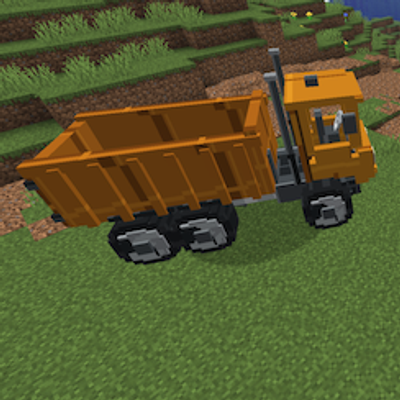
PeterWolf's Groundworks Dump Truck
A heavy-duty dump truck for transporting and unloading bulk construction materials.
 mod
CurseForge · Minecraft
Peterwolf's Construction Sites - Tower Crane
Peterwolf's Tower Crane** brings an authentic, server-authoritative top-slewing construction tower crane