Mod Menu Optional for Immersive Panoramas immersivepanoramas-forge-1.1-1.20.6.jar
optionalNo matching file
CurseForge · Minecraft mod
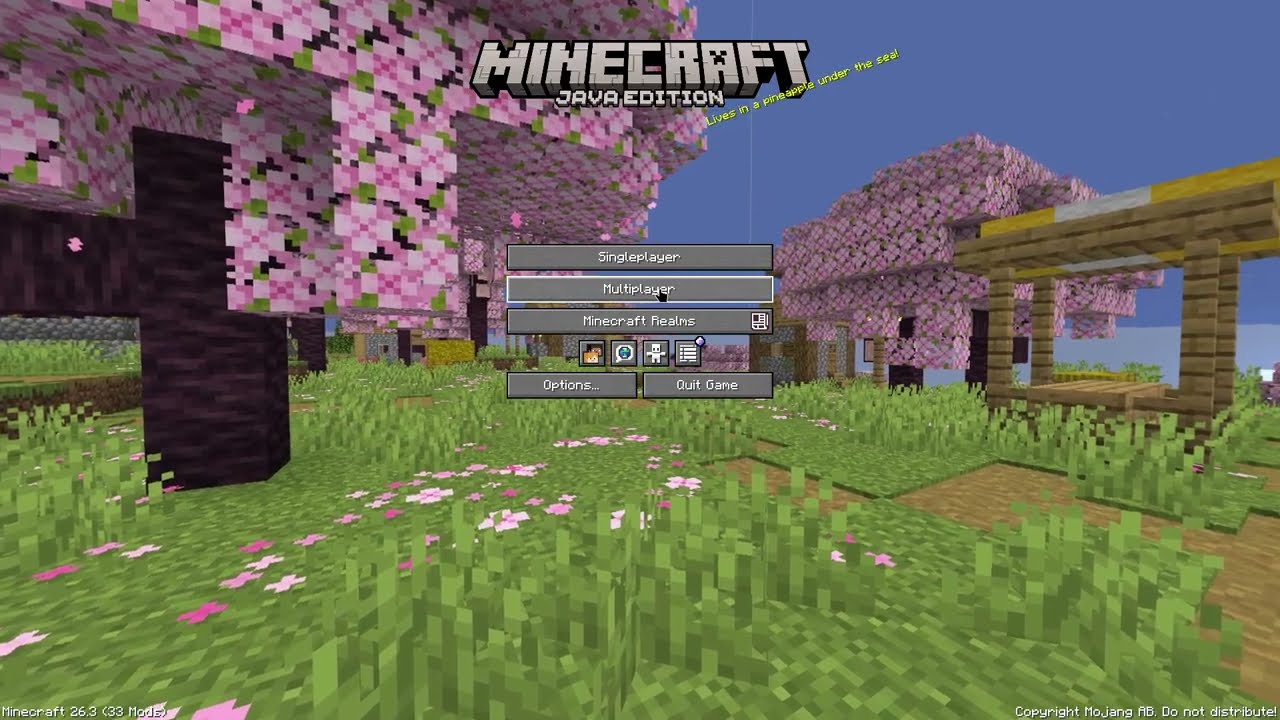
Replaces the static vanilla main menu with a panoramic view of your actual in-game locations.
Quick answer
Immersive Panoramas immersivepanoramas-forge-1.1-1.20.6.jar targets 1.20.6 with Forge. The project page does not say whether this file belongs on the client, dedicated server, or both. No extra mods listed for this file.
Where it goes
The project page does not say whether this file belongs on the client, dedicated server, or both.
The source does not explicitly classify this release as client-only or server-only.
immersivepanoramas-forge-1.1-1.20.6.jar on Forge. Every mod below is checked against that same setup.
This file does not list any required mods. Do not add a library just because a different file uses it.
We only count dependency files that match this setup. A file for another loader does not fill the gap.
Before you install it
Built for Immersive Panoramas immersivepanoramas-forge-1.1-1.20.6.jar on Forge. Pick another file and the loader, install side or required mods may change.
Use immersivepanoramas-forge-1.1-1.20.6.jar. It targets 1.20.6 with Forge; another release may have different loader, side or dependency requirements.
This file does not list any required mods. Do not add a library just because a different file uses it.
The project page does not say whether this file belongs on the client, dedicated server, or both.
Use the “Get this file” button beside immersivepanoramas-forge-1.1-1.20.6.jar. It opens that exact file at the source.
About this project

Custom 360° main menu panoramas captured directly from your worlds and servers.


This mod changes your title screen background to a 360° panorama of where you were standing when you left your world or server.
When you disconnect, it captures the area from your exact location and camera angle, turning your last play session into the new main menu background.
Open the config menu using Mod Menu on Fabric/Quilt, or via the Mods list on NeoForge:

| Setting | Description |
|---|---|
| Enable Panoramas | Turn panorama captures on or off. |
| Resolution | Choose Auto or a fixed resolution for each of the six faces. Hover over the setting for its GPU cost. |
| List Mode | Switch between Allow List (only capture listed worlds) or Block List (capture everywhere except listed worlds). |
| World & Server List | Select which singleplayer worlds or servers to include or skip. |
Auto is the default. It picks a resolution from 1024 to 1536 pixels per face based on framebuffer height and field of view.
| Preset | Resolution per face | GPU readback buffer |
|---|---|---|
| Auto | 1024–1536 px | 24–54 MiB |
| 1024 px | 1024 × 1024 | 24 MiB |
| 1536 px | 1536 × 1536 | 54 MiB |
| 2048 px | 2048 × 2048 | 96 MiB |
Higher resolutions can preserve more detail and take longer to capture when you leave a world or server, especially with shaders. The buffer sizes cover readback for all six faces. Resolution changes apply the next time you capture a panorama.
Panoramas can capture your world with Iris shaders active. A limited set of packs and presets have been tested, so you may see seams, uneven lighting, or blur with other setups.
Photon's vignette is skipped during capture to prevent dark edges where the panorama faces meet. Your vignette setting still applies during gameplay.
If you run into a problem, please open an issue and include the shader pack name, version, and preset, plus a screenshot if you have one.
Project description from CurseForge.
Pick your setup
Choose the version and loader you play, then open the matching release.
Check the dependencies, then try the file in a copied instance before changing a world you care about.
Recent files
20 Nov 2026
20 Nov 2026
20 Nov 2026
20 Nov 2026
Looking for an older file? The official CurseForge project page is in Resources.
 mod
Enhances vanilla wolves with unique personalities (Aggressive, Pacifist, Normal), smarter AI, safety behaviors, and combat improvements.
 mod
A lightweight Tinkers' Construct addon featuring tools, new materials, and exclusive projectile traits.
 mod
The Boreal is a mod that adds a whole new boreal-themed dimension, which new blocks, items, mobs, new weapons, awesome terrain and a lot more.