Minecraft version
Back to mods 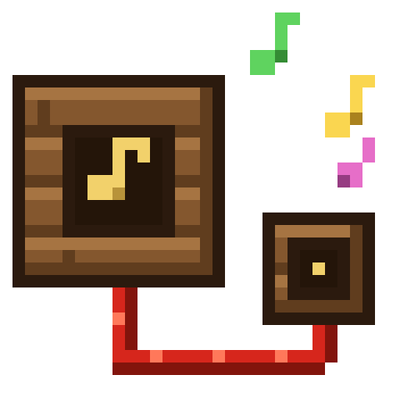
CurseForge · Minecraft mod
Musical Note Blocks
Turn note blocks into speakers for your jukebox!
Choose a version Pick your version below, then grab the matching file.
Quick answer
Which Musical Note Blocks release should I use?
Latest stable file musicalnoteblocks-1.0.0.jar
Game version 1.20.1
Loader Forge
Musical Note Blocks musicalnoteblocks-1.0.0.jar targets 1.20.1 with Forge. The project page does not say whether this file belongs on the client, dedicated server, or both. No extra mods listed for this file.
Where it goes
Is Musical Note Blocks required on the client, server, or both?
The project page does not say whether this file belongs on the client, dedicated server, or both.
Client Source doesn’t say
Dedicated server Source doesn’t say
Loader for this release Forge
Required install it here Optional supported, not mandatory Not supported do not install here Source doesn’t say do not assume
The source does not explicitly classify this release as client-only or server-only.
What else does Musical Note Blocks musicalnoteblocks-1.0.0.jar need?
musicalnoteblocks-1.0.0.jar. Change the file and its required mods may change too.
This file does not list any required mods. Do not add a library just because a different file uses it.
This file does not list any required or optional mods.
Before you install it
Add Musical Note Blocks without breaking your instance.
Built for Musical Note Blocks musicalnoteblocks-1.0.0.jar. Pick another file and the loader, install side or required mods may change.
- 01
Stick to this file
Use musicalnoteblocks-1.0.0.jar. It targets 1.20.1 with Forge; another release may have different loader, side or dependency requirements.
- 02
Bring the mods it needs
This file does not list any required mods. Do not add a library just because a different file uses it.
- 03
Put it on the correct side
The project page does not say whether this file belongs on the client, dedicated server, or both.
- 04
Pick the file you checked
Use the “Get this file” button beside musicalnoteblocks-1.0.0.jar. It opens that exact file at the source.
About this project
What does Musical Note Blocks add?
Musical Note Blocks turns your note blocks and jukeboxes into speakers. Wire a playing jukebox to note blocks or other jukeboxes with redstone and every connected block plays the same music disc in perfect sync. If more than one jukebox is connected, the last one played takes over and the others stop like their song ended. Speakers stay in sync even when you walk up mid song, rejoin the world or add new speakers to the line. Long chains keep playing even if the main jukebox gets unloaded, as long as part of the chain is still loaded. Background music can automatically turn off while you are near a playing speaker, and you can set how many speakers you hear at once in the config.
Project description from CurseForge.
Pick your setup
Musical Note Blocks by Minecraft version and loader
Choose the version and loader you play, then open the matching release.
Check the dependencies, then try the file in a copied instance before changing a world you care about.
Recent files
Musical Note Blocks versions and loaders
musicalnoteblocks-1.0.0.jar
17 Nov 2026
Client Source doesn’t say Server Source doesn’t say Dependencies No extras listed Listed on Release listing
Check the 1.20.1 · Forge setup 1.20.1Forge release
Looking for an older file? The official CurseForge project page is in Resources.
 mod
CurseForge · Minecraft
Camera Culling
Client-side FPS optimization mod that culls occluded mobs, tile entities, particles, and sign text behind walls with zero heap allocations.
 mod
CurseForge · Minecraft
MissingRecipeJEI
View broken and disabled recipes directly in JEI to instantly identify missing mods, items, or empty tags in your modpack.
 mod
CurseForge · Minecraft
Gamingbarn's Guns
Adds simple, purposeful guns, advanced medical supplies, tactical equipment items, and a complex automated turret system!