Create Needed by RS Create Bridge rscreatebridge-1.21.1-1.0.0.jar
requiredMatching file found Matched file: Create 6.0.10 for mc1.21.1
CurseForge · Minecraft mod
Lets the Refined Storage 2 Autocrafter run Create machines: Mechanical Crafters, sequenced assembly, presses, deployers, spouts and basin mixing.
Quick answer
RS Create Bridge rscreatebridge-1.21.1-1.0.0.jar targets 1.21.1 with NeoForge. The project page does not say whether this file belongs on the client, dedicated server, or both. All 2 required mods have matching files.
Where it goes
The project page does not say whether this file belongs on the client, dedicated server, or both.
The source does not explicitly classify this release as client-only or server-only.
rscreatebridge-1.21.1-1.0.0.jar. Change the file and its required mods may change too.
Install Create, Refined Storage first. We found matching files for this game-version and loader setup. 2 come through another mod in the chain.
2 extra mods were pulled in by other dependencies. Indented rows show who needs each one. We only count dependency files that match this setup. A file for another loader does not fill the gap.
Before you install it
Built for RS Create Bridge rscreatebridge-1.21.1-1.0.0.jar. Pick another file and the loader, install side or required mods may change.
Use rscreatebridge-1.21.1-1.0.0.jar. It targets 1.21.1 with NeoForge; another release may have different loader, side or dependency requirements.
Install Create, Refined Storage first. We found matching files for this game-version and loader setup. 2 come through another mod in the chain.
The project page does not say whether this file belongs on the client, dedicated server, or both.
Use the “Get this file” button beside rscreatebridge-1.21.1-1.0.0.jar. It opens that exact file at the source.
About this project
Let your Refined Storage 2 Autocrafter run real Create machines. Press + in JEI, request the item, and the Autocrafter hands the ingredients to this mod's blocks. Your Mechanical Crafters, presses, deployers, spouts and mixers do the work, and the result goes back into your network like with any other machine.
No covers, no belts or filters to wire up, no counting loops: one pattern, and the item gets made.
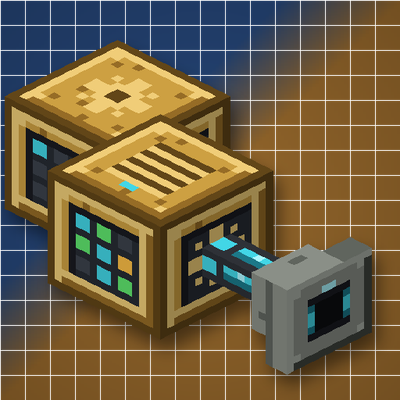
Crafter Interface: place it against your Mechanical Crafter array and put an Autocrafter facing it. It finds the recipe, puts every item in the right crafter and starts the array.
Assembly Controller: put an Autocrafter facing it. It takes the whole recipe from the pattern and runs it on the stations of its network, moving each piece from machine to machine.
Assembly Port: shaped like an RS importer. Its head goes against a Create depot or basin with a machine two blocks above it, and the RS cable goes on its back. Add more ports of the same machine to process several pieces at once.
Hold W over any of the blocks for an animated guide (Ponder).
Needed on both the server and the client.
Source code (MIT) and bug reports: https://github.com/lowis7277/rscreate-bridge
AI tools were used during the development of this mod.
Project description from CurseForge.
Pick your setup
Choose the version and loader you play, then open the matching release.
Check the dependencies, then try the file in a copied instance before changing a world you care about.
Recent files
17 Nov 2026
Looking for an older file? The official CurseForge project page is in Resources.
 mod
Turn Create rotation into electricity and power an entire city with cables, wireless relays, electric motors, batteries, lighting and a shared grid controller.
 mod
Enhances vanilla wolves with unique personalities (Aggressive, Pacifist, Normal), smarter AI, safety behaviors, and combat improvements.
 mod
JEI multiblock editor and client-side simulator for Oritech's nuclear reactor.