Minecraft version
Back to mods 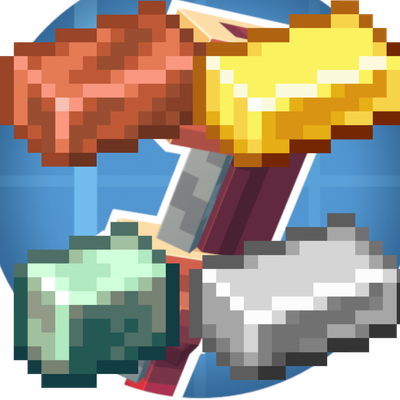
CurseForge · Minecraft mod
Create: Resource Automation
Resource Automation adds renewable generation for Asurine, Veridium, Ochrum, Crimsite, Scoria, and Scorchia resources.
Choose a version Pick your version below, then grab the matching file.
Quick answer
Which Create: Resource Automation release should I use?
Latest stable file create_resource_automation-1.0.0.jar
Game version 1.21.1
Loader NeoForge
Create: Resource Automation create_resource_automation-1.0.0.jar targets 1.21.1 with NeoForge. The project page does not say whether this file belongs on the client, dedicated server, or both. No extra mods listed for this file.
Where it goes
Is Create: Resource Automation required on the client, server, or both?
The project page does not say whether this file belongs on the client, dedicated server, or both.
Client Source doesn’t say
Dedicated server Source doesn’t say
Loader for this release NeoForge
Required install it here Optional supported, not mandatory Not supported do not install here Source doesn’t say do not assume
The source does not explicitly classify this release as client-only or server-only.
What else does Create: Resource Automation create_resource_automation-1.0.0.jar need?
create_resource_automation-1.0.0.jar. Change the file and its required mods may change too.
This file does not list any required mods. Do not add a library just because a different file uses it.
This file does not list any required or optional mods.
Before you install it
Add Create: Resource Automation without breaking your instance.
Built for Create: Resource Automation create_resource_automation-1.0.0.jar. Pick another file and the loader, install side or required mods may change.
- 01
Stick to this file
Use create_resource_automation-1.0.0.jar. It targets 1.21.1 with NeoForge; another release may have different loader, side or dependency requirements.
- 02
Bring the mods it needs
This file does not list any required mods. Do not add a library just because a different file uses it.
- 03
Put it on the correct side
The project page does not say whether this file belongs on the client, dedicated server, or both.
- 04
Pick the file you checked
Use the “Get this file” button beside create_resource_automation-1.0.0.jar. It opens that exact file at the source.
About this project
What does Create: Resource Automation add?
Resource Automation adds renewable generation for Asurine, Veridium, Ochrum, Crimsite, Scoria, and Scorchia resources.
How It Works
Place a Low Concentration Fluid Source corresponding to a vein type next to its matching vein will make that the vein will generate a Crushed Variant of that resource. These crushed materials can then be processed into their respective blocks, such as Asurine, Crimsite, Veridium, and more.
World Generation
Veins can naturally generate both underwater and on the surface, making them accessible throughout the world. However, they are relatively uncommon, so you may need to spend some time exploring before finding one.
With the right setup, these veins provide a renewable way to automate the production of resources without the need for constant mining.
Project description from CurseForge.
Pick your setup
Create: Resource Automation by Minecraft version and loader
Choose the version and loader you play, then open the matching release.
Check the dependencies, then try the file in a copied instance before changing a world you care about.
Recent files
Create: Resource Automation versions and loaders
create_resource_automation-1.0.0.jar
20 Nov 2026
Client Source doesn’t say Server Source doesn’t say Dependencies No extras listed Listed on Release listing
Check the 1.21.1 · NeoForge setup 1.21.1NeoForge release
Looking for an older file? The official CurseForge project page is in Resources.
 mod
CurseForge · Minecraft
Re:Core - Yet another code dump
The main core for all the Re:Death Authority mods
 mod
CurseForge · Minecraft
PokeBadges [Cobblemon & Pixelmon Addon]
A modern Gym Badge system for Cobblemon and Pixelmon, featuring a dedicated Badge Box, custom interface and structured badge progression.
 mod
CurseForge · Minecraft
Thaumaturge Tech Compats
Thaumaturge meets tech: Thaumium, Alchemical Brass and Void Metal tiers for Avaritia, Create, Mekanism, Oritech, EnderIO, Sophisticated and more, plus a Dimensional Flux power network, planetary pearls and crucifixes.