WorldEdit Needed by Dark Portals darkportals-1.0.0.jar
requiredMatching file found Matched file: WorldEdit 7.2.15 (Forge/Fabric for MC 1.20/1.20.1)
CurseForge · Minecraft mod
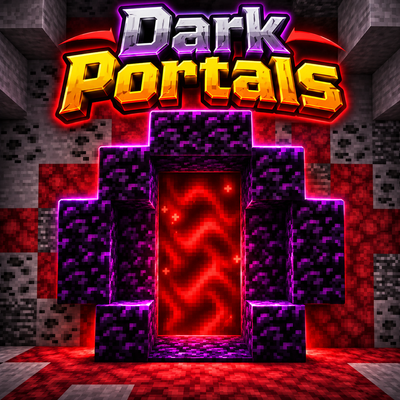
A practical and simple way to get from one place to another. This mod is for Adventure Maps, not for survival mode.
Quick answer
Dark Portals darkportals-1.0.0.jar targets 1.20.1 with Forge. The project page does not say whether this file belongs on the client, dedicated server, or both. All 1 required mods have matching files.
Where it goes
The project page does not say whether this file belongs on the client, dedicated server, or both.
The source does not explicitly classify this release as client-only or server-only.
darkportals-1.0.0.jar. Change the file and its required mods may change too.
Install WorldEdit first. We found matching files for this game-version and loader setup.
We only count dependency files that match this setup. A file for another loader does not fill the gap.
Before you install it
Built for Dark Portals darkportals-1.0.0.jar. Pick another file and the loader, install side or required mods may change.
Use darkportals-1.0.0.jar. It targets 1.20.1 with Forge; another release may have different loader, side or dependency requirements.
Install WorldEdit first. We found matching files for this game-version and loader setup.
The project page does not say whether this file belongs on the client, dedicated server, or both.
Use the “Get this file” button beside darkportals-1.0.0.jar. It opens that exact file at the source.
About this project
Install the mod on both the server and the clients.
Commands require OP (permission level 2).
//pos1 and //pos2. It must be 1 block thick. For example, 3 wide × 3 tall × 1 thick makes a wall portal, and 3 × 1 × 3 makes a floor or ceiling portal.//setportal1 castle. The selection becomes portal 1 of the pair named “castle”.//setportal2 castle.Names are optional. //setportal1 with no name creates a numbered pair, and //setportal2 with no name links to the last pair waiting for its second portal.
| Command | What it does |
|---|---|
//setportal1 [pair] |
Creates portal 1 from your selection |
//setportal2 [pair] |
Creates portal 2 from your selection |
//delportal [pair] |
Deletes a pair. With no name, it deletes the pair of the portal you are standing in or looking at |
//listportals |
Lists all pairs |
Running //setportal1 castle again replaces the old portal 1 of that pair.
Portals placed by hand never change your size.
Right-click any portal with the wand to open the menu:
//delportal to remove them.Project description from CurseForge.
Pick your setup
Choose the version and loader you play, then open the matching release.
Check the dependencies, then try the file in a copied instance before changing a world you care about.
Recent files
18 Nov 2026
Looking for an older file? The official CurseForge project page is in Resources.
 mod
Mod adds the integration of Ice and Fire with Farmer's Delight
 mod
A lightweight Lucky Block add-on for TACZ (Timeless and Classics Zero). Break the block to get a random gun from 70+ default TACZ firearms, along with its perfectly matched ammo. Ready to fire, no mismatches!
 mod
This mod lets you edit custom set effects through a visual GUI with intuitive operations.