Minecraft version
Back to mods 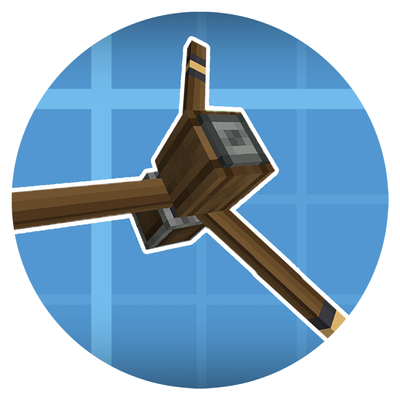
CurseForge · Minecraft mod
Create: Integrated Propellers
Add some different function propeller for create aeronautics.
Choose a version Pick your version below, then grab the matching file.
Quick answer
Which Create: Integrated Propellers release should I use?
Latest stable file aero_propeller_addon-1.21.1-1.0.0.jar
Game version 1.21.1
Loader NeoForge
Create: Integrated Propellers aero_propeller_addon-1.21.1-1.0.0.jar targets 1.21.1 with NeoForge. The project page does not say whether this file belongs on the client, dedicated server, or both. No extra mods listed for this file.
Where it goes
Is Create: Integrated Propellers required on the client, server, or both?
The project page does not say whether this file belongs on the client, dedicated server, or both.
Client Source doesn’t say
Dedicated server Source doesn’t say
Loader for this release NeoForge
Required install it here Optional supported, not mandatory Not supported do not install here Source doesn’t say do not assume
The source does not explicitly classify this release as client-only or server-only.
What else does Create: Integrated Propellers aero_propeller_addon-1.21.1-1.0.0.jar need?
aero_propeller_addon-1.21.1-1.0.0.jar. Change the file and its required mods may change too.
This file does not list any required mods. Do not add a library just because a different file uses it.
This file does not list any required or optional mods.
Before you install it
Add Create: Integrated Propellers without breaking your instance.
Built for Create: Integrated Propellers aero_propeller_addon-1.21.1-1.0.0.jar. Pick another file and the loader, install side or required mods may change.
- 01
Stick to this file
Use aero_propeller_addon-1.21.1-1.0.0.jar. It targets 1.21.1 with NeoForge; another release may have different loader, side or dependency requirements.
- 02
Bring the mods it needs
This file does not list any required mods. Do not add a library just because a different file uses it.
- 03
Put it on the correct side
The project page does not say whether this file belongs on the client, dedicated server, or both.
- 04
Pick the file you checked
Use the “Get this file” button beside aero_propeller_addon-1.21.1-1.0.0.jar. It opens that exact file at the source.
About this project
What does Create: Integrated Propellers add?
Integrated Propellers
Add some different function propeller for create aeronautics.
A NeoForge 1.21.1 addon for Create: Aeronautics that adds integrated propeller bearings, eight separate propeller blade levels, and optional gyroscopic steering.
- Minecraft: 1.21.1
- NeoForge: 21.1.233
- Create: 6.0.10
- Create: Aeronautics: 1.3.2
- Sable: 2.0.6
Features
Propeller blades
Eight items, propeller_blade_1 through propeller_blade_8, with increasing length and stress impact.
- Level 1 is crafted from wooden slabs and andesite alloy.
- Levels 2–8 are crafted shapeless from two blades of the previous level.
- Blades are installed directly into either bearing; no separate contraption is assembled.
Integrated Ordinary Bearing
- 1×1×1 kinetic block.
- Holds up to 6 blades.
- Top slot selects thrust direction relative to rotation.
- Create wrench can rotate its facing.
Integrated Gyroscopic Bearing
A two-block structure:
integrated_gyroscopic_propeller_base— lower/kinetic block, owns blades, frequencies, modes and stress.integrated_gyroscopic_propeller_bearing— upper propeller block and its top-thrust value box.
Features:
- Holds up to 12 blades.
- Four gyroscope modes:
- Normal — follows local gravity/up with a clamped tilt cone.
- Stable — normal alignment plus lateral velocity compensation.
- Gyroscope — wireless redstone steering while anti-sway stays active.
- Manual Gyroscope — gravity alignment plus wireless steering without velocity compensation.
- Two Create-compatible frequency slots per base face. Frequencies can also be bound directly with Create Linked Controller or Simulated typewriter keys.
- Anti-sway damping and lateral speed compensation are configurable.
Ponder
The addon includes nine built-in Ponder scenes converted from the project's Ponderer scripts:
4 scenes for the integrated gyroscopic bearing.
5 scenes for the integrated ordinary bearing.
集成螺旋桨
为 Create: Aeronautics 添加一些具有不同功能的螺旋桨。一个用于 Create: Aeronautics 的 NeoForge 1.21.1 附属模组,添加了集成螺旋桨轴承、八个独立的螺旋桨叶片等级,以及可选的陀螺仪转向功能。
Minecraft:1.21.1
NeoForge:21.1.233
Create:6.0.10
Create: Aeronautics:1.3.2
Sable:2.0.6功能
螺旋桨叶片
共有八个物品,从 propeller_blade_1 到 propeller_blade_8,长度和应力影响依次递增。1 级由木台阶和安山合金合成。
2–8 级由两个上一等级的叶片无序合成。
叶片可直接安装到任一轴承中;无需组装单独的装置。集成普通轴承
1×1×1 动力方块。
最多可容纳 6 个叶片。
顶部槽位用于选择相对于旋转方向的推力方向。
可使用 Create 扳手旋转其朝向。集成陀螺仪轴承
一个由两个方块组成的结构:integrated_gyroscopic_propeller_base——下层/动力方块,负责叶片、频率、模式和应力。
integrated_gyroscopic_propeller_bearing——上层螺旋桨方块及其顶部推力值框。功能:
最多可容纳 12 个叶片。
四种陀螺仪模式:
普通——跟随局部重力/上方,并带有限制倾角锥。
稳定——正常对齐,并附加横向速度补偿。
陀螺仪——启用无线红石转向,同时防摆功能保持启用。
手动陀螺仪——重力对齐加无线转向,但不进行速度补偿。
每个底座面有两个 Create 兼容频率槽。频率也可直接通过 Create 链接控制器或 Simulated 打字机按键绑定。
防摆阻尼和横向速度补偿可配置。思索
该附属模组包含九个内置思索场景,均由项目的 Ponderer 脚本转换而来:4 个用于集成陀螺仪轴承的场景。
5 个用于集成普通轴承的场景。
Project description from CurseForge.
Pick your setup
Create: Integrated Propellers by Minecraft version and loader
Choose the version and loader you play, then open the matching release.
Check the dependencies, then try the file in a copied instance before changing a world you care about.
Recent files
Create: Integrated Propellers versions and loaders
aero_propeller_addon-1.21.1-1.0.0.jar
18 Nov 2026
Client Source doesn’t say Server Source doesn’t say Dependencies No extras listed Listed on Release listing
Check the 1.21.1 · NeoForge setup 1.21.1NeoForge release
Looking for an older file? The official CurseForge project page is in Resources.
 mod
CurseForge · Minecraft
Q Shop Addon Confluence Compat
Connect a QShop currency to the coin system in Confluence: Otherworld. QShop shops, commands, quests, and scripts can all use the same balance, while players carry that money as Confluence coins.
 mod
CurseForge · Minecraft
RH Utilities
Aesthetic and Useful Things for Random House
 mod
CurseForge · Minecraft
Brecher's Breeding - Cobblemon
Inspired by the popular Cobbreeding mod, Brecher's Breeding adds Pokemon breeding mechanics to the Cobblemon mod.