Minecraft version
Back to mods 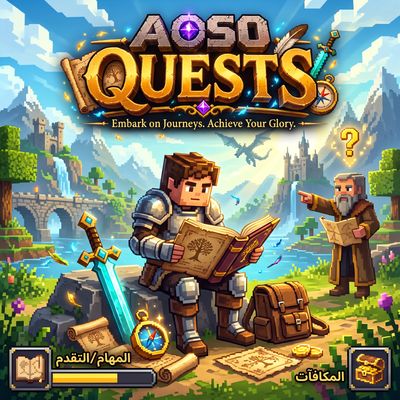
CurseForge · Minecraft mod
AOSO QUESTS
One quest book for every AOSO mod you have, made by itself: a great tree of quests to travel, from easy to legendary, with rewards.
Choose a version Pick your version below, then grab the matching file.
Quick answer
Which AOSO QUESTS release should I use?
Latest stable file aoso_quests-1.0 26.3
Game version 26.3
Loader NeoForge
AOSO QUESTS aoso_quests-1.0 26.3 targets 26.3 with NeoForge. The project page does not say whether this file belongs on the client, dedicated server, or both. No extra mods listed for this file.
Where it goes
Is AOSO QUESTS required on the client, server, or both?
The project page does not say whether this file belongs on the client, dedicated server, or both.
Client Source doesn’t say
Dedicated server Source doesn’t say
Loader for this release NeoForge
Required install it here Optional supported, not mandatory Not supported do not install here Source doesn’t say do not assume
The source does not explicitly classify this release as client-only or server-only.
What else does AOSO QUESTS aoso_quests-1.0 26.3 need?
aoso_quests-1.0 26.3. Change the file and its required mods may change too.
This file does not list any required mods. Do not add a library just because a different file uses it.
This file does not list any required or optional mods.
Before you install it
Add AOSO QUESTS without breaking your instance.
Built for AOSO QUESTS aoso_quests-1.0 26.3. Pick another file and the loader, install side or required mods may change.
- 01
Stick to this file
Use aoso_quests-1.0 26.3. It targets 26.3 with NeoForge; another release may have different loader, side or dependency requirements.
- 02
Bring the mods it needs
This file does not list any required mods. Do not add a library just because a different file uses it.
- 03
Put it on the correct side
The project page does not say whether this file belongs on the client, dedicated server, or both.
- 04
Pick the file you checked
Use the “Get this file” button beside aoso_quests-1.0 26.3. It opens that exact file at the source.
About this project
What does AOSO QUESTS add?
AOSO Quests
One book with every quest the AOSO mods you have can give, made by itself.
When the world starts, AOSO Quests looks at every AOSO mod that is installed and builds a quest book from what they really add: their creatures and bosses, their animals, their items and blocks, their structures, biomes and worlds, their advancements. Add another AOSO mod and its chapter appears in the book on its own. Remove one and its quests go away. Nothing to set up.
With the whole AOSO pack installed, the book holds more than 1300 quests in 37 chapters, one for each mod, and a Minecraft chapter with the game's own advancements.
The Tree of Quests
The book is one great tree that you travel freely, under a night sky. Its heart sits in the middle. Around it, every mod you have is a chapter. Out of each chapter grow its branches: Creatures, Things, Places and Deeds. Along each branch grow its quests, ring after ring, from the easiest near the heart to the legendary at the edge, each one growing from the one before it.
Moving around
Drag to move. Scroll to zoom in and out, toward the mouse.
Click a quest to read it on the page at the side: its tier, what it asks, how far you are, and its rewards, with a button to claim them.
Double-click anything to fly to it. H shows the whole tree. Tab flies to the next reward waiting for you.
The arrow keys or WASD move, and + and - zoom.
A small map of the whole tree sits in the corner. Click or drag on it to go anywhere.
The chapters stand in a column at the side. Click one to fly to it. A sparkle marks the chapters with rewards waiting.
Seeing everything
From far away, every quest is a dot of light: grey to do, coloured when under way, gold when done, glowing when its reward is waiting.
Closer, each quest shows its item, a ring of progress, a check when done, and its name.
The rings of the tree are coloured by tier: Easy, Normal, Hard, Heroic and Legendary.
Filters: All, To do, To claim and Done. What is filtered out fades instead of vanishing, so you never lose your place.
Search (Ctrl+F) lights up every quest that matches. Press Enter to fly to the next one.
Kinds of quests
Defeat creatures and bosses (more of the weaker ones, one of the great ones).
Find a creature: come close enough to see it in the world.
Tame animals, and breed them.
Obtain items, craft them, mine blocks.
Discover structures, visit biomes, enter other worlds.
Earn advancements, and reach numbers the game keeps, such as how far you have walked, flown or sailed.
Be under an effect, and have something that bears an enchantment.
Chapters for the newest mods
AOSO Titans: craft the Conch of the Deep and the Heart of the Volcano, call up Ghamrah the Hundred-Armed Serpent and wake Burkan the Giant of the Burning Mountains, slay them, and win the Serpent's Fang and the Molten Maul.
AOSO Graves: rise as a spirit, hold the Soul Compass, and bind a thing to your soul with Soul Bond.
Rewards
Every quest gives experience, and the harder ones emeralds or diamonds.
Claim one reward, a whole chapter at once from its page, or every waiting reward at once from the top of the book.
A toast and a line in chat tell you when a quest is done.
The book
Open it with the I key (it can be changed in Options, Controls), or use the book. Every player gets the book the first time they join, and it can also be crafted from a book and an emerald.
In Arabic, the book is laid out from right to left.
The book remembers where you were, what you had selected and your filter.
Good to know
Progress is checked by the server and saved with the world, so it works in multiplayer, and each player has their own progress.
Quests count what you did before installing the mod too (kills, crafts and mined blocks come from the game's own statistics).
Breeding quests are on NeoForge only.
Pack makers can add or change quests with data packs (data/aoso_quests/rules).
Commands (operators only)
/aosoquests count: how many quests in each chapter.
/aosoquests complete <quest or chapter>: marks quests done.
/aosoquests reset [player]: starts a player's book over.
Settings
In config/aoso_quests.json: whether every player gets the book on first join, and whether finished quests are told in chat.
Languages: English and Arabic.
Needs no other mod. Works alone: without other AOSO mods the book has the Minecraft chapter, and it grows a chapter for each AOSO mod you add.
Versions: NeoForge 26.3, NeoForge 1.21.1 and Weaver 26.3. Install it on the server and on every player's game.
Project description from CurseForge.
Pick your setup
AOSO QUESTS by Minecraft version and loader
Choose the version and loader you play, then open the matching release.
Check the dependencies, then try the file in a copied instance before changing a world you care about.
Recent files
AOSO QUESTS versions and loaders
aoso_quests-1.0 26.3
aoso_quests-1.3.0-26.3.jar
19 Nov 2026
Client Source doesn’t say Server Source doesn’t say Dependencies No extras listed Listed on Release listing
Check the 26.3 · NeoForge setup NeoForge26.3 release
Looking for an older file? The official CurseForge project page is in Resources.
 mod
CurseForge + Modrinth · Minecraft
Asgard Shield: Reloaded
A Minecraft mod that adds giant swords and shields to the game. A re-make of the original Asgard Shield, made popular by the 1.5 modpack Hexxit.
 mod
CurseForge + Modrinth · Minecraft
Dungeon Train: A Lore-Rich Roguelite RPG Adventure
Adventure time inspired dungeon crawler on a train. Procedurally generated carriages on a infinite sable physics train. Rich narrative, with custom made mods for a completely unique experience.
 mod
CurseForge + Modrinth · Minecraft
Particle Rain
replaces the default weather with particle effects