Curios API Optional for Ryu's Atlas Map ryus-atlas-map-forge-1.20.1-0.12.1
optionalMatching file found Matched file: curios-forge-5.14.1+1.20.1.jar
CurseForge · Minecraft mod
An RPG atlas book with minimap, full map, markers, upgrades, radar and Explorer's Table to copy and share exploration. Requires Curios.
Quick answer
Ryu's Atlas Map ryus-atlas-map-forge-1.20.1-0.12.1 targets 1.20.1 with Forge. The project page does not say whether this file belongs on the client, dedicated server, or both. No extra mods listed for this file.
Where it goes
The project page does not say whether this file belongs on the client, dedicated server, or both.
The source does not explicitly classify this release as client-only or server-only.
ryus-atlas-map-forge-1.20.1-0.12.1. Change the file and its required mods may change too.
This file does not list any required mods. Do not add a library just because a different file uses it.
We only count dependency files that match this setup. A file for another loader does not fill the gap.
Before you install it
Built for Ryu's Atlas Map ryus-atlas-map-forge-1.20.1-0.12.1. Pick another file and the loader, install side or required mods may change.
Use ryus-atlas-map-forge-1.20.1-0.12.1. It targets 1.20.1 with Forge; another release may have different loader, side or dependency requirements.
This file does not list any required mods. Do not add a library just because a different file uses it.
The project page does not say whether this file belongs on the client, dedicated server, or both.
Use the “Get this file” button beside ryus-atlas-map-forge-1.20.1-0.12.1. It opens that exact file at the source.
About this project
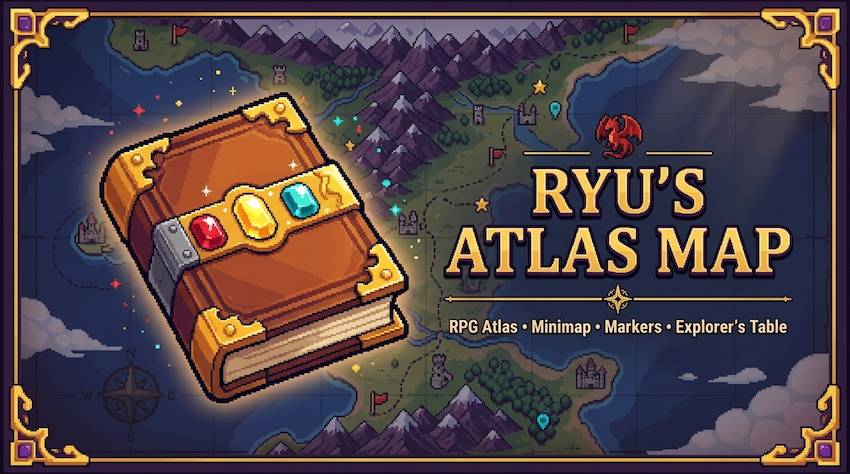
An RPG atlas book with a minimap, a full-screen map, markers, upgrades and map sharing. Explore, record, trade and never lose your way.
⚙️ Forge 1.20.1 · 🧩 Curios API optional · 🌐 Works on singleplayer and servers (install on both sides)
A physical Atlas item, not a menu. What you explore is recorded in the book. Lose it and you lose the map; copy it, trade it or merge it with a friend's. Add upgrades to unlock the compass, clock, death tracking and entity radar. Built with performance in mind: it only scans within a time budget per tick.
activation: HELD, HELD_OR_EQUIPPED (default) or INVENTORY.timeBudgetMicros), not by chunk count. Manual survey mode available.recovery.memory, recovery.soulbound, recovery.glint.)New block. Recipe: planks ×3 (top), map + lodestone + map (middle), smooth stone ×3 (bottom). Slots: Source → Target → Result.
| Source | Target | Result |
|---|---|---|
| 🗺️ Map with destinations or banners | 📘 Atlas | Adds them as markers (the map is consumed). Banners become flag markers with the banner's color and name. |
| 🗺️ Map with destination | 🧭 Compass | Links the compass to that point (the map is kept). |
| 🧭 Linked compass | 📘 Atlas | Copies the lodestone point as a marker. The compass is not consumed and the marker stays even if you unlink the compass. |
| 📘 Atlas (source) | 📘 Atlas (target) | The target receives the source's explored area (only fills empty pixels, never overwrites). The source is unchanged. |
| — | 📘 Atlas / 🧭 Compass | Rename (type a name in the box). |
[Atlas] [Slime Ball] [Blank Atlas] in a row. The original is kept; the copy receives the explored data and keeps the blank's upgrades. You choose to keep or discard the original's markers.cheapLodestone).In-game: Mods → Ryu's Atlas Map → Config, or the Settings button on the full map (changes apply immediately). Pages: HUD · Look · Frames · Map · Radar.
| File | What it controls |
|---|---|
ryus_atlas-client.toml |
HUD toggles (minimap, markers, biome, coordinates, time, day/phase, facing, notices, 24h clock, latest death), minimap size/zoom/shape/opacity/rotation, theme/style/colors/pointer/marker size, frames, cardinal colors, clouds, sounds, cave mode and solid-rock level, exploration mode (auto/manual), data mode (ATLAS or WORLD), scan radius, time budget, bearing bar (position, size, opacity, XP mode), lodestone guide (general, on map, on minimap, color), radar (radius, entity types, names, hover), teammate arrows, optional share-exploration button. |
ryus_atlas-server.toml (a default copy is written to defaultconfigs/ on first launch, so you can edit it before creating a world or server) |
atlas.activation, recovery.memory (Soul Link), recovery.soulbound, recovery.glint, death marker mode, teammate sync and its interval. |
ryus_atlas-common.toml |
mapMode (ATLAS / FREE_MAP), the free-map upgrades, and the cheapLodestoneRecipe toggle. Edit before creating the world. |
⌨️ Keys (Controls → Ryu's Atlas Map): Open map <kbd>M</kbd> · Add marker here <kbd>B</kbd> · Toggle atlas HUD · Toggle manual survey (both unbound by default).
Don't want the atlas gameplay? Set [mode] mapMode = "FREE_MAP" in config/ryus_atlas-common.toml (or use the Map mode button in the in-game settings, singleplayer): the minimap and full map are always on with all their features, no item to carry, craft or equip. Atlas recipes and creative items are removed and the Curios slot is not created, so the mod works without Curios. Choose which upgrades count as installed with freeCompass, freeClock, freeRecovery and freeRadar. The default is ATLAS, exactly the behavior described above. On servers, the server's config decides and clients receive the mode when they join.
The Performance button (Settings → Map) switches between Normal (default, nothing changes) and Performance: smaller scan radius and time budget, no clouds, clean style, no caves, lighter minimap, no teammate arrows. Switching back to Normal restores the defaults.
.minecraft/ryus_atlas/<world>/atlas_<id>/) with the atlas id, so what's recorded travels with the book.latest.log and the mod version.All Rights Reserved.
Made with 💛
Project description from CurseForge.
Pick your setup
Choose the version and loader you play, then open the matching release.
Check the dependencies, then try the file in a copied instance before changing a world you care about.
Recent files
ryus-atlas-map-forge-1.20.1-0.12.1.jar
20 Nov 2026
ryus-atlas-map-forge-1.20.1-0.11.1.jar
19 Nov 2026
Looking for an older file? The official CurseForge project page is in Resources.
 mod
A Hodgepodge of Fixes
 mod
Addon for Immersive Engineering making various tweaks, fixes and additions. Made for the Compression modpack.
 mod
Sorts the FTB Quests book into seven tiers from very easy to impossible, with three daily missions per player.