Minecraft version
Back to mods 
CurseForge · Minecraft mod
PlusZoom
Zoom + adds a smooth, fully adjustable zoom to Minecraft. Hold a key to zoom in, scroll to fine-tune the level, and enjoy a clean, lightweight experience.
Choose a version Pick your version below, then grab the matching file.
Quick answer
Which PlusZoom release matches 26.3 NeoForge?
Best match for your filters Zoom + 26.3
Game version 26.3
Loader Fabric, NeoForge
PlusZoom Zoom + 26.3 targets 26.3 with Fabric, NeoForge. The project page does not say whether this file belongs on the client, dedicated server, or both. No extra mods listed for this file.
Where it goes
Is PlusZoom required on the client, server, or both?
The project page does not say whether this file belongs on the client, dedicated server, or both.
Client Source doesn’t say
Dedicated server Source doesn’t say
Loader for this release Fabric, NeoForge
Required install it here Optional supported, not mandatory Not supported do not install here Source doesn’t say do not assume
The source does not explicitly classify this release as client-only or server-only.
What else does PlusZoom Zoom + 26.3 need?
Zoom + 26.3 on 26.3 NeoForge. Every mod below is checked against that same setup.
This file does not list any required mods. Do not add a library just because a different file uses it.
This file does not list any required or optional mods.
Before you install it
Add PlusZoom without breaking your instance.
Built for PlusZoom Zoom + 26.3 on 26.3 NeoForge. Pick another file and the loader, install side or required mods may change.
- 01
Stick to this file
Use Zoom + 26.3. It targets 26.3 with Fabric, NeoForge; another release may have different loader, side or dependency requirements.
- 02
Bring the mods it needs
This file does not list any required mods. Do not add a library just because a different file uses it.
- 03
Put it on the correct side
The project page does not say whether this file belongs on the client, dedicated server, or both.
- 04
Pick the file you checked
Use the “Get this file” button beside Zoom + 26.3. It opens that exact file at the source.
About this project
What does PlusZoom add?
PlusZoom
PlusZoom adds a smooth, lightweight and fully customizable zoom to Minecraft. Hold a key, look closer, and let go to return to normal. No clutter, no lag.
Features
- 🔍 Smooth zoom with fluid in and out transitions
- 🖱️ Scroll wheel control to adjust the zoom level on the fly
- ⌨️ Configurable keybind (default:
C), set in Minecraft's controls menu - 🎯 Perfect for scouting terrain, spotting mobs, building details and screenshots
- ⚡ Lightweight and built to stay out of your way
How to use
- Hold the zoom key (default
C) to zoom in. - Scroll up or down while zooming to change the zoom level.
- Release the key to return to your normal view.
You can change the key in Options → Controls → Key Binds.
Compatibility
- Minecraft versions: see the Versions tab
- Loaders: Fabric / Quilt (edit to match your files)
- Side: client-side only, so it is not needed on the server
- Works alongside most other mods
Installation
- Install your mod loader.
- Download the Zoom +
.jarfile. - Drop it into your
modsfolder. - Launch the game and enjoy!
Feedback and bugs
Found a bug or have an idea? Open an issue on the issue tracker or leave a comment on the page.
Project description from CurseForge.
Pick your setup
PlusZoom by Minecraft version and loader
Choose the version and loader you play, then open the matching release.
Minecraft version
26.2
2 loader buildsMinecraft version
26.1.2
2 loader buildsMinecraft version
1.21.11
1 loader buildMinecraft version
1.21.10
1 loader buildMinecraft version
1.21.9
1 loader buildMinecraft version
1.21.8
1 loader buildMinecraft version
1.21.7
1 loader buildMinecraft version
1.21.6
1 loader buildCheck the dependencies, then try the file in a copied instance before changing a world you care about.
Recent files
PlusZoom versions and loaders
Zoom + 26.3
Zoom-26.3.jar
19 Nov 2026
Client Source doesn’t say Server Source doesn’t say Dependencies No extras listed Listed on Release listing
Check the 26.3 · NeoForge setup FabricNeoForge26.3 release
Looking for an older file? The official CurseForge project page is in Resources.
 mod
Modrinth · Minecraft
AntOS Computer | Quests + Guidebook
An immersive and fully functioning computer that provides an anternative to the stale and overused quest book and guide book
 mod
CurseForge · Minecraft
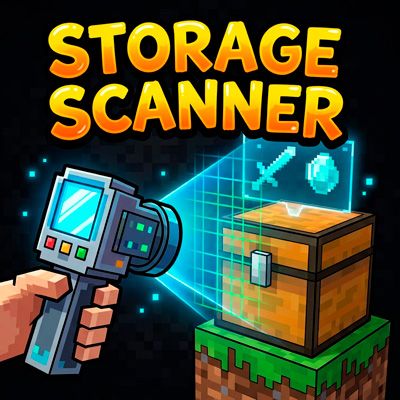
Storage Scanner
Scan nearby chests and barrels and view their contents in screen
 mod
CurseForge · Minecraft
Chiseleded OG - Chisel & 2000+ Decorative Blocks
Chisel any block into new styles: 2,264 decorative building blocks from stone, concrete, wood, metal and glass, with stairs, slabs, walls and panes. Three chisels, endless builds.