Minecraft version
Back to mods 
CurseForge · Minecraft mod
Beneficiate
mall gameplay tweaks: chickens shed feathers, saplings plant themselves, mobs drop their gear, and squid and bat spawns are adjustable. Server-side.
Choose a version Pick your version below, then grab the matching file.
Quick answer
Which Beneficiate release should I use?
Latest stable file Beneficiate 1.0.0 (1.20-1.20.1)
Game version 1.20.1, 1.20
Loader Fabric, Forge
Beneficiate 1.0.0 (1.20-1.20.1) targets 1.20.1, 1.20 with Fabric, Forge. The project page does not say whether this file belongs on the client, dedicated server, or both. No extra mods listed for this file.
Where it goes
Is Beneficiate required on the client, server, or both?
The project page does not say whether this file belongs on the client, dedicated server, or both.
Client Source doesn’t say
Dedicated server Source doesn’t say
Loader for this release Fabric, Forge
Required install it here Optional supported, not mandatory Not supported do not install here Source doesn’t say do not assume
The source does not explicitly classify this release as client-only or server-only.
What else does Beneficiate 1.0.0 (1.20-1.20.1) need?
Beneficiate 1.0.0 (1.20-1.20.1). Change the file and its required mods may change too.
This file does not list any required mods. Do not add a library just because a different file uses it.
This file does not list any required or optional mods.
Before you install it
Add Beneficiate without breaking your instance.
Built for Beneficiate 1.0.0 (1.20-1.20.1). Pick another file and the loader, install side or required mods may change.
- 01
Stick to this file
Use Beneficiate 1.0.0 (1.20-1.20.1). It targets 1.20.1, 1.20 with Fabric, Forge; another release may have different loader, side or dependency requirements.
- 02
Bring the mods it needs
This file does not list any required mods. Do not add a library just because a different file uses it.
- 03
Put it on the correct side
The project page does not say whether this file belongs on the client, dedicated server, or both.
- 04
Pick the file you checked
Use the “Get this file” button beside Beneficiate 1.0.0 (1.20-1.20.1). It opens that exact file at the source.
About this project
What does Beneficiate add?




Beneficiate
Small tweaks that make survival a little kinder.
Chickens shed feathers as they wander, dropped saplings plant themselves instead of vanishing, and mobs drop the armor and weapons they were carrying when you kill them. Bats and squid can be thinned out or turned off. Each tweak can be switched off or tuned on its own.
Beneficiate is the successor to Scott's Tweaks.
What you will see
- Feathers from live chickens. Grown chickens drop a feather every 10 to 20 minutes, so you can make arrows without killing your flock.
- Self-planting. A sapling, azalea, mangrove propagule, mushroom, or nether fungus left on the ground plants itself when it would despawn, if the spot can hold it. Saplings keep two blocks apart, so leaf decay doesn't carpet the forest floor, and never plant into a 2x2 that would grow a giant tree.
- Mobs drop their gear. Kill a zombie in armor and you get the armor, enchantments and all, just as a player would drop theirs. Villagers drop the food they carry. Items with the Curse of Vanishing still vanish, and by default mob farms stay tidy.
- Fewer bats and squid, if you want. Set how many bats, squid, and glow squid spawn naturally, from none to vanilla. By default nothing changes.
Installation
Beneficiate needs Stope, a small library mod. The CurseForge app installs it for you.
- Fabric, Minecraft 1.20 or 1.20.1: Beneficiate, Stope's Fabric file (2.6.0 or newer), and Fabric API.
- Forge, Minecraft 1.20 or 1.20.1: the same Beneficiate file and Stope's Forge file (2.6.0 or newer). No Sinytra Connector needed. Forge 46.0.14 runs 1.20; Forge 47 runs 1.20.1.
Install it on the server. Players can join without it; install it on your own client too for single player and the settings screen.
Common questions
Does everyone on my server need it? No. Players join without Beneficiate or Stope, and every tweak works for them.
Will my old mob farm fill up with armor? Not unless you finish the mobs off yourself. By default, mobs drop their gear only when a player or a tamed wolf hit them in their last few seconds. Lava, falls, and other farm deaths drop what vanilla drops.
Does it change what I drop when I die? No. Player deaths, keepInventory, and gravestone mods work as they do without Beneficiate.
Settings
Every tweak has its own switch and numbers in config/beneficiate/beneficiate.json, or in the in-game settings screen (Mod Menu on Fabric, the Mods screen on Forge): the feather interval, which plants plant themselves and how far apart, the bat and squid spawn percentages, and whether any death makes mobs drop their gear.
Modpacks
You're welcome to include Beneficiate in your modpack. No need to ask, as long as:
- the pack is distributed on Modrinth or CurseForge, and references this project page rather than bundling the jar wherever the platform allows;
- the jar is unmodified;
- the pack's page credits Beneficiate and links here; and
- the pack is free.
For anything outside these terms, such as a paid pack, another platform, or a modified jar, message me through my CurseForge profile.
Servers, videos, streams, and reviews are fine too, including monetized ones.
License and credits
Copyright (c) 2026 Scott Killen. All rights reserved.
The icon is "Sprout" by Lorc, from game-icons.net, licensed under CC BY 3.0. Modified.
Community
- Online: the overview and changelog on the KillenCraft site.
- Questions: the KillenCraft Discord.
- Feature requests: request a feature and pick the feature request form.
- Bug reports: report a bug on GitHub and pick the Beneficiate form. It asks for your Minecraft version, loader, the versions of this mod and Stope, and a link to your log (
logs/latest.log, uploaded to mclo.gs). One issue per bug.
Project description from CurseForge.
Pick your setup
Beneficiate by Minecraft version and loader
Choose the version and loader you play, then open the matching release.
Minecraft version
1.20
2 loader buildsCheck the dependencies, then try the file in a copied instance before changing a world you care about.
Recent files
Beneficiate versions and loaders
Beneficiate 1.0.0 (1.20-1.20.1)
beneficiate-1.0.0-1.20-1.20.1.jar
19 Nov 2026
Client Source doesn’t say Server Source doesn’t say Dependencies No extras listed Listed on Release listing
Check the 1.20.1 · Fabric setup Fabric1.20.1Forge1.20 release
Looking for an older file? The official CurseForge project page is in Resources.
 mod
CurseForge + Modrinth · Minecraft
Ice and Fire Delight
Mod adds the integration of Ice and Fire with Farmer's Delight
 mod
CurseForge · Minecraft
ApollyonCat
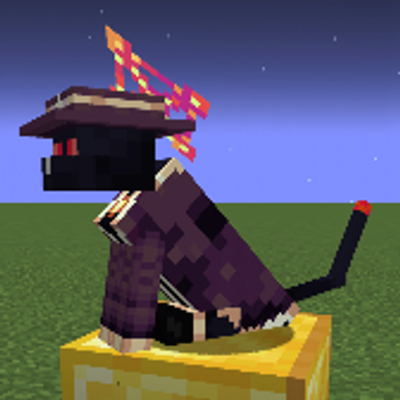
Added a powerful cat-form boss to the game based on Goety.
 mod
CurseForge + Modrinth · Minecraft
[VSE]Visual Set Edit
This mod lets you edit custom set effects through a visual GUI with intuitive operations.