GeckoLib Needed by Ether Manipulator ether-manipulator-1.0.1.jar
requiredMatching file found Matched file: NeoForge 1.21.1 4.9.3
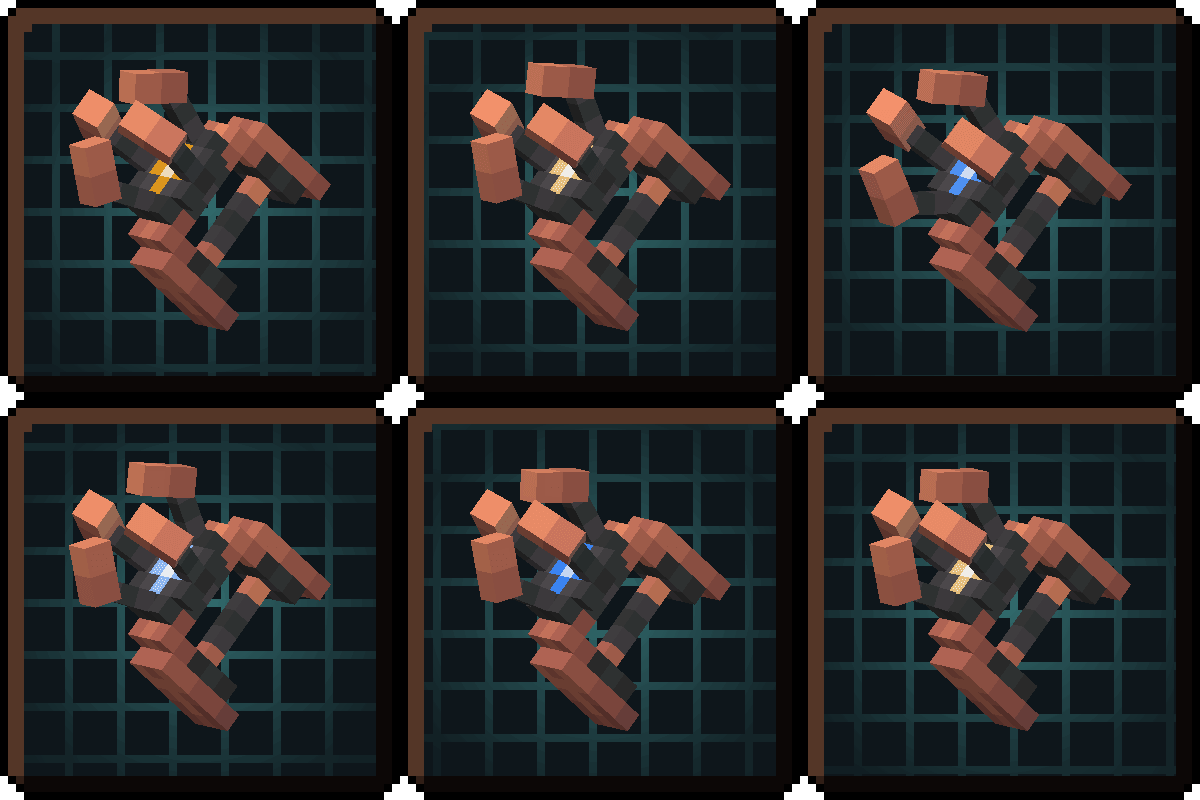
CurseForge · Minecraft mod
Omnitool with a progression system. Use it, it bends the world to your will!
Quick answer
Ether Manipulator ether-manipulator-1.0.1.jar targets 1.21.1 with NeoForge. The project page does not say whether this file belongs on the client, dedicated server, or both. All 1 required mods have matching files.
Where it goes
The project page does not say whether this file belongs on the client, dedicated server, or both.
The source does not explicitly classify this release as client-only or server-only.
ether-manipulator-1.0.1.jar. Change the file and its required mods may change too.
Install GeckoLib first. We found matching files for this game-version and loader setup.
We only count dependency files that match this setup. A file for another loader does not fill the gap.
Before you install it
Built for Ether Manipulator ether-manipulator-1.0.1.jar. Pick another file and the loader, install side or required mods may change.
Use ether-manipulator-1.0.1.jar. It targets 1.21.1 with NeoForge; another release may have different loader, side or dependency requirements.
Install GeckoLib first. We found matching files for this game-version and loader setup.
The project page does not say whether this file belongs on the client, dedicated server, or both.
Use the “Get this file” button beside ether-manipulator-1.0.1.jar. It opens that exact file at the source.
About this project
Ever felt like your hotbar was crowded by tools? Annoyed that you always had to do inventory management or come back to base for a very specific tool?
Fret not! My latest invention, the Ether Manipulator, takes no space in your inventory and answer ALL your needs!
Disclaimer: Upgrades and Gemstones acquired separately.
FEATURES
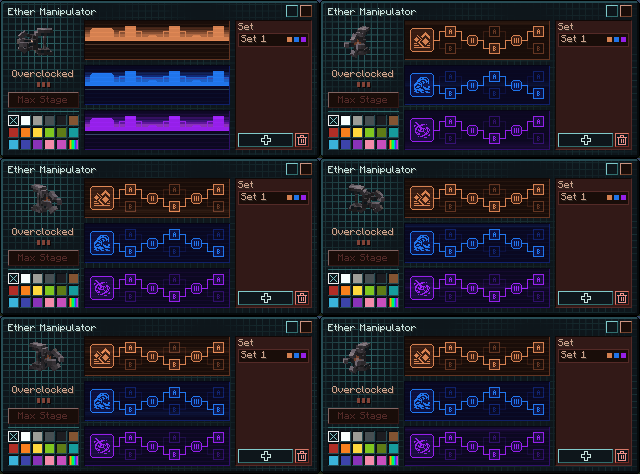
By default, whenever you load into a world you will be granted the Ether Manipulator. You can take it in hand by pressing R, and open its menu with K. It has its own slot and thus, will never take hotbar space. It has no durability and won't be lost on death.
By default, it's only at Prototype stage (Copper/Stone equivalent), and has only access to 2 modes: the left click is the Beam, serving as a melee weapon and a way to mine blocks (Plasmic), and right click which charges energy balls (Kinetic).
Once you will unlock more modes, you will be able to equip them and swap them by using the left ALT key (tap/hold).
UPGRADES
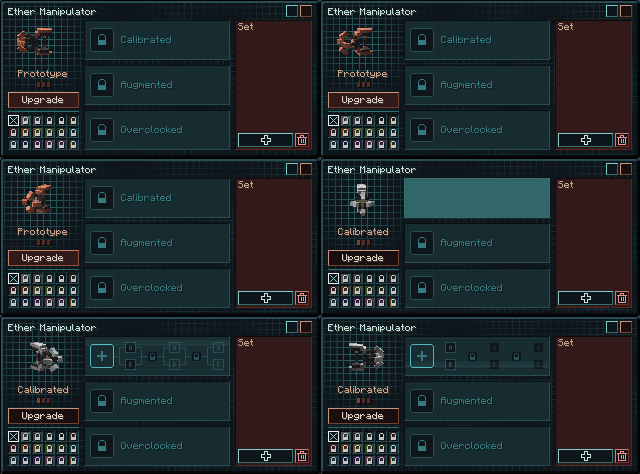
In the Ether Manipulator window (K), you can upgrade it using the relevant items. Upgrading it leads to increased Power (like going from a Stone to an Iron pickaxe) that matches Stone/Iron/Diamond/Netherite progression. Each subsequent upgrade adds a slot for a Module and a tier for Traits.
Upgrade recipes:

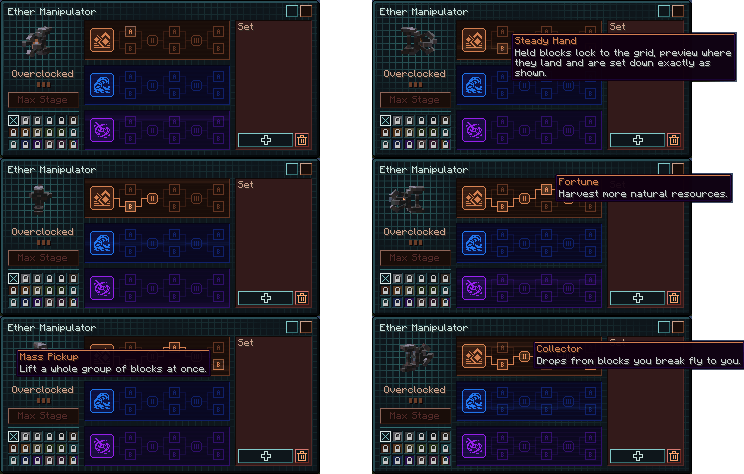
An equipped Module grants access to a Mode (or Empowers it in the case of Plasmic/Kinetic) and a passive effect. Further along the tree, you got 3 choices (1 per Tier) and 2 commons, unlocked with Augmented (Diamond) and Overclocked (Netherite) tiers. Each choice ask you a question, and the commons further improve the possibilities of the Module.
ELEMENTAL GEMSTONES
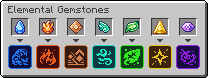
In specific vanilla structures around the Overworld (and beyond), you will find 7 Elemental Gemstones. Each one serves to unlock its respective Module. Discovering where they are is part of the fun, but I will let you on a little secret: a buried treasure is guaranteed to have one of them at random. But shhh, I only told you.
MODULES
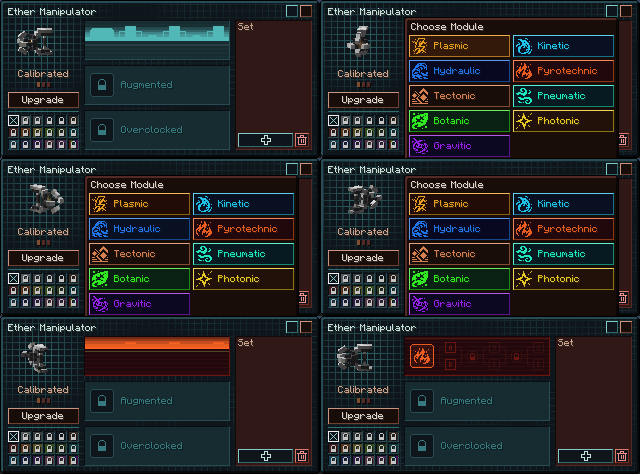
You can equip up to 3 Modules at once in the Ether Manipulator window (K), as long as you have upgraded it and unlocked the Modules. With what modules you pick and the choices you do, you can have widely different loadouts for the situation at hand!
 Increase your Melee Combat abilities.
 Increase your Ranged Projectile abilities.
 Control Water and Ice, ease your traversal in bodies of water.
 Control Lava and Fire, scorch the battlefield.
 Control the Earth and its spoils, make it your weapon or use it to help you build.
 Move through the Air, slam your foes into the ground.
 Tend the fields, Mother Nature will pay it back.
 Illuminate your surroundings, disturb dark crawlers or support your allies.
 What is up is down, use a hookshot to play around the world.
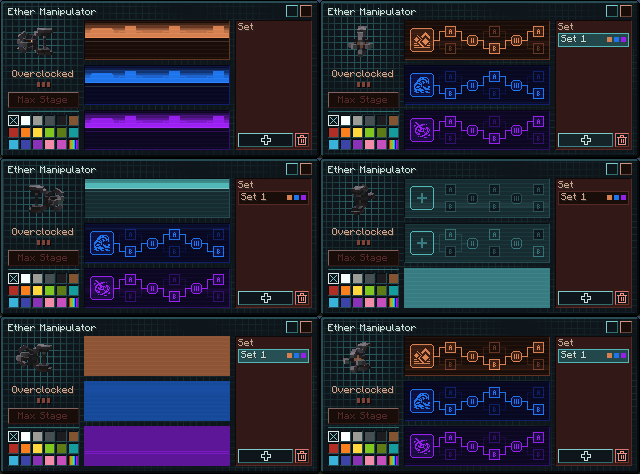
Once you get deep enough, you might want to use different sets for different occasions. You can save them at the press of a button and swap to them in the K window. (You cannot change your build during combat)
DYE
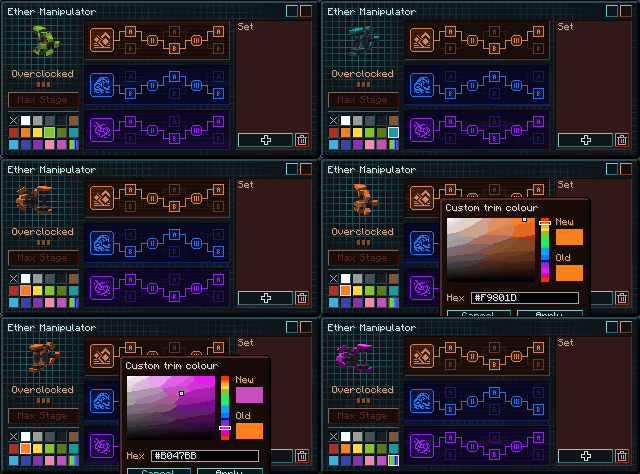
Want to make it truly yours? Collect the game’s many dyes. Not enough? Unlock them all to get a colour picker!
CONFIG
Client: Sound and visuals.
Server: Some value tunings, PvP rules, claim protection, a block blacklist, gem chances, base unlocks, new ways to unlock the Modules, individual Module disables
A.I. USAGE DISCLOSURE
I know this will come with a disappointment to some: yes, this project is vibecoded. The game design, pixel art, model, UI architecture and artstyle, and this page were done by my hand. But everything touching code, animation and sound tuning, and localization has been done with A.I.
I am only one human, and this is a free time project I've wanted to get out for quite some time. I do not have the resources to pull it off the traditional way on my own. Given the chance to do it with people who know those crafts and an opportunity with time, I'd take it.
My own take on the debate boils down to this: “A.I. Art” is too narrow a name for what we're talking about. To me, it's about Craft. Painting is an art but also a craft, making bread is a craft, programming is a craft: skills harnessed by trial and error, shaped by our own contextual experience. Machines have already supplanted much of the bread we consume, and I think A.I. does something similar across crafts. You get something that broadly resembles what you wanted, but the care and judgment of a craftsman aren't guaranteed by the machinery. Steering it doesn't give me those skills.
Despite the testing, compatibility and stability issues might remain. I might have done the UI visually, but I am pretty sure a programmer would have done a far better job behind the curtain.
I wanted to be transparent so you can decide whether you’re comfortable with that. I’m glad this project exists, and I hope to do better as my circumstances allow. It’s fine if we disagree. Time is precious, and the world remains beautiful, have a good day and thank you for reading.
CREDIT- "Manipulator" on the Title: Mr Dafoe by Sideshow (SIL Open Font License)
DEPENDENCY- GeckoLib 4.8+ Required
FAQ-
Can I use that mod in a modpack? Yes, I would even be glad if it's of use!
Suggestions? They go in the comments for now, as I'm setting stuff up
Project description from CurseForge.
Pick your setup
Choose the version and loader you play, then open the matching release.
Check the dependencies, then try the file in a copied instance before changing a world you care about.
Recent files
20 Nov 2026
20 Nov 2026
Looking for an older file? The official CurseForge project page is in Resources.
 mod
A Create addon that adds compact diesel generators (engines), simple industrial features and crude oil refinery
 mod
Visual in-game editor for modpacks: recipes, items, mobs, loot tables, tags, trades and world generation. Writes datapack files and KubeJS scripts. No coding needed.
 mod
Runtime for Shovel JS: applies everything made in the editor. Keep it in your modpack.