Minecraft version
Back to mods 
CurseForge · Minecraft mod
ProjectE No Limits
ProjectE but now you can store EMC without limits
Choose a version Pick your version below, then grab the matching file.
Quick answer
Which ProjectE No Limits release should I use?
Latest stable file projecte_no_limits-1.0.0.jar
Game version 1.12.2
Loader Forge
ProjectE No Limits projecte_no_limits-1.0.0.jar targets 1.12.2 with Forge. The project page does not say whether this file belongs on the client, dedicated server, or both. No extra mods listed for this file.
Where it goes
Is ProjectE No Limits required on the client, server, or both?
The project page does not say whether this file belongs on the client, dedicated server, or both.
Client Source doesn’t say
Dedicated server Source doesn’t say
Loader for this release Forge
Required install it here Optional supported, not mandatory Not supported do not install here Source doesn’t say do not assume
The source does not explicitly classify this release as client-only or server-only.
What else does ProjectE No Limits projecte_no_limits-1.0.0.jar need?
projecte_no_limits-1.0.0.jar. Change the file and its required mods may change too.
This file does not list any required mods. Do not add a library just because a different file uses it.
This file does not list any required or optional mods.
Before you install it
Add ProjectE No Limits without breaking your instance.
Built for ProjectE No Limits projecte_no_limits-1.0.0.jar. Pick another file and the loader, install side or required mods may change.
- 01
Stick to this file
Use projecte_no_limits-1.0.0.jar. It targets 1.12.2 with Forge; another release may have different loader, side or dependency requirements.
- 02
Bring the mods it needs
This file does not list any required mods. Do not add a library just because a different file uses it.
- 03
Put it on the correct side
The project page does not say whether this file belongs on the client, dedicated server, or both.
- 04
Pick the file you checked
Use the “Get this file” button beside projecte_no_limits-1.0.0.jar. It opens that exact file at the source.
About this project
What does ProjectE No Limits add?
ProjectE No Limits
This is an add-on for ProjectE (Minecraft 1.12.2). ProjectE stores a player’s EMC in a number that cannot go above 9,223,372,036,854,775,807 (about 9.22 quintillion). This mod removes that limit. ProjectEX is optional.
What it does
- Your EMC has no practical limit. Everything above the normal maximum is stored separately, saved with the player and synced to the client.
- The original EMC texts show the real total: the number in the Transmutation Tablet and Table, and, if ProjectEX is installed, its tables, EMC Links and the HUD. There are no extra GUI elements.
- Items can have an EMC value bigger than 9.22 quintillion (see below).
- With ProjectEX: Arcane, Stone and Alchemy tables, EMC Links and Power Flowers also work with the real EMC. The “how many can I take” number in the tables is now correct.
Items with huge EMC values: config/projecte_no_limits_big_items.json
ProjectE can only store item values up to 9.22 quintillion. Bigger values are stored in this file.
You can set a value with a command while holding the item:/projecte setEMC 100000000000000000000000000000
If the number fits into the normal limit, the usual ProjectE command is used. If it is bigger, the value goes to the file, and no reload is needed. You can also use /pnlemc itememc <number>, and /pnlemc itememc clear to remove the value.
You can also edit the file yourself (with the server stopped). It is a JSON object where each key is an item and each value is the EMC written as a string of digits:
{
  "minecraft:bedrock:0": "100000000000000000000000000000",
  "minecraft:end_portal_frame:0": "435000000000000000000000000000000"
}
The key format is modid:item:meta. A key without meta (modid:item) works for any meta. Values must be whole numbers above zero.
Such items can be burned and taken in the Transmutation Tablet and Table and in the ProjectEX tables, they appear in the Tome of Knowledge list, and the Link imports and exports them at the exact value. The values are sent to clients when they join.
Values in custom_emc.json still have to fit into the normal limit. Use this file for bigger ones. Values that ProjectE calculates from recipes are not changed: an item crafted from a huge-value item does not get a huge value automatically.
Commands (OP)
/pnlemc add <n>, /pnlemc remove <n>, /pnlemc set <n> change your own EMC. n can be of any size. The commands are silent, and the result is visible in the normal EMC displays.
Project description from CurseForge.
Pick your setup
ProjectE No Limits by Minecraft version and loader
Choose the version and loader you play, then open the matching release.
Check the dependencies, then try the file in a copied instance before changing a world you care about.
Recent files
ProjectE No Limits versions and loaders
projecte_no_limits-1.0.0.jar
20 Nov 2026
Client Source doesn’t say Server Source doesn’t say Dependencies No extras listed Listed on Release listing
Check the 1.12.2 · Forge setup Forge1.12.2 release
Looking for an older file? The official CurseForge project page is in Resources.
 mod
CurseForge + Modrinth · Minecraft
Asgard Shield: Reloaded
A Minecraft mod that adds giant swords and shields to the game. A re-make of the original Asgard Shield, made popular by the 1.5 modpack Hexxit.
 mod
CurseForge · Minecraft
Fyrd 'N Fealty - Minecolonies
War, taxes, factions and spies for MineColonies. Realms of players tax their colonies, fund wars, raid and spy on each other.
 mod
CurseForge · Minecraft
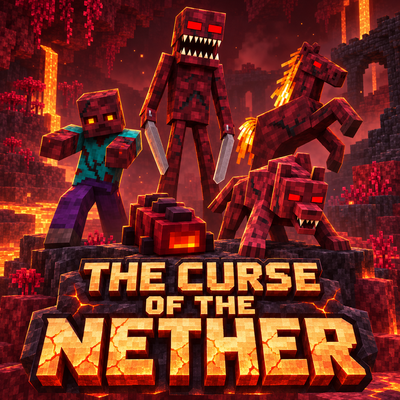
The Curse of the Nether
Survive a spreading Nether infection with five escalating phases, corrupted creatures, growing Hives, new weapons and armor, and a powerful Hive Mother to defeat.