Minecraft version
Back to mods 
CurseForge · Minecraft mod
Smartphone v1.0
A multiplayer smartphone for Minecraft Fabric with texts, voice and video calls, a camera with selfies, and an in-game banking app.
Choose a version Pick your version below, then grab the matching file.
Quick answer
Which Smartphone v1.0 release should I use?
Latest stable file smartphone-1.2.0.jar
Game version 1.21.1
Loader Fabric
Smartphone v1.0 smartphone-1.2.0.jar targets 1.21.1 with Fabric. The project page does not say whether this file belongs on the client, dedicated server, or both. No extra mods listed for this file.
Where it goes
Is Smartphone v1.0 required on the client, server, or both?
The project page does not say whether this file belongs on the client, dedicated server, or both.
Client Source doesn’t say
Dedicated server Source doesn’t say
Loader for this release Fabric
Required install it here Optional supported, not mandatory Not supported do not install here Source doesn’t say do not assume
The source does not explicitly classify this release as client-only or server-only.
What else does Smartphone v1.0 smartphone-1.2.0.jar need?
smartphone-1.2.0.jar. Change the file and its required mods may change too.
This file does not list any required mods. Do not add a library just because a different file uses it.
This file does not list any required or optional mods.
Before you install it
Add Smartphone v1.0 without breaking your instance.
Built for Smartphone v1.0 smartphone-1.2.0.jar. Pick another file and the loader, install side or required mods may change.
- 01
Stick to this file
Use smartphone-1.2.0.jar. It targets 1.21.1 with Fabric; another release may have different loader, side or dependency requirements.
- 02
Bring the mods it needs
This file does not list any required mods. Do not add a library just because a different file uses it.
- 03
Put it on the correct side
The project page does not say whether this file belongs on the client, dedicated server, or both.
- 04
Pick the file you checked
Use the “Get this file” button beside smartphone-1.2.0.jar. It opens that exact file at the source.
About this project
What does Smartphone v1.0 add?
📱 Smartphone — Text, Call & Explore
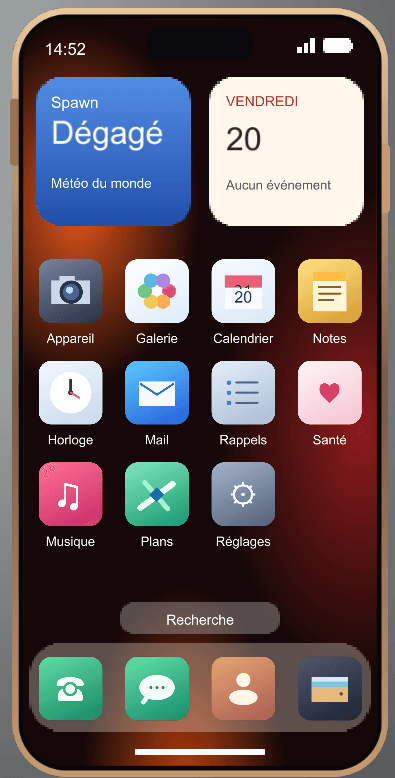
Give your Minecraft world a smartphone. Keep in touch with friends by using in-game phone numbers, take selfies during your adventures, and settle up after a trade with Quartz Bank. Smartphone is designed for multiplayer worlds, SMPs, and roleplay servers where a little everyday technology makes the world feel more alive.
💬 Messages & Contacts
Every player gets an in-game phone number. Save your friends in your contacts and start a conversation right from your phone. The Messages app shows a preview of each conversation, and you can send a text while your friend is offline. When a new message arrives while you’re playing, the phone can slide into view with a notification.
📞 Voice & Video Calls
Dial a number, call a saved contact, or call someone back from your recent calls. During a call, you can mute your microphone, adjust the speaker volume, or switch to video. Video calls share a live view from the in-game camera, so you can show a friend what you’re seeing in Minecraft. No separate voice chat mod is required.
📸 Camera, Selfies & Gallery
Open the viewfinder and keep moving while you frame your shot. Switch between the rear view and selfie mode to capture a build, a landscape, or a moment with friends. Photos save the portrait area shown in the viewfinder, without the Minecraft HUD. Open the Gallery app to browse your shots.
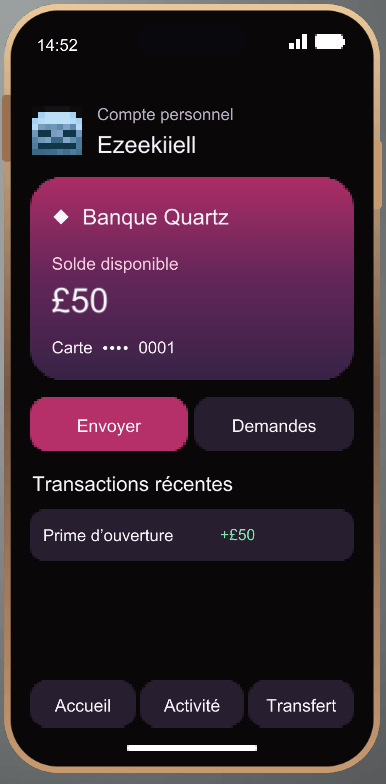
💳 Quartz Bank
Open a bank account to get a virtual card with a unique number and a £50 starting balance. Your account is tied to your player profile in that world, so you keep your card and balance if you replace your phone.
Send money, request a payment, or check your transaction history. The other player can accept or decline payment requests. Quartz Bank uses its own in-game currency, independent of emeralds and other Minecraft items.
🔒 Make It Your Phone
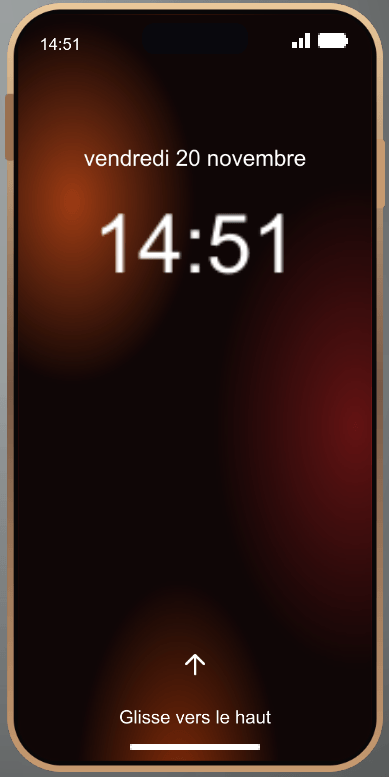
Swipe up to unlock your phone and set an optional four-digit PIN in Settings. You can also take notes, add calendar events, set reminders, check your player stats, and save coordinates for places you want to revisit.
🛠️ Installation & Getting Started
- Minecraft version: 1.21.1
- Mod loader: Fabric
- Required dependency: Fabric API
- Multiplayer: Install the same version of Smartphone on the server and on each player’s client.
Find the Smartphone in the Creative inventory under Tools & Utilities, or use /give @s smartphone:phone if you have command permissions. Hold the phone, right-click, and swipe up to get started.
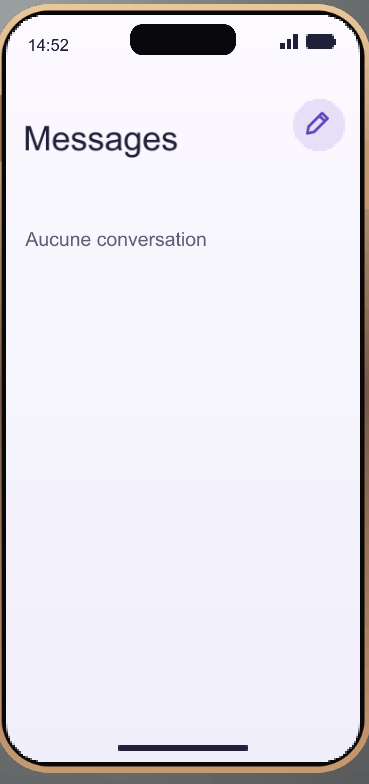
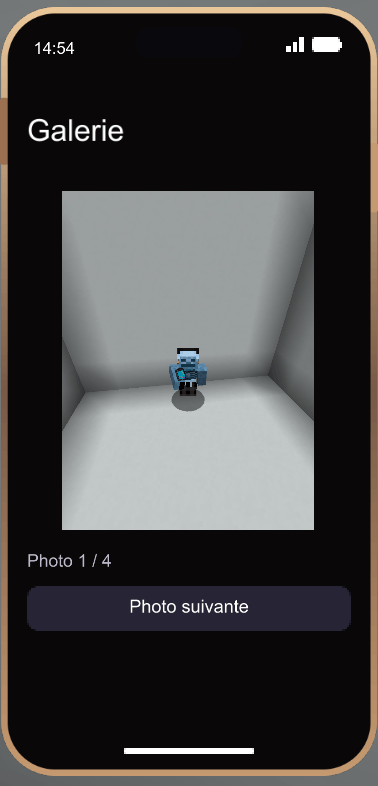
Project description from CurseForge.
Pick your setup
Smartphone v1.0 by Minecraft version and loader
Choose the version and loader you play, then open the matching release.
Check the dependencies, then try the file in a copied instance before changing a world you care about.
Recent files
Smartphone v1.0 versions and loaders
smartphone-1.2.0.jar
21 Nov 2026
Client Source doesn’t say Server Source doesn’t say Dependencies No extras listed Listed on Release listing
Check the 1.21.1 · Fabric setup Fabric1.21.1 release
smartphone-1.0.0.jar
20 Nov 2026
Client Source doesn’t say Server Source doesn’t say Dependencies No extras listed Listed on Release listing
Check the 1.21.1 · Fabric setup Fabric1.21.1 release
Looking for an older file? The official CurseForge project page is in Resources.
 mod
CurseForge · Minecraft
RCVERSE
A complete RC hobby experience in Minecraft! Drive, fly, sail, and customize with realistic physics. Co-created with AI from zero coding knowledge.
 mod
CurseForge · Minecraft
zutm
zerbed's unreal tech mod the most realistic tech mod adds realistic explosions machines terrain gen.
 mod
CurseForge · Minecraft
Home Defense
They will come for your base. Let them try. Laser turrets, lava traps, mines, cameras, drones and walls that rise from the ground. Your home, now a fortress that fights back.