Minecraft version
Back to mods 
CurseForge · Minecraft mod
Survival Helper Toolkit
Five survival helpers in one: tree feller, vein miner, 2x2-5x5 dig upgrades, a 3D explorer's rucksack that shows what you carry, and a lantern your pets can wear.
Choose a version Pick your version below, then grab the matching file.
Quick answer
Which Survival Helper Toolkit release should I use?
Latest stable file Survival Helper Toolkit 1.4.1 (Forge 1.20.1)
Game version 1.20.1
Loader Forge
Survival Helper Toolkit 1.4.1 (Forge 1.20.1) targets 1.20.1 with Forge. The project page does not say whether this file belongs on the client, dedicated server, or both. No extra mods listed for this file.
Where it goes
Is Survival Helper Toolkit required on the client, server, or both?
The project page does not say whether this file belongs on the client, dedicated server, or both.
Client Source doesn’t say
Dedicated server Source doesn’t say
Loader for this release Forge
Required install it here Optional supported, not mandatory Not supported do not install here Source doesn’t say do not assume
The source does not explicitly classify this release as client-only or server-only.
What else does Survival Helper Toolkit 1.4.1 (Forge 1.20.1) need?
Survival Helper Toolkit 1.4.1 (Forge 1.20.1). Change the file and its required mods may change too.
This file does not list any required mods. Do not add a library just because a different file uses it.
This file does not list any required or optional mods.
Before you install it
Add Survival Helper Toolkit without breaking your instance.
Built for Survival Helper Toolkit 1.4.1 (Forge 1.20.1). Pick another file and the loader, install side or required mods may change.
- 01
Stick to this file
Use Survival Helper Toolkit 1.4.1 (Forge 1.20.1). It targets 1.20.1 with Forge; another release may have different loader, side or dependency requirements.
- 02
Bring the mods it needs
This file does not list any required mods. Do not add a library just because a different file uses it.
- 03
Put it on the correct side
The project page does not say whether this file belongs on the client, dedicated server, or both.
- 04
Pick the file you checked
Use the “Get this file” button beside Survival Helper Toolkit 1.4.1 (Forge 1.20.1). It opens that exact file at the source.
About this project
What does Survival Helper Toolkit add?
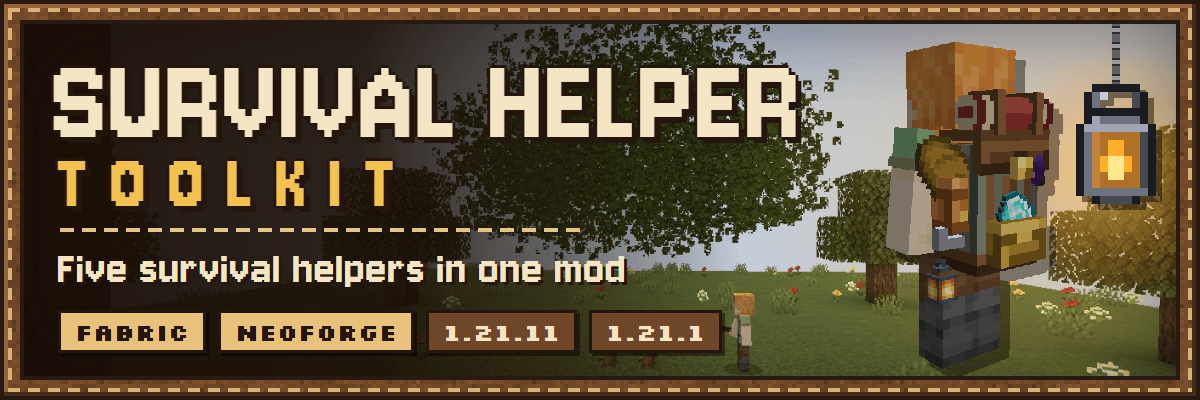
Five survival helpers in one mod. Fell whole trees, mine whole ore veins, dig up to 5x5, carry a 3D rucksack that shows what you carry, and light your way with a lantern your pets can wear too.
No more installing five separate mods that each want their own settings. The helpers work together: felled logs and mined ore go straight into the right pocket of your rucksack, tunnel torches come out of it, and your lantern hangs on it. Every helper can be switched off, and crouching always gives you the normal one-block break.
At a glance
- 🌲 Tree Feller: the whole tree falls, drops go into your rucksack, a sapling is replanted.
- ⛏️ Vein Miner: the whole vein crackles apart, with a prospector's chime.
- 🧱 Excavation Upgrades I–IV: dig 2x2 up to 5x5, plus Tunnel and Staircase shapes.
- 🎒 Explorer's Rucksack: 90 slots in four sections, in 3D on your back.
- 🏮 Handheld Lantern: real moving light, for you and your pets.
- 📖 Field Guide: every player gets one, with an Open Settings button.

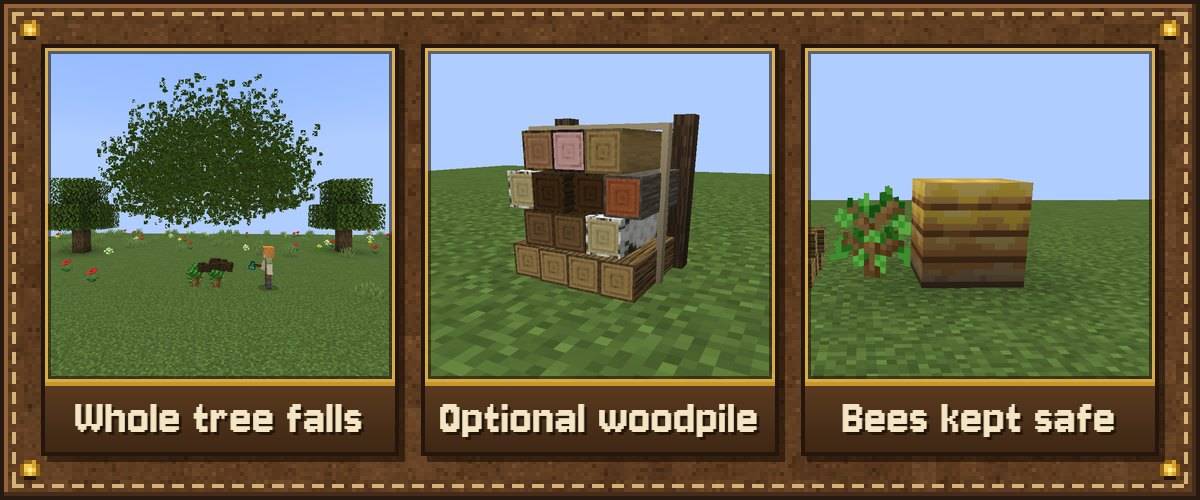
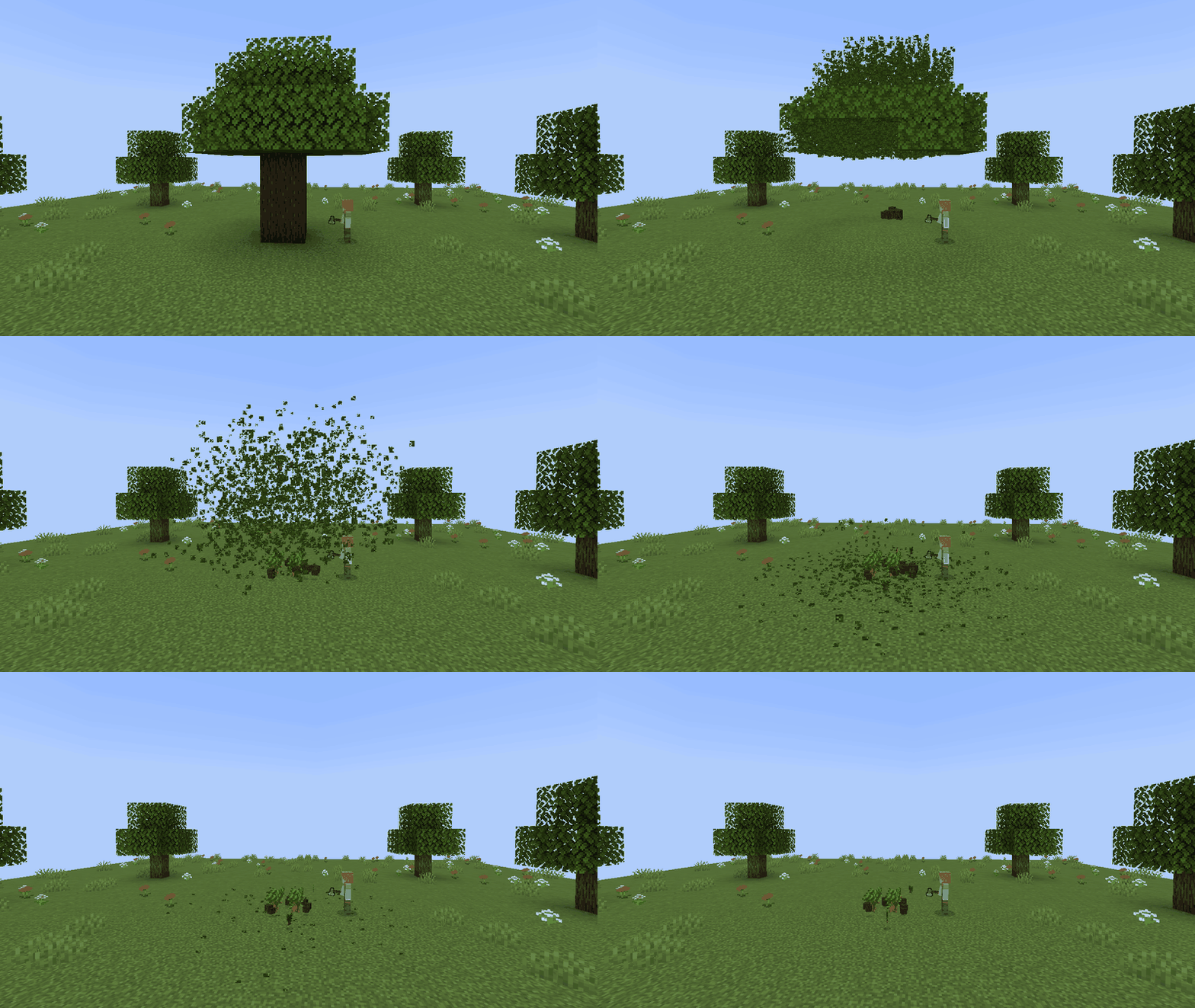
Chop the bottom log with an axe and the whole tree comes down. The leaves fall with it, everything goes straight into your rucksack (logs, sticks and saplings to General, apples to Food), and a sapling is planted back for you.
- Chop a higher log and only that log breaks, so you can still trim trees by hand.
- Every kind of tree: big 2x2 dark oak, jungle and spruce, mangroves with their roots, crimson and warped nether trees, and huge mushrooms.
- No rucksack, or it's full? The rest drops at the stump. Prefer a Woodpile? Switch it on in the settings.
- Wildlife-friendly: bee nests are set down beside the stump with their bees and honey.
- Your builds are safe. Log cabins have no natural leaves, so they are never felled.
- Every log costs 1 durability, and it stops before your axe breaks.

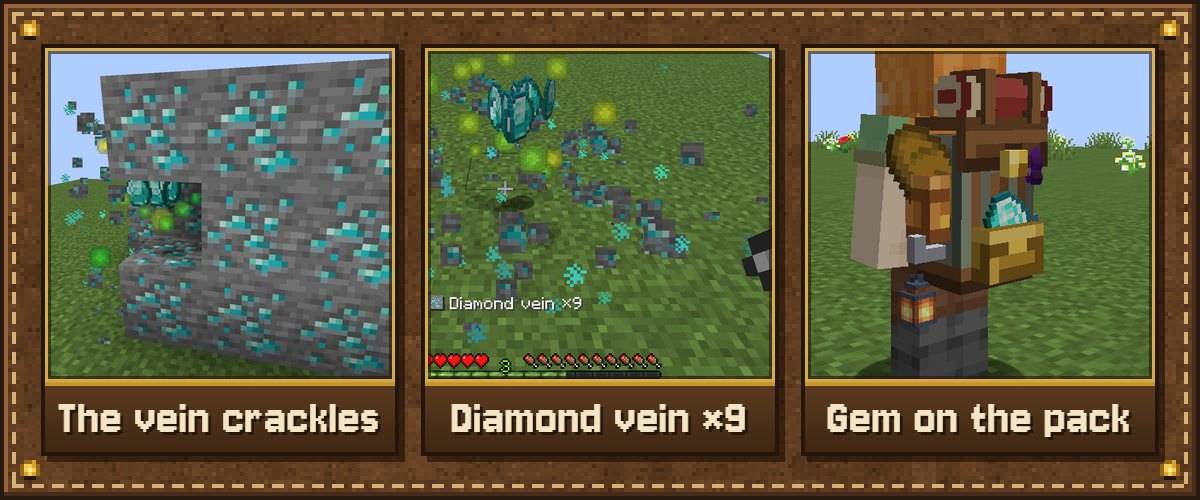
Mine one ore and the whole connected vein crackles apart, ore by ore, outward from your swing, with sparks in the ore's colour.
- Prospector's chime: rings higher for richer ore, with a line above your hotbar such as Diamond vein ×9.
- Straight to the pouch: ore goes into your rucksack's Ores & Gems pocket, and the gem shows on your pack.
- Fortune and Silk Touch work as normal. You still need the right tool.
- It stops before your tool breaks. The cap is 64 blocks, and you can change it.
- Ores from other mods work too, if they use the common
c:orestag (most do).

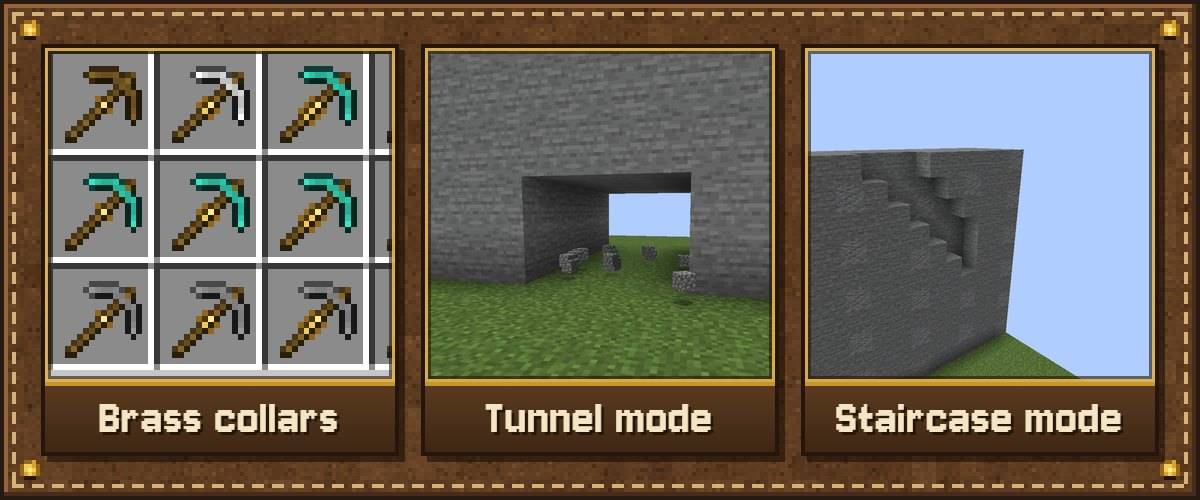
Craft Excavation Upgrades I–IV and fit them to any pickaxe or shovel at a smithing table, one level at a time.
| Upgrade | Dig size | Smithing material |
|---|---|---|
| Excavation Upgrade I | 2x2 | Iron Ingot |
| Excavation Upgrade II | 3x3 | Gold Ingot |
| Excavation Upgrade III | 4x4 | Diamond |
| Excavation Upgrade IV | 5x5 | Netherite Ingot |
- Press V to switch between the sizes your tool has unlocked, plus a walk-through Tunnel (3 wide, 2 high) and a Staircase that digs a step down with every swing.
- Tunnel lights: digging in the dark, a torch from your rucksack goes up on the wall every few blocks.
- You can see the upgrade: brass collars appear on the tool, even on modded tools.
- Outlines show every block that will break before you swing.
- It never digs out chests, furnaces, bedrock or obsidian by accident.

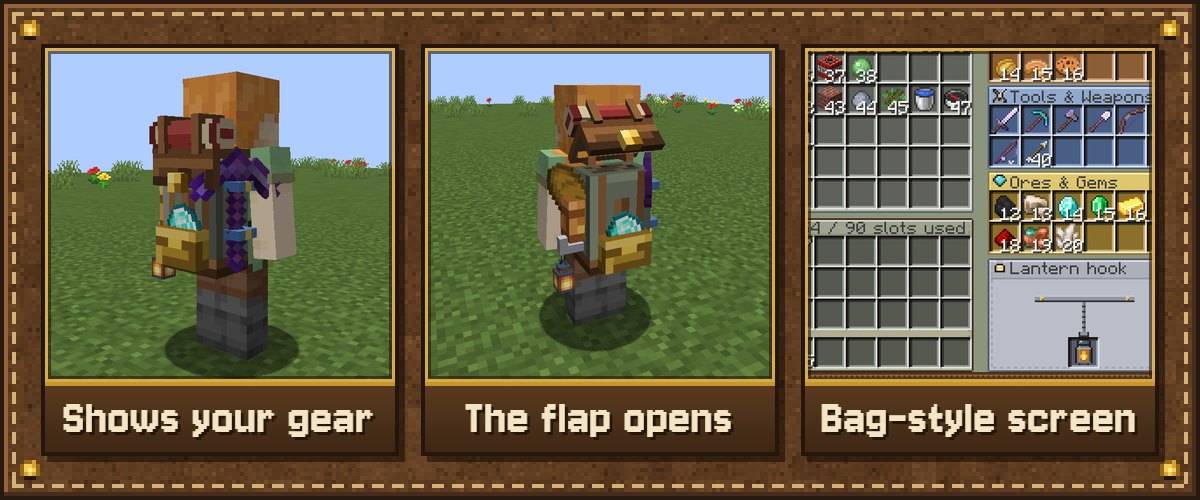
A 3D canvas-and-leather rucksack with a bedroll on top, colour-coded pockets and an iron lantern hook.
- It shows what you carry: your best tool strapped to the side, food poking out of the food pocket, your best ore or gem in the front pouch.
- Lantern hook: hang a Handheld Lantern on it for light with both hands free.
- The flap opens while you're rummaging, with a leather creak and a buckle click.
- Four sections: General (54 slots), Food (12), Tools & Weapons (12), Ores & Gems (12).
- Shift-click sends each item to its own section, the Sort buckle tidies up, and auto-pickup fills the right section when your inventory is full.
- Open it with a right-click, or press B from anywhere in your inventory. It keeps everything when dropped or stored, and it's dupe-proof.

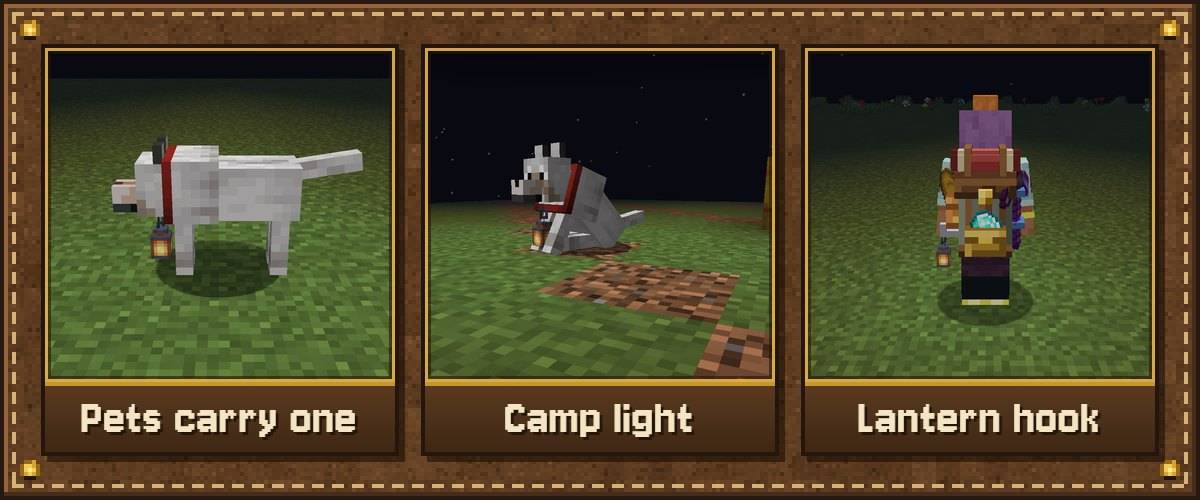
Hold the Handheld Lantern in either hand and the light follows you through caves and nights. There is also a softer blue Soul Handheld Lantern.
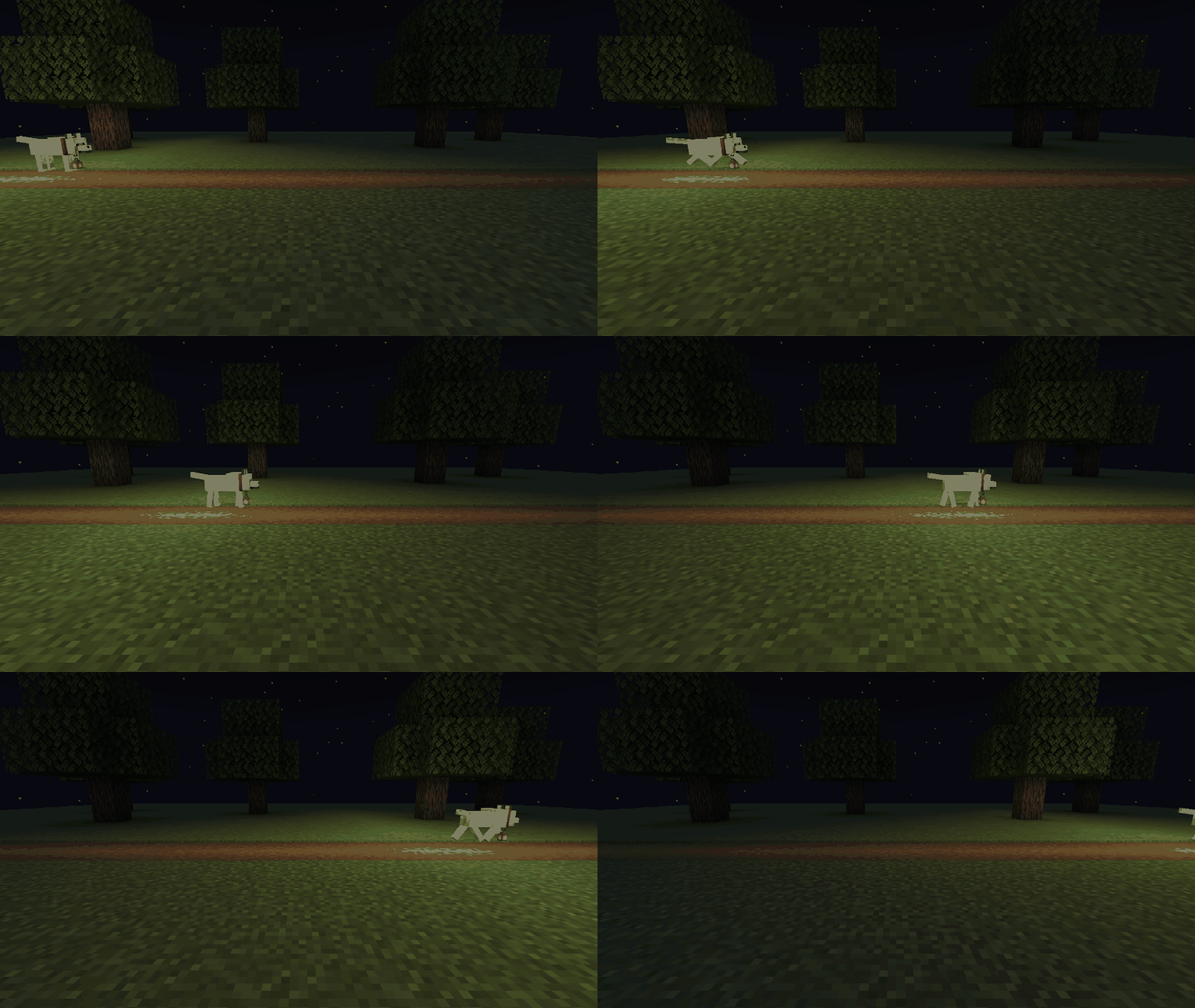
- Hang it on your animals: right-click your tamed wolf, cat, parrot, horse, donkey, mule, llama or camel. Crouch and right-click with an empty hand to take it back.
- The light is real light: it stops mobs spawning around you and works in multiplayer.
- It feels alive: it sways as you walk and the flame flickers.
- Danger flicker: the flame gutters when hostile mobs are within ten blocks.
- Camp light: a sitting pet or tied-up horse glows wider, like a little campfire.

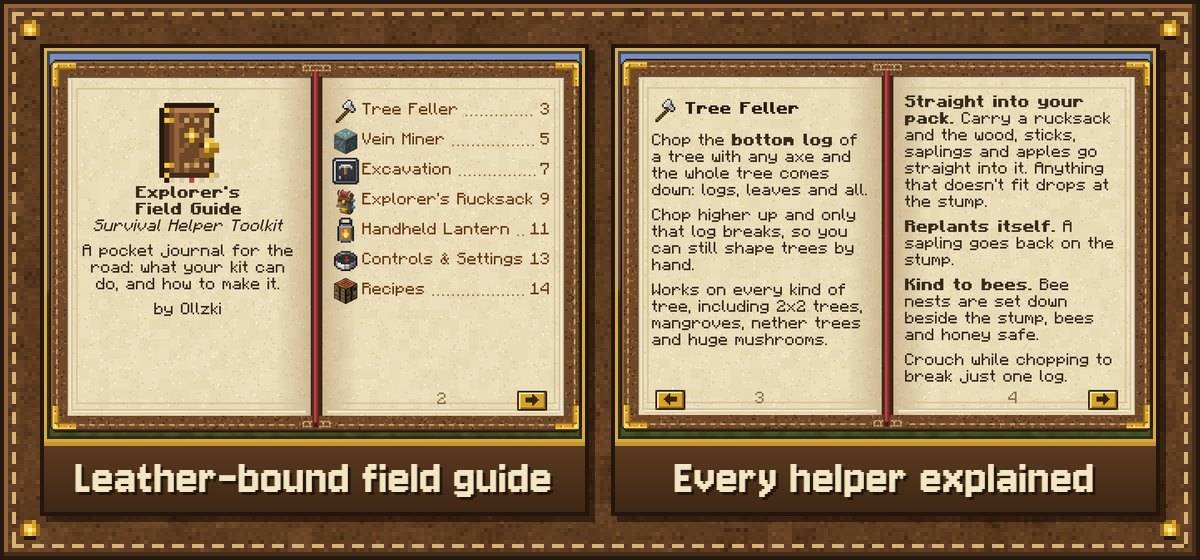
Every player gets a leather-bound Field Guide the first time they join a world. It explains every helper, shows the real crafting grids, and has an Open Settings button. Lost it? Craft another from a Book and Leather.
Getting started
- Open the Field Guide you were given when you joined.
- Craft an Explorer's Rucksack (7 Leather, 1 String, 1 Chest) so your logs and ore have somewhere to go.
- Chop the bottom log of a tree, and mine an ore, to see the Tree Feller and Vein Miner work.
- Craft Excavation Upgrade I and fit it to a pickaxe at a smithing table. Press V to change shape.
- Want something different? Open Settings from the guide and switch anything off.

All optional. None of these are needed.
- Mod Menu: also opens the settings screen (the Field Guide, the gear button on the rucksack screen and an optional key do too).
- JEI, REI and EMI: the Excavation Upgrade smithing recipes show up next to the vanilla ones.
- LambDynamicLights: the handheld lanterns also give smooth dynamic light.
- Modpack makers: block tags
survivalhelper:tree_feller/logs,tree_feller/canopy,tree_feller/roots,vein_miner/oresandexcavation/never_diglet you add blocks from other mods or ban blocks from Excavation.

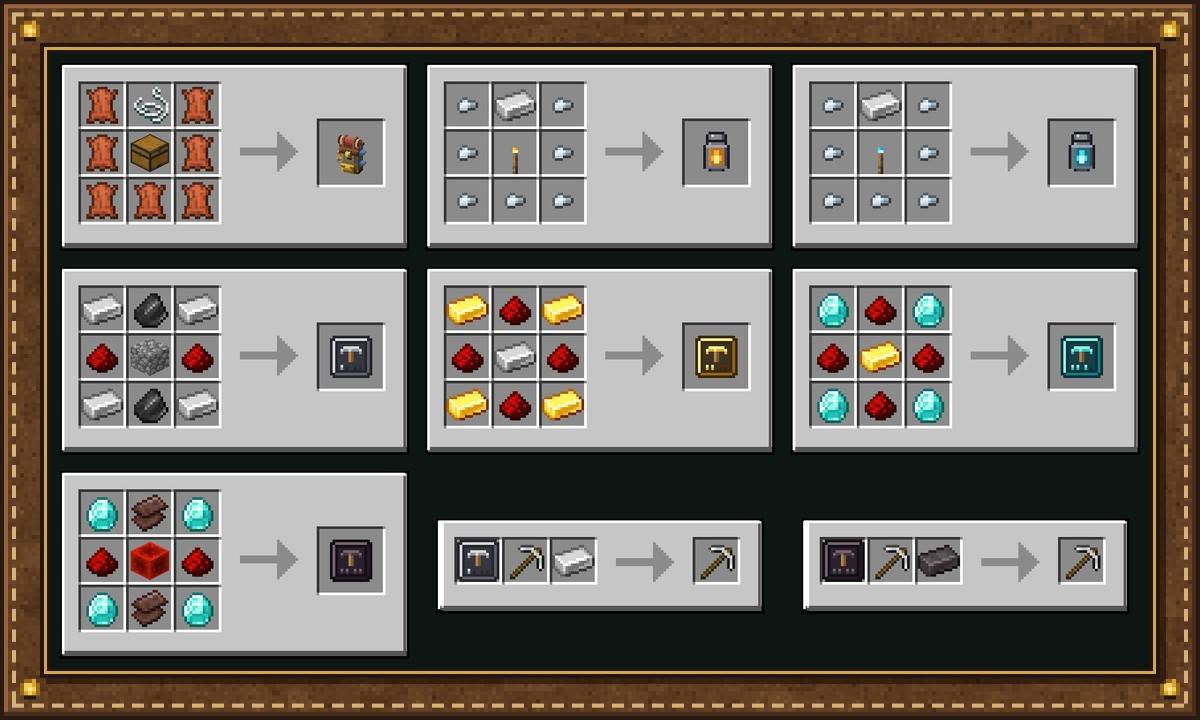
Every recipe appears in the recipe book.
| Item | Recipe |
|---|---|
| Explorer's Rucksack | 7 Leather, 1 String, 1 Chest |
| Explorer's Field Guide | 1 Book, 1 Leather |
| Handheld Lantern | 7 Iron Nuggets, 1 Iron Ingot, 1 Torch (Soul Torch for the Soul version) |
| Excavation Upgrade I | Iron Ingots, Flint, Redstone, Cobblestone |
| Excavation Upgrade II | Gold Ingots, Redstone, Iron Ingot |
| Excavation Upgrade III | Diamonds, Redstone, Gold Ingot |
| Excavation Upgrade IV | Diamonds, Netherite Scrap, Redstone, Redstone Block |
Controls
- Crouch while breaking: one block only (Tree Feller, Vein Miner and Excavation all turn off).
- B: open your rucksack. V: change the dig size or shape.
- Open Field Guide and Open Settings: no key by default. Set them in Options → Controls → Key Binds → Survival Helper Toolkit.
Config
Open the settings from the Field Guide, the gear button on the rucksack screen, a key, or Mod Menu, or edit config/survivalhelper.json. Switch each helper on or off and change logs per tree (256), blocks per vein (64), the biggest dig size (5), auto-replant, backpack auto-pickup, lantern brightness, and whether plain torches also give moving light.

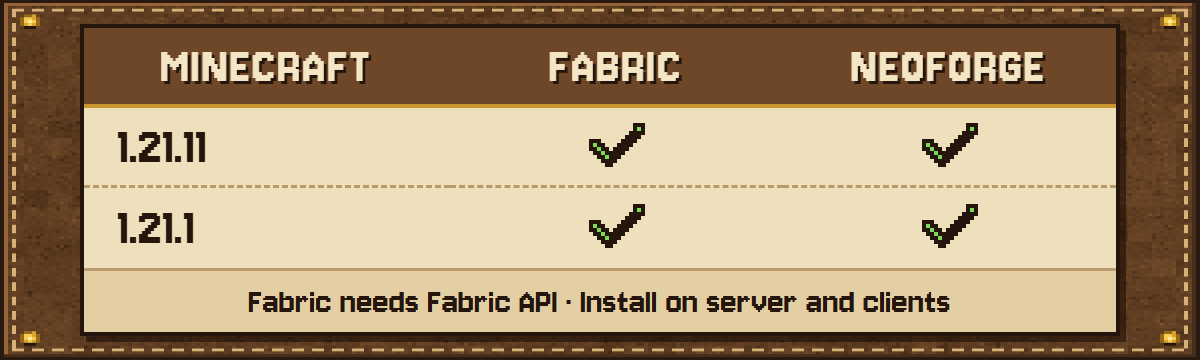
- Pick the file that matches your Minecraft version and loader. The loader is in the file name. Files are up for 26.3, 1.21.11 and 1.21.1 (Fabric and NeoForge) and 1.20.1 (Forge and Fabric).
- Fabric needs Fabric API.
- Single player and servers: install it on the server and on every player's game.
- On NeoForge the settings screen is under Mods → Survival Helper Toolkit → Config.
FAQ
Can I use it in a modpack? Yes. Modpacks are welcome, public or private. A link back to this page is appreciated.
Can I turn off a helper I don't want? Yes. Every helper has its own switch in the settings, and crouching always breaks just one block.
Does it work with other mods' trees and ores? Most of them, through the common tags. Modpack makers can add more with the block tags above.
Will it break my axe or pickaxe? No. Every helper stops before your tool breaks.
Newer Minecraft? A version for Minecraft 26.x is coming next.

Made by Ollzki. All rights reserved: please don't re-upload this mod elsewhere. Modpacks are welcome.
Project description from CurseForge.
Pick your setup
Survival Helper Toolkit by Minecraft version and loader
Choose the version and loader you play, then open the matching release.
Minecraft version
1.21.11
2 loader buildsMinecraft version
1.21.1
2 loader buildsMinecraft version
1.20.1
2 loader buildsCheck the dependencies, then try the file in a copied instance before changing a world you care about.
Recent files
Survival Helper Toolkit versions and loaders
Survival Helper Toolkit 1.4.1 (Forge 1.20.1)
survivalhelper-forge-1.4.1-1.20.1.jar
21 Nov 2026
Client Source doesn’t say Server Source doesn’t say Dependencies No extras listed Listed on Release listing
Check the 1.20.1 · Forge setup 1.20.1Forge release
Survival Helper Toolkit 1.4.1 (Fabric 1.20.1)
survivalhelper-fabric-1.4.1-1.20.1.jar
21 Nov 2026
Client Source doesn’t say Server Source doesn’t say Dependencies 1 required · 1 unchecked Listed on Release listing
Check the 1.20.1 · Fabric setup Fabric1.20.1 release
Survival Helper Toolkit 1.4.1 (NeoForge 26.3)
survivalhelper-neoforge-1.4.1-26.3.jar
21 Nov 2026
Client Source doesn’t say Server Source doesn’t say Dependencies No extras listed Listed on Release listing
Check the 26.3 · NeoForge setup NeoForge26.3 release
Survival Helper Toolkit 1.4.1 (Fabric 26.3)
survivalhelper-fabric-1.4.1-26.3.jar
21 Nov 2026
Client Source doesn’t say Server Source doesn’t say Dependencies 1 required · 1 unchecked Listed on Release listing
Check the 26.3 · Fabric setup Fabric26.3 release
Survival Helper Toolkit 1.4.1 (Fabric 1.21.11)
survivalhelper-fabric-1.4.1-1.21.11.jar
21 Nov 2026
Client Source doesn’t say Server Source doesn’t say Dependencies 1 required · 1 unchecked Listed on Release listing
Check the 1.21.11 · Fabric setup Fabric1.21.11 release
Survival Helper Toolkit 1.4.0 (NeoForge 1.21.1)
survivalhelper-neoforge-1.4.0-1.21.1.jar
21 Nov 2026
Client Source doesn’t say Server Source doesn’t say Dependencies No extras listed Listed on Release listing
Check the 1.21.1 · NeoForge setup 1.21.1NeoForge release
Survival Helper Toolkit 1.4.0 (NeoForge 1.21.11)
survivalhelper-neoforge-1.4.0-1.21.11.jar
21 Nov 2026
Client Source doesn’t say Server Source doesn’t say Dependencies No extras listed Listed on Release listing
Check the 1.21.11 · NeoForge setup NeoForge1.21.11 release
Survival Helper Toolkit 1.4.0 (Fabric 1.21.11)
survivalhelper-fabric-1.4.0-1.21.11.jar
21 Nov 2026
Client Source doesn’t say Server Source doesn’t say Dependencies 1 required · 1 unchecked Listed on Release listing
Check the 1.21.11 · Fabric setup Fabric1.21.11 release
Survival Helper Toolkit 1.4.0 (Fabric 1.21.1)
survivalhelper-fabric-1.4.0-1.21.1.jar
20 Nov 2026
Client Source doesn’t say Server Source doesn’t say Dependencies 1 required · 1 unchecked Listed on Release listing
Check the 1.21.1 · Fabric setup Fabric1.21.1 release
Looking for an older file? The official CurseForge project page is in Resources.
 mod
CurseForge · Minecraft
Project:FPV
A mod that adds various UAVs ranging from small to large.
 mod
CurseForge · Minecraft
Kestramon Onboarding
A guided first-launch setup screen that picks your keybinds, video quality, audio and shader settings for you, with a custom loading screen and title screen.
 mod
CurseForge · Minecraft
JEI: Craft Directly from Chests, Shulkers & Ender Chest
A JEI fork (aka "MCdestined's Simple Storage") that turns your crafting table into a smart Crafting Station: auto-pull ingredients from connected chests, Ender Chests, and Shulker Boxes, or extract in-stock items in 1 click.