Wavey Capes Optional for bedrockmotion-0.1.3.1.jar
optionalMatching file found Matched file: 1.11.3-26.3 - Fabric
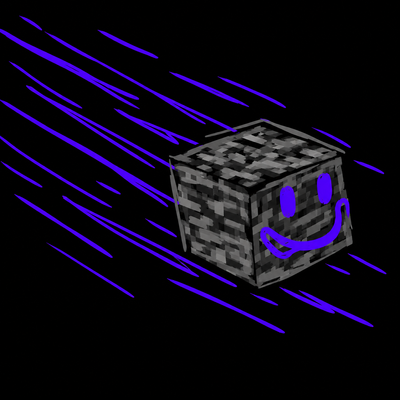
CurseForge · Minecraft mod
Your favorite Bedrock animation packs, finally on Java. Almost 1:1 .mcpack translation. Smooth Moves now, Actions & Stuff soon.
Quick answer
bedrockmotion-0.1.3.1.jar targets 26.3 with Fabric. The project page does not say whether this file belongs on the client, dedicated server, or both. 1 required mod needs a matching file.
Where it goes
The project page does not say whether this file belongs on the client, dedicated server, or both.
The source does not explicitly classify this release as client-only or server-only.
bedrockmotion-0.1.3.1.jar on Fabric. Every mod below is checked against that same setup.
Install Mod Menu, Fabric API, Cloth Config API (Fabric/Forge/NeoForge), Text Placeholder API first, but 1 required mod has no matching file for this setup. Do not mix loader builds to force a match. 1 comes through another mod in the chain.
1 extra mod was pulled in by another dependency. Indented rows show who needs each one. We only count dependency files that match this setup. A file for another loader does not fill the gap.
Before you install it
Built for bedrockmotion-0.1.3.1.jar on Fabric. Pick another file and the loader, install side or required mods may change.
Use bedrockmotion-0.1.3.1.jar. It targets 26.3 with Fabric; another release may have different loader, side or dependency requirements.
Install Mod Menu, Fabric API, Cloth Config API (Fabric/Forge/NeoForge), Text Placeholder API first, but 1 required mod has no matching file for this setup. Do not mix loader builds to force a match. 1 comes through another mod in the chain.
The project page does not say whether this file belongs on the client, dedicated server, or both.
Use the “Get this file” button beside bedrockmotion-0.1.3.1.jar. It opens that exact file at the source.
About this project
{width=1200 height=360}
Bedrock animations for Java Edition
Early Release | Fabric | Minecraft 26.3 | client only
BedrockMotion reads Bedrock Edition resource packs and plays their animations in Java Edition. Molang, animation controllers, render controllers, client entities, attachables, particles and sounds all run on the Java client, so a Bedrock animation pack looks and moves the way it was built to.
Initial release, not 100% ready. I am releasing BedrockMotion early on purpose, even though it is not finished, because I wanted to see if people like it. It is currently built around Smooth Moves and nothing else. Expect bugs, missing first person animations and rough performance.
Tried it? Tell me what works, what breaks and which pack you want next.
| Pack | Status |
|---|---|
| Smooth Moves | Supported. The only pack that is supported right now. All current work goes into fixing and optimizing it. |
| Actions & Stuff | Planned. Comes next, shortly after the Smooth Moves fixes and optimization. |
| Super Satisfying Sound | Maybe. Possible, but only after Actions & Stuff. |
| Any other Bedrock pack | Not supported yet. It may load and parts of it may even work, but nothing is tested or guaranteed. |
BedrockMotion does not include any Bedrock packs. You bring your own and are responsible for following the license of every pack you use.
.mcpack files straight into the window.mods folder and start the game once..mcpack, .zip or a folder) into .minecraft/bedrockmotion/packs/, or drag it into the Motion Packs screen.Packs whose file name starts with base_ count as base packs automatically. They only supply animations, geometries and textures to the packs above them, like the vanilla Bedrock pack does.
| Requirement | Version |
|---|---|
| Minecraft | 26.3 |
| Java | 25 or newer |
| Fabric Loader | 0.19.5 or newer |
| Fabric API | required |
| Cloth Config | required |
| Mod Menu | optional, adds the config button |
| Side | client only |
| Wavey Capes | compatible |
Incompatible with Packed Packs. Do not install it next to BedrockMotion. Its pack screens (profiles, multi-select, search) are already bundled.
Project description from CurseForge.
Pick your setup
Choose the version and loader you play, then open the matching release.
Check the dependencies, then try the file in a copied instance before changing a world you care about.
Recent files
bedrockmotion-0.1.3.jar
25 Nov 2026
21 Nov 2026
21 Nov 2026
21 Nov 2026
Looking for an older file? The official CurseForge project page is in Resources.
 mod
Simple vanilla biome updates, with fun mobs, blocks, and more!
 mod
Advanced Refinery adds multiblock refineries, industrial machines, energy systems, and item and fluid automation through a deep technical progression.
 mod
Add daggers, megaswords, hammers, and cutlasses with unique abilities, new enchantments while keeping the vanilla art style.