Fabric API Needed by Falling Tree - OneChop (Tree Vein Miner/TreeCapitator) falling-tree-onechop-1.0.0+mc26.3.jar
requiredMatching file found Matched file: [26.3] Fabric API 0.166.2+26.3

CurseForge · Minecraft mod
Chop one log with an axe and the whole tree falls. Also fells bamboo and giant mushrooms. Hold-sneak, always-on or hold-key modes, block limits, Silk Touch leaves, falling animation, an in-game settings screen and Controls key binds. Fabric, 26.3.
Quick answer
Falling Tree - OneChop (Tree Vein Miner/TreeCapitator) falling-tree-onechop-1.0.0+mc26.3.jar targets 26.3 with Fabric. The project page does not say whether this file belongs on the client, dedicated server, or both. All 1 required mods have matching files.
Where it goes
The project page does not say whether this file belongs on the client, dedicated server, or both.
The source does not explicitly classify this release as client-only or server-only.
falling-tree-onechop-1.0.0+mc26.3.jar. Change the file and its required mods may change too.
Install Fabric API first. We found matching files for this game-version and loader setup.
We only count dependency files that match this setup. A file for another loader does not fill the gap.
Before you install it
Built for Falling Tree - OneChop (Tree Vein Miner/TreeCapitator) falling-tree-onechop-1.0.0+mc26.3.jar. Pick another file and the loader, install side or required mods may change.
Use falling-tree-onechop-1.0.0+mc26.3.jar. It targets 26.3 with Fabric; another release may have different loader, side or dependency requirements.
Install Fabric API first. We found matching files for this game-version and loader setup.
The project page does not say whether this file belongs on the client, dedicated server, or both.
Use the “Get this file” button beside falling-tree-onechop-1.0.0+mc26.3.jar. It opens that exact file at the source.
About this project
Needs Fabric API. Download it here: Fabric API on CurseForge
Chop one block. The whole tree comes down.
Falling Tree - OneChop is a lightweight tree-felling mod for Fabric on Minecraft 26.3. Take an axe, chop a single log, and the rest of the tree follows: the trunk, the branches, the roots and the leaves. It also works on bamboo and giant mushrooms. No more spending a minute and half your axe's durability stripping one oak, and no more floating canopies left behind.
The mod started as a data pack and has been rebuilt as a proper Fabric mod. That means it now has its own key bindings in the Controls menu, an in-game settings screen, and per-player options that are saved between sessions. Everything the data pack could do is still here, and a few things are new.
The mod needs to be installed on the client. On a multiplayer server it must be installed on both the server and every player's client, because each client sends its own settings to the server.
When you break a log with an axe, the mod looks at the block you just broke and searches outwards for more logs that are connected to it. It follows the same order a person would chop in: up the trunk first, then into the branches around it, then sideways, and finally down toward the roots. That order matters, because when there is a limit on how many blocks can be felled, the trunk and upper branches are always taken before the outlying pieces.
The search covers an area around the block you broke: up to 10 blocks sideways in each direction and 50 blocks up or down. Anything outside that area is left alone. That keeps the mod fast and stops it from wandering into a neighbouring forest.
Once the list of blocks is ready, the mod works through it. In Falling mode the higher a block is above where you chopped, the longer it waits before it breaks. The result looks like a tree coming apart from the cut upward, instead of everything vanishing at once. In Instant mode there is no delay.
To protect server performance, the mod never breaks more than 24 blocks per game tick across all active fellings. A very large tree simply takes a few ticks longer. You will not notice it, but your server will.
You decide when the mod should kick in. Open the settings screen and change Mode:
This is the default. The mod only activates while you are holding the sneak key. Chop normally and you break one log as usual. Hold sneak and chop, and the whole tree falls. This is the safest mode, because you never fell a tree by accident.
Every log you chop with an axe fells the whole tree. Pick this if you are clearing a forest and do not want to hold anything down.
The mod activates only while you hold a dedicated Fell Tree key. You can rebind that key in Options → Controls. It is useful if you want sneak to keep its normal job, for example when you are working on a roof or at the edge of a cliff.
You can also switch the whole mod on or off at any time with the Toggle key, without opening any menu.
By default the mod only fells natural trees. To decide whether something is a real tree, it checks for a natural leaf block touching the logs. Leaves that you placed yourself, or leaves set to persistent, do not count.
This protects your builds. A log cabin, a fence of logs, a palisade or a decorative pillar will not collapse when you chop one block of it, because there are no natural leaves attached.
If you want the opposite, set Targets to Trees + Placed Logs. Then any connected group of logs is felled, with or without leaves. This is handy for tree farms built from placed logs, or if you simply want every chop to count.
When the mod skips a structure because it is not a natural tree, it tells you with a short message above your hotbar, so you know why nothing happened.
The Limit setting caps how many blocks one chop can fell:
A limit exists on purpose. If it were truly unlimited, a long chain of connected logs, such as a modded structure, could pull in far more blocks than you wanted. When a tree is bigger than your limit, the mod fells the trunk and upper branches first and leaves the rest standing. You can chop again to finish it.
Giant mushrooms use a limit four times higher, because their caps and stems contain many more blocks than a typical tree.
Server owners can set an extra ceiling in the server config. It always wins over a player's own choice.
Felling the logs would leave a floating cloud of leaves, so the mod harvests them too. After each log breaks, it looks at the leaf blocks touching that log. It then follows the leaves outward the same way the game itself does, using each leaf's distance value, up to six steps away. Only natural leaves are harvested. Leaves you placed yourself are left alone, so your hedges and decorations stay put.
Leaf harvesting has its own cap, set to eight times your block limit, so a single chop can never clear an unreasonable amount.
This is a toggle in the settings:
The Collapse setting changes how the tree disappears.
Falling (default) breaks the tree from the bottom upward. Each block waits a couple of game ticks for every block it is above the cut, up to a maximum of four seconds. As each log breaks, you get a wooden crack, a heavy thud and a small puff of particles. It looks like a tree coming down.
Instant removes everything as fast as the 24-blocks-per-tick safety limit allows. Choose this if you care about speed over looks.
Felling is not free. The mod charges your axe one durability point per block felled. Bamboo is cheaper: a whole stalk costs just 1 point.
The mod also protects your tool. If your axe is too worn to pay for the full tree, it stops before the axe would break and leaves a couple of points of durability. You will see a short warning above your hotbar. If the axe has fewer than 3 durability points left, it will not fell anything at all. Axes that cannot take damage, such as ones with the Unbreakable property, fell for free.
One detail to be aware of: the cost is a flat one point per block, and the Unbreaking enchantment does not reduce it.
Chop any segment of a bamboo stalk with an axe and the whole stalk, above and below, comes down. It costs a single durability point however tall it is, which makes bamboo farms quick work.
Chopping any block of a giant red or brown mushroom, or its stem, fells the whole mushroom. Mushroom blocks are harvested with a copy of your axe, so Silk Touch returns the mushroom blocks themselves and Fortune works as usual.
The mod treats any block in Minecraft's logs tag as part of a tree. That includes every vanilla wood type, their stripped versions, and the Nether stems and hyphae. Because it relies on the game's own tags, modded woods that register themselves properly in the logs tag should work too, though this has not been tested with any specific mod.
You must be holding an item from Minecraft's axes tag in your main hand. Pickaxes, shovels, empty hands and other tools only break one block, as normal.
The mod does nothing in Creative or Spectator mode. That is on purpose: in Creative you break blocks instantly anyway, and this keeps it from interfering with building.
Open Options → Controls → Key Binds and scroll to the Falling Tree - OneChop section. It contains three bindings:
The keys are completely your choice. You can rebind any of them like any other Minecraft key, and you can change them as often as you like. The Falling Tree - OneChop section also decides where the bindings appear: they have their own category in the Controls menu, so they never get mixed up with the vanilla keys. If a key clashes with something else, Minecraft highlights it in yellow and you can simply pick another one.
For reference, this is how the author has set it up personally: Left Shift for Fell Tree, Page Up for opening the settings, and Scroll Lock for the on/off toggle. That is only one person's preference, not a rule. The default keys on your install may be different, and you are free to use any layout you like.
If you want to reach the settings screen fast, pick a key that is close to your left hand and not used for anything else. These work best:
To set it: Options → Controls → Key Binds → Falling Tree - OneChop → click the button next to Open Falling Tree settings, then press the key you want.
Press the settings key while in a world to open a simple screen with one button per option:
Click a button to cycle through its choices. The text updates straight away, and your choice is saved automatically. There is a Done button to close the screen.
Your settings are stored in config/falling_tree_onechop_client.json and loaded every time you start the game. They are sent to the server when you join a world and again whenever you change them, so they follow you from world to world.
Each player has their own settings. One person can use Hold Sneak with a limit of 32 while another uses Always Active with Infinite, on the same server, at the same time. The server remembers each player's choices while they are online.
For this to work, the mod must be installed on the server and on the clients. A player who joins without the mod is treated with the default settings: Hold Sneak, natural trees only, limit 32, Falling collapse, Silk Touch leaves on.
The server creates a file at config/falling_tree_onechop.json on first start:
enabled: set to false to turn the mod off for everyone on the server.maxBlocks: a global ceiling on blocks per chop. 0 means no ceiling. If you set it to 100, no player can fell more than 100 blocks at once, whatever limit they chose. Giant mushrooms obey the same ceiling.Edit the file and restart the server to apply changes.
mods folder.mods folder.The mods folder on Windows is %appdata%\.minecraft\mods. If the Falling Tree - OneChop section does not appear in Controls, check that both jars are in that folder and that you started the Fabric profile. The most common cause of the mod not loading is a missing Fabric API.
Why did nothing happen when I chopped a tree? Check four things. You must be in Survival, holding an axe, and the mode must be satisfied: in Hold Sneak mode you have to be sneaking, and in Hold Key mode you must be holding the Fell Tree key. Also check that the mod is switched on, and that the tree is natural if Targets is set to Trees Only.
Why did only part of the tree fall? You reached your block limit, or your axe did not have enough durability to pay for the whole tree. Raise the limit in settings, repair the axe, or chop again.
Can it destroy my house? With the default settings, no. Trees Only mode ignores logs that have no natural leaves attached, and the default mode needs you to sneak. If you switch to Trees + Placed Logs and Always Active, any connected logs in your builds can be felled, so use that combination carefully.
Does it work with modded trees? Trees made of blocks in the logs tag should be felled. That has not been tested with specific mods, and modded leaves that do not behave like vanilla leaves may be left behind.
Does it work with other tree-felling or vein-mining mods? Running two mods that do the same job is not recommended, as they may both try to act on the same chop.
Does Unbreaking help my axe? No. The mod charges a flat point of durability per block.
Can I use it in Creative? No, it is disabled in Creative and Spectator. Switch to Survival.
What is the fastest way to open the settings? Bind Open Falling Tree settings to an easy key such as K, or to a mouse side button. Open Options → Controls → Key Binds, find the Falling Tree - OneChop section, click the button, and press the key you want.
Can I change the keybinds? Yes, all three are yours to change at any time in the Controls menu.
Where are my settings saved? In config/falling_tree_onechop_client.json in your Minecraft folder.
Different play styles suit different settings. Here are a few combinations that work well.
Careful survival (the default). Hold Sneak, Trees Only, 32 blocks, Falling, Silk Touch leaves on. You only fell a tree when you mean to, your builds are safe, and the falling animation keeps it satisfying. This is the best choice for most people.
Lumber run. Always Active, Trees Only, 64 blocks, Instant. You walk through a forest and every chop clears a tree. Because Trees Only is on, your base and your log fences stay intact. Watch your axe durability, since each tree now costs a lot of points.
Giant tree hunter. Hold Key, Trees Only, Infinite, Falling. You press the Fell Tree key only for the enormous jungle and dark oak trees, and the rest of the time your axe behaves normally. The infinite limit means one chop is enough for even the biggest trunk.
Tree farm operator. Always Active, Trees + Placed Logs, Instant, Silk Touch leaves off. This is for farms where you want saplings and sticks from decaying leaves and do not care about the natural-tree check. Be careful using this setup near buildings made of logs.
Builder friendly. Power off, with the Toggle key bound somewhere easy to reach. You can switch the mod on only when you go out to gather wood, and off again when you start building.
If you used the original data pack, almost everything carries over. The scanning area, the limits, the leaf harvesting, the durability rules and the natural-tree check all follow the same logic. What is new in the mod:
If you find a bug, please report it with your latest.log file and a description of what you were chopping.
Falling Tree - OneChop began as a data pack that handled the scanning, the limits, the leaf harvesting and the axe protection entirely with Minecraft functions. This Fabric version keeps the same rules and adds real key bindings, a settings screen and per-player saved settings, which a data pack cannot offer.
Thank you to everyone who tried the data pack and asked for a proper mod.
Project description from CurseForge.
Pick your setup
Choose the version and loader you play, then open the matching release.
Check the dependencies, then try the file in a copied instance before changing a world you care about.
Recent files
falling-tree-onechop-1.0.0-mc26.3.jar
21 Nov 2026
Looking for an older file? The official CurseForge project page is in Resources.
 mod
A data-driven enchantment component and utility library.
 mod
Splits a Litematica schematic into zones, renders only the zone you are building, tracks its progress and checks it against the schematic.
 mod
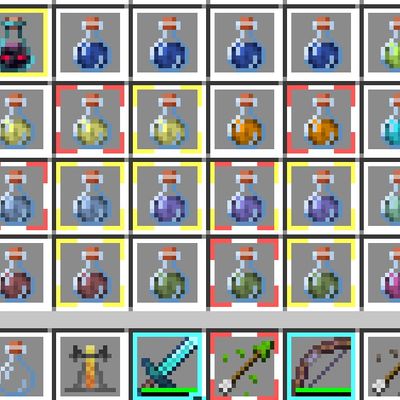
"Inspired by Item Borders by Grend_G This project expands upon the original concept by introducing functional borders—such as potion effect status and instant visual indicators—helping players read their inventory faster.."