Minecraft version
Back to mods 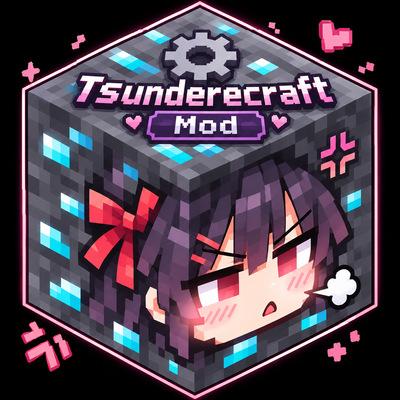
CurseForge · Minecraft mod
tsunderecraft
Turn Minecraft blocks into tsundere characters! They blush, talk back, run away, and fight back—but eventually give in. Customizable settings included!
Choose a version Pick your version below, then grab the matching file.
Quick answer
Which tsunderecraft release should I use?
Latest stable file tsunderecraft-1.2.0.jar
Game version 26.3
Loader Fabric
tsunderecraft-1.2.0.jar targets 26.3 with Fabric. The project page does not say whether this file belongs on the client, dedicated server, or both. No extra mods listed for this file.
Where it goes
Is tsunderecraft required on the client, server, or both?
The project page does not say whether this file belongs on the client, dedicated server, or both.
Client Source doesn’t say
Dedicated server Source doesn’t say
Loader for this release Fabric
Required install it here Optional supported, not mandatory Not supported do not install here Source doesn’t say do not assume
The source does not explicitly classify this release as client-only or server-only.
What else does tsunderecraft-1.2.0.jar need?
tsunderecraft-1.2.0.jar. Change the file and its required mods may change too.
This file does not list any required mods. Do not add a library just because a different file uses it.
This file does not list any required or optional mods.
Before you install it
Add tsunderecraft without breaking your instance.
Built for tsunderecraft-1.2.0.jar. Pick another file and the loader, install side or required mods may change.
- 01
Stick to this file
Use tsunderecraft-1.2.0.jar. It targets 26.3 with Fabric; another release may have different loader, side or dependency requirements.
- 02
Bring the mods it needs
This file does not list any required mods. Do not add a library just because a different file uses it.
- 03
Put it on the correct side
The project page does not say whether this file belongs on the client, dedicated server, or both.
- 04
Pick the file you checked
Use the “Get this file” button beside tsunderecraft-1.2.0.jar. It opens that exact file at the source.
About this project
What does tsunderecraft add?
Tsunderecraft
Every block in the world is a tsundere! Mining or using anything won't be easy: you have to keep poking until it (reluctantly) gives in. Core
- Hit or right-click a block: it turns away, blushes and scolds you. Every block type has its own lines!
- Pokes needed: dirt/sand 2 · normal 5 · ores 10 · obsidian/diamond 15
- Once it gives in it's nice for 5 seconds. Keep pestering and it might walk away!
Special blocks
- Chests/shulker boxes — snap their lid at your hand, twice!
- Doors — open a crack, then slam in your face
- Furnace — walks up and breathes fire · Campfire — fire circle, instant cooking once friendly
- Anvil — jumps at you · Bed — poke it too much and BOOM!
- TNT — hangs in the air; back off, walk up and slap it, dodge the mini TNTs
- Hopper — slurps 3 of your items; poke it until it calms down
- Armor stand — steals 3 items and runs!
- Boats/minecarts — throw you out onto the ground; get in 3 times to win them over
- Piston — sulks and ignores redstone
- Brewing stand throws potions · Fletching table shoots arrows · Lectern leaks its diary
- Signs rewrite themselves · Cake runs away · Crafting table knocks items out of your hand
- ...and many more, every block has its own trick
Project description from CurseForge.
Pick your setup
tsunderecraft by Minecraft version and loader
Choose the version and loader you play, then open the matching release.
Check the dependencies, then try the file in a copied instance before changing a world you care about.
Recent files
tsunderecraft versions and loaders
tsunderecraft-1.2.0.jar
24 Nov 2026
Client Source doesn’t say Server Source doesn’t say Dependencies No extras listed Listed on Release listing
Check the 26.3 · Fabric setup Fabric26.3 release
tsunderecraft-1.1.0.jar
tsunderecraft-1.1.0-26.3.jar
21 Nov 2026
Client Source doesn’t say Server Source doesn’t say Dependencies No extras listed Listed on Release listing
Check the 26.3 · Fabric setup Fabric26.3 release
Looking for an older file? The official CurseForge project page is in Resources.
 mod
CurseForge + Modrinth · Minecraft
DG Natural Reproduction
Natural Reproduction allows all passive mobs in Minecraft to autonomously breed and multiply when environmental conditions are ideal, while rewarding thoughtful pasture management and multi-generational genetics investment.
 mod
CurseForge + Modrinth · Minecraft
VO: Better Dogs
Enhances vanilla wolves with unique personalities (Aggressive, Pacifist, Normal), smarter AI, safety behaviors, and combat improvements.
 mod
CurseForge + Modrinth · Minecraft
The Last Block of Us
This mod adds a variety of items, weapons, mobs, and more inspired by the video game The Last of Us.