Minecraft version
Back to mods 
CurseForge · Minecraft mod
Living Worlds : Atmosphere
See-through water, drifting 3D clouds, four seasons, storms that build, footprints and a synthesised soundscape for Fabric 1.20.1. No shader pack needed, works with Sodium, and runs client-side on any server.
Choose a version Pick your version below, then grab the matching file.
Quick answer
Which Living Worlds : Atmosphere release should I use?
Latest stable file livingworld-forge-1.20.1-1.0.0.jar
Game version 1.20.1
Loader Forge
Living Worlds : Atmosphere livingworld-forge-1.20.1-1.0.0.jar targets 1.20.1 with Forge. The project page does not say whether this file belongs on the client, dedicated server, or both. No extra mods listed for this file.
Where it goes
Is Living Worlds : Atmosphere required on the client, server, or both?
The project page does not say whether this file belongs on the client, dedicated server, or both.
Client Source doesn’t say
Dedicated server Source doesn’t say
Loader for this release Forge
Required install it here Optional supported, not mandatory Not supported do not install here Source doesn’t say do not assume
The source does not explicitly classify this release as client-only or server-only.
What else does Living Worlds : Atmosphere livingworld-forge-1.20.1-1.0.0.jar need?
livingworld-forge-1.20.1-1.0.0.jar. Change the file and its required mods may change too.
This file does not list any required mods. Do not add a library just because a different file uses it.
This file does not list any required or optional mods.
Before you install it
Add Living Worlds : Atmosphere without breaking your instance.
Built for Living Worlds : Atmosphere livingworld-forge-1.20.1-1.0.0.jar. Pick another file and the loader, install side or required mods may change.
- 01
Stick to this file
Use livingworld-forge-1.20.1-1.0.0.jar. It targets 1.20.1 with Forge; another release may have different loader, side or dependency requirements.
- 02
Bring the mods it needs
This file does not list any required mods. Do not add a library just because a different file uses it.
- 03
Put it on the correct side
The project page does not say whether this file belongs on the client, dedicated server, or both.
- 04
Pick the file you checked
Use the “Get this file” button beside livingworld-forge-1.20.1-1.0.0.jar. It opens that exact file at the source.
About this project
What does Living Worlds : Atmosphere add?
Docs · Discord · Source and issues
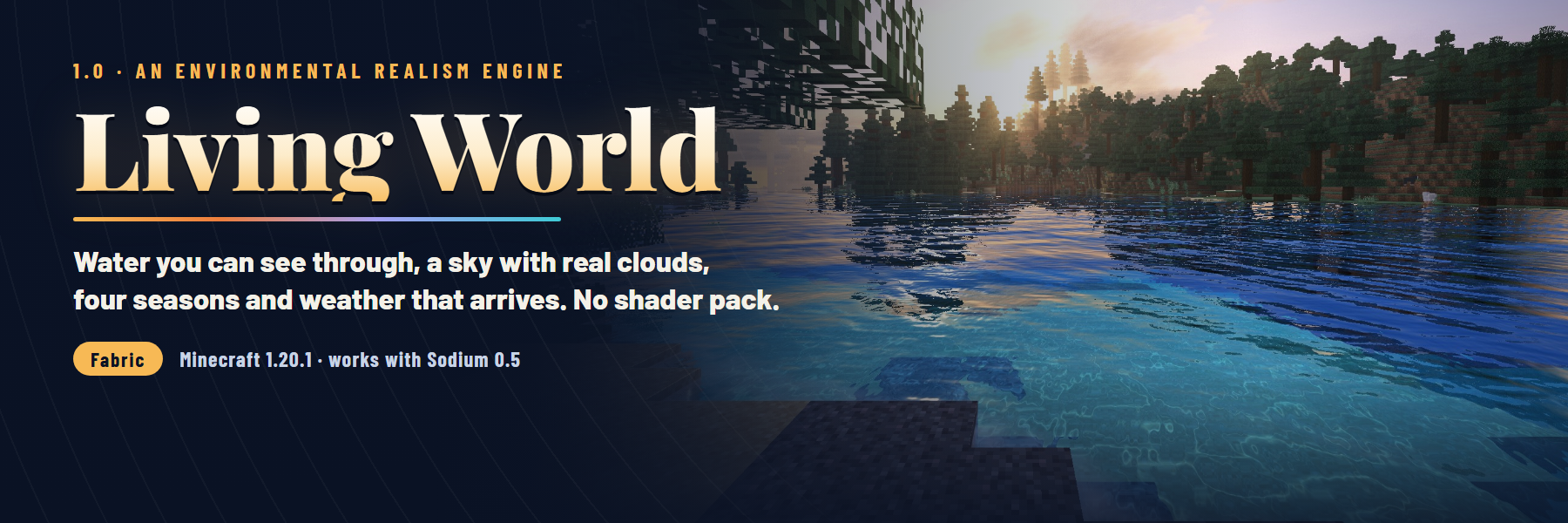
Weather, water, sky and seasons that belong to one world
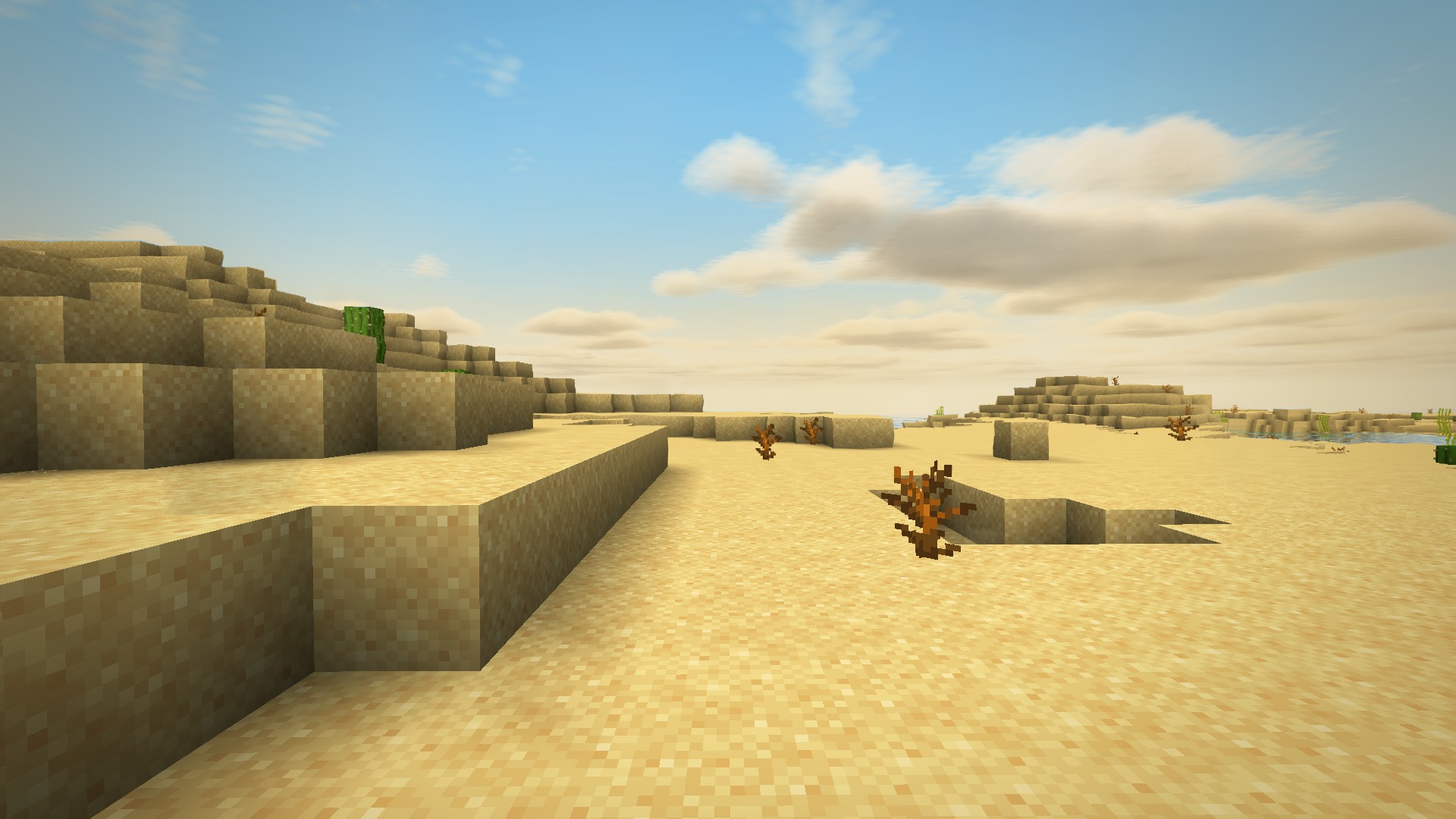
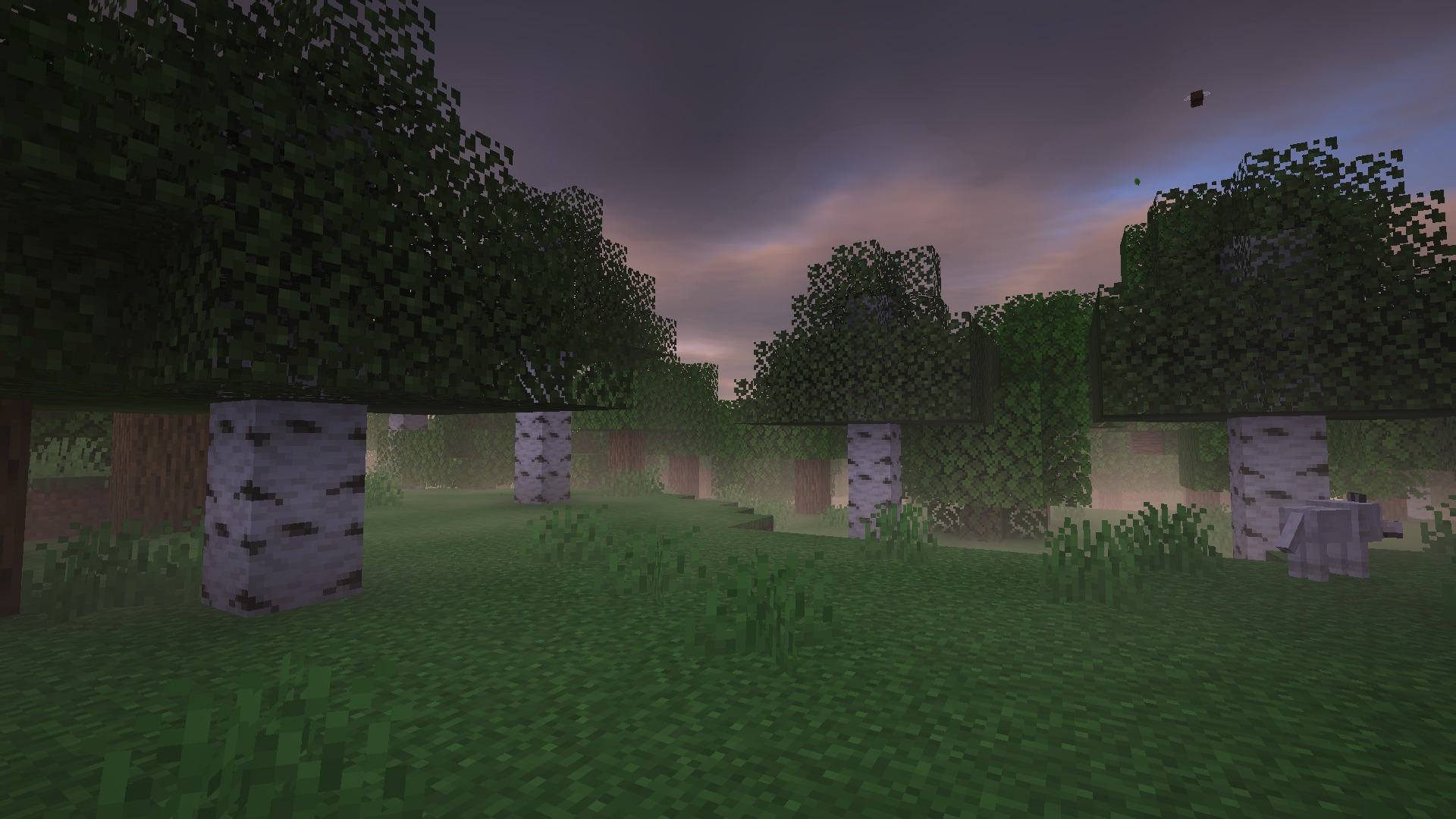
Living World runs one simulation of the air around you (temperature, humidity, wind, rain, ground wetness, shelter) and lets everything you see and hear read from it. Water is see-through and mirrors the trees and the clouds. The clouds are three-dimensional, drift with the wind and shade the land. The year turns through four seasons. Rain arrives the way weather does, and the ground, the grass and your footprints answer it.
No shader pack is needed, and it works with Sodium.
Fabric · Minecraft 1.20.1 · runs on the client alone, on any server · needs Fabric API · Mod Menu is optional


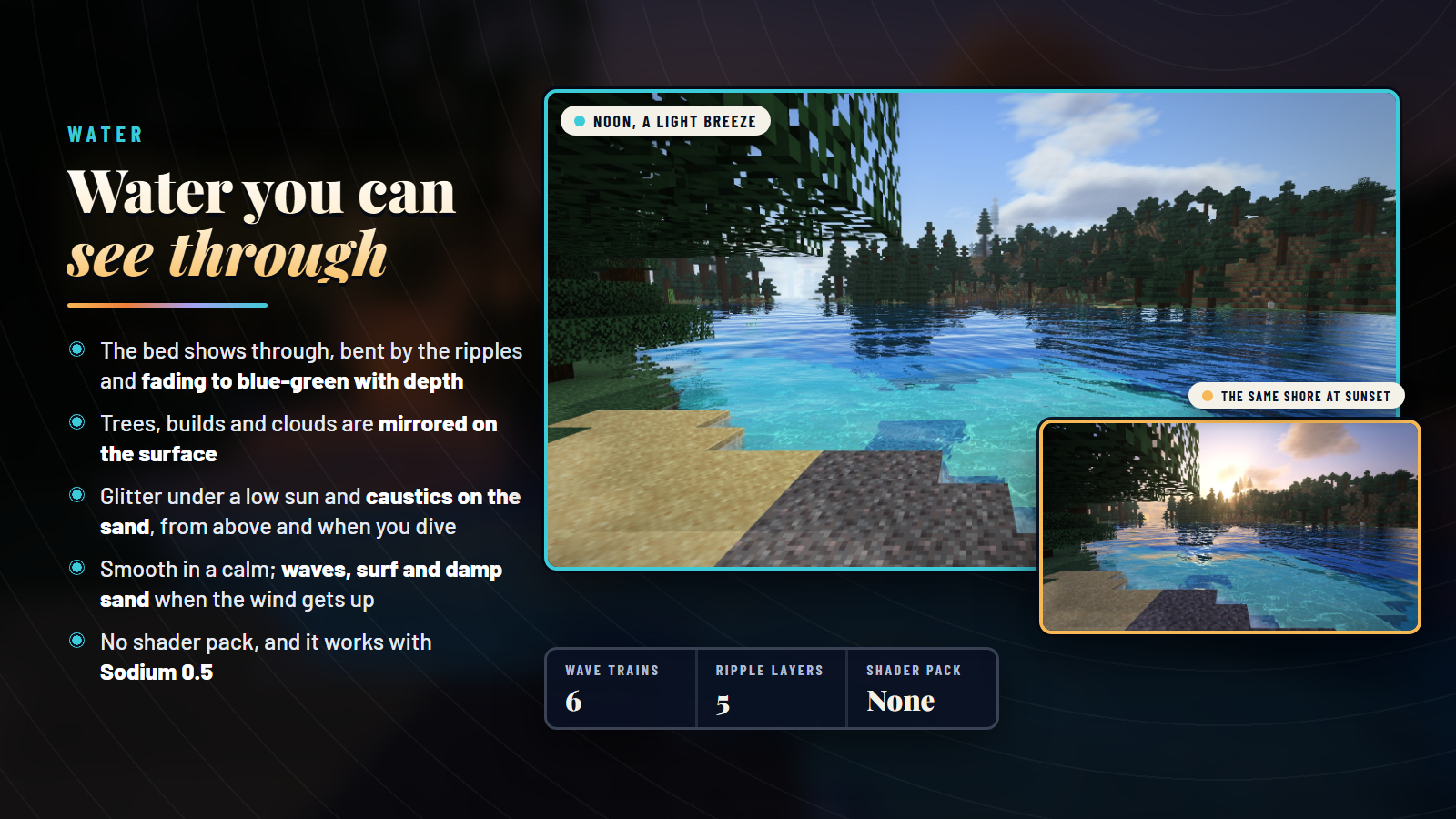
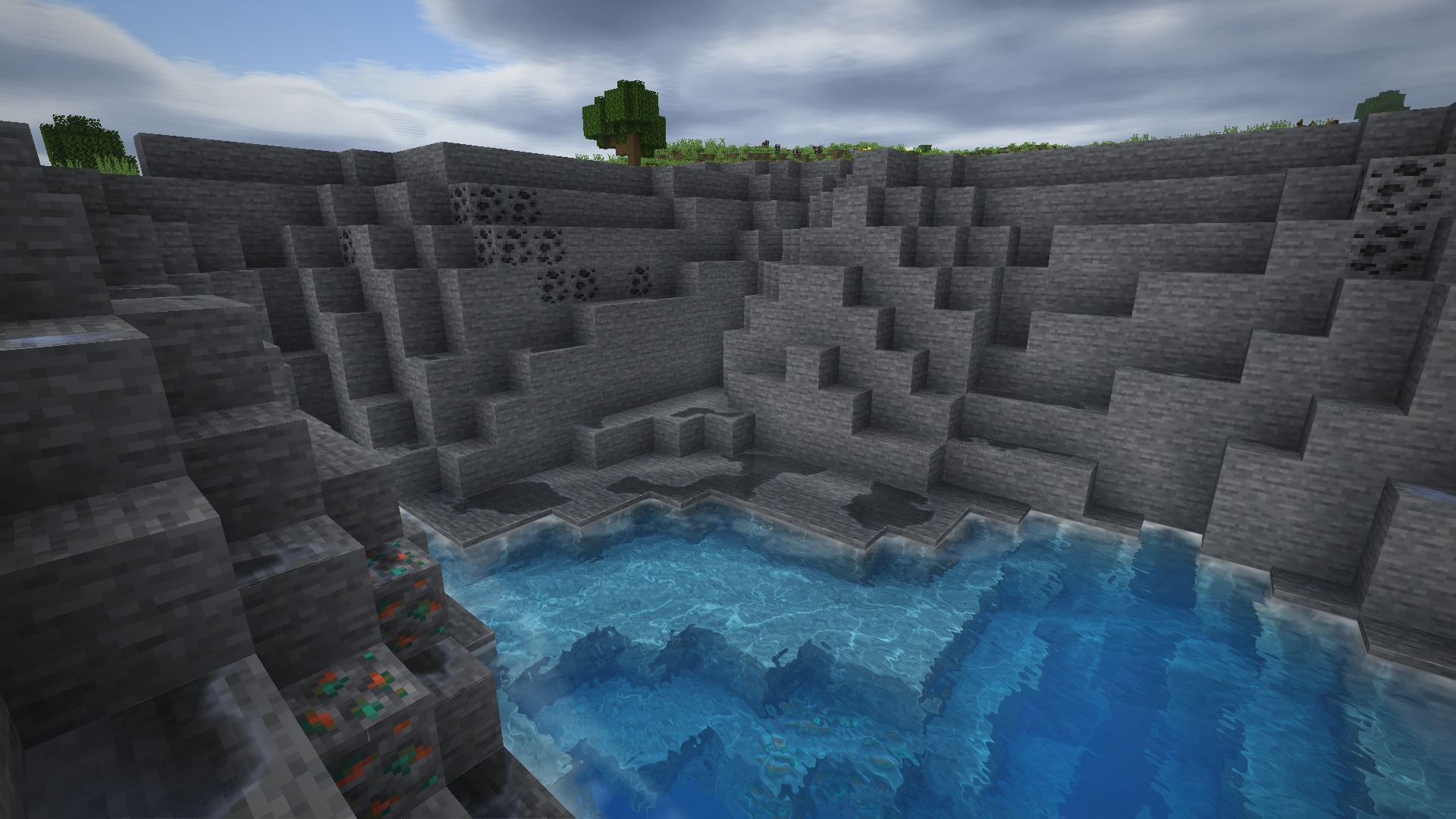
- See-through water. You see the bed through it, bent by the ripples and fading to blue-green with depth.
- Reflections. Trees, hills and builds are mirrored on the surface (Balanced preset and up), and so are the clouds, taken from the same cloud field you see overhead.
- Light. Glitter under a low sun or moon, and caustics on the bed, from above and when you dive.
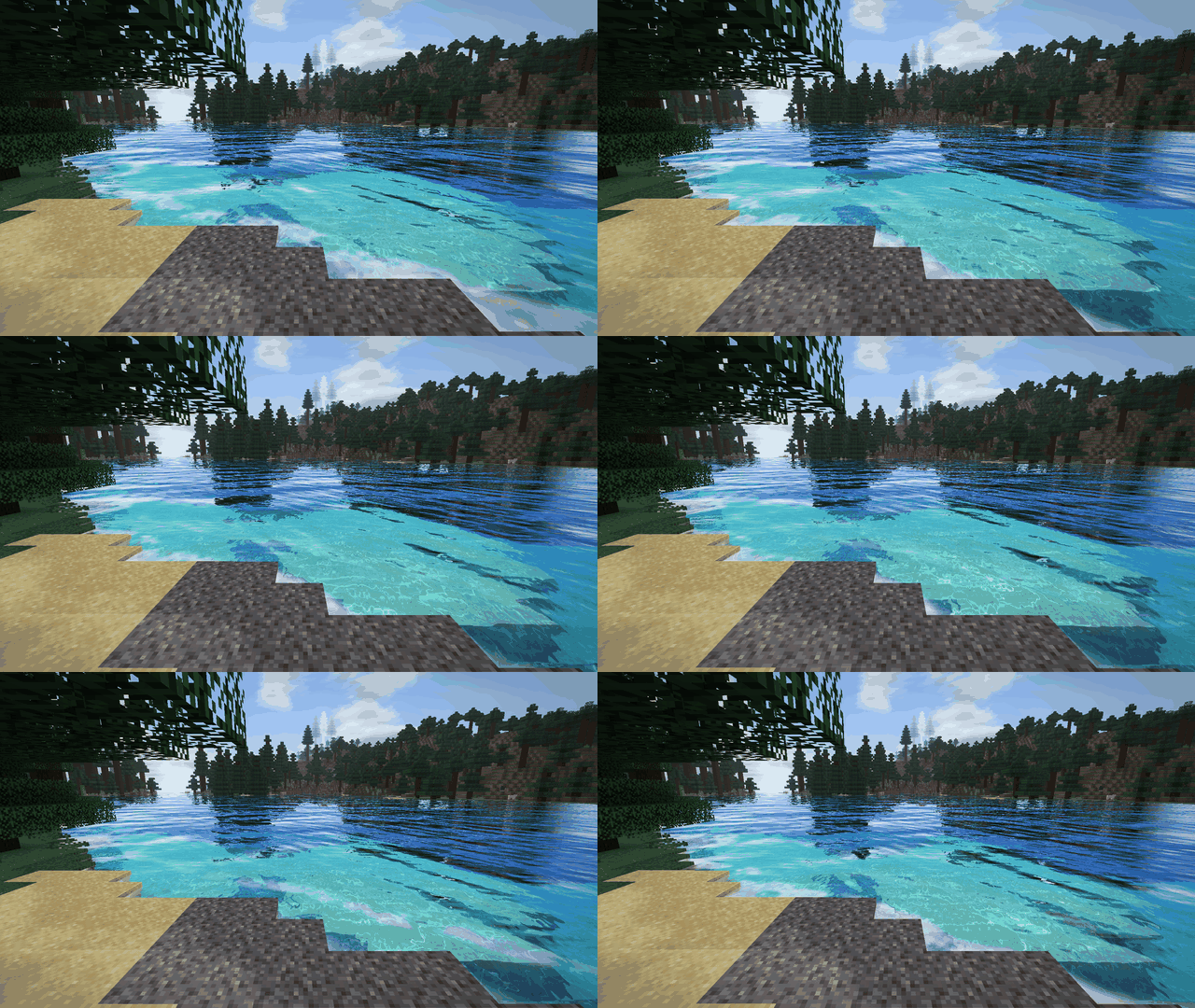
- Wind. In still air water lies nearly smooth under slow ripples. Wind raises waves, carries the ripples downwind and sends surf up the shore. The surface is built from 6 wave trains and 5 layers of ripples.
- The shoreline. Foam where water meets land, and sand along the waterline that stays dark and damp.

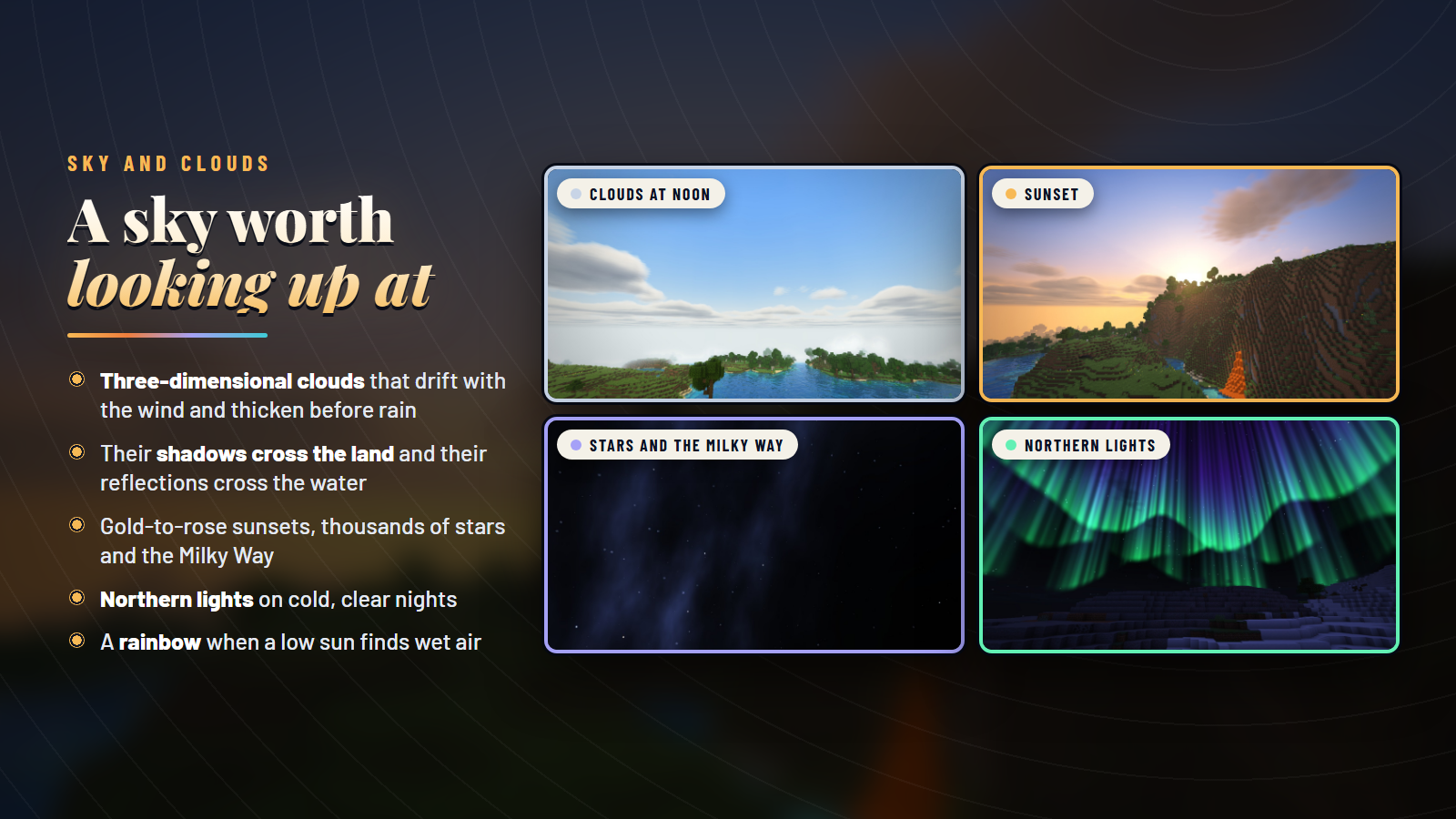
- Clouds with depth replace the game's flat ones. They are lit by the sun or the moon, drift with the wind, come and go in fair weather, close over before rain and tower in a storm.
- Cloud shadows cross the land, and the same clouds are mirrored in water and puddles.
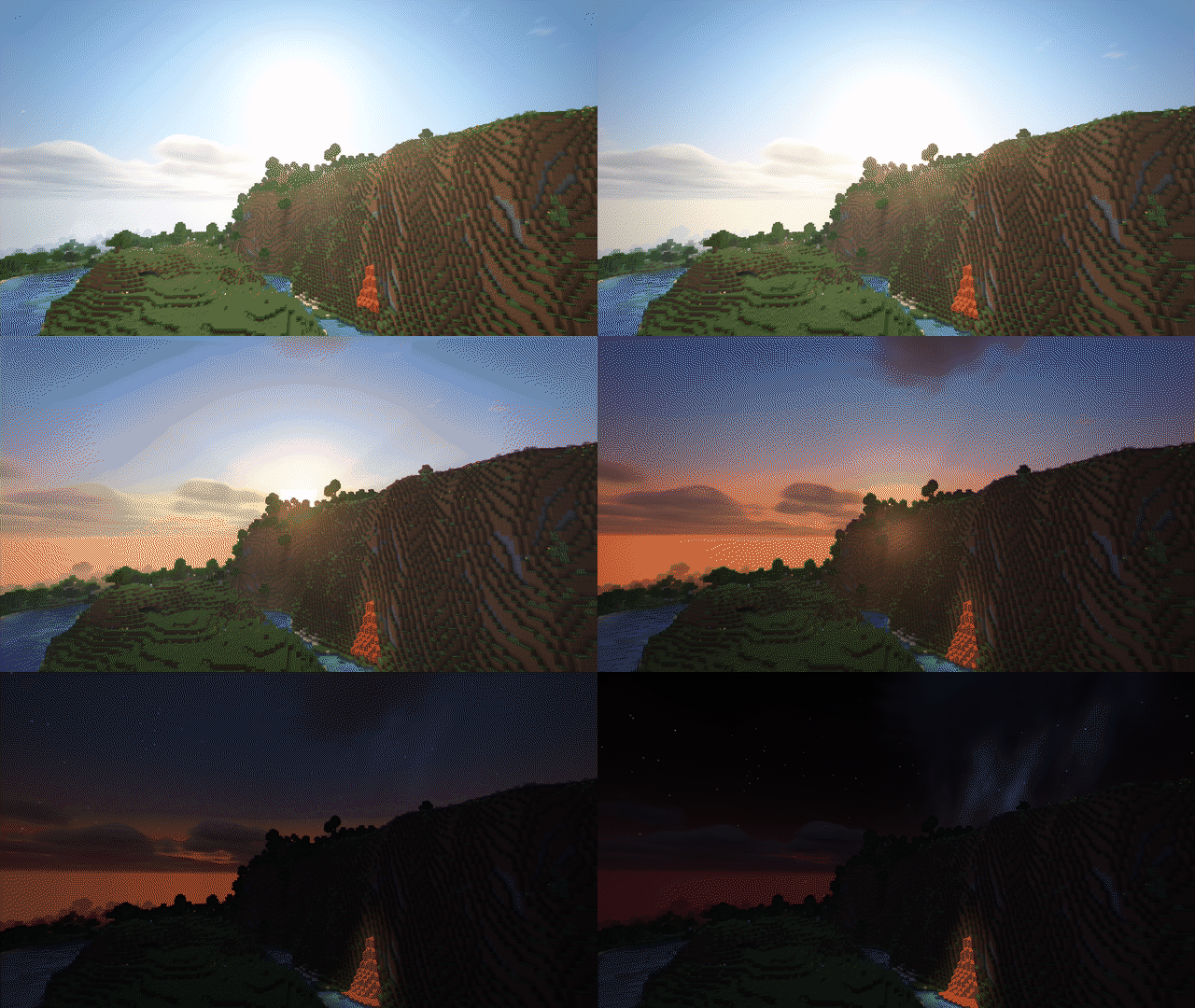
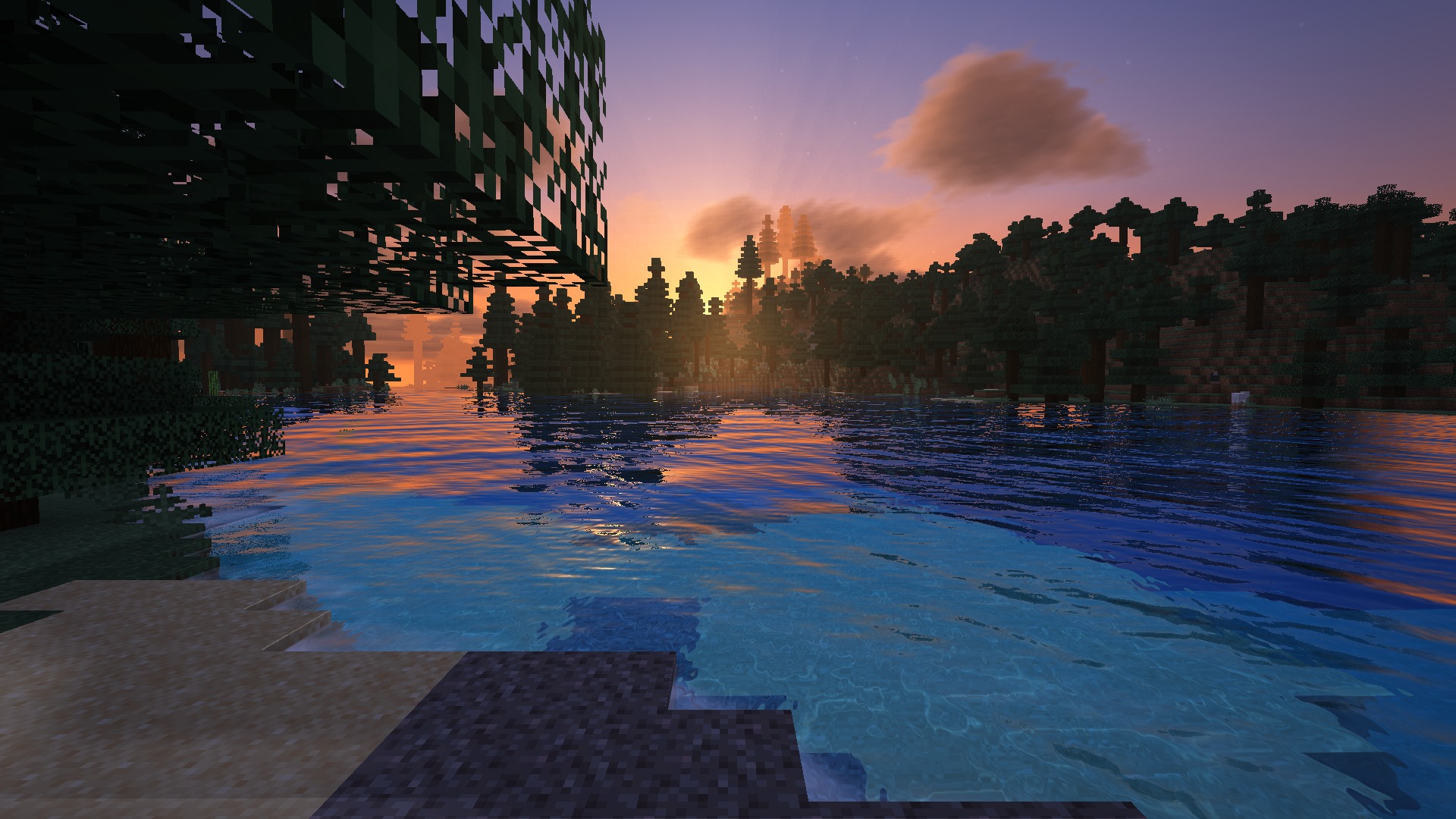
- Sunsets from gold to rose toward the sun, with a dusky pink band opposite it.
- Night: thousands of twinkling stars and the Milky Way, added to the game's own stars.
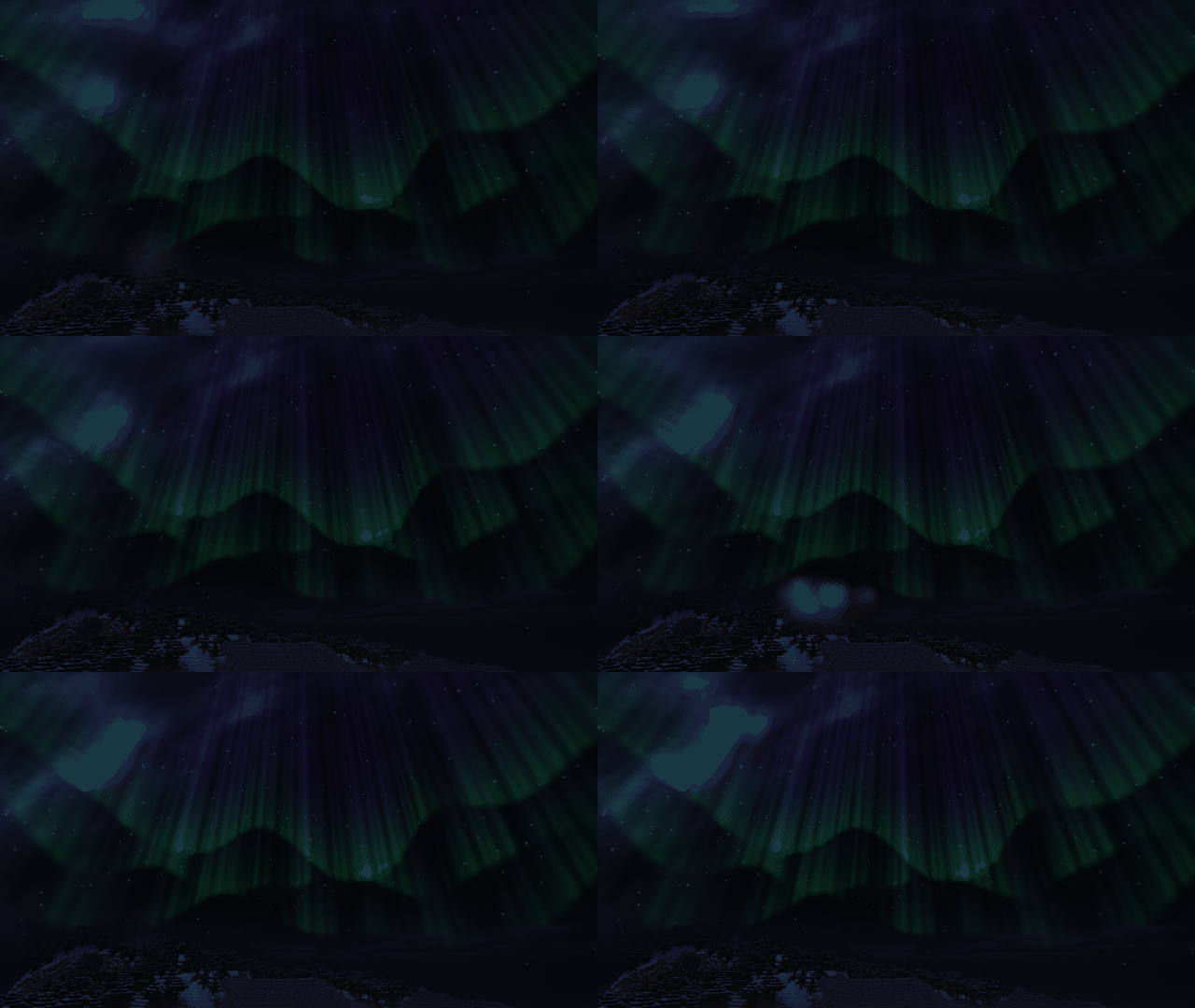
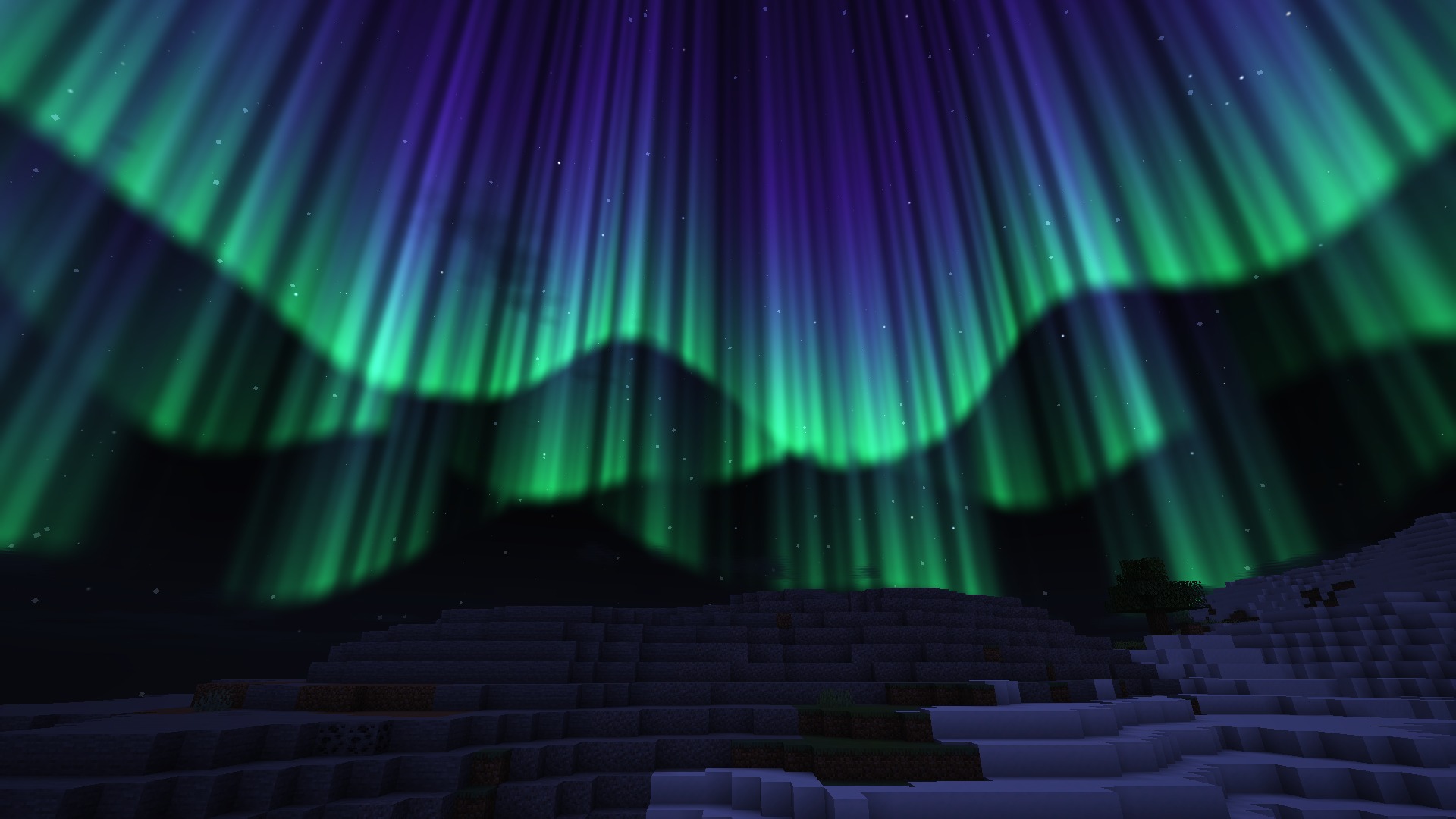
- Northern lights over cold, clear nights, and a rainbow opposite a low sun while the air is wet.
- Fog & Atmosphere → Volumetric clouds gives the game's own clouds back. "Clouds: Off" in the video settings turns both off.

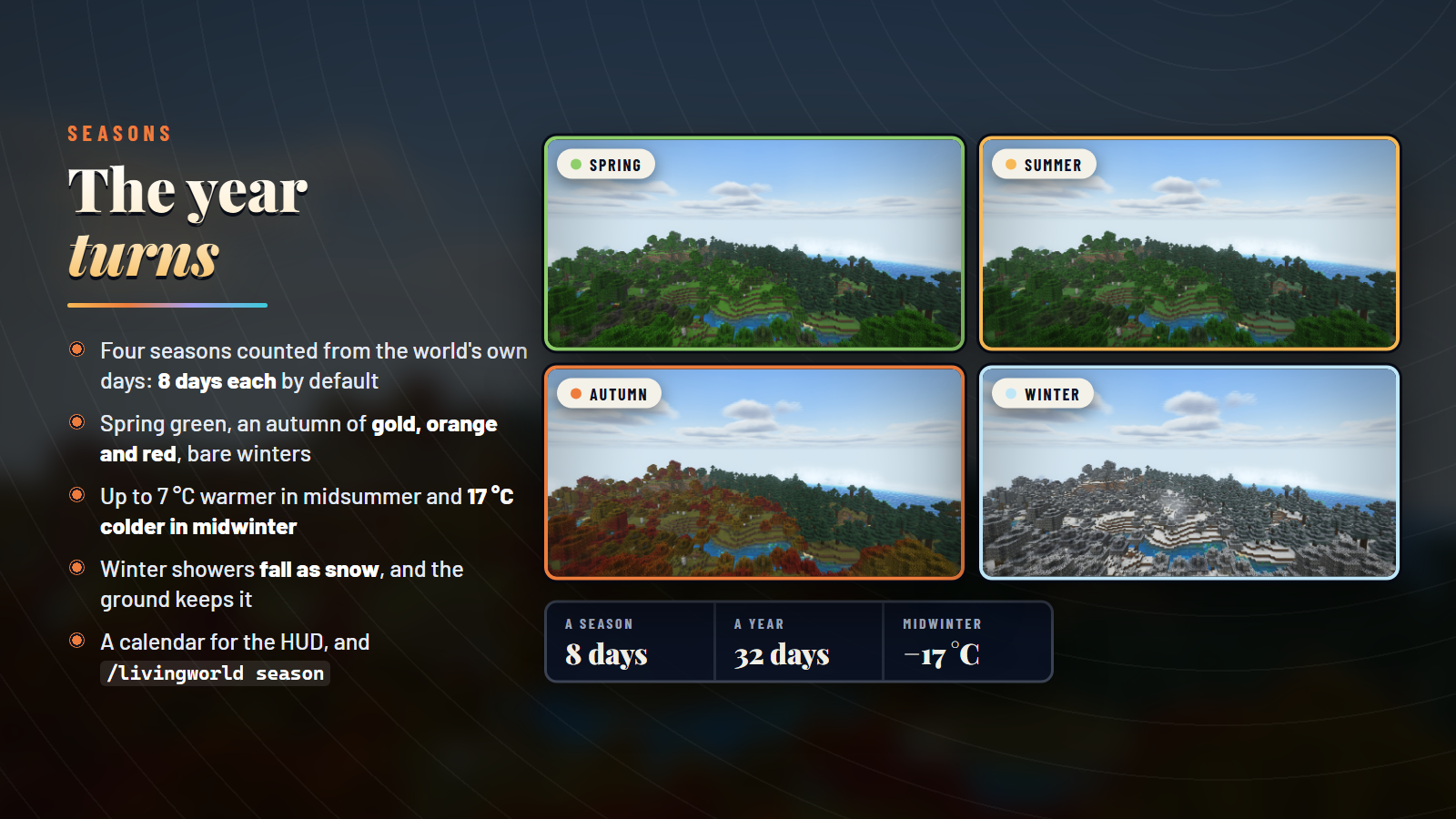
| Season | What you see | The climate |
|---|---|---|
| Spring | pale new green, the odd tree in blossom | mild |
| Summer | full green | up to 7 °C warmer at midsummer |
| Autumn | gold, orange and red, tree by tree; more leaves fall, in the colours the trees have turned | cooling |
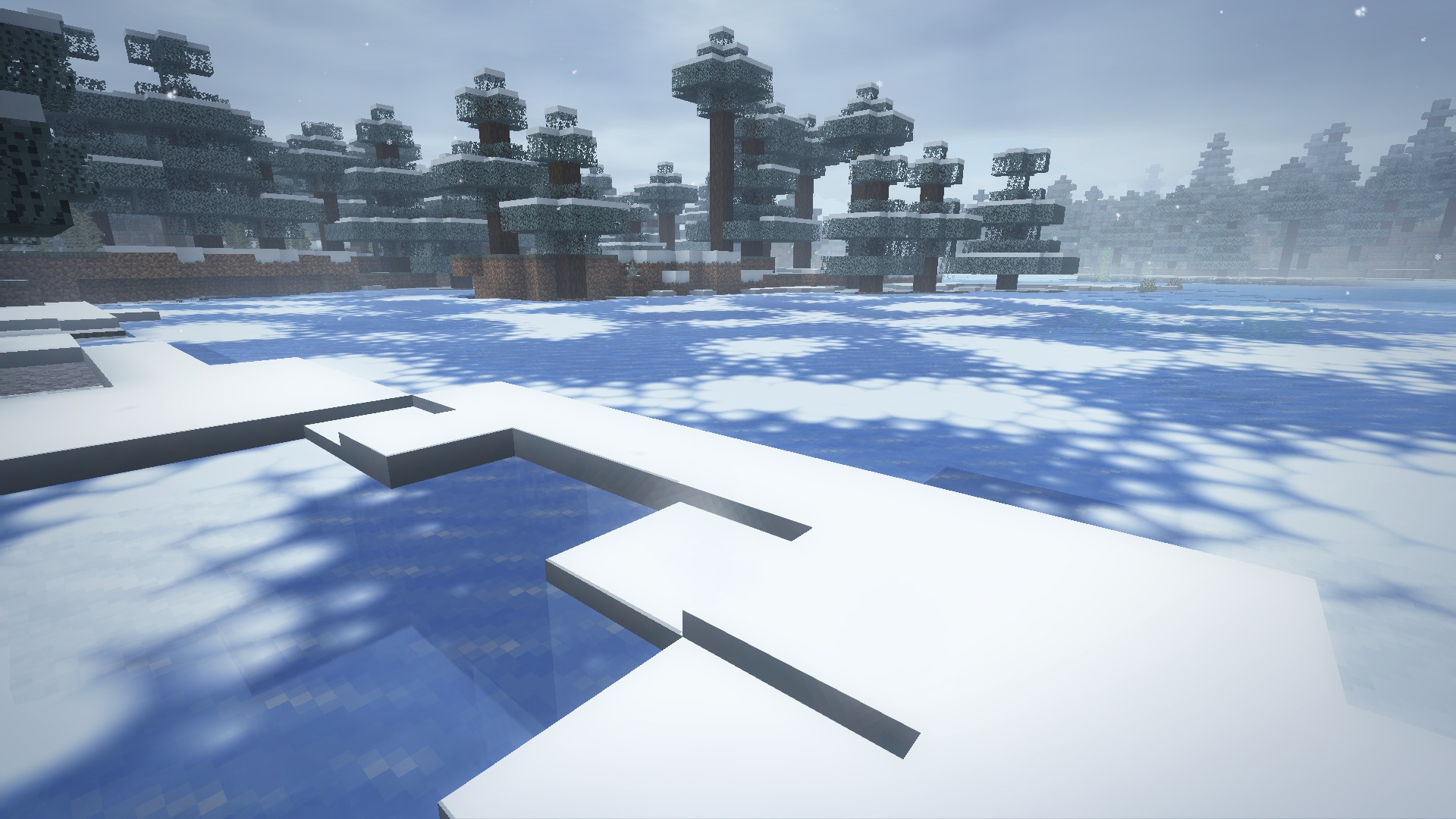
| Winter | bare, bleached foliage; snow lying on the ground | up to 17 °C colder at midwinter; showers fall as snow |
- A season lasts 8 Minecraft days by default.
/livingworld season length <days>changes it. - The calendar follows the world's own day counter, so every player agrees on the season, even on a vanilla server.
- The seasons are strongest in temperate biomes, weaker in deserts and almost absent in jungles. Conifers stay green.
/livingworld seasontells you the date./livingworld season set <spring|summer|autumn|winter>jumps to one.- Climate & Temperature → Calendar shows the season and the day on your HUD:
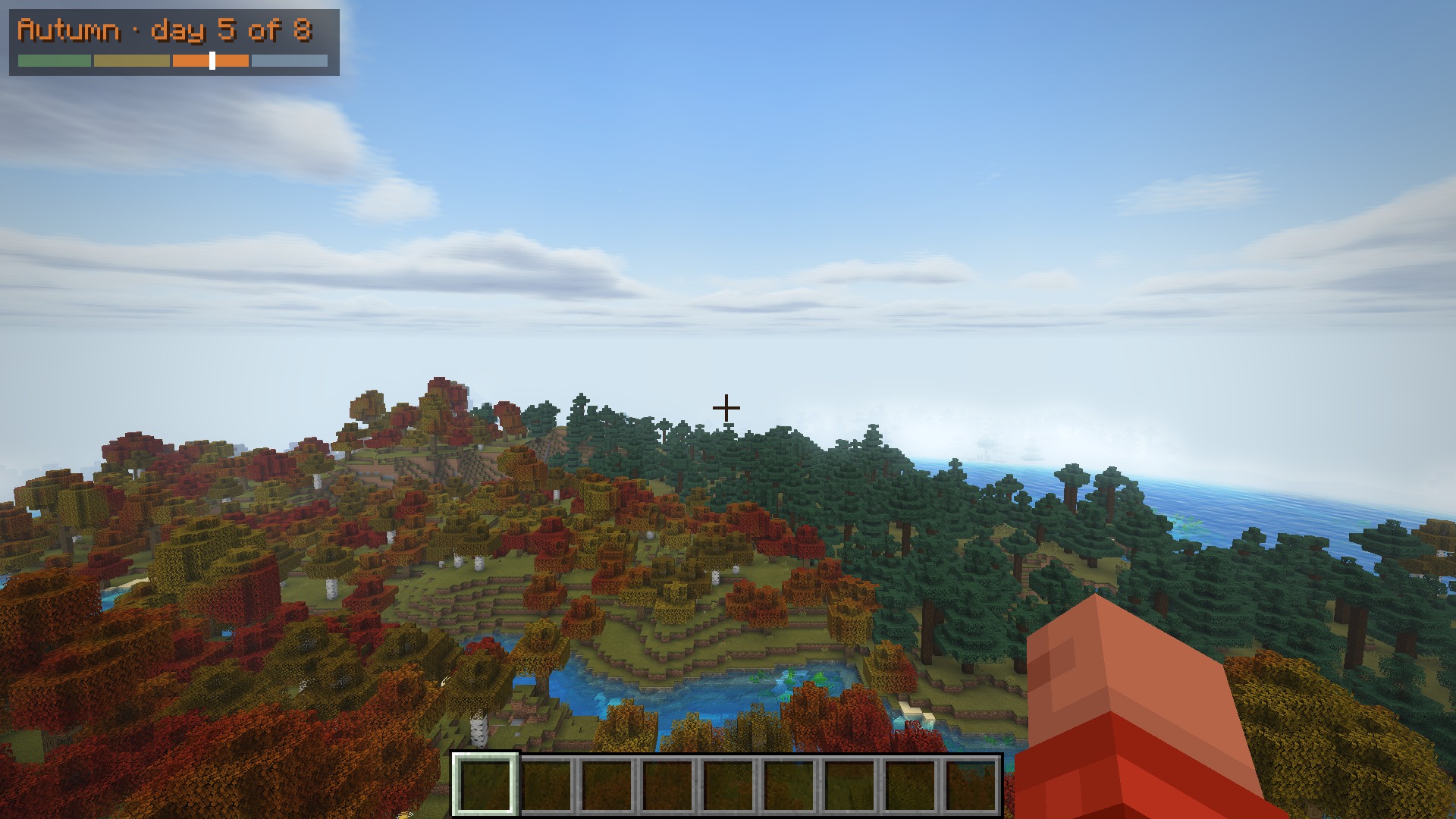

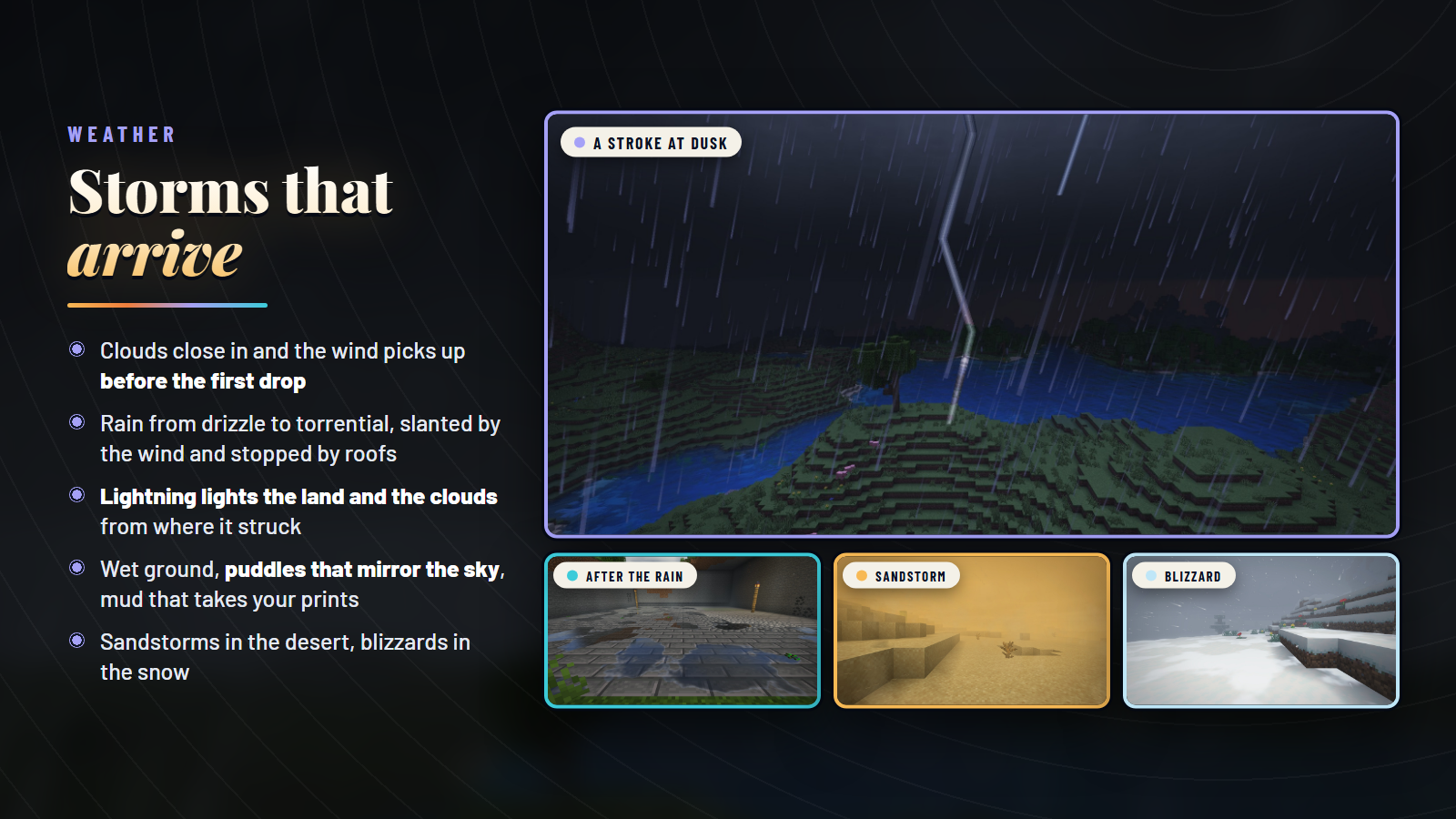
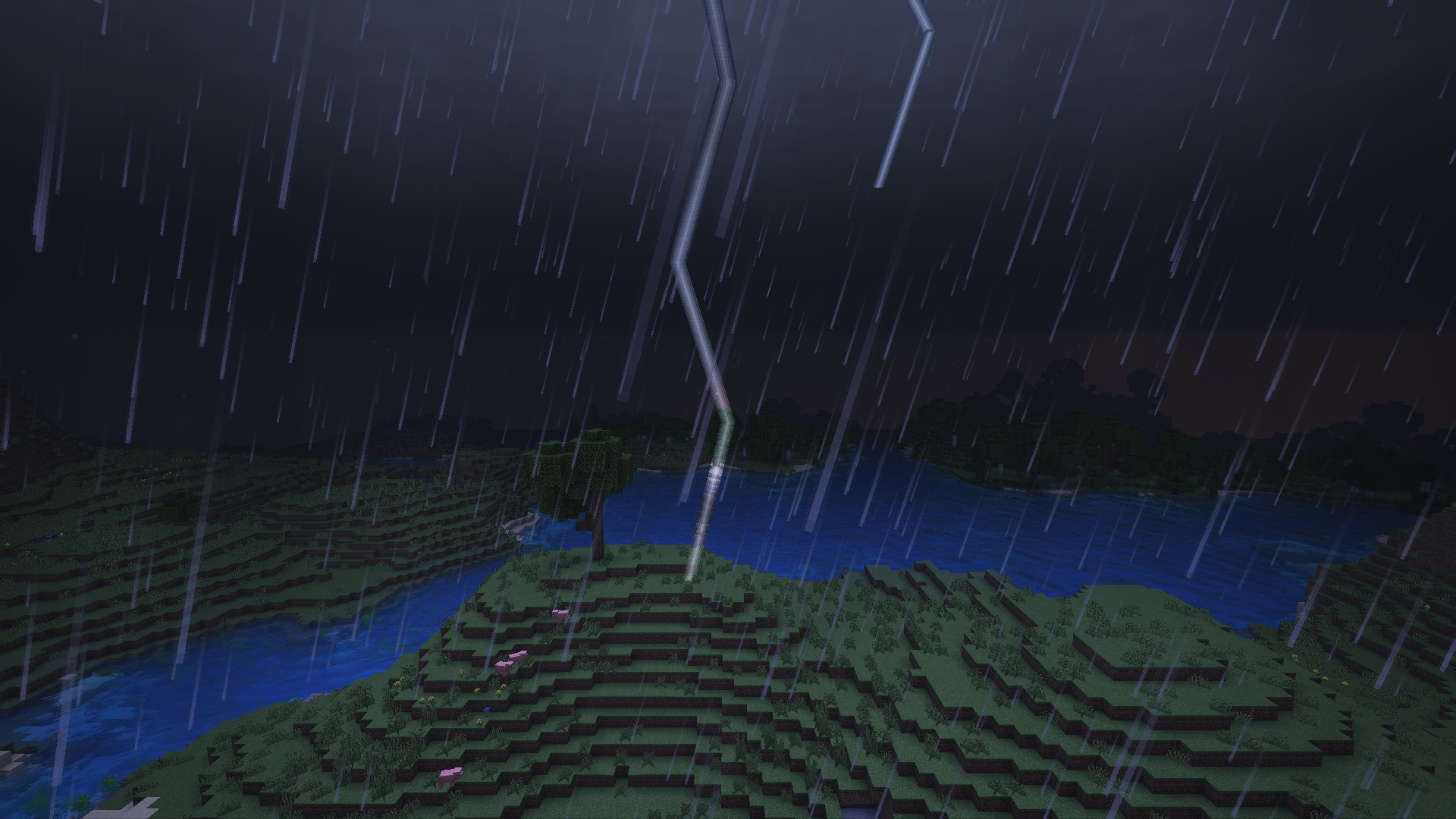
- A storm builds. Clouds close in, the wind picks up, the first drops fall. With the mod on the server too, the clouds start to gather up to two minutes before the rain.
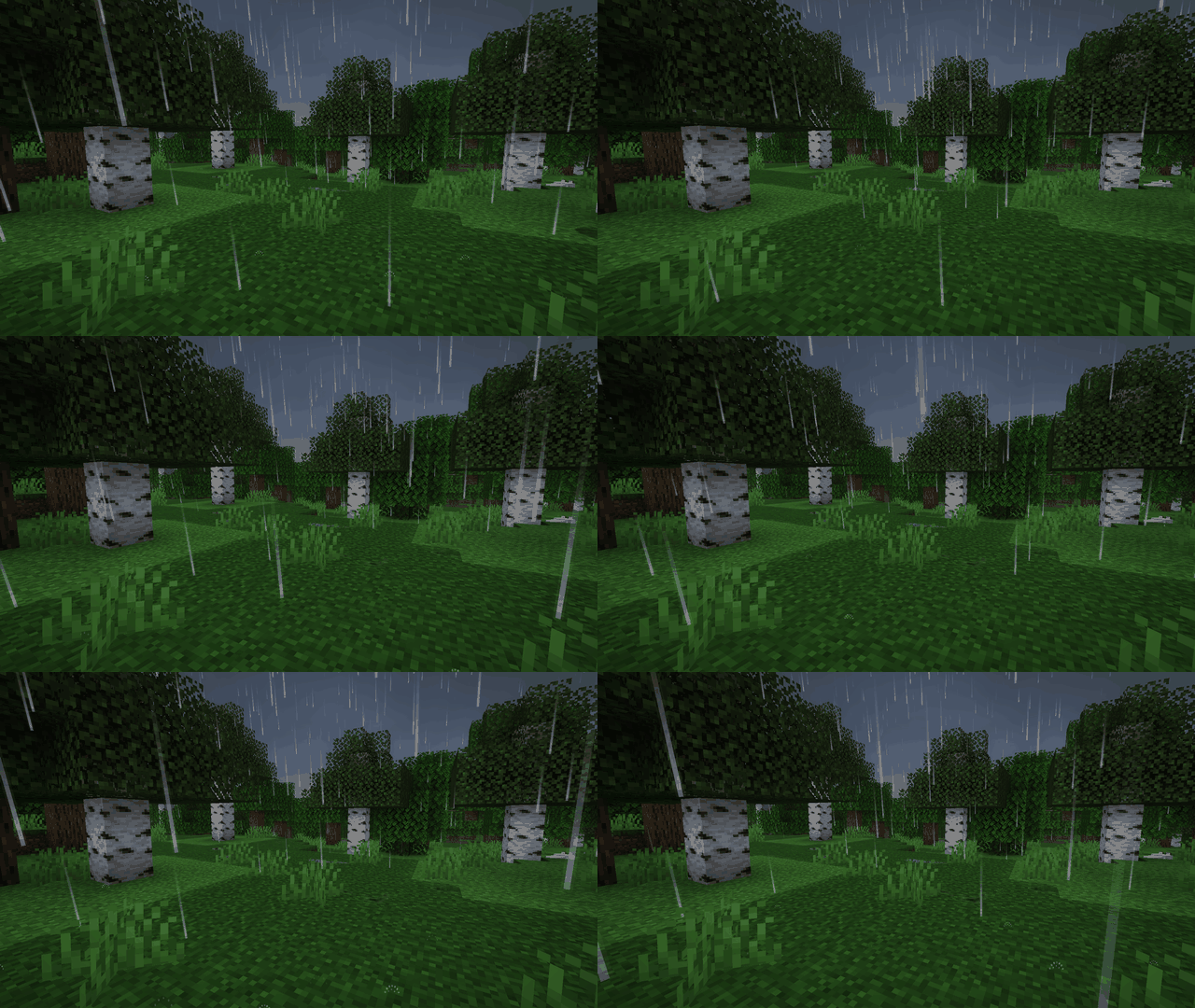
- Rain from drizzle to torrential, slanted and gusting with the wind. Roofs stop it and tree canopies let a little through. Splashes differ on stone, soil, leaves and water.
- Lightning lights the land that faces it and the cloud above it, from the place it struck. Thunder follows after a delay that grows with distance.
- Wet ground darkens where rain can reach it and stays dry under cover. Puddles collect on ground that holds water and mirror the sky. Soaked dirt and grass turn to mud.
- Sandstorms in the desert: a wall of dust, sand streaming over the ground, almost no visibility.
- Blizzards in the snow: flakes flying sideways and a whiteout a few dozen blocks deep.
- Fog and mist: morning mist in valleys, haze over hot sand, low fog in swamps. It never closes in completely.

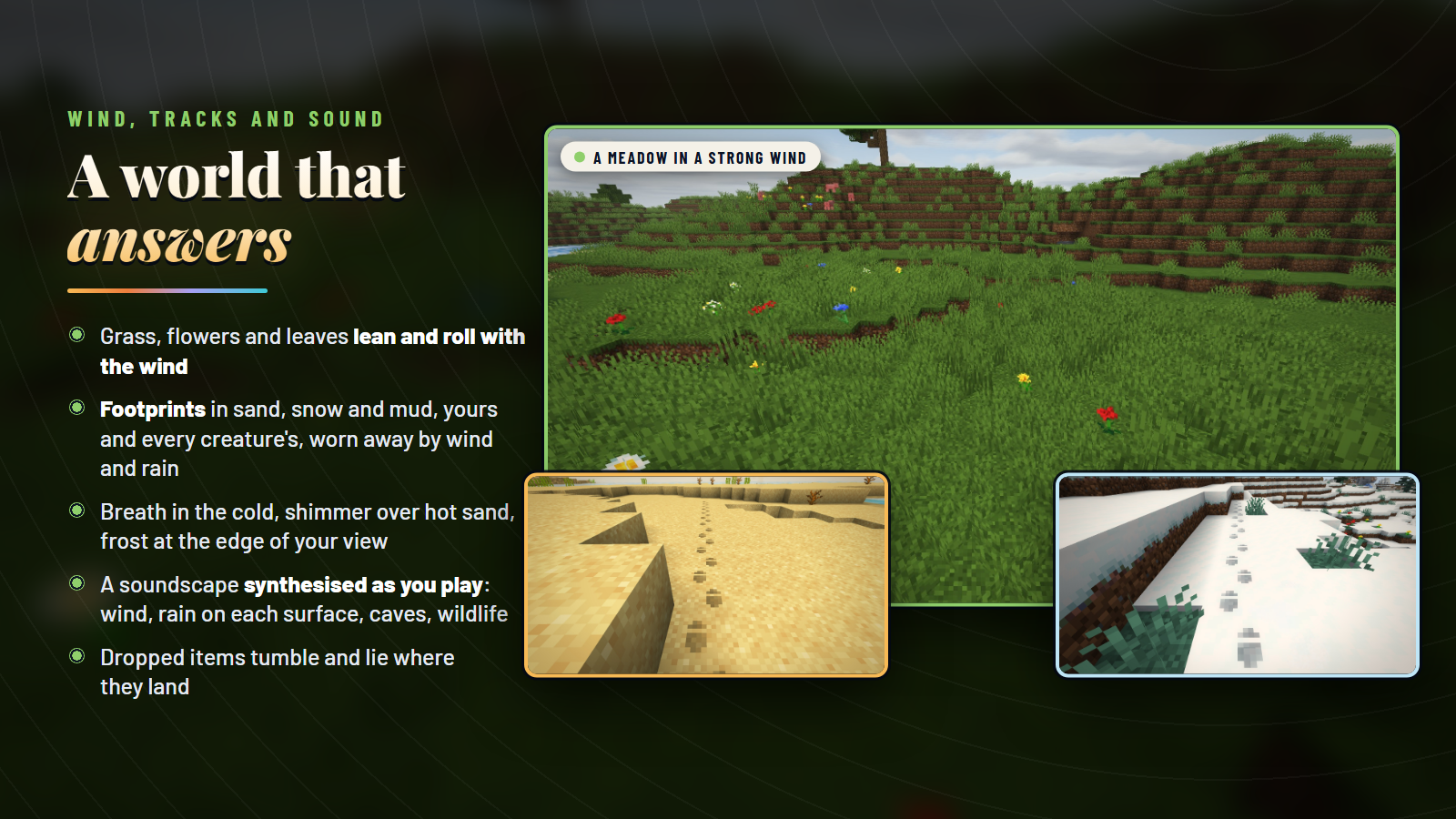
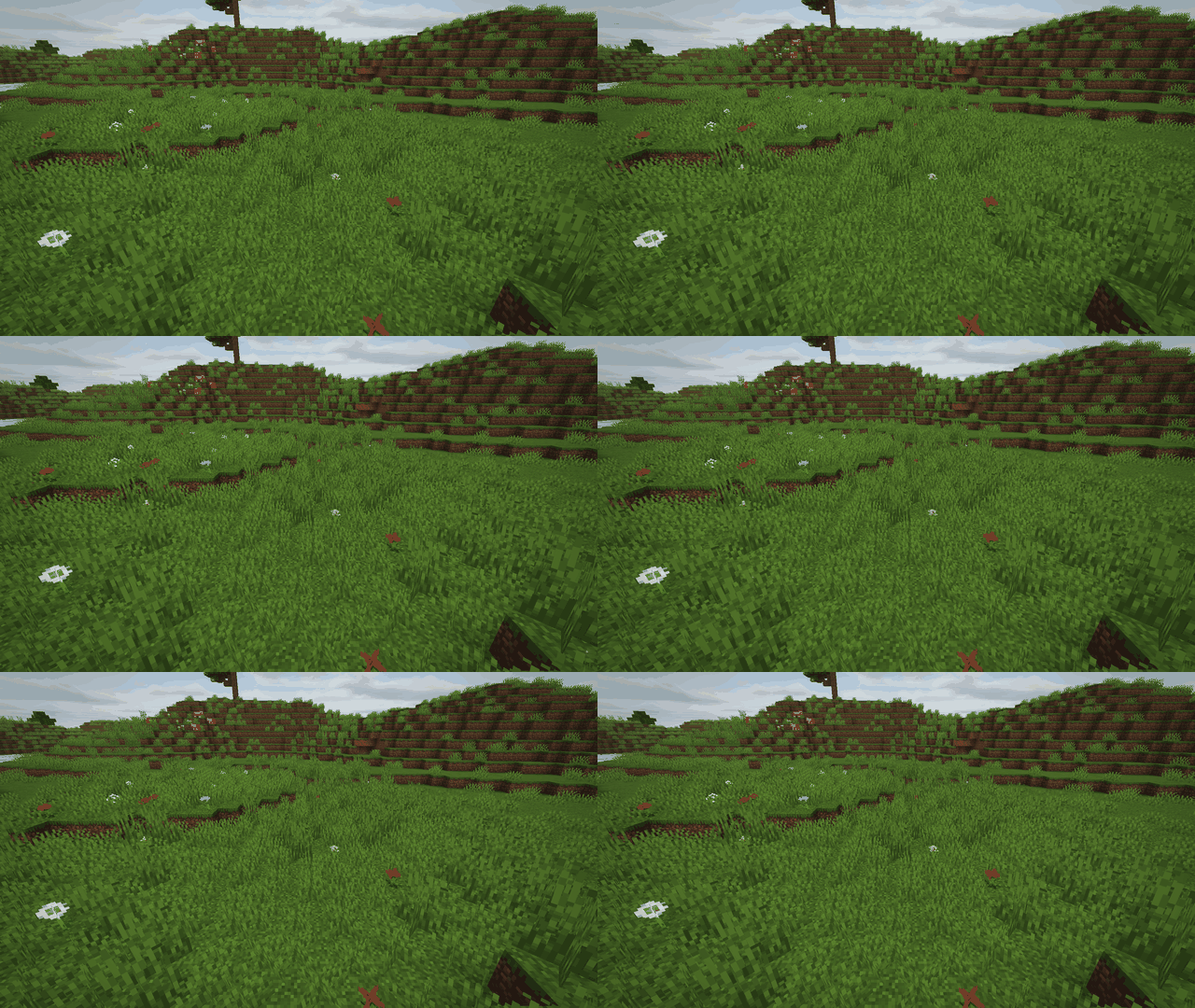
- Wind you can see. Grass, flowers and leaves lean and roll with it. Gusts cross a field at the wind's own pace and stop when it does.
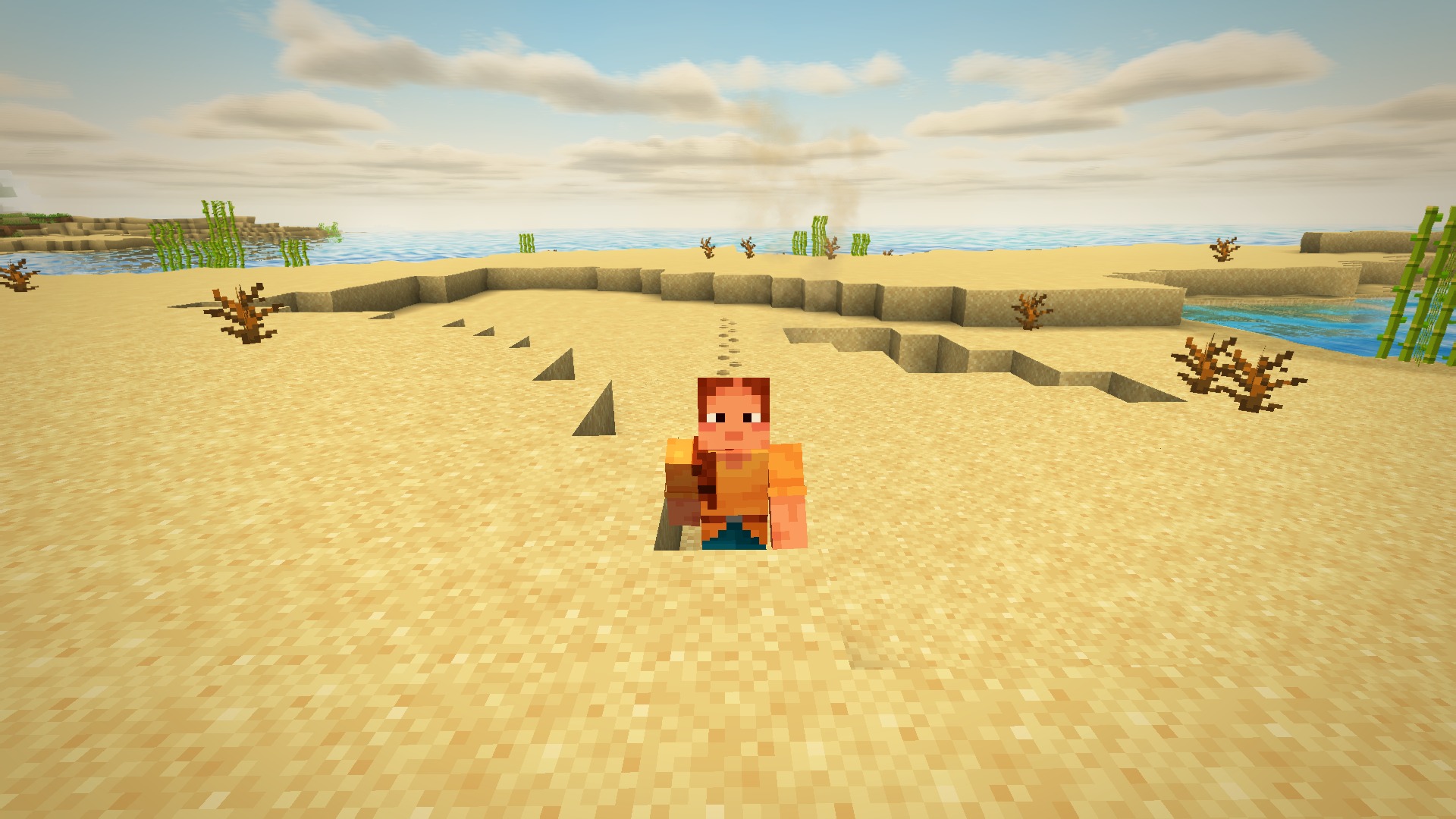
- Footprints in sand, snow and mud, and wet prints on stone after a swim. Sprinting, sneaking and landing leave different marks. Animals leave hoof, paw and bird tracks.
- Prints wear away. Wind, rain, snowfall and sandstorms erase them, each surface at its own rate.
- Your own body. Breath in the cold, shimmer over hot ground, frost creeping over the edge of your view, drops on the lens in rain.
- Sound. Wind, rain on each kind of surface, caves, surf and wildlife are synthesised while you play. There is not one audio file in the jar. A resource pack can supply recordings for the birds and frogs.
- Dropped items tumble through the air and lie where they land.

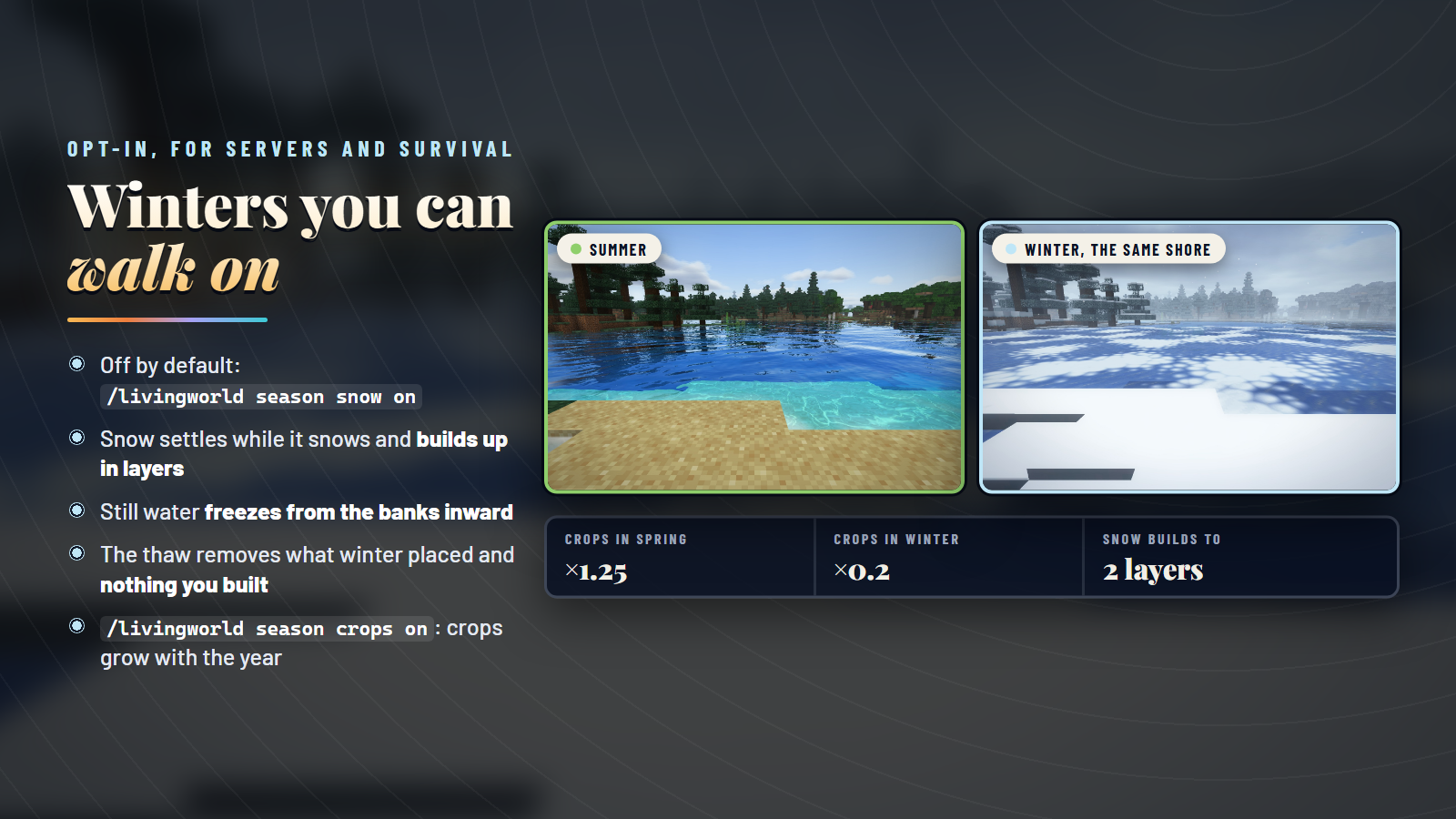
By default the mod changes nothing in your world: everything above is drawn or played on the client. Two rules go further. Both are off until a server operator (or you, in single-player) turns them on.
| Rule | Turn it on | What it does |
|---|---|---|
| Winter changes the world | /livingworld season snow on |
Where the season makes it cold enough, snow settles while it snows and builds up to 2 layers, and still water freezes from the banks inward. The thaw takes away what winter placed and nothing else: your own snow and ice stay. |
| Crops follow the year | /livingworld season crops on |
Crops, stems, saplings, sweet berry bushes and cocoa grow 25 % faster in spring, as in vanilla in summer, at 70 % to 60 % in autumn and at 20 % in winter. Plants under a roof are left alone, so a greenhouse works. |
Heat and cold are feedback, with one more opt-in: Survival temperature rules add mild hunger drain and slowness in extreme heat or cold. They never deal damage.

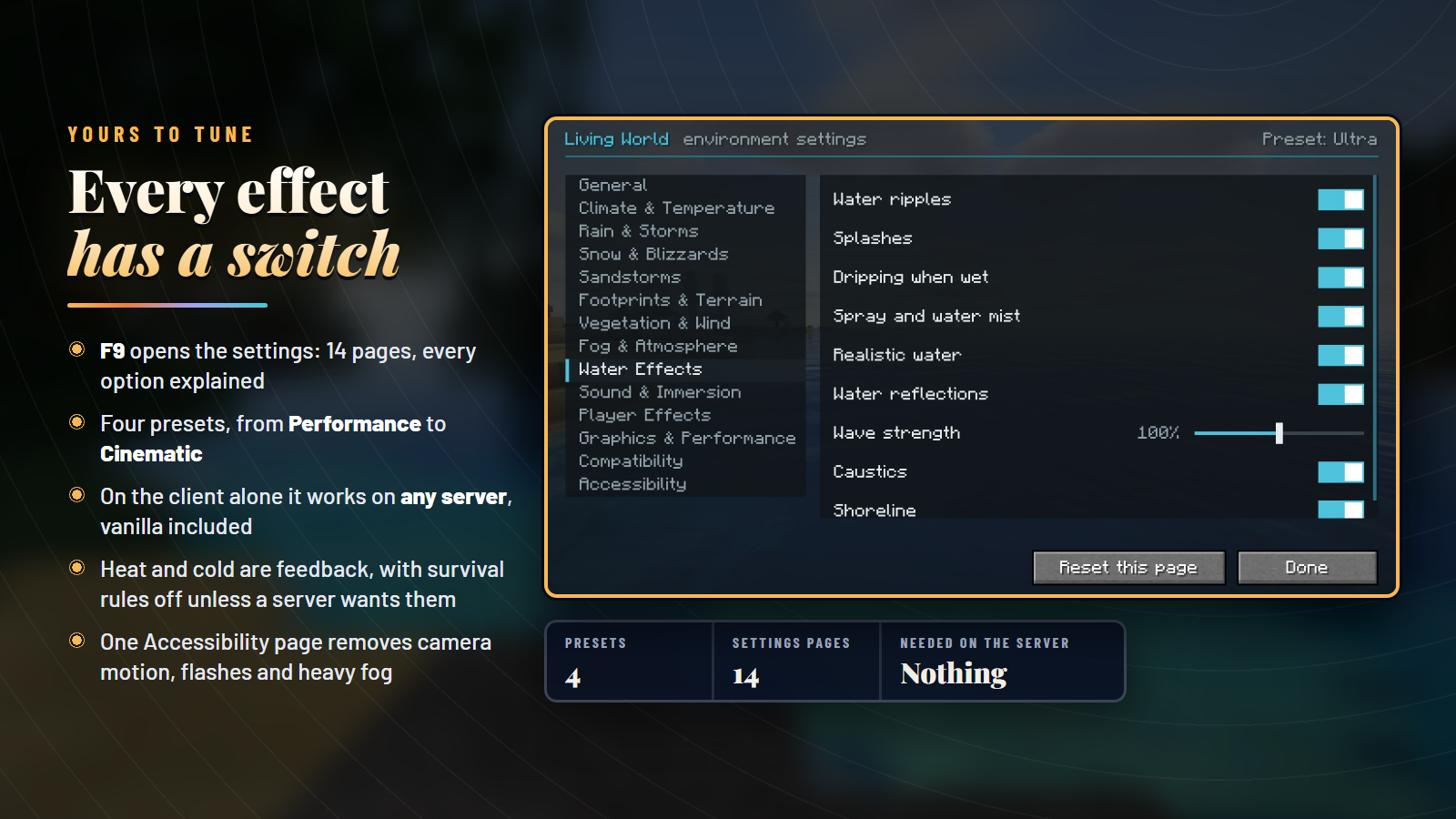
Press F9 in the game, run /lw config, or use Mod Menu. There are 14 pages and every option has a description.
| Preset | Particles | Rain and snow streaks | Footprints | Water reflections | Cloud layer |
|---|---|---|---|---|---|
| Performance | 1,200 | 1,200 | 256 | the sky only | 8 slices, at half resolution |
| Balanced (default) | 3,000 | 3,200 | 768 | 14 steps | 16 slices, at half resolution |
| Ultra | 6,000 | 6,000 | 1,536 | 20 steps | 22 slices |
| Cinematic | 12,000 | 10,000 | 3,072 | 26 steps | 32 slices |
- The numbers are hard limits, so a storm cannot spawn its way into a stutter.
- Adaptive quality sheds particle density when you drop below your target frame rate.
- Accessibility is one page to remove camera motion, flashes, distortion, heavy fog, dense particles and overlays.
/livingworld weather <type>and/livingworld wind set <0..1.6>let an operator stage any weather for everyone./lwdoes the same for you alone, on any server.

| Setup | What you get |
|---|---|
| Client only, any server | Every visual and sound. Wind, weather and season come from the world's own time, so players with the mod still see the same thing. |
| Client and server | The same, plus commands everyone sees, clouds that gather before the rain, a season length the server decides, and the opt-in rules above. |
| Server only | The commands and the opt-in rules. Vanilla clients can join. |
| Sodium 0.5.x | Supported, tested with 0.5.11. Water, vegetation sway and seasonal colours work as on the vanilla renderer. |
| Iris with a shader pack | The pack is left in charge of water, sky and post-processing. Rain, snow, particles, footprints, fog distance and sound keep working. Not tested with a pack loaded. |
| Biome and block mods | Biomes are classified from their tags, temperature and rainfall, and blocks from their tags and step sound, so modded sand, snow and mud take footprints. |

Do I need a shader pack? No. Everything is drawn with the game's own renderer, or with Sodium's.
Does the server need it? No. On the client alone it works on any server, including vanilla ones.
Does it change my world? Not unless you turn on the winter rule. Without it the mod places and removes no blocks.
Will it hurt my frame rate? Water and clouds are the costly parts. The Performance preset drops water reflections and draws the clouds with fewer slices, and each of them has its own switch.
Does it work with shader packs? With a pack active the mod steps back and lets the pack draw water and sky.
The water is not see-through for me. Check Water Effects → Realistic water, and that no resource pack replaces the terrain shaders. With Sodium you need a 0.5.x build.
Can I use it in my modpack? Yes. It is MIT-licensed and needs nothing beyond Fabric API.

More from NightBeam Studio
- Remnants: Ashen Legacy: the story-driven soulslike RPG modpack built on NightBeam's mods
- Premium server plugins: anti-cheat, ranked PvP, SMP setups and more on BuiltByBit
- NightBeam Pro: the model library and NightBeam Forge credits, from $5 a month
- Discord: support, bug reports, suggestions and early looks
- Support NightBeam: help keep every mod free
Project description from CurseForge.
Pick your setup
Living Worlds : Atmosphere by Minecraft version and loader
Choose the version and loader you play, then open the matching release.
Check the dependencies, then try the file in a copied instance before changing a world you care about.
Recent files
Living Worlds : Atmosphere versions and loaders
livingworld-forge-1.20.1-1.0.0.jar
21 Nov 2026
Client Source doesn’t say Server Source doesn’t say Dependencies No extras listed Listed on Release listing
Check the 1.20.1 · Forge setup 1.20.1Forge release
livingworld-1.0.0.jar
21 Nov 2026
Client Source doesn’t say Server Source doesn’t say Dependencies No extras listed Listed on Release listing
Check the 1.20.1 · Fabric setup Fabric1.20.1 release
Looking for an older file? The official CurseForge project page is in Resources.
 mod
CurseForge + Modrinth · Minecraft
Reliable Gliders
A mod that adds a simple, immersive, and balanced Glider to the game!
 mod
CurseForge · Minecraft
CalamitousCore
A Compilation of tweaks for Terramity Calamitous Edition
 mod
CurseForge · Minecraft
No Trade Cycling, Just Pick
Stop rerolling villagers. Press Pick trade and select any 2 trades its profession can offer (max-level enchanted books included). Fast trade and saves time.