Immersive Portal Optional for ADDImension adddi-1.2.4.jar
optionalMatching file found Matched file: immersive-portals-6.0.7-mc1.21.11-fabric.jar
CurseForge · Minecraft mod
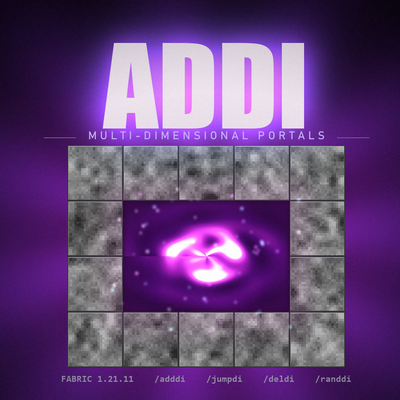
Want to create your own dimension? Try ADDI! Use /adddi to create a new dimension!
Quick answer
ADDImension adddi-1.2.4.jar targets 1.21.11 with Fabric. The project page does not say whether this file belongs on the client, dedicated server, or both. No extra mods listed for this file.
Where it goes
The project page does not say whether this file belongs on the client, dedicated server, or both.
The source does not explicitly classify this release as client-only or server-only.
adddi-1.2.4.jar. Change the file and its required mods may change too.
This file does not list any required mods. Do not add a library just because a different file uses it.
We only count dependency files that match this setup. A file for another loader does not fill the gap.
Before you install it
Built for ADDImension adddi-1.2.4.jar. Pick another file and the loader, install side or required mods may change.
Use adddi-1.2.4.jar. It targets 1.21.11 with Fabric; another release may have different loader, side or dependency requirements.
This file does not list any required mods. Do not add a library just because a different file uses it.
The project page does not say whether this file belongs on the client, dedicated server, or both.
Use the “Get this file” button beside adddi-1.2.4.jar. It opens that exact file at the source.
About this project
A multidimensional mod for Minecraft 1.21.11 (Fabric). Build a portal frame using specific blocks and ignite it with flint and steel to open a gateway to a custom "superflat void" dimension. Features include transition animations, whitelisting, probabilistic routing, custom exit coordinates, and immersive portal transparency (see-through effects).
Simply place adddi-1.2.3.jar into your .minecraft/mods folder.
/adddi <dimension_name> <block_name>.The terrain in these dimensions consists of a "superflat void" (a layer of air within the minecraft:the_void biome), which is automatically regenerated based on your configuration every time the server starts. Dimension names cannot be the_nether, overworld, or the_end. Only lowercase letters, numbers, underscores, and hyphens are permitted.
| Preset | Effect |
|---|---|
2 (default) |
No transition effect; enters the target dimension immediately. |
1 |
Upon entry, the player receives Nausea II (for 8 seconds). The screen fades to black, displaying "Loading world." Once loading is complete, "Loading complete" is shown for 2 game ticks, followed by a fade back to the game view. |
If the preset parameter is omitted, it defaults to 2.
All commands, except for /askdi, require OP permissions (permission level 2).
/adddi <dimension_name> <block_name> [transition_preset] [options...]Creates a dimension and specifies the block used for the portal frame.
[transition_preset]: 1 or 2 (defaults to 2).[options...] (optional; space-separated, order does not matter):justop=1 / justop=0: Restricts entry to OPs only.whitelistadd <player_name> or whitelist=<player_name>: Adds a player to the whitelist.sound=<sound_id>: Sets the sound played upon entry (e.g., minecraft:block.portal.travel)./jumpdi <target> <dimension> <x> <y> <z>Teleports the target (e.g., @s, @a, @e) to the specified coordinates in the target dimension. You may use a shorthand for the dimension name (the adddi: prefix is added automatically). Players not on the whitelist will be blocked, and a message—"You cannot reach this dimension"—will appear in their chat. ### /askdi Lists all created dimensions in the chat: the total number of dimension configurations, the dimension the user is currently in, and for each dimension: its name, loading status, frame block, cutscene preset, OP restrictions, and whitelisted players. If no whitelist is set, it displays "Whitelist = Everyone" (meaning anyone can enter). Available to all players; no OP status required.
/deldi <dimension_name>Deletes a dimension: teleports all players within that dimension back to the Overworld, then dynamically removes the dimension and clears its configuration.
/sounddi <dimension_name> <sound_id>Changes the entry sound for the specified dimension (the provided sound ID must exist).
/whitelistdi <dimension_name> add|del <player_name>Adds or removes a player from a dimension's whitelist. When the whitelist is not empty, only players on the list can enter (this also blocks entry via /jumpdi).
Right-click a portal frame block with a Netherite sword to "select" that specific portal (other portals in the same dimension remain unaffected). The current exit coordinates will be displayed in the chat. Once selected, you can use the following two commands (selection must be performed again each time you log into the game).
/changecodi <x> <y> <z>Changes the exit coordinates for the selected portal in the target dimension. Decimal values are supported (e.g., /changecodi 100.5 65 200.5).
/changedoorblockdi <block_name>Changes the appearance of the selected portal to be "opaque": it hides the Immersive Portals entity (without deleting it, to prevent rendering crashes) and uses a BlockDisplay to render the texture of a specified block, while maintaining full portal functionality. This only affects the currently selected portal. - Example: /changedoorblockdi minecraft:glass
/changedoorblockdi minecraft:air: Restores the portal's see-through appearance; coordinates and configuration remain unchanged./randdi <dimension_name> <n> [<dimension_name> <n> ...]Sets the probability weights for teleportation across multiple dimensions that share the same frame block (up to 4 entries).
n (0–100) use that value as their weight; dimensions without a specified n share the remaining value (100 - total sum) equally.n is outside the 0–100 range, a red message—"Please enter a number less than 100"—will appear in the chat.Portal blocks without a bound configuration follow vanilla teleportation rules:
adddi/dimensions.json within the save folder.adddi:portal includes a hidden state; when hidden, the portal surface texture is rendered by a BlockDisplay entity, while the block itself continues to handle teleportation logic.null—allowing "portals within portals" to function alongside Sodium./changedoorblockdi sets the selected portal's IP (Immersive Portals) entity to be invisible and non-teleportable without deleting it, preventing rendering crashes. The visible face of the portal always orients itself toward the player who ignited it.AbstractFireBlock.isOverworldOrNether has been lifted via Mixin, allowing Nether portals to be ignited in custom dimensions./adddi again.justop setting.Helper.arrayListComputeIfAbsent to handle null values). When Sodium is also installed, nested "portal-within-a-portal" perspectives are now functional; the maxPortalLayer limit has been removed, and the system no longer defaults to "block-style" portals. See UPDATE.md for details.maxPortalLayer is automatically capped at 1. This preserves standard perspective rendering while avoiding crashes caused by nested portals, eliminating the need to fall back to "block-style" portals. See UPDATE.md for details. - 1.2.1: Fixed an issue where portals would not face the player who ignited them (the orientation is now determined by the player's facing direction). When Sodium is installed, the mod automatically switches to "block-style" portals to prevent a null pointer exception (NPE) during rendering caused by the conflict between Immersive Portals and Sodium. Block-style portals now support two-way travel (a return portal is automatically generated at the destination platform). Also fixed an issue where the return sound effect and the nausea status effect were triggered incorrectly. See UPDATE.md for details./changecodi and /changedoorblockdi now only affect the specific portal selected using a Netherite sword. Portals can now be ignited within custom dimensions. Portals will face the player who ignites them. Fixed a client-side rendering crash that occurred when entering a textured portal from either the front or the back. See UPDATE.md for details./changecodi would incorrectly move the corresponding portal in the target dimension. Fixed a server-side crash (ConcurrentModificationException) that occurred when entering a textured portal./changecodi and textured portals; introduced a frame size restriction of 5×4 (this restriction was later adjusted to a range in version 1.1.1)./adddi, /jumpdi, transition presets, whitelisting, probabilistic routing, exit coordinate configuration, and "Immersive Portals"-style see-through portal rendering.一个为 Minecraft 1.21.11 (Fabric) 制作的多维度模组:用指定方块搭出传送门框架,打火石点燃即可开启通往自定义超平坦虚空维度的传送门;支持过场动画、白名单、概率分流、自定义出口坐标与沉浸式传送门透视。
把 adddi-1.2.3.jar 放进 .minecraft/mods 即可。
/adddi <维度名> <方块名> 创建一个维度。维度地形为超平坦虚空(空气层 + minecraft:the_void 生物群系),每次启动服务器时按配置自动重建。 维度名不可为 the_nether、overworld、the_end,只允许小写字母、数字、下划线、中划线。
| 预设 | 效果 |
|---|---|
2(默认) |
没有任何过场效果,直接进入目标维度 |
1 |
进入时获得 2 级反胃(8 秒),屏幕渐暗并显示「正在加载世界」,加载完成后显示「加载完成」2 个游戏刻,再渐亮回游戏画面 |
不写预设参数时默认使用 2。
所有命令中,除 /askdi 外均需要 OP 权限(权限等级 2)。
/adddi <维度名> <方块名> [过场预设] [选项...]创建维度并指定传送门框架方块。
[过场预设]:1 或 2,默认 2[选项...](可选,空格分隔,顺序不限):justop=1 / justop=0:是否仅限 OP 进入whitelistadd <玩家名> 或 whitelist=<玩家名>:加入白名单sound=<音效 ID>:设置进入音效,如 minecraft:block.portal.travel/jumpdi <目标> <维度> <x> <y> <z>把目标(@s、@a、@e 等)传送到指定维度坐标。维度名可写短名(自动补 adddi:)。 不在白名单中的玩家会被拦截,并在聊天栏提示「你无法到达该维度」。
/askdi在聊天栏列出所有已创建的维度:维度配置总数、执行者当前维度,以及每个维度的名称、加载状态、框架方块、过场预设、OP 限制和白名单玩家名。 白名单未设置时显示「白名单=所有人」(即所有人均可进入)。 所有玩家均可使用,无需 OP。
/deldi <维度名>删除维度:先把该维度内玩家传回主世界,再动态移除维度并清理配置。
/sounddi <维度名> <音效 ID>修改该维度的进入音效(音效 ID 需存在)。
/whitelistdi <维度名> add|del <玩家名>增删该维度白名单。白名单非空时,只有白名单内玩家能进入(/jumpdi 传送也会被拦截)。
持下界合金剑右键某个维度的框架方块,即可「选中」这一个传送门(同一维度中的其他传送门不受影响),聊天栏会显示当前出口坐标。 选中后可使用下面两条命令(每次进游戏需重新选中)。
/changecodi <x> <y> <z>修改选中传送门在目标维度中的出口坐标。支持小数,例如 /changecodi 100.5 65 200.5。
/changedoorblockdi <方块名>把选中的传送门改成“不透视”外观:隐藏该门的沉浸式传送门实体(不删除,避免渲染崩溃),用 BlockDisplay 渲染成指定方块纹理,但依然可以传送。只影响被选中的这一个传送门。
/changedoorblockdi minecraft:glass/changedoorblockdi minecraft:air:恢复该传送门的透视外观;坐标与配置保持不变。/randdi <维度名> <n> [<维度名> <n> ...]为使用相同框架方块的多个维度设置传送概率权重,最多 4 组。
100-总和。没有绑定配置的传送门方块会按原版规则传送:
adddi/dimensions.json。adddi:portal 带 hidden 状态;隐藏时由 BlockDisplay 实体渲染门面纹理,方块本身仍负责传送判定。null,因此「门中门」画面与 Sodium 可以同时使用。/changedoorblockdi 只把选中传送门的 IP 实体设为不可见/不可传送,不删除实体,避免渲染崩溃;传送门的可见面始终朝向点燃它的玩家。AbstractFireBlock.isOverworldOrNether 的限制,使自定义维度中也能点燃下界传送门。/adddi。justop 控制。Helper.arrayListComputeIfAbsent 补 null)——同时安装 Sodium 时「门中门」嵌套透视恢复可用,不再限制 maxPortalLayer,也不再退化为方块传送门。详见 UPDATE.md。maxPortalLayer 限制为 1,保留正常透视并规避「传送门套传送门」渲染崩溃,不再需要退回方块传送门。详见 UPDATE.md。UPDATE.md。/changecodi 与 /changedoorblockdi 只作用于下界合金剑选中的那一个传送门;自定义维度中可点燃下界门;传送门朝向点火玩家;修复带纹理传送门正面/背面进入时的客户端渲染崩溃。详见桌面 UPDATE.md。/changecodi 同步移动目标维度传送门;修复进入带纹理传送门时的服务器崩溃(ConcurrentModificationException)。/changecodi 与纹理传送门崩溃问题,并将框架限制为 5×4(该限制已在 1.1.1 调整为范围)。/adddi、/jumpdi、过场预设、白名单、概率分流、出口坐标与沉浸式传送门透视等。Project description from CurseForge.
Pick your setup
Choose the version and loader you play, then open the matching release.
Check the dependencies, then try the file in a copied instance before changing a world you care about.
Recent files
25 Nov 2026
22 Nov 2026
22 Nov 2026
21 Nov 2026
Looking for an older file? The official CurseForge project page is in Resources.
 mod
Collection of shared code for OctoStudios' mods
 mod
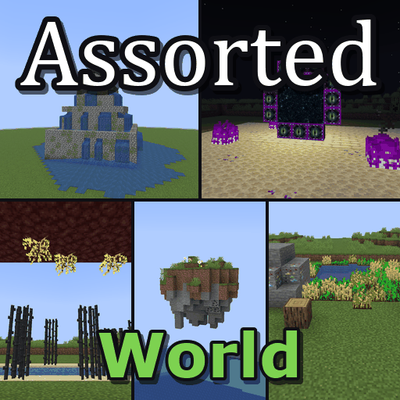
Adds a variety of structures and world generation features.
 mod
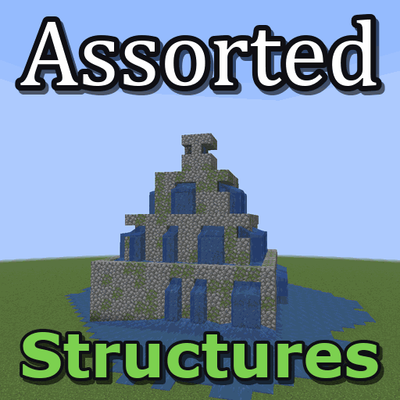
Adds ruins, spires, pyramids, fountains, snowballs, water domes, sandstone pillars and the runes found in them.