Minecraft version
Back to mods 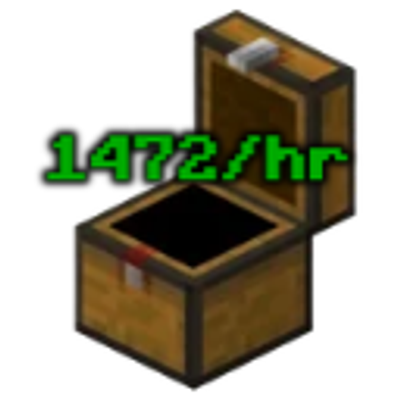
CurseForge · Minecraft mod
Farm Output Rates
Shows how many items per hour your farms make, right next to the output chest.
Choose a version Pick your version below, then grab the matching file.
Quick answer
Which Farm Output Rates release should I use?
Latest stable file Farm Output Rates 1.0.0 NeoForge
Game version 26.3
Loader NeoForge
Farm Output Rates 1.0.0 NeoForge targets 26.3 with NeoForge. The project page does not say whether this file belongs on the client, dedicated server, or both. No extra mods listed for this file.
Where it goes
Is Farm Output Rates required on the client, server, or both?
The project page does not say whether this file belongs on the client, dedicated server, or both.
Client Source doesn’t say
Dedicated server Source doesn’t say
Loader for this release NeoForge
Required install it here Optional supported, not mandatory Not supported do not install here Source doesn’t say do not assume
The source does not explicitly classify this release as client-only or server-only.
What else does Farm Output Rates 1.0.0 NeoForge need?
Farm Output Rates 1.0.0 NeoForge. Change the file and its required mods may change too.
This file does not list any required mods. Do not add a library just because a different file uses it.
This file does not list any required or optional mods.
Before you install it
Add Farm Output Rates without breaking your instance.
Built for Farm Output Rates 1.0.0 NeoForge. Pick another file and the loader, install side or required mods may change.
- 01
Stick to this file
Use Farm Output Rates 1.0.0 NeoForge. It targets 26.3 with NeoForge; another release may have different loader, side or dependency requirements.
- 02
Bring the mods it needs
This file does not list any required mods. Do not add a library just because a different file uses it.
- 03
Put it on the correct side
The project page does not say whether this file belongs on the client, dedicated server, or both.
- 04
Pick the file you checked
Use the “Get this file” button beside Farm Output Rates 1.0.0 NeoForge. It opens that exact file at the source.
About this project
What does Farm Output Rates add?
Open a farm's output chest and Farm Output Rates shows how many items it makes per hour, for each item and in total.
How it works :)
- Open the chest and it starts counting what comes in
- Come back later and it adds up what arrived while you were gone
- It only counts time you were close enough for the farm to run, being away doesn't lower the number
- Items you move yourself don't count
Things to know I guess
- Client side only, works on any server
- Rates are saved per chest and per server
- Press Reset after you upgrade a farm
- If another player or a chunk loader keeps your farm running while you're away, the rate can come out too high
- Commands:
/farmrates on,/farmrates off,/farmrates clear
Requirements
Minecraft 26.3, Fabric Loader 0.20.1 or newer, and Fabric API
Project description from CurseForge.
Pick your setup
Farm Output Rates by Minecraft version and loader
Choose the version and loader you play, then open the matching release.
Check the dependencies, then try the file in a copied instance before changing a world you care about.
Recent files
Farm Output Rates versions and loaders
Farm Output Rates 1.0.0 NeoForge
farm-output-rates-1.0.0-neoforge.jar
21 Nov 2026
Client Source doesn’t say Server Source doesn’t say Dependencies No extras listed Listed on Release listing
Check the 26.3 · NeoForge setup NeoForge26.3 release
Farm Output Rates 1.0.0 Fabric
farm-output-rates-1.0.0.jar
21 Nov 2026
Client Source doesn’t say Server Source doesn’t say Dependencies 1 required · 1 unchecked Listed on Release listing
Check the 26.3 · Fabric setup Fabric26.3 release
Looking for an older file? The official CurseForge project page is in Resources.
 mod
CurseForge + Modrinth · Minecraft
Questlog
Adds a quest system designed to make info conveyance in modpacks far more intuitive!
 mod
CurseForge · Minecraft
Sleepium
A performance engine for servers and clients that keeps the game exact: idle ticks put to sleep, a compiled event bus, parallel worldgen, a fast renderer with its own shaderpack support (beta).
 mod
CurseForge · Minecraft
MythicRelics
Discover mythological relics, level up their powers and combine synergies with Curios accessories