BEZ Core Needed by BEZ Climate bezclimate-1.20.1-1.2.0.jar
requiredMatching file found Matched file: bezcore-1.20.1-1.0.0.jar

CurseForge · Minecraft mod
Survive extreme heat and cold with dynamic body temperature, progressive climate difficulty, protective equipment, shelter mechanics, and environmental crop restrictions.
Quick answer
BEZ Climate bezclimate-1.20.1-1.2.0.jar targets 1.20.1 with Forge. The project page does not say whether this file belongs on the client, dedicated server, or both. All 1 required mods have matching files.
Where it goes
The project page does not say whether this file belongs on the client, dedicated server, or both.
The source does not explicitly classify this release as client-only or server-only.
bezclimate-1.20.1-1.2.0.jar. Change the file and its required mods may change too.
Install BEZ Core first. We found matching files for this game-version and loader setup.
We only count dependency files that match this setup. A file for another loader does not fill the gap.
Before you install it
Built for BEZ Climate bezclimate-1.20.1-1.2.0.jar. Pick another file and the loader, install side or required mods may change.
Use bezclimate-1.20.1-1.2.0.jar. It targets 1.20.1 with Forge; another release may have different loader, side or dependency requirements.
Install BEZ Core first. We found matching files for this game-version and loader setup.
The project page does not say whether this file belongs on the client, dedicated server, or both.
Use the “Get this file” button beside bezclimate-1.20.1-1.2.0.jar. It opens that exact file at the source.
About this project
Minecraft 1.20.1 | Forge | Developed by BEZ
Survival is about more than fighting monsters and finding food.
BEZ Climate introduces an immersive body temperature and environmental survival system to Minecraft, transforming scorching deserts and frozen landscapes into genuinely challenging environments.
Manage your body temperature, construct protective shelters, craft specialized survival equipment, and adapt your farming strategies to survive increasingly dangerous conditions.
The longer you survive, the more demanding your environment becomes.
Adapt to the climate or face the consequences.
Your body temperature constantly adjusts to the surrounding environment, ranging from -100 to +100, with zero representing a comfortable temperature.
| Temperature | Condition | Effect |
|---|---|---|
| ±30 | Warm / Chilly | Increased hunger consumption |
| ±60 | Overheating / Freezing | Slowness I |
| ±75 | Severe heat / cold | Slowness II |
| ±85 | Heatstroke / Hypothermia | Continuous damage |
Both extreme heat and extreme cold can become deadly if left unmanaged.
A dedicated thermometer HUD displays your current temperature, target temperature, and whether your body is warming or cooling.
Craft a Thermometer to examine the environmental factors affecting your temperature.
Different environments create different survival challenges.
Deserts and the Nether expose players to dangerous temperatures.
Snowy and frozen biomes introduce dangerous freezing conditions.
Temperate biomes remain largely neutral by default.
BEZ Climate gradually increases environmental difficulty, giving players time to prepare before facing extreme conditions.
| Survival Day | Climate Progression |
|---|---|
| Day 1–2 | 40% environmental strength |
| Day 3 | Increasing temperatures |
| Day 4 | Dangerous conditions |
| Day 5+ | Full environmental strength |
Progression is tracked individually for each player by default, meaning new players joining an existing server receive their own preparation period.
Players also receive a configurable grace period during which temperature mechanics are disabled.
Building a proper shelter is now an essential survival strategy.
| Shelter Type | Default Climate Protection |
|---|---|
| Roof only | 30% |
| Enclosed shelter | 60% |
| Underground caves | 70% |
Fully enclosed shelters also slow body temperature changes.
Enhance your shelter with ice blocks in hot climates or campfires in cold climates to create a more comfortable environment.
A rechargeable cooling device that neutralizes environmental heat while equipped.
A rechargeable warming device that neutralizes environmental cold while equipped.
Both devices can be held in the offhand or equipped in compatible Curios slots when Curios is installed.
They do not provide immunity to direct hazards such as lava, being on fire, or powder snow.
Specialized armor designed to reduce environmental heat exposure.
A permanent ice block that does not melt in hot environments.
Perfect for creating reliable cooling areas in desert bases.
A specialized cooling block that significantly reduces environmental temperature within a small surrounding area.
Craft specialized consumables to manage your body temperature while exploring.
| Consumable | Temperature Effect |
|---|---|
| Chilled Water | -30 |
| Frost Pop | -15 |
| Warm Berry Tea | +30 |
| Water Bottle | -12 |
| Melon and berries | -8 |
| Stews and baked potatoes | +8 |
These items provide immediate temperature adjustments, making preparation essential before exploring extreme environments.
Ice and snow no longer last forever in scorching desert environments.
In the Nether, ordinary ice and snow disappear over time, while packed and blue ice remain usable by default.
Extreme climates make traditional farming significantly more challenging.
In deserts and frozen biomes:
This applies to vanilla crops and many modded crops, including those from:
Climate-hardy plants such as cactus, trees, mushrooms, and nether wart remain unaffected by default.
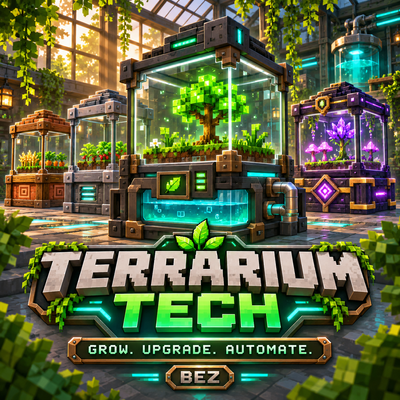
Overcome environmental farming restrictions using Terrarium Tech, another mod developed by BEZ.
Grow crops and trees inside protected terrariums regardless of the surrounding biome's climate.
Terrarium Tech is recommended for modpacks that want climate restrictions to encourage technological agricultural progression.
When Lives Modes is installed, BEZ Climate can automatically adjust a player's initial grace period according to their selected difficulty.
| Difficulty | Default Grace Period |
|---|---|
| Easy | 5 in-game days |
| Medium | 2 in-game days |
| Hard | No grace period |
This allows players with different skill levels to experience the same world with personalized survival challenges.
When BEZ Core is installed, BEZ Climate can use its advanced progression materials for specialized equipment recipes.
Without BEZ Core, alternative vanilla crafting recipes are available.
This allows BEZ Climate to function independently or as part of a larger BEZ progression system.
BEZ Climate provides extensive control for modpack developers and server owners.
Configuration files:
config/bezclimate-common.tomlconfig/bezclimate-client.tomlCustomize:
Custom tags provide additional control over climate-sensitive plants, temperature sources, biomes, and consumables.
/bezclimate get [player] — Inspect temperature./bezclimate set <player> <value> — Set a player's body temperature.These commands can assist with server administration, testing, and custom modpack development.
No additional mod dependencies are required.
BEZ Climate is part of the growing BEZ collection of Minecraft mods, dedicated to creating immersive gameplay mechanics, meaningful progression, and rewarding survival experiences.
Community feedback, suggestions, and bug reports are always welcome!
Build your shelter. Prepare your equipment. Manage your resources.
The environment is no longer just scenery — it's a challenge you must overcome.
BEZ CLIMATE — Survive the Elements.
Project description from CurseForge.
Pick your setup
Choose the version and loader you play, then open the matching release.
Check the dependencies, then try the file in a copied instance before changing a world you care about.
Recent files
27 Nov 2026
21 Nov 2026
Looking for an older file? The official CurseForge project page is in Resources.
 mod
Choose your own survival challenge with unlimited or limited lives, customizable difficulty modes, extra life items, and spectator elimination.
 mod
Automate crops, trees, and modded plants with four upgradeable terrarium tiers, advanced soils, water management, and FE/RF-powered farming.
 mod
Adds an entity that hunts the player down.