Minecraft version
Back to mods 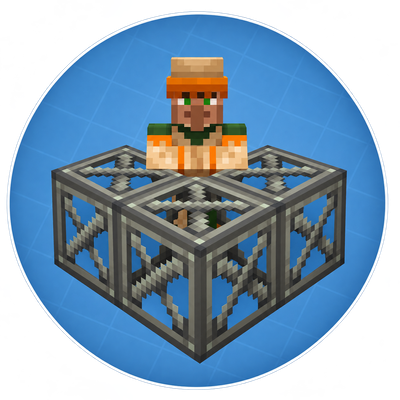
CurseForge · Minecraft mod
Create: AI Path Correction
Corrects Villager AI from traveling on copycat and machinery blocks.
Choose a version Pick your version below, then grab the matching file.
Quick answer
Which Create: AI Path Correction release should I use?
Latest stable file create-ai-routing-correction-0.1.1.jar
Game version 1.21.1
Loader NeoForge
Create: AI Path Correction create-ai-routing-correction-0.1.1.jar targets 1.21.1 with NeoForge. The project page does not say whether this file belongs on the client, dedicated server, or both. No extra mods listed for this file.
Where it goes
Is Create: AI Path Correction required on the client, server, or both?
The project page does not say whether this file belongs on the client, dedicated server, or both.
Client Source doesn’t say
Dedicated server Source doesn’t say
Loader for this release NeoForge
Required install it here Optional supported, not mandatory Not supported do not install here Source doesn’t say do not assume
The source does not explicitly classify this release as client-only or server-only.
What else does Create: AI Path Correction create-ai-routing-correction-0.1.1.jar need?
create-ai-routing-correction-0.1.1.jar. Change the file and its required mods may change too.
This file does not list any required mods. Do not add a library just because a different file uses it.
This file does not list any required or optional mods.
Before you install it
Add Create: AI Path Correction without breaking your instance.
Built for Create: AI Path Correction create-ai-routing-correction-0.1.1.jar. Pick another file and the loader, install side or required mods may change.
- 01
Stick to this file
Use create-ai-routing-correction-0.1.1.jar. It targets 1.21.1 with NeoForge; another release may have different loader, side or dependency requirements.
- 02
Bring the mods it needs
This file does not list any required mods. Do not add a library just because a different file uses it.
- 03
Put it on the correct side
The project page does not say whether this file belongs on the client, dedicated server, or both.
- 04
Pick the file you checked
Use the “Get this file” button beside create-ai-routing-correction-0.1.1.jar. It opens that exact file at the source.
About this project
What does Create: AI Path Correction add?
I build with Copycat blocks a lot because they let me get exactly the shape and texture I want. When I built townhomes for my factory workers, the villagers tried to walk straight through walls made of Copycat Bytes. So I made a mod to fix their routing.
AI Routing Correction keeps ground mobs from planning routes through or across these blocks:
- Create and Create: Copycats+ Copycat blocks
- Create Deco railings
- Create machinery, scaffolding, girders, and struts
- Create train tracks and belts
- Vanilla iron bars and their Chipped variants
I’ll add more blocks as I run into routing issues. If you spot a villager or Iron Golem trying to take a shortcut it shouldn’t, suggestions are welcome!
Project description from CurseForge.
Pick your setup
Create: AI Path Correction by Minecraft version and loader
Choose the version and loader you play, then open the matching release.
Check the dependencies, then try the file in a copied instance before changing a world you care about.
Recent files
Create: AI Path Correction versions and loaders
create-ai-routing-correction-0.1.1.jar
21 Nov 2026
Client Source doesn’t say Server Source doesn’t say Dependencies No extras listed Listed on Release listing
Check the 1.21.1 · NeoForge setup 1.21.1NeoForge release
Looking for an older file? The official CurseForge project page is in Resources.
 mod
CurseForge · Minecraft
Q Shop Addon Confluence Compat
Connect a QShop currency to the coin system in Confluence: Otherworld. QShop shops, commands, quests, and scripts can all use the same balance, while players carry that money as Confluence coins.
 mod
CurseForge · Minecraft
Create: Plushie Factory
Create: Plushie Factory adds Create compatibility to automate all your favorite Plushie mods!
 mod
CurseForge · Minecraft
RH Utilities
Aesthetic and Useful Things for Random House