Minecraft version
Back to mods 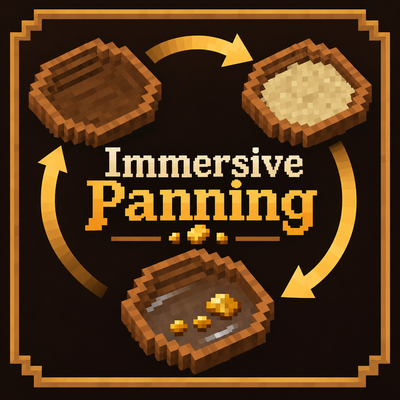
CurseForge · Minecraft mod
Immersive Panning
Discover gold, ores and hidden treasures by panning.
Choose a version Pick your version below, then grab the matching file.
Quick answer
Which Immersive Panning release should I use?
Latest stable file ImmersivePanning.jar
Game version 1.21.1
Loader Fabric
Immersive Panning ImmersivePanning.jar targets 1.21.1 with Fabric. The project page does not say whether this file belongs on the client, dedicated server, or both. No extra mods listed for this file.
Where it goes
Is Immersive Panning required on the client, server, or both?
The project page does not say whether this file belongs on the client, dedicated server, or both.
Client Source doesn’t say
Dedicated server Source doesn’t say
Loader for this release Fabric
Required install it here Optional supported, not mandatory Not supported do not install here Source doesn’t say do not assume
The source does not explicitly classify this release as client-only or server-only.
What else does Immersive Panning ImmersivePanning.jar need?
ImmersivePanning.jar. Change the file and its required mods may change too.
This file does not list any required mods. Do not add a library just because a different file uses it.
This file does not list any required or optional mods.
Before you install it
Add Immersive Panning without breaking your instance.
Built for Immersive Panning ImmersivePanning.jar. Pick another file and the loader, install side or required mods may change.
- 01
Stick to this file
Use ImmersivePanning.jar. It targets 1.21.1 with Fabric; another release may have different loader, side or dependency requirements.
- 02
Bring the mods it needs
This file does not list any required mods. Do not add a library just because a different file uses it.
- 03
Put it on the correct side
The project page does not say whether this file belongs on the client, dedicated server, or both.
- 04
Pick the file you checked
Use the “Get this file” button beside ImmersivePanning.jar. It opens that exact file at the source.
About this project
What does Immersive Panning add?
Immersive Panning
Not every treasure is hidden underground. Sometimes all you need is a wooden pan, a shallow river and a little patience.
Immersive Panning adds a vanilla-inspired way to collect resources by washing sand, gravel, red sand and mud in natural waterways. Search rivers for gold and minerals, explore beaches for treasures, and move between deposits as local resources become depleted.
Features
- Reusable wooden pan with original 3D models and textures for every filled variant.
- Custom first person scooping, swirling and pouring animation with water sloshing sounds.
- Natural rivers, streams and beaches with different loot pools.
- Four sediment types with different rewards.
- Weighted loot, local depletion and gradual resource recovery.
- Configurable loot, biome tags, item tags and gameplay settings for modpacks.
- No durability, upgrades or additional animation mods required.
How to use
- Craft a Wooden Pan: Use five wooden planks in a crafting table. Place two planks in the outer slots of the top row, two in the outer slots of the middle row, and one in the center of the bottom row. Any combination of wooden planks in the Minecraft planks tag works, including compatible modded woods.
- Fill your pan: Hold the empty pan and right-click a block of sand, gravel, red sand or mud. The block is consumed by default in Survival.
- Find a waterway: Wade into shallow water in a natural river, stream or beach. Water must be connected to a suitable natural waterway; isolated bucket pools and deep or covered pools are normally rejected.
- Start panning: Hold right-click for 15 seconds while remaining in the same spot. Watch the pan scoop, swirl and pour. Releasing early or leaving the spot interrupts the process.
- Collect your reward: A message above the hotbar tells you what you found, including the item name and quantity, or whether the pan was empty. Rewards go into your inventory, with overflow dropped nearby. Your empty pan is returned and is ready to reuse after a short four-second cooldown.
Different materials, different treasures
Sand offers a mixture of common resources, gravel is a good source of iron and flint, red sand has the highest default chance of gold, and mud is useful for finding clay. Beaches have their own coastal loot pool regardless of the material used.
Spoiler: Default river loot rates
These are the chances for the first pan in a fresh deposit using the default configuration. Each successful loot roll gives one item; only one entry is chosen per pan.
| Reward | Sand | Gravel | Red Sand | Mud |
|---|---|---|---|---|
| Nothing | 42% | 38% | 41% | 30% |
| Gold Nugget | 12% | 15% | 18% | 12% |
| Iron Nugget | 20% | 22% | 20% | 12% |
| Flint | 12% | 20% | 12% | — |
| Clay Ball | 10% | — | — | 37% |
| Coal | 4% | 5% | 4% | — |
| Redstone | — | — | 5% | — |
| Stick | — | — | — | 9% |
These rates decrease as the surrounding deposit is depleted. Diamonds and emeralds are not included in the default loot tables.
Spoiler: Default beach loot rates
| Reward | Chance |
|---|---|
| Nothing | 35% |
| Clay Ball | 19% |
| Stick | 18% |
| Kelp | 10% |
| Seagrass | 8% |
| Bone | 6% |
| Glass Bottle | 3% |
| Nautilus Shell | 1% |
If installed mods populate the #c:shells item tag, it adds a weight of 4 to the beach loot pool and all chances are recalculated proportionally.
Explore, don't farm the same spot
Panning gradually depletes resources in the surrounding area, making exploration worthwhile. Deposits are shared between players, persist across world restarts and recover with time. Changing sediment types or crossing a chunk border does not reset depletion.
Spoiler: Depletion and recovery mechanics
By default, completed pans within an 80-block horizontal radius (five chunk widths) count toward a limit of five. Even pans that find nothing count. With no recovery between attempts, reward chances are multiplied by 100%, 80%, 60%, 40% and 20% respectively. Further attempts at that spot are blocked until a nearby use expires. These are multipliers, not guaranteed find rates.
Each completed pan expires after three Minecraft days (72,000 game ticks, about 60 minutes at normal tick speed). Sleeping does not skip this timer. Full recovery occurs when the last nearby use expires. Move beyond depleted areas or return later.
Modpack compatibility and configuration
Immersive Panning is designed to be configurable without editing the mod JAR. Recipes accept tagged modded planks, loot supports individual modded item IDs and item tags, and biome rules support vanilla and modded biome IDs and tags. Missing items and empty item tags are skipped. Custom world generators may need adjustments to the natural water settings.
Spoiler: Configuration options
The loot file is generated at config/immersivepanning/panning.json when a world or server starts. The server gameplay settings are in immersivepanning-server.toml (normally in the world's serverconfig folder).
| Gameplay setting | Default |
|---|---|
panningSeconds |
15 |
resultCooldownSeconds |
4 |
depletionEnabled |
true |
pansPerArea |
5 |
depletionRadius |
80 blocks |
recoveryDays |
3 game days |
requireNaturalWater |
true |
requireOpenSky |
true |
minimumConnectedWater |
5 columns |
waterSearchDistance |
8 blocks |
naturalAnchorDistance |
4 blocks |
maximumWaterDepth |
4 blocks |
consumeSedimentBlock |
true |
The JSON file lets you assign custom loot pools to biome IDs or tags, change loot per sediment, adjust item weights and set minimum and maximum quantities. For example, a copper nugget tag entry could use "item": "#c:nuggets/copper", "weight": 10, "min": 1, "max": 2. Restart the world or server after editing loot rules.
Installation
Minecraft 1.21.1 NeoForge,Forge,Fabric. Install the mod JAR in your mods folder. For multiplayer, install it on the server and participating clients. No additional library or animation mods are required.
Project description from CurseForge.
Pick your setup
Immersive Panning by Minecraft version and loader
Choose the version and loader you play, then open the matching release.
Check the dependencies, then try the file in a copied instance before changing a world you care about.
Recent files
Immersive Panning versions and loaders
ImmersivePanning.jar
immersive-panning-1.21.1-fabric-1.1.4.jar
24 Nov 2026
Client Source doesn’t say Server Source doesn’t say Dependencies No extras listed Listed on Release listing
Check the 1.21.1 · Fabric setup Fabric1.21.1 release
ImmersivePanning.jar
immersive-panning-1.21.1-forge-1.1.4.jar
24 Nov 2026
Client Source doesn’t say Server Source doesn’t say Dependencies No extras listed Listed on Release listing
Check the 1.21.1 · Forge setup Forge1.21.1 release
ImmersivePanning.jar
immersive-panning-1.21.1-neoforge-1.1.4.jar
22 Nov 2026
Client Source doesn’t say Server Source doesn’t say Dependencies No extras listed Listed on Release listing
Check the 1.21.1 · NeoForge setup 1.21.1NeoForge release
Looking for an older file? The official CurseForge project page is in Resources.
 mod
CurseForge + Modrinth · Minecraft
Quick Skin
Sick of wasting time with Minecraft’s slow launcher just to change your skin? Quick Skin lets you swap skins instantly even on “offline” servers and gives you access to every official Minecraft cape.
 mod
CurseForge · Minecraft
Shared Fate: One Life
One life, shared health: a co-op hardcore challenge with 85+ random events, player afflictions, gate quests, a sky lobby with leaderboards and one-click hosting.
 mod
CurseForge · Minecraft
LegendQuest ReForged
A complete RPG character system for Minecraft: races, classes, skills, feats and karma, all defined in datapacks rather than code. Server-authoritative - vanilla clients can join and play.