Minecraft version
Back to mods 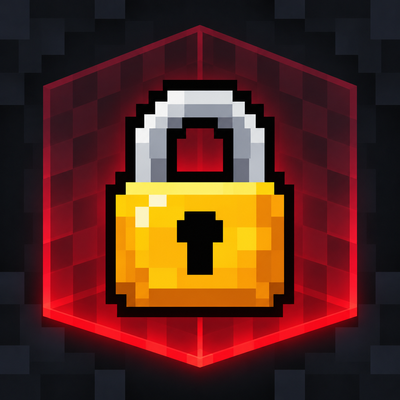
CurseForge · Minecraft mod
Restricted Areas
Create visible, operator-controlled barriers that lock and protect restricted SMP areas until they are ready to open.
Choose a version Pick your version below, then grab the matching file.
Quick answer
Which Restricted Areas release matches Forge?
Best match for your filters Restricted Areas 0.1.1-alpha — Forge 1.20.1
Game version 1.20.1
Loader Forge
Restricted Areas 0.1.1-alpha — Forge 1.20.1 targets 1.20.1 with Forge. The project page does not say whether this file belongs on the client, dedicated server, or both. No extra mods listed for this file.
Where it goes
Is Restricted Areas required on the client, server, or both?
The project page does not say whether this file belongs on the client, dedicated server, or both.
Client Source doesn’t say
Dedicated server Source doesn’t say
Loader for this release Forge
Required install it here Optional supported, not mandatory Not supported do not install here Source doesn’t say do not assume
The source does not explicitly classify this release as client-only or server-only.
What else does Restricted Areas 0.1.1-alpha — Forge 1.20.1 need?
Restricted Areas 0.1.1-alpha — Forge 1.20.1 on Forge. Every mod below is checked against that same setup.
This file does not list any required mods. Do not add a library just because a different file uses it.
This file does not list any required or optional mods.
Before you install it
Add Restricted Areas without breaking your instance.
Built for Restricted Areas 0.1.1-alpha — Forge 1.20.1 on Forge. Pick another file and the loader, install side or required mods may change.
- 01
Stick to this file
Use Restricted Areas 0.1.1-alpha — Forge 1.20.1. It targets 1.20.1 with Forge; another release may have different loader, side or dependency requirements.
- 02
Bring the mods it needs
This file does not list any required mods. Do not add a library just because a different file uses it.
- 03
Put it on the correct side
The project page does not say whether this file belongs on the client, dedicated server, or both.
- 04
Pick the file you checked
Use the “Get this file” button beside Restricted Areas 0.1.1-alpha — Forge 1.20.1. It opens that exact file at the source.
About this project
What does Restricted Areas add?
Restricted Areas
Restricted Areas lets server operators temporarily lock locations behind visible red force fields. It is designed for SMP builds, event locations, story areas and structures that players should only access at the raight moment.
Features
- Select a rectangular area with two right-clicks using the Barrier Selection Wand.
- Red translucent walls remain solid below the selected height and fade upward.
- Protection extends vertically without a bypass above or below the visible effect.
- Floating padlock, area name and optional legend in the center of each region.
- Open, close and remove regions without rebuilding the selection.
- Regions and their states persist after server restarts.
- Supports multiple protected regions and dimensions.
- Only operators can create or manage barriers.
Protection
While a barrier is closed, regular players cannot enter through walking, flight, mounts, ender pearls, chorus fruit, portals or normal teleportation.
Players found inside a closed region are automatically returned to a safe position.
Closed regions also block:
- Block breaking and placement
- Block and entity interactions
- Attacks and projectiles
- Explosions
- Pistons
- Fluid changes affecting protected blocks
Operators and players in Creative or Spectator mode can cross the boundary.
Commands
All commands require operator permission level 2.
/barrier wand
/barrier create <name>
/barrier create <name> | <optional legend>
/barrier legend <name> <legend>
/barrier open <name>
/barrier close <name>
/barrier remove <name>
/barrier list
/barrier info <name>
Names containing spaces must be quoted when used with /barrier legend.
Example:
/barrier create Ancient Castle | Opens during the final event
/barrier legend "Ancient Castle" New event location
/barrier open Ancient Castle
Installation
- Install Minecraft Forge for Minecraft 1.20.1.
- Place the mod JAR in the
modsfolder on the server and every connecting client. - Start the server and use
/barrier wandas an operator.
No additional mod dependencies are required.
Compatibility
- Minecraft: 1.20.1
- Loader: Forge
- Minimum Forge version: 47.4.27
- Environment: Client and server
Teleportation added by third-party mods may require dedicated compatibility support.
Project description from CurseForge.
Pick your setup
Restricted Areas by Minecraft version and loader
Choose the version and loader you play, then open the matching release.
Check the dependencies, then try the file in a copied instance before changing a world you care about.
Recent files
Restricted Areas versions and loaders
Restricted Areas 0.1.1-alpha — Forge 1.20.1
restricted_areas-forge-1.20.1-0.1.1-alpha.jar
24 Nov 2026
Client Source doesn’t say Server Source doesn’t say Dependencies No extras listed Listed on Release listing
Check the 1.20.1 · Forge setup 1.20.1Forge release
restricted_areas-forge-1.20.1-0.1.0-alpha (1).jar
restricted_areas-forge-1.20.1-0.1.0-alpha-1.jar
22 Nov 2026
Client Source doesn’t say Server Source doesn’t say Dependencies No extras listed Listed on Release listing
Check the 1.20.1 · Forge setup 1.20.1Forge beta
restricted_areas-forge-1.20.1-0.1.0-alpha.jar
22 Nov 2026
Client Source doesn’t say Server Source doesn’t say Dependencies No extras listed Listed on Release listing
Check the 1.20.1 · Forge setup 1.20.1Forge release
Looking for an older file? The official CurseForge project page is in Resources.
 mod
CurseForge · Minecraft
WildWoods Trees - Realistic Trees, Chop, Falling & Dynamic
Dynamic, performance-friendly realistic trees: tall and tapered, chopped notch by notch, felled like the real thing. Resource pack ready.
 mod
CurseForge · Minecraft
Asterion
Descend into a forgotten Labyrinth, explore a mysterious new dimension, uncover ancient secrets, forge powerful equipment, and defeat the Minotaur.
 mod
CurseForge · Minecraft
Combo Clash
Battlegrounds-style combo PvP: 4-hit M1 strings, uppercuts, air combos, blocks, perfect blocks, dashes and evasives, with made motions.