Minecraft version
Back to mods 
CurseForge · Minecraft mod
Combat Effect Budget
Preserves supported combat telegraphs and reduces decorative particles under load.
Choose a version Pick your version below, then grab the matching file.
Quick answer
Which Combat Effect Budget release matches 26.2 Forge?
Best match for your filters 0.2.1
Game version 26.2
Loader Forge
Combat Effect Budget 0.2.1 targets 26.2 with Forge. The project page does not say whether this file belongs on the client, dedicated server, or both. No extra mods listed for this file.
Where it goes
Is Combat Effect Budget required on the client, server, or both?
The project page does not say whether this file belongs on the client, dedicated server, or both.
Client Source doesn’t say
Dedicated server Source doesn’t say
Loader for this release Forge
Required install it here Optional supported, not mandatory Not supported do not install here Source doesn’t say do not assume
The source does not explicitly classify this release as client-only or server-only.
What else does Combat Effect Budget 0.2.1 need?
0.2.1 on 26.2 Forge. Every mod below is checked against that same setup.
This file does not list any required mods. Do not add a library just because a different file uses it.
This file does not list any required or optional mods.
Before you install it
Add Combat Effect Budget without breaking your instance.
Built for Combat Effect Budget 0.2.1 on 26.2 Forge. Pick another file and the loader, install side or required mods may change.
- 01
Stick to this file
Use 0.2.1. It targets 26.2 with Forge; another release may have different loader, side or dependency requirements.
- 02
Bring the mods it needs
This file does not list any required mods. Do not add a library just because a different file uses it.
- 03
Put it on the correct side
The project page does not say whether this file belongs on the client, dedicated server, or both.
- 04
Pick the file you checked
Use the “Get this file” button beside 0.2.1. It opens that exact file at the source.
About this project
What does Combat Effect Budget add?
When a fight fills the screen with debris, you still need to see the attack winding up. Combat Effect Budget gives each supported cast its own client-side particle budget. When load rises, it reduces decorative particles such as flying stone chips while keeping requests for the attack's warning effect. Hit timing and damage are handled by the original skill.
Installation
Requires Minecraft 1.20.1, Forge, and Java 17. Put the JAR in the client mods folder. Servers do not need to install it. Open Mods → Combat Effect Budget → Config and choose Full, Automatic, or Reduced.
What 0.1.0 supports
The built-in adapter covers the Stone Guard slam in one verified Dynasty 1.4.0 build. Unsupported builds and effects keep their normal behavior. Other mods can opt in through the client API. The built-in reduction turns off when Particle Core is present to avoid applying two reductions to the same skill.
In-game results
Compared with Full mode, Automatic kept all 60 warning emission requests and reduced the post-impact stone chips from 12 to 8. Damage was identical. Vanilla particle settings still control which effects are visible. Frame-time testing did not show a consistent performance gain.
The project badge is AI-generated artwork. Development and publication used AI assistance. In-game verification was performed in Minecraft.
Project description from CurseForge.
Pick your setup
Combat Effect Budget by Minecraft version and loader
Choose the version and loader you play, then open the matching release.
Minecraft version
26.2
1 loader buildMinecraft version
26.1.2
1 loader buildMinecraft version
26.1.1
1 loader buildMinecraft version
26.1
1 loader buildMinecraft version
1.20.1
1 loader buildCheck the dependencies, then try the file in a copied instance before changing a world you care about.
Recent files
Combat Effect Budget versions and loaders
0.2.1
combat-effect-budget-forge-26.2-0.2.1.jar
23 Nov 2026
Client Source doesn’t say Server Source doesn’t say Dependencies No extras listed Listed on Release listing
Check the 26.2 · Forge setup Forge26.2 release
Looking for an older file? The official CurseForge project page is in Resources.
 mod
CurseForge · Minecraft
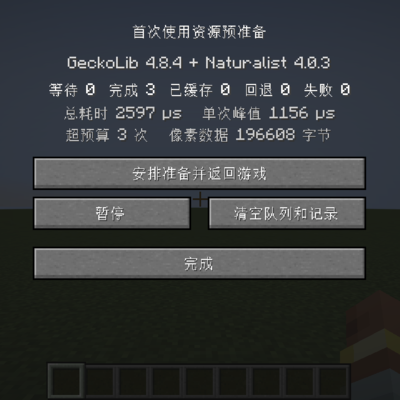
First Use Preparation
Prepare three Naturalist textures in idle frames and inspect their cost.
 mod
CurseForge · Minecraft
Menu Smooth
Client-side caching and bounded background tag searches for the creative inventory.
 mod
Modrinth · Minecraft
No Netherite Armor and weapons
Removes the ability to craft netherite armor, sword and axe.