Fabric API Needed by Felix's Better Bundles Better Bundles 1.1.0
requiredMatching file found Matched file: [1.21.8] Fabric API 0.136.1+1.21.8
CurseForge · Minecraft mod
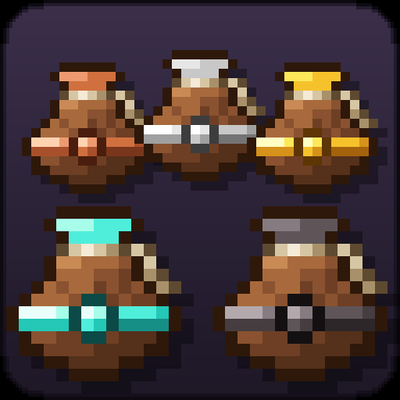
Copper to netherite bundles with 18 to 54 slots. Open them like a chest, click items in like vanilla bundles, and sort with one click.
Quick answer
Felix's Better Bundles Better Bundles 1.1.0 targets 1.21.8 with Fabric. The project page does not say whether this file belongs on the client, dedicated server, or both. All 1 required mods have matching files.
Where it goes
The project page does not say whether this file belongs on the client, dedicated server, or both.
The source does not explicitly classify this release as client-only or server-only.
Better Bundles 1.1.0. Change the file and its required mods may change too.
Install Fabric API first. We found matching files for this game-version and loader setup.
We only count dependency files that match this setup. A file for another loader does not fill the gap.
Before you install it
Built for Felix's Better Bundles Better Bundles 1.1.0. Pick another file and the loader, install side or required mods may change.
Use Better Bundles 1.1.0. It targets 1.21.8 with Fabric; another release may have different loader, side or dependency requirements.
Install Fabric API first. We found matching files for this game-version and loader setup.
The project page does not say whether this file belongs on the client, dedicated server, or both.
Use the “Get this file” button beside Better Bundles 1.1.0. It opens that exact file at the source.
About this project
Vanilla bundles are handy, but they fill up fast. Better Bundles adds five bundle tiers, from copper to netherite, that work like a chest you can carry. Right-click one to open a real chest screen, or click items onto it in your inventory just like a vanilla bundle.
To upgrade a bundle, craft it together with the next material. You can use any slots of the crafting grid, and everything inside the bundle is kept.
Copper Bundle (shaped):
Copper Ingot   String         Copper Ingot
Copper Ingot   Leather        Copper Ingot
Copper Ingot   Copper Ingot   Copper Ingot
Upgrades (any two slots of the crafting grid):
Can I use it in my modpack? Yes. The mod is MIT licensed, so you can add it to any modpack.
Can I put a vanilla bundle inside a Better Bundle? Yes. Only shulker boxes and other Better Bundles are blocked.
What happens to my items when I upgrade? They move into the new bundle. Nothing is lost.
MIT. The full source code is available as an additional file next to each release on the Files tab.
Project description from CurseForge.
Pick your setup
Choose the version and loader you play, then open the matching release.
Check the dependencies, then try the file in a copied instance before changing a world you care about.
Recent files
better-bundles-1.1.0.jar
22 Nov 2026
Looking for an older file? The official CurseForge project page is in Resources.
 mod
Generators, batteries, chargers and cables for Forge Energy. Nine generators that each run on something different, eight tiers, and an artificial sun that powers solar panels day and night.
 mod
Real-time damage numbers with 5+ animated styles, fully customizable via resource packs
 mod
Enforces keepInventory gamerule to always be true. Never lose your items on death!